Best Digital Banking Apps for Freelancers: Top 10 Picks


Fintech Analyst, Business Banking Researcher & Founder
Dani got hit with a $14 wire fee on a Tuesday morning.
She’s a freelance graphic designer in Austin. She’d sent a $200 invoice to a client, got paid, and then watched $14 disappear as she moved the money from her Chase business account to her personal checking. She called the bank. They explained the fee structure. She thanked them politely and spent the next three hours researching alternatives.
That’s the real freelance banking problem in 2026. Not whether your bank has a prettier app. Whether it quietly takes a cut of your cash flow every month through fees, low yields, clunky tax workflows, or account features built for businesses that don’t look anything like yours.
The best digital banking apps for freelancers solve different problems. Some help you earn more on idle cash. Some automate tax savings. Some make international payments less painful. Some give you envelope-style budgeting so you stop spending money that was supposed to go to the IRS.
So this guide does two things. First, it shows you the best options. Then it shows you how they compare when you put them side by side on the stuff that actually matters: fees, APYs, tax tools, cash deposits, international payments, coverage structure, and day-to-day usability.
If you’re comparing the best banking app for freelancers or weighing today’s online banking platforms for freelance work, the real differences rarely come down to which app looks nicer. They come down to fees, tax tools, yield, cash deposits, deposit protection, and how you actually get paid. This guide sorts the top business banking platforms for freelancers by the problem each one solves, so you can match a provider to your setup instead of guessing.
Here are ten of the best, and where each one actually wins.
Before you pick a platform, it helps to understand why keeping a freelancer bank account separate from your personal account matters in the first place.’
Best Digital Banking Apps for Freelancers at a Glance
Short on time? Here’s the fast shortlist, sorted by the problem each one solves best.
- Best overall: Mercury — clean banking with strong cash management and no monthly fee.
- Best for taxes: Found — automatic set-asides, write-off tracking, and quarterly estimates built in.
- Best mobile-first app: Lili — simple phone-first banking with automatic tax buckets.
- Best for automated bookkeeping: Holdings — an AI accounting engine that categorizes transactions for you.
- Best for envelope budgeting: Relay — up to 20 sub-accounts and automatic percentage-based transfers.
- Best for yield on everyday balances: Bluevine — high APY paid directly on your checking balance.
- Best for international clients: Airwallex — multi-currency accounts and low-cost cross-border payments.
- Best for cash deposits: North One — retail deposit network plus envelope-style budgeting.
- Best for debit rewards: Grasshopper — 1% unlimited cash back and a plain-language transaction search.
- Best for branch access: Chase — real branches, cash deposits, and in-person lending relationships.
The rest of this guide breaks down each pick in detail, then shows you how they compare side by side.
Digital Banking Apps for Freelancers — Side-by-Side Comparison
If you don’t want to read thousands of words before narrowing your list, start here. This table lines up all ten apps on the things that actually matter to freelancers: fees, yield, tax tools, invoicing, cash deposits, international payments, and how your money is protected.
↔ Swipe sideways to see every column.
| App | Monthly Fee | APY / Yield | Tax Tools | Invoicing | Cash Deposits | International Payments | Coverage Structure | Best For | Main Catch |
|---|---|---|---|---|---|---|---|---|---|
🚀Mercury | $0 | Up to 4.47% on Treasury products | No | Limited | No | Yes | Sweep coverage for eligible deposits; separate treatment for Treasury products | High cash reserves | Great for cash management, weaker for taxes |
🧾Found | $0 – $19.99 | 1.50% – 2.50% | Strong | Yes | Limited | Limited | FDIC coverage through partner banking structure | Tax automation | Best tax features may require the paid tier |
📱Lili | $0 (Core) | 2.25% – 4.00% | Strong | Yes | Yes | Limited | Sweep-network coverage | Mobile-first freelancers | Better features sit on higher plans |
🤖Holdings | $0 | 1.75% | Moderate | Strong | Limited | Limited | Sweep-network coverage | Built-in bookkeeping | Newer platform, less proven than bigger names |
📊Relay | $0 – $30 | Varies by plan | Limited | Limited | No | Limited | Partner-bank FDIC structure | Envelope budgeting | Better for cash separation than tax help |
💰Bluevine | $0 | 1.30% – 3.70% | Limited | Limited | Yes | Limited | Partner-bank FDIC structure | Yield on operating balances | Best rates can depend on plan rules |
🌍Airwallex | $0 | Varies | Limited | Yes | No | Strong | Partner-bank and sweep structure where applicable | International clients | Overkill if all your work is domestic |
✉️North One | $0 (Basic) | 2.50% – 3.0% | Limited | Limited | Yes | Limited | Partner banking structure | Cash deposits | Simpler than top freelancer-first options |
🦗Grasshopper | $0 | Varies by balance and product | Limited | Limited | Limited | Limited | FDIC-insured bank structure | Debit rewards | Lacks deeper freelancer admin tools |
🏦Chase Business Complete | $15 (waivable) | 0.01% | No | Yes via payments tools | Yes | Limited | Traditional FDIC bank coverage | Branch access | Reliable, but expensive and low-yield vs digital options |
Quick note: rates, fees, and protection structures change. The right move is always to verify current terms on the provider’s own site before you open anything.
Online Banking for Freelancers: What Actually Matters
Online banking for freelancers isn’t one product — it’s a category with wildly different priorities depending on how you work. Before you compare brands, get clear on what actually moves the needle for a solo business.
Six things separate a good fit from a bad one:
- Fees: Free is only free if the features you need aren’t locked behind a higher plan. Watch wire, ACH, and cash-deposit charges.
- Mobile usability: If you run your business from a phone, the app has to make transfers, deposits, and card controls fast — not buried three menus deep.
- Tax tools: For a 1099 earner, automatic set-asides for quarterly taxes can be worth more than a slightly better APY.
- Deposit protection: Some platforms are direct banks; others use partner banks or sweep networks. Know how your money is covered.
- Cash deposits: If you ever handle physical cash, confirm the retail deposit network before you commit.
- International payments: Multi-currency support only matters if you need it — but if you do, it matters a lot.
Score any platform against these six, and the right choice gets obvious fast.
Best Picks Based on the Problem You’re Actually Trying to Solve
If you’re trying to fix one specific pain point, the shortlist gets much easier.
If you want the highest upside on idle cash: Mercury Best if you keep real reserves in the business and hate watching cash sit there doing nothing.
If tax season keeps punching you in the throat: Found Best for freelancers who want tax estimates, write-off tracking, and less end-of-quarter chaos.
If you run everything from your phone: Lili Best for solo freelancers who want a cleaner mobile experience with tax buckets built in.
If you get paid by international clients: Airwallex Best if multi-currency payments and cross-border transfers are part of normal life for your business.
If you budget by buckets: Relay Best for freelancers who want separate accounts for taxes, operating expenses, owner pay, and profit.
If you still need a physical branch: Chase Best if digital-only banking sounds good until you need to deposit cash or talk to an actual human.
Table of Contents
U.S. Freelancers vs International Freelancers: Which Apps Actually Fit
Not every app on this list solves the same banking problem, and geography changes the answer more than most roundups admit.
If you’re a U.S.-based freelancer who wants fee-free business checking, automated tax tools, or cash flow management for a domestic operation, the strongest picks are Mercury, Found, Lili, Relay, Bluevine, Grasshopper, North One, and Chase. These are built around the way a solo business owner or 1099 contractor actually operates inside the U.S. — FDIC sweep network coverage, quarterly tax payments, sub-accounts, and business savings features that assume your money moves in dollars.
Your business structure changes which account makes sense, too — compare sole proprietor vs LLC bank accounts before you apply.
Airwallex sits in a different lane. It’s a multi-currency account built for cross-border payments, so it makes the most sense if a real chunk of your income comes from overseas clients. For a domestic-only freelancer, it’s more power than you need.
If your clients pay you in U.S. dollars
Start with the domestic-first neobanks. Here’s the quick logic:
- Tax stress? Found or Lili handle automated tax tools and set-aside buckets.
- Idle cash earning nothing? Mercury for reserves, Bluevine for yield on operating balances.
- Cash budgeting by category? Relay or North One.
- Need a branch or in-person deposits? Chase.
If you invoice clients across borders
This is where a multi-currency account earns its keep.
- Airwallex is the specialist here. Hold GBP, EUR, AUD, and more in their native form, then decide when to convert instead of eating a bad FX rate on every inbound payment.
- Treat it as a cross-border financial operations tool first and a freelancer banking option second.
The distinction matters because the best account for a U.S.-only independent contractor is rarely the best account for someone billing in three currencies a month. Below, we break down what each platform actually feels like to use.
Why You Need the Best Digital Banking Apps for Freelancers?
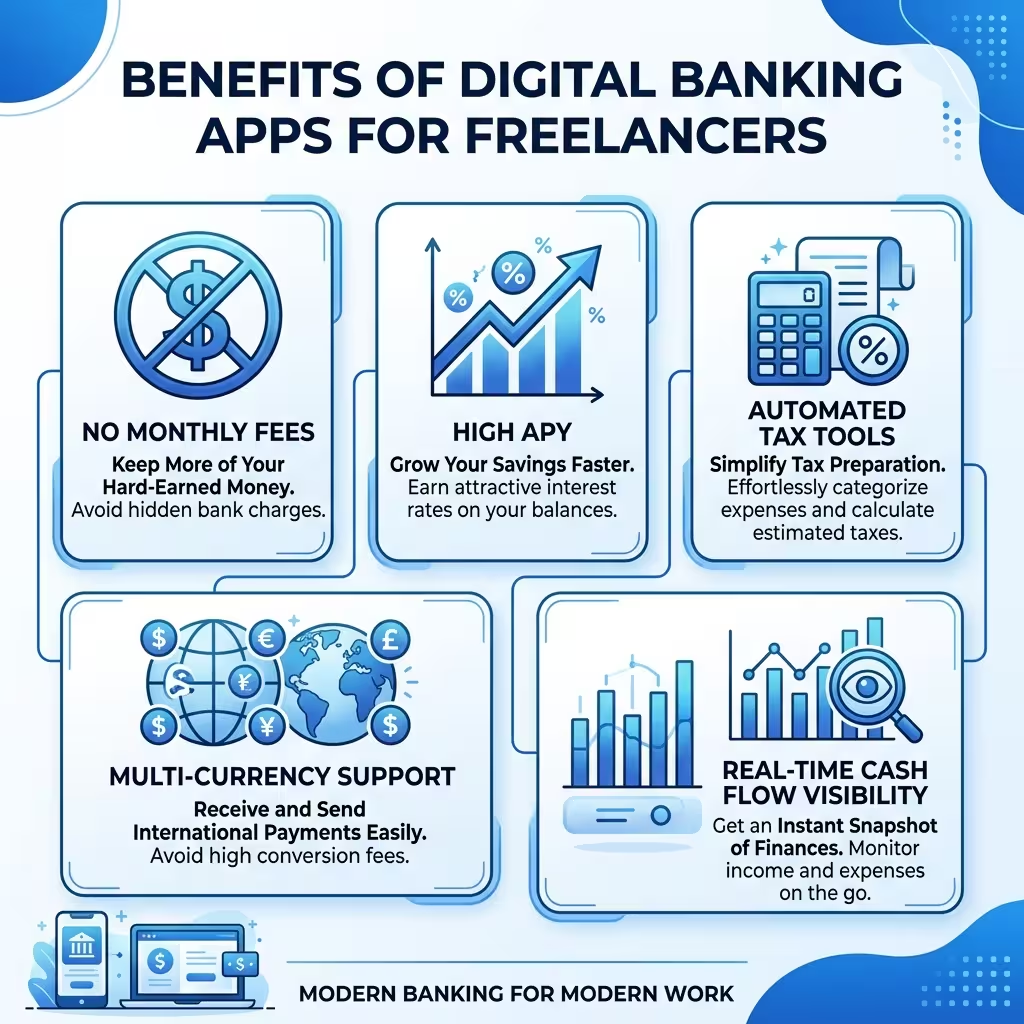
Traditional banks charge fees for things that digital platforms give away. If avoiding those charges is your main goal, our roundup of the best free business bank accounts for freelancers narrows the field to zero-fee options.
Wire transfers. Monthly maintenance. ACH transfers past a certain volume. Cash deposits from out-of-network ATMs.
In a high-interest environment, the yield gap matters just as much. Chase business checking pays 0.01% APY. The leading neobanks pay between 1.30% and 4.47%. On a $50,000 operating balance, that difference is roughly $1,700 a year. Just sitting there. Not being earned.
Beyond fees and yields, the feature set has shifted. Modern freelance banking platforms integrate automated invoicing, expense tracking, real-time tax estimates, 1099-NEC e-filing, and sub-accounts for separating tax reserves from operating cash. These aren’t add-ons. They’re built into the core product.
Only 38% of SMB owners currently have real-time visibility into their cash position. The right banking app closes that gap immediately.

How We Evaluated These Digital Banking Apps
Most banking roundups are feature lists with affiliate links stapled on. That’s not much help when you’re deciding where your business money should actually live, so we approached this like an evaluation, not a highlight reel.
We looked at each neobank the way a working freelancer would — opening the product, poking at the dashboard, and asking whether the features hold up once you’re past the marketing page.
What we actually examined
For every platform, we dug into the parts that shape real freelance cash flow, not just the headline numbers:
- fee-free business checking claims, and where hidden costs creep back in
- automated tax tools — whether set-asides for quarterly tax payments are obvious or buried
- FDIC sweep network coverage and how each account explains sweep network coverage
- bookkeeping automation, invoicing, and business savings account features
- cash flow management tools like sub-accounts and envelope budgeting
- multi-currency account and cross-border payments support for international work
- the mobile banking UX — how it feels to run the account from a phone
How we assessed the experience
We didn’t just count features. We looked at how each product presents them in practice: whether tax buckets sit close to incoming income, whether the dashboard is readable at a glance, and whether setup feels built for a solo business owner or a much bigger company.
That’s where a lot of apps separate themselves. Two platforms can list “tax tools,” but one makes them one tap away and the other hides them three menus deep. For a digital-first freelancer, that difference is the whole product.
How we ranked them
Our rankings reward practical value for independent contractor banking over brand recognition. Apps scored higher when they reduced admin drag — strong tax automation, clear invoicing, useful sub-accounts, or better yield on idle freelance cash flow — and when they were honest about how their coverage and APY conditions work.
Because pricing, APYs, and sweep structures change often, this guide should be refreshed whenever a provider materially shifts its terms. Next, here’s the exact criteria we weighted most.
What We Weighted Most in Our Rankings
Before you scroll into the picks, here’s the scorecard behind them. This is what actually moved an app up or down in our freelance business banking evaluation.
- Fee structure & fee-free business checking — real monthly cost, plus the wire, ACH, and cash-deposit fees that sneak back in.
- Automated tax tools — set-asides for quarterly tax payments, write-off tracking, and how close tax features sit to incoming income.
- Yield & business savings account features — APY conditions on freelance cash flow, and whether the top rate hides behind activity rules.
- FDIC sweep network coverage — direct FDIC insurance vs. an FDIC-insured neobank using partner banks, and how clearly sweep network coverage is explained.
- Cash flow management — sub-accounts, envelope budgeting, and tools that keep tax money separate from spending money.
- Bookkeeping automation — auto-categorization, real-time P&L, and freelance banking apps with invoicing built in for a solo business owner.
- Multi-currency account & cross-border payments — how well the platform handles international clients and FX timing.
- Mobile banking UX — whether a digital-first freelancer can genuinely run the account from a phone.
- Fit for 1099 contractor banking — how well the whole package matches independent contractor banking rather than enterprise needs.
Common mistake: most people rank these apps by APY first. In practice, the biggest wins come from the app that removes the most admin work for your specific workflow — the yield is usually the tiebreaker, not the headline.
With the scoring logic out of the way, here’s how each of the ten apps actually performs.
Secure Mobile Banking Apps for Freelancers: What to Check Before You Sign Up
When your business money lives on your phone, security stops being a footnote. The goal isn’t to rank apps by how “safe” they feel — it’s to know exactly what to verify before you trust a platform with client payments and tax reserves.
Here’s the checklist worth running before you open any account:
- Two-factor authentication (2FA/MFA): App-based or SMS verification on login and on sensitive actions. Turn it on the moment the account opens.
- Biometric login: Face or fingerprint unlock adds a fast, strong layer that a stolen password can’t bypass.
- Transaction alerts: Real-time notifications on every charge and transfer let you catch anything wrong within seconds.
- Card lock/freeze controls: The ability to freeze a card instantly from the app if it’s lost or a charge looks off.
- Coverage clarity: A platform should explain plainly whether it’s a direct bank or uses partner-bank and sweep-network FDIC coverage, and how much of your balance is protected.
A secure mobile banking app should offer all five without you digging for them. If any are missing or hard to find, treat that as a signal.
1. Mercury Business Banking: Best for High Cash Reserves and Scaling Startups
Mercury is the most complete package for a freelance professional who expects to scale.
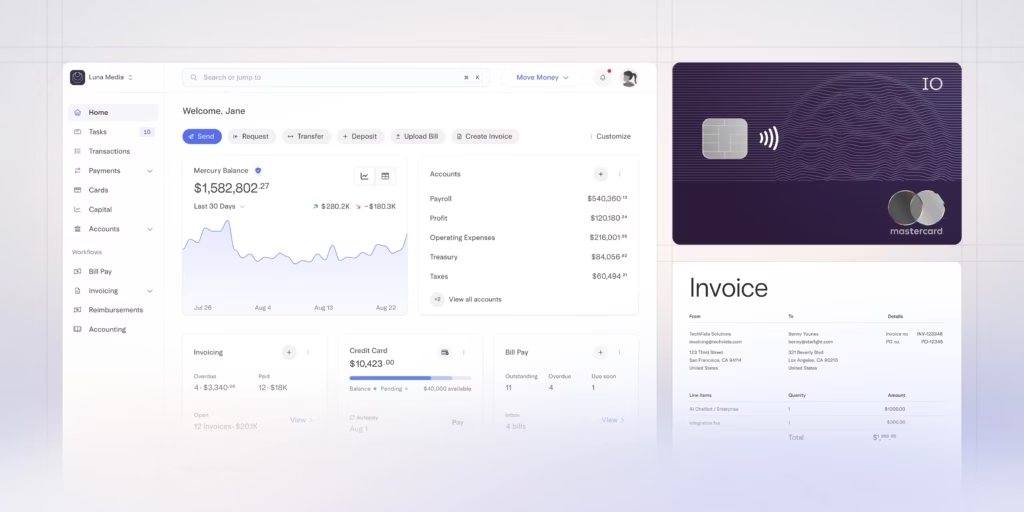
No monthly fee. No wire fees — domestic or international. API access for developers who want to connect their banking data to other tools. Eligible deposit balances may receive extended coverage through Mercury’s sweep structure, while Treasury products are a separate thing and should be evaluated on their own terms before you move larger reserves.
The standout feature is Mercury Treasury. Instead of leaving idle cash in a checking account earning nothing, Treasury invests it in U.S. government-backed money market funds. Current APY sits around 4.47%. The catch: Treasury uses SIPC insurance rather than FDIC insurance. That’s worth understanding before moving large balances there.
For freelancers with irregular income who keep significant reserves, Mercury’s yield is hard to beat. For anyone doing venture-backed work or managing equity, the startup-oriented tools make it the natural choice.
Monthly fee: $0. APY: up to 4.47% (Treasury).
What stands out in actual use
Mercury loads fast, and the first thing you notice is that nothing is fighting for your attention. The dashboard leads with your balances and recent transactions, so you see your freelance cash flow the second you log in — no digging. Moving money is a two- or three-click job, and creating a new account or virtual card takes about a minute.
Virtual cards do more than move money fast — used well, they sort your expenses before the statement lands. Here’s how virtual cards for freelancers work.
The whole thing feels like modern finance software rather than a bank portal, which is exactly why digital-first freelancers gravitate to it. Where it gets thin is anything tax-related. There’s no set-aside logic, no quarterly estimate nudge, so you’ll finish setup impressed by the banking side and then realize your 1099 contractor tax workflow still lives somewhere else entirely.
👍 Mercury Pros
- ✓ High Treasury Yields: Earn up to 4.47% APY on idle cash balances via Mercury Vault.
- ✓ Truly Fee-Free: $0 monthly maintenance, no account minimums, and completely free domestic/international wires.
- ✓ Massive FDIC Insurance: Protect up to $5 Million in capital through their extended sweep partner bank network.
👎 Mercury Cons
- ✕ Strict Approvals: Application vetting is geared heavily toward scaling startups rather than casual hobbyists.
- ✕ No Physical Branches: Entirely digital ecosystem with no local walk-in customer support available.
Who should skip it
Freelancers who want taxes handled inside the same app should skip Mercury as an all-in-one solution and start with Found or Lili instead. If your business rarely holds meaningful reserves, the yield advantage barely matters.
Not ideal for: freelancers who want built-in tax estimates, write-off tracking, or cash deposit access.
2. Business Banking: Best for Automated Freelance Tax Tracking
Found was built specifically around the tax nightmare that solo freelancers face.
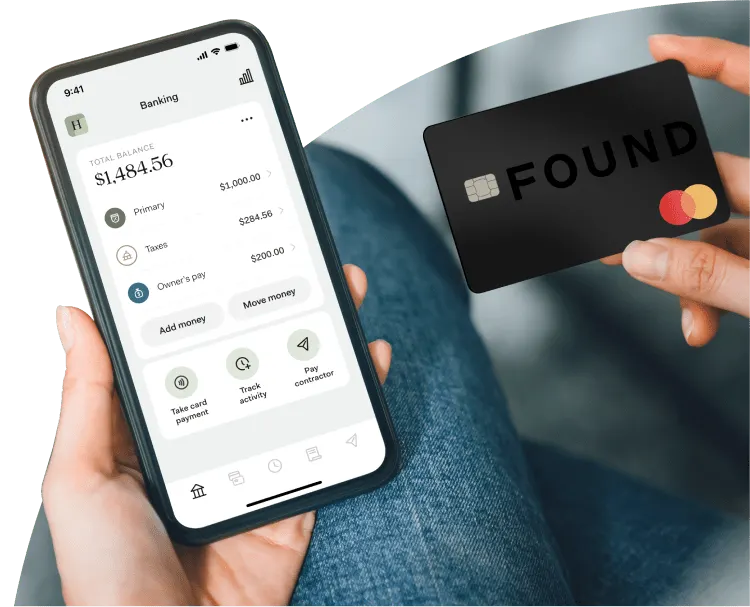
The platform calculates your tax obligation in real time as income arrives. Every payment that hits your Found account triggers an automatic estimate and moves a percentage to a dedicated tax reserve. When quarterly payments are due, you pay them from inside the app. Schedule C generation is built in. 1099-NEC e-filing is built in.
Setting the whole thing on autopilot is worth its own walkthrough — see how to automate quarterly freelance tax savings.
For a freelance graphic designer, a copywriter, or any 1099 contractor who dreads April — Found eliminates most of the friction. Your accountant receives cleaner data. Your quarterly estimates are current. You stop making the “I’ll figure out taxes later” mistake.
FDIC insured. No monthly fee on the standard plan. Paid plan ($19.99/month) adds enhanced tax tools and higher APY.
Monthly fee: $0 (standard), $19.99 (Plus). APY: 1.50% to 2.50%.
What stands out in actual use
Found puts tax automation front and center instead of hiding it three menus deep. Log in and the home screen shows what you’ve earned, what you’ve likely set aside for taxes, and where your write-offs stand — all in one view.
That single design choice changes behavior. When a client payment lands, you can see the tax portion peel off in real time, so you stop mentally spending money that was never yours to keep. Categorizing an expense for Schedule C is a quick swipe, and quarterly estimates sit one tap from the main screen. It reads less like fee-free business checking with add-ons and more like a tax-aware cash flow tool built for solo business owners who hate April.
👍 Found Pros
- ✓ Automatic Tax Saving: Automatically calculates and separates your quarterly tax obligations on incoming payments.
- ✓ Schedule C Tracking: Categorizes daily business outlays to easily uncover hidden tax write-offs.
- ✓ Free Tier Available: Basic plan includes core checking and simple budgeting features with no monthly upkeep fees.
👎 Found Cons
- ✕ Paid Tax Filing: Seamlessly filling your taxes out through the app requires upgrading to Found Plus ($19.99/mo).
- ✕ Lower Base APY: Standard users do not yield significant interest returns without upgrading.
Who should skip it
Freelancers chasing the highest yield on idle cash will find Found’s rates underwhelming, especially on the free tier. If tax automation isn’t your bottleneck, you’re paying attention to the wrong feature.
3. Lili Freelance Banking: Best Mobile App for Expense Accounting
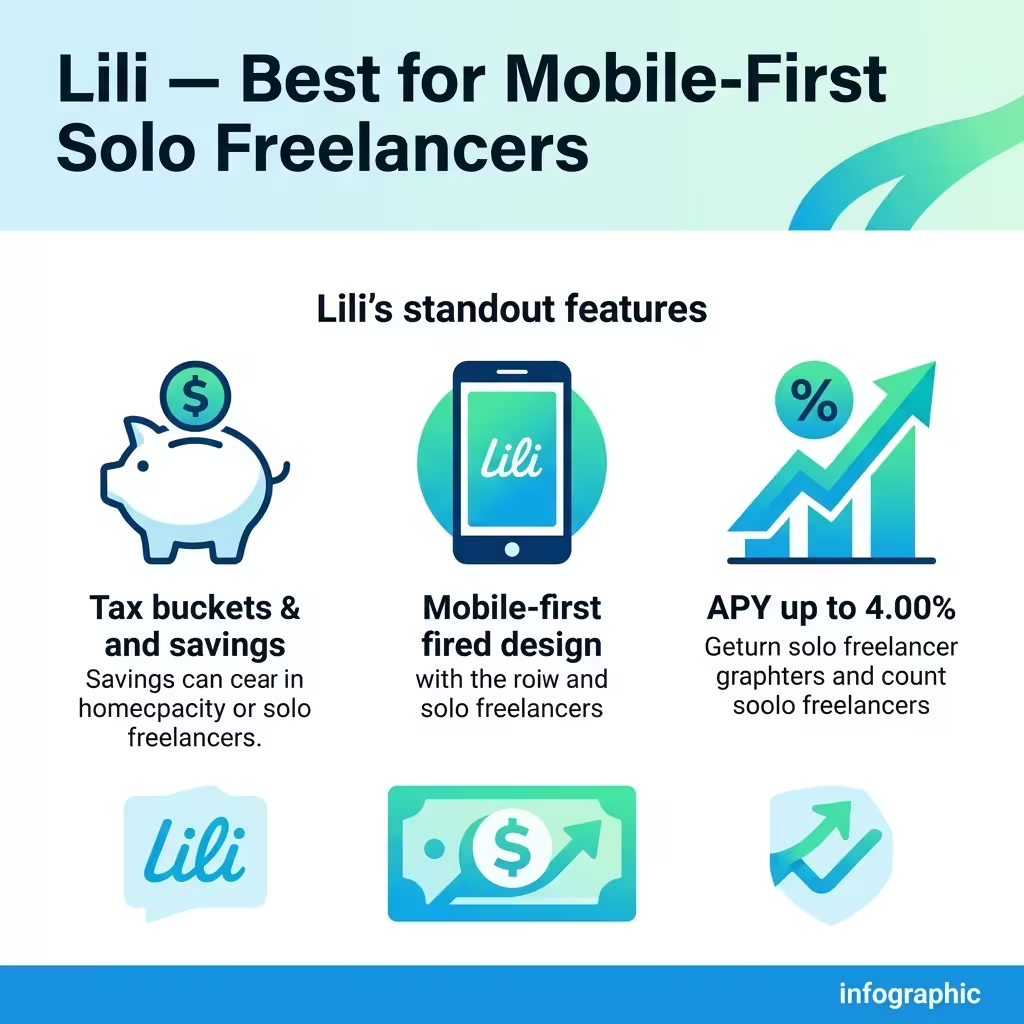
Lili is the most streamlined option for a freelancer who wants everything accessible on a phone and nothing complicated in the setup.
The core feature is tax buckets — you set a percentage and Lili automatically moves that amount to a reserve every time income arrives. No manual transfers. No end-of-quarter scrambling. It works in the background while you work on client deliverables.
APY runs between 2.25% and 4.00% depending on the plan. The platform has a retail cash deposit network — useful if you occasionally handle physical cash. Balance Up provides overdraft protection up to $200.
For a solo freelancer who bills 3 to 10 clients a month and wants a clean, mobile-first experience with automated tax savings, Lili is the right level of complexity.
Monthly fee: $0 (Core). APY: 2.25% to 4.00%.
What stands out in actual use
Lili wins on restraint. The mobile banking UX doesn’t crowd the screen trying to prove it can do everything, and for a phone-first freelancer that’s the point. Setting up a tax bucket takes about three taps — pick a percentage, confirm, done — and after that it runs quietly in the background every time income hits.
Snapping a receipt for expense tracking is fast, and the main tabs stay simple enough that you’re never hunting. The friction shows up when you start wanting depth. Fuller invoicing and stronger bookkeeping live behind higher tiers, so the free Core plan starts feeling a little bare the more your business grows past a handful of clients.
👍 Lili Pros
- ✓ Excellent Mobile Layout: One of the easiest on-the-go platforms for swipe-based receipt categorization.
- ✓ High Premium APY: Secure up to 4.00% APY to safely scale your long-term contingency balances.
- ✓ Extended Sweep Protection: Up to $3 Million in FDIC coverage across partnering banks.
👎 Lili Cons
- ✕ Aggressive Paywalls: Core bookkeeping, expense logs, and full invoicing metrics are locked out of the base tier.
- ✕ Costly High Tiers: Premium bundles scale up to $35/mo for advanced accounting capabilities.
Who should skip it
Freelancers who want serious bookkeeping automation and full invoicing on a free plan will hit the paywall fast. If you manage a larger operation with team access needs, Lili’s mobile-first simplicity starts to feel limiting.
4. Holdings Business Banking: Best for AI Bookkeeping and Automated Invoicing
Holdings built its product around one problem: freelancers spend too much time on administrative work that doesn’t pay.
The platform has an AI-native accounting engine that reads your transactions and categorizes them automatically with over 95% accuracy. Real-time P&L statements. Real-time balance sheets. No QuickBooks subscription needed. No Xero subscription needed. No manual reconciliation.
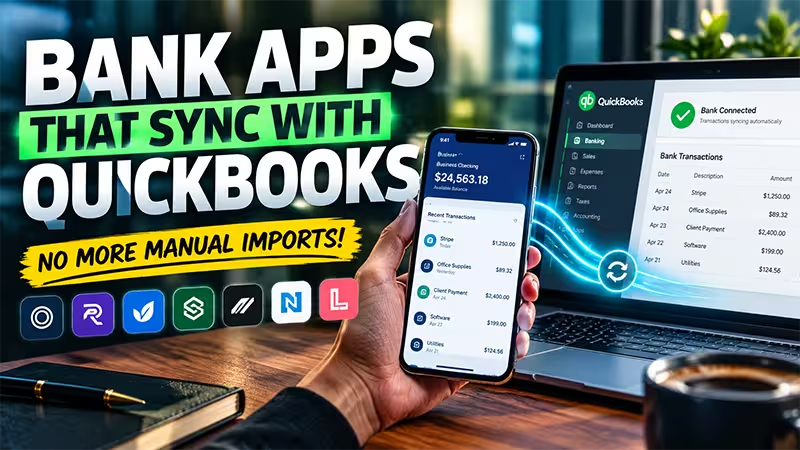
If you’d rather keep your existing bookkeeping stack, look at the banking apps that sync with QuickBooks and Xero.
For a freelance professional who currently pays for a separate accounting tool and still has to clean up the data manually, Holdings eliminates both the cost and the labor. The trade-off is a lower APY at 1.75% — but the time savings on bookkeeping often outweigh that.
FDIC insured up to $3 million through sweep network.
Monthly fee: $0. APY: 1.75%.
What stands out in actual use
Holdings is doing work while you ignore it, which is the whole appeal. Log in and the standout isn’t the checking view — it’s the real-time P&L sitting right there, already built from transactions the app categorized on its own. You’re not exporting anything into a separate bookkeeping tool at month-end because the reconciliation basically already happened.
Fixing a miscategorized expense takes a tap, and invoicing lives in the main navigation instead of buried in a submenu. The tradeoff is maturity. It’s a newer platform, so you’ll notice fewer third-party integrations than the established names, and if your workflow depends on a specific app connection, you’ll want to check it exists before you commit.
👍 Holdings Pros
- ✓ AI Bookkeeping: Automatically handles bookkeeping entries on the back-end to eliminate manually building ledgers.
- ✓ Built-In Invoicing: Creates, dispatches, and tracks professional custom invoices for no extra cost.
- ✓ Solid $0 Fee Base: Zero monthly charges, no base minimum constraints, and a clean 1.75% yield reward tier.
👎 Holdings Cons
- ✕ New Platform Status: Lacks the multi-year public operational track record of older banking spaces.
- ✕ Fewer Integrations: AI framework does not connect out to as many external third-party operational tools yet.
Who should skip it
Freelancers who lean heavily on a specific stack of third-party tools may find the integration list too short right now. If a long public track record is a dealbreaker for you, a newer platform will make you nervous.
5. Relay Business Checking: Best Multi-Account Envelope Budgeting for Teams
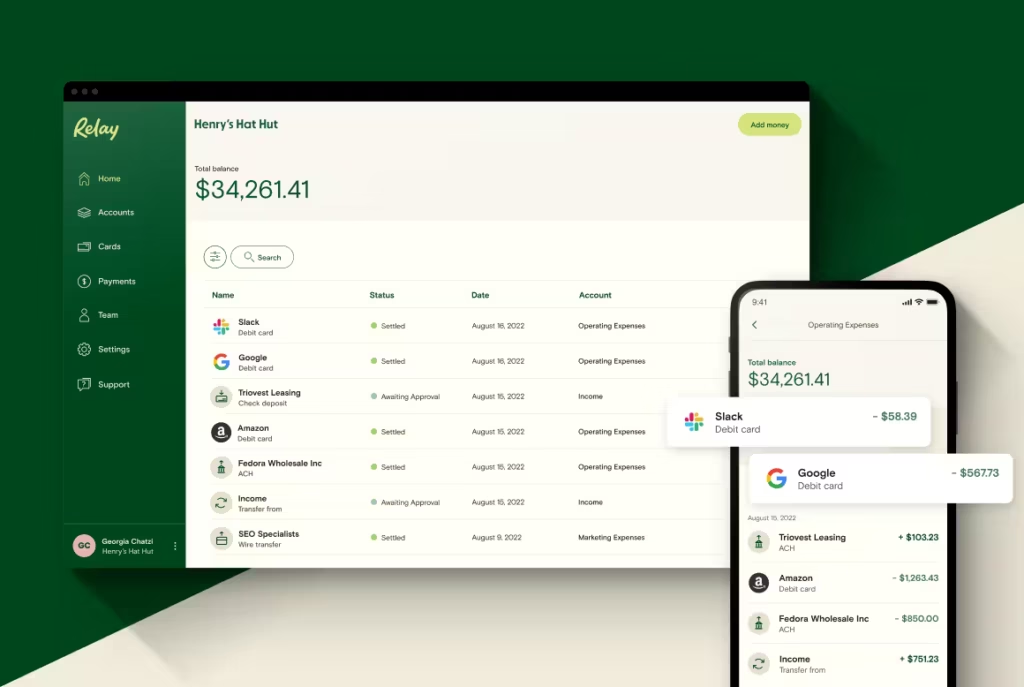
Relay gives you up to 20 individual checking accounts and automated percentage-based transfer rules between them.
That sounds like overkill until you understand the Profit First budgeting methodology. The system requires physically separating business cash into buckets: operating expenses, owner pay, taxes, profit. Most banks make this painful. Relay makes it automatic.
You set the percentages once. Every time income hits the main account, Relay routes the right amounts to the right sub-accounts without you touching it. Your tax reserve builds automatically. Your profit account grows automatically. You never accidentally spend your quarterly tax payment on client travel.
For any freelancer managing their business with intentional cash separation, Relay is the best infrastructure available.
Monthly fee: $0 (Standard). APY: 1.11% to 3.00%.
What stands out in actual use
Relay clicks the moment you think in buckets. Spinning up a new checking account takes under a minute, and once your percentage rules are set, income routes itself — taxes here, owner pay there, operating cash in the main account — without you touching a thing. The dashboard shows all your sub-accounts stacked in one view, so envelope budgeting stops being a spreadsheet exercise and becomes something you actually glance at.
Granting a bookkeeper view-only access is a couple of clicks, which matters if you’re not fully solo. The upfront setup asks a few minutes of thought, though, and if you don’t already run a Profit First-style system, twenty accounts can feel like more structure than your business asked for.
👍 Relay Pros
- ✓ 20 Sub-Accounts: Open up to 20 individual checking sub-accounts to isolate separate business overhead tasks.
- ✓ Team Permissions: Easily grant distinct financial visibility or transfer permissions to remote bookkeepers or assistants.
- ✓ Profit First Compatible: Excellent, intuitive framework layout for running multi-envelope cash budgeting systems.
👎 Relay Cons
- ✕ Relay Pro Premium: Automated batch wire flows and QuickBooks bill synchronization require paying $30/mo.
- ✕ No Core Checking APY: Active transactional checking tiers do not automatically accumulate base compound growth.
Who should skip it
Freelancers who want a simple, plug-and-play account with minimal setup will find Relay more structured than necessary. If you don’t budget by category, twenty sub-accounts is a solution to a problem you don’t have.
6. Bluevine Business Checking: Best for High APY Yields on Everyday Balances
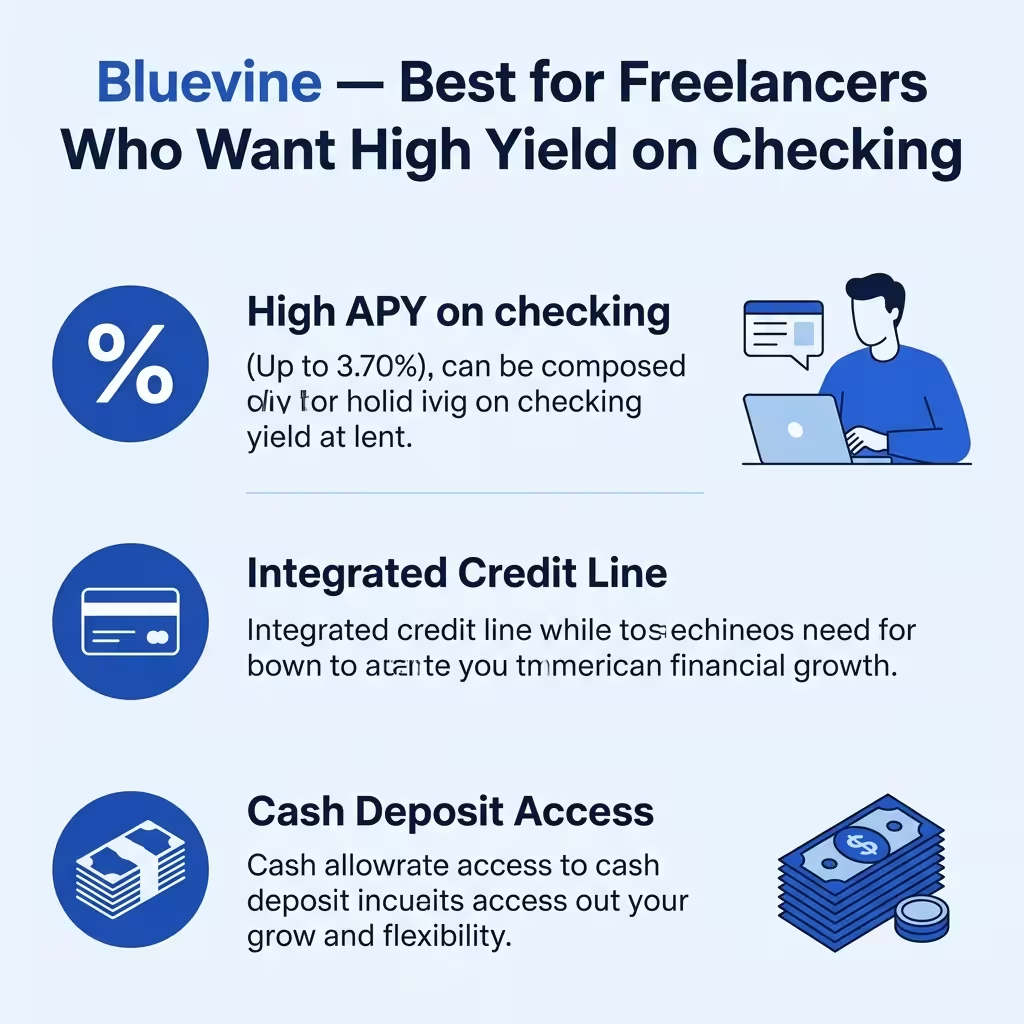
Bluevine pays a high APY directly on the checking account balance, not on a separate savings product.
Standard APY sits between 1.30% and 3.70% depending on the plan and activity requirements. The Premier plan hits the highest tier with a monthly spend requirement. There’s also an integrated credit line available for qualified businesses — useful for freelancers who experience income gaps between large projects.
Cash deposit access exists through a partnership network, which makes Bluevine more practical than pure digital-only platforms for anyone who occasionally handles physical cash.
For a mature freelance business with a larger operating balance and steady revenue, Bluevine’s checking yield can add up to meaningful annual returns.
Monthly fee: $0 (Standard). APY: 1.30% to 3.70%.
What stands out in actual use
Bluevine’s pitch lands the second you look at it: the yield sits on the checking balance itself, not a separate savings product you have to remember to fund. That makes it feel more practical than platforms where the better rate lives one step away from the money you actually spend.
The dashboard is straightforward, sub-accounts are easy to spin up, and depositing physical cash through the partner network gives it real-world usefulness that pure online-only accounts skip. The friction is exactly where the fine print warns you it’ll be — the top APY tier is tied to monthly spend or deposit thresholds, so it’s worth confirming your freelance cash flow naturally hits them before you count on the headline number.
👍 Bluevine Pros
- ✓ High Interest Yield: Earn up to a stellar 2.0% APY on your checking balance by meeting simple monthly active use rules.
- ✓ Zero Monthly Fees: Enjoy no monthly maintenance charges, no minimum balance limits, and unlimited daily transactions.
- ✓ Multiple Sub-Accounts: Create up to 5 dedicated business sub-checking sheets to separate your operational cash flow.
👎 Bluevine Cons
- ✕ Strict APY Rules: You must spend $500/mo on your card or receive $2,500/mo in customer payments to unlock the 2.0% interest rate.
- ✕ Cash Deposit Fees: Adding physical cash requires visiting a GreenDot retail partner location, which costs up to $4.95 per deposit.
- ✕ No Physical Branches: Running as a purely digital platform means there are no brick-and-mortar tellers to visit for in-person issues.
Who should skip it
Freelancers who can’t reliably meet the monthly activity conditions should skip Bluevine if APY is the whole reason they’re signing up. If you need strong built-in tax tools, look elsewhere first.
7. Airwallex Business Account: Best for Global Cross-Border Merchant Payments
Airwallex is built for cross-border work. If a significant portion of your clients pay in currencies other than USD, this is the platform designed around your situation.
It supports 20+ native currencies. Fee-free payments to over 120 countries. FDIC insured up to $6 million — the highest sweep network protection on this list. APY between 3.13% and 3.40%.
The multi-currency wallet function means you can hold GBP, EUR, AUD, and other currencies in their native form rather than converting every inbound payment immediately. When you’re billing a UK client in pounds and a German client in euros, the FX conversion timing becomes a real financial decision.
There’s a full method to keeping more of every cross-border invoice, which we break down in our guide on how to receive international payments as a freelancer. Airwallex gives you control over that.
Monthly fee: $0. APY: 3.13% to 3.40%.
What stands out in actual use
Airwallex opens like a cross-border payments platform, not a basic business account, and that framing tells you who it’s for. If you invoice internationally, holding a multi-currency account and deciding when to convert is real money back in your margins — you’re not eating a bad FX rate on every inbound transfer.
Spinning up virtual cards for different expenses is quick, and the currency views are laid out clearly once you know what you’re looking at. But it asks more of you than the rest of the list. There are more buttons, more options, more decisions. A freelancer with overseas clients will see the logic fast. A domestic-only freelancer will open the dashboard and feel like they walked into software built for a much bigger operation.
Who should skip it
Freelancers with only domestic U.S. clients should skip Airwallex — it’s built for cross-border payments you don’t make. If you just want a simple fee-free business checking account, this is more platform than you need.
Not ideal for: freelancers with only domestic U.S. clients who just want a simple checking account.
👍 Airwallex Pros
- ✓ Borderless Accounts: Set up multi-currency domestic accounts in seconds to accept payments worldwide without currency hits.
- ✓ Virtual Employee Cards: Generate infinite cross-border virtual business cards for distinct overhead expenditures.
- ✓ Insured Up to $6M: Extended partner structures secure massive financial liquidity safety nets.
👎 Airwallex Cons
- ✕ Complex Dashboards: The vast array of cross-border currency tools creates a steep initial learning curve.
- ✕ Domestic Only Focus: Some advanced yield options are unavailable to base individual solo contractors.
8. North One Business Banking: Best for Local Retail Cash Deposits
North One runs an envelope-style budgeting system inside a checking account and adds cash-back rewards on top.
The Envelopes feature lets you pre-allocate dollars for specific goals — taxes, equipment, professional development, emergency reserves. When funds go into an envelope, they’re still in your account but treated as designated. You stop spending your tax reserve on Friday afternoon coffee.
Cash back rewards focus on fuel and dining — categories that matter for freelancers who meet clients in person or drive to job sites. APY runs between 2.50% and 3.00%.
For mobile-active freelancers who want both budgeting structure and a small return on everyday spending, North One is the only platform that delivers both in one product.
Monthly fee: $0 (Basic). APY: 2.50% to 3.00%.
What stands out in actual use
North One keeps things simple, and for a lot of freelancers that’s exactly right. The Envelopes feature is easy to grasp — you pre-allocate cash into pockets for taxes, equipment, or reserves, and the money stays visible but tagged, so you stop accidentally spending your tax set-aside on a Friday coffee run.
Depositing cash through retail partners actually works in practice, and the integrations with Stripe, Shopify, and Etsy sit right where anyone selling online would look for them. It’s lighter on tax automation than the freelancer-first apps, though, so if quarterly payments are your real headache, you’ll feel that gap the first time you go looking for automatic estimates that aren’t there.
Who should skip it
Freelancers whose biggest pain is quarterly tax payments should skip North One and choose a tax-first neobank instead. If you want strong yield on your balances, this isn’t the account for it.
👍 North One Pros
- ✓ Physical Cash Deposits: Add cash safely to your account at over 90,000 local retail checkout partners via GreenDot networks.
- ✓ Envelope Budgeting: Easily segment your operational capital into separate digital pockets for overhead planning.
- ✓ Wide App Integrations: Connects smoothly to popular ecommerce tools like Stripe, Shopify, and Etsy.
👎 North One Cons
- ✕ No APY Offers: Focuses strictly on daily money movement operations and does not offer account interest.
- ✕ Flat Wire Costs: Charges explicit flat service transaction fees on traditional local wire routing pathways.
9. Grasshopper Business Bank: Best for Cash-Back Perks and Debit Rewards
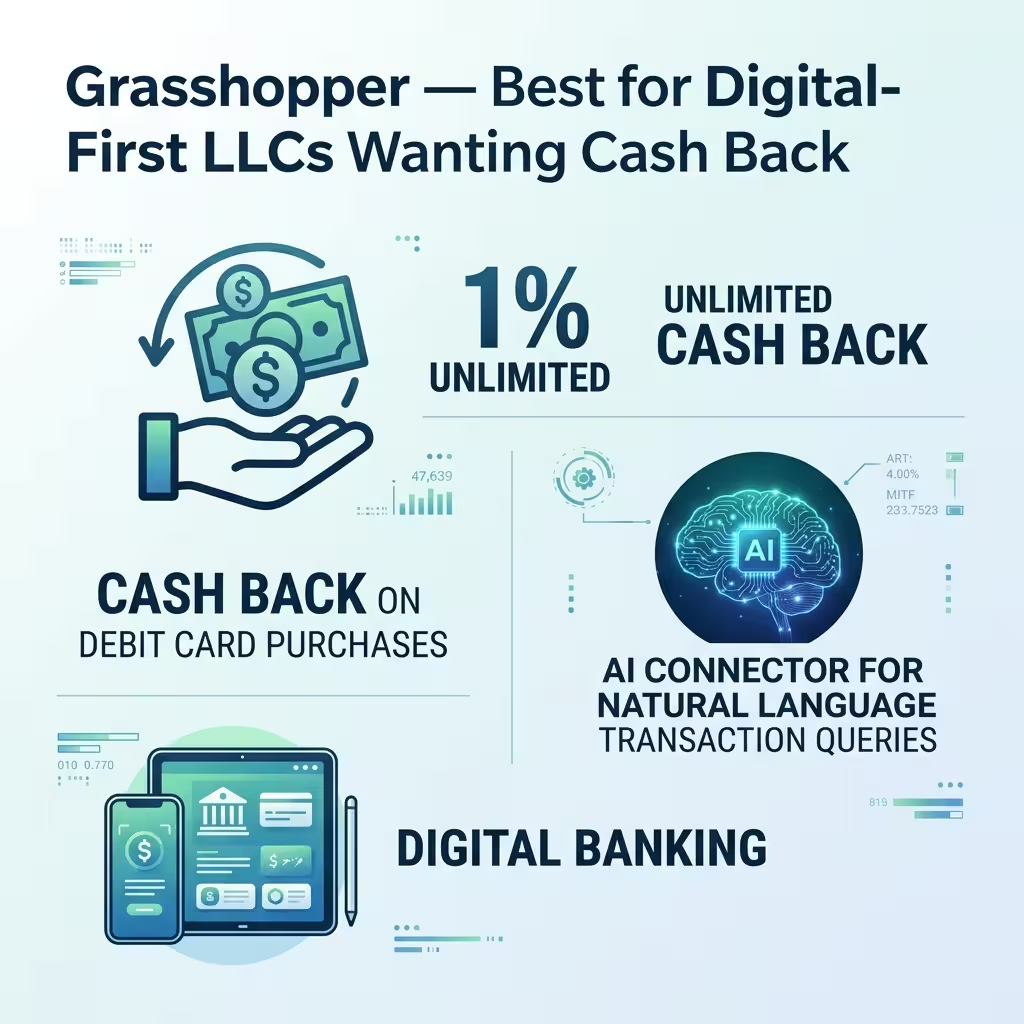
Grasshopper is a clean, digital-only business bank with two differentiators: 1% unlimited cash back on all debit card purchases and an AI connector for natural language data queries. If rewards are the goal, some cards return far more — see the best virtual cards for freelancers with cashback.
The AI connector is the more interesting feature. You can ask questions about your transaction history in plain language rather than running custom reports. Useful for freelancers who want to quickly understand spending patterns without building spreadsheets.
Cash back on debit is straightforward. At 1%, every $10,000 in debit card business spending returns $100. For freelancers who run significant business expenses through a debit card, it adds up.
Monthly fee: $0. APY: 1.80% to 3.00%.
What stands out in actual use
Grasshopper feels clean and no-nonsense, and the 1% debit cash back is the kind of perk you stop noticing but keep collecting on every business purchase. The surprise is the natural-language query tool — instead of building a spending report, you just ask a plain-English question about your transactions and get an answer, which beats wrestling a spreadsheet. Everyday actions like transfers and card management sit right in the main navigation, so nothing feels hidden.
Where it falls short is depth. There’s no serious tax tooling and thin freelancer admin, so a 1099 contractor whose main problem is tax chaos will find options like Found more complete, and if you don’t run much through a debit card, the signature perk quietly loses its value.
Who should skip it
Freelancers who need built-in tax estimates, write-off tracking, or deep freelancer admin should skip Grasshopper. If you don’t run much spending through a debit card, the signature perk loses most of its value.
👍 Grasshopper Pros
- ✓ Debit Cash-Back: Secure 1% cash-back returns automatically across qualifying daily signature-based card purchases.
- ✓ Inbound Interest: Earn up to 2.25% APY on your active checking capital without locking funds away.
- ✓ Free Transfers: Pay zero baseline costs for standard incoming wire or digital ACH data transmissions.
👎 Grasshopper Cons
- ✕ Balance Requirements: Maintaining access to premium interest yields requires maintaining specific average monthly deposit limits.
- ✕ Basic App Toolkit: Lacks advanced, built-in tax tools compared to freelancer-first options like Found.
10. Chase Business Complete — Best for Freelancers Who Need Branch Access
Every other platform on this list is digital-only. Chase is here because some businesses genuinely need physical banking.
If you handle significant cash, Chase’s 4,700+ branch network and ATM fleet are irreplaceable. Same-day QuickAccept payment processing integrates directly with the business checking account. In-person lending relationships for lines of credit and SBA loans are available in ways that digital banks structurally can’t offer.
The trade-off is real: $15 monthly fee (waivable), and 0.01% APY. For a freelancer with a purely digital operation, Chase is the wrong choice. For a freelancer who deals with physical cash, needs branch access occasionally, or wants an in-person banking relationship for future loan qualification, it serves a specific purpose.
Monthly fee: $15 (waivable). APY: 0.01%.
What stands out in actual use
Chase feels exactly like what it is — a legacy bank with real branches behind the app. The mobile experience is capable, QuickAccept payment processing sits right in the main flow, and depositing cash or sorting out a problem in person is genuinely reassuring in a way no neobank matches. If you handle physical cash regularly, that branch network stops being a talking point and becomes the whole reason you’re here.
The daily reality for a digital-first freelancer is harder to love, though. The 0.01% APY next to the neobanks’ rates is almost jarring, the monthly fee needs a balance or activity to waive, and the account gives you none of the tax automation or FDIC sweep coverage upside that makes the digital options feel built for solo business owners.
Who should skip it
Digital-first freelancers who want strong yield and low-fee automation should skip Chase without much thought. If you never handle physical cash and don’t need in-person banking, you’re paying for infrastructure you’ll never use.
Not ideal for: digital-first freelancers who want strong yield and low-fee automation.
👍 Chase Pros
- ✓ Massive Branch Network: Enjoy ultimate trust and convenience with access to thousands of local physical branches and ATMs nationwide.
- ✓ Built-in Card Processing: Accept direct customer credit card payments right through your mobile app with QuickAccept.
- ✓ Free Cash Deposits: Deposit up to $5,000 in paper currency each statement cycle without hitting any additional handling fees.
👎 Chase Cons
- ✕ Avoidable Monthly Fee: Bears a standard $15 monthly fee unless you maintain a $2,000 balance or meet other tier exceptions.
- ✕ Zero Savings APY: Unlike modern digital neobanks, the basic operational checking account does not pay out interest on your funds.
- ✕ Transaction Limits: Standard wire transfers and paper checks can invoke extra transactional charges if you pass low free limits.
Head-to-Head: The Comparisons That Actually Come Up
Most freelancers aren’t choosing between ten apps. They’re stuck between two. Here are the matchups people ask about most.
Mercury
The cleaner banking product
Pick Mercury if:
- You keep larger balances in the business
- You care more about yield and clean infrastructure
- You don’t need built-in tax automation
Found
The freelancer tax product
Pick Found if:
- Quarterly taxes are always a mess
- You want write-off tracking built in
- You’d trade some upside for less admin stress
Found
The tax-forward pick
Pick Found if:
- You want deeper tax support
- Quarterly estimates and write-offs matter
- You want a freelancer-specific setup
Lili
The mobile-first pick
Pick Lili if:
- You want a smoother mobile experience
- You like automatic tax buckets
- You want something simpler day to day
Relay
Real account separation
Pick Relay if:
- You want multiple accounts working together
- You use a Profit First-style system
- You like control over where money sits
North One
Simpler structure
Pick North One if:
- You want simpler budgeting
- You deposit cash from time to time
- You want less setup friction
Airwallex
Built for cross-border work
Pick Airwallex if:
- Clients pay you internationally
- Multi-currency support matters
- You want a modern cross-border workflow
Chase
Traditional bank infrastructure
Pick Chase if:
- You need branch access
- You deposit cash regularly
- You want a traditional bank relationship

How to Pick the Right One
The right banking app depends on what’s currently costing you the most money, time, or mental energy.
If your biggest problem is tax chaos, start with Found or Lili. If your biggest problem is idle cash earning almost nothing, Mercury deserves the first look. If you work with international clients, Airwallex is built for that world. If you manage money better when it’s split into buckets, Relay makes the most sense. If you still need branches, cash deposits, or in-person banking, Chase stays relevant for a reason.
A few things are worth checking before you sign up:
- Monthly fees: Free is only free if the features you need aren’t locked behind the next plan up.
- APY conditions: Some accounts advertise the best-case rate, not the rate most people will actually get.
- Coverage structure: Deposit protection isn’t always as simple as “FDIC insured.” Some platforms use partner banks or sweep networks. Some yield products are treated differently.
- Tax tools: If you’re a solo freelancer, a bank that helps you stay ahead of quarterly taxes can be worth more than a slightly better APY.
- Cash deposits and wires: If your business touches cash or moves money often, fee structure matters more than homepage branding.
- International payments: Multi-currency support only matters if you actually need it — but if you do need it, it matters a lot.
How to Choose the Best Banking App for Your Freelance Work
The right app isn’t universal — it’s whichever one removes your biggest bottleneck. Answer the questions that apply to you, and your matches appear at the bottom. Check as many as you like.
Tick the box under each answer that fits your situation. You can select more than one — plenty of freelancers run two apps, like Mercury for banking and Found for taxes.
Where do your clients pay from?
Is tax season your real headache?
How much idle cash do you hold?
Do you handle physical cash?
Do you budget by buckets?
Do you want bookkeeping handled for you?
Do you run most spending on a debit card?
Do you still need a branch or in-person banking?
Your Matches
Based on what you selected, these apps fit your freelance setup best.
👆 Select your answers above and your recommended apps will show up here.
One clear rule: the best banking app for freelancers is the one that removes your biggest bottleneck — taxes, idle cash, international payments, or cash deposits. Most people land on a single winner, and plenty happily run two apps side by side.
Once you’ve chosen, have your paperwork ready — here’s exactly what documents you need to open a business bank account.
The mistake most freelancers make is picking based on the headline number. The better move is to pick based on the bottleneck in your business.
People Also Ask
What is the best digital banking app for freelancers with no monthly fee?
Mercury is one of the strongest no-fee options for digital-first freelancers because it combines clean banking, strong cash management, and no monthly maintenance cost. Found is the better pick if your bigger problem is taxes rather than yield.
Which banking app is best for freelance taxes?
Found is the strongest tax-focused option on this list because it helps freelancers track write-offs, estimate taxes, and separate money before quarterly payments hit. Lili is also a strong option if you want tax buckets in a more mobile-first setup.
Are digital banking apps for freelancers FDIC insured?
Some are, but the structure matters. Many digital banking platforms use partner banks or sweep networks rather than operating like traditional banks themselves. That means you should verify exactly how deposit coverage works — especially if the platform also offers a separate yield or treasury product.
Can a freelancer use a neobank as their only business account?
Yes, in a lot of cases. If your business is fully digital and you don’t deal with much cash, a neobank can absolutely handle your day-to-day banking. If you need branch deposits, in-person service, or traditional lending relationships, a legacy bank may still make more sense.
What matters more for freelancers: APY or tax tools?
Usually the bigger bottleneck wins. If your biggest pain point is admin and tax chaos, tax tools matter more. If you keep larger balances in the business, yield starts to matter more. The best app is the one that removes the most friction from the way you actually operate.
Which banking app is best for international freelance clients?
Airwallex is the strongest fit on this list for freelancers working with international clients because it’s designed around cross-border payments and multi-currency workflows. If all your clients are domestic, that extra complexity may not be worth it.
What is the best banking app for freelancers?
There’s no single winner — it depends on your biggest bottleneck. Mercury is the strongest all-around pick for clean banking and cash management. Found is best if taxes are your headache. Lili suits phone-first freelancers, Airwallex handles international clients, and Chase covers anyone who still needs a branch. Pick based on the problem costing you the most money or time, not the headline APY.
What should freelancers look for in online banking?
Focus on six things: low or no monthly fees, easy mobile usability, built-in tax tools, clear deposit protection, cash-deposit access if you need it, and multi-currency support for international work. Free only counts if the features you actually use aren’t locked behind a paid tier, so read the plan details before you open an account.
Are mobile banking apps safe for freelancers?
Yes, when the provider offers the right controls and you use them. Look for two-factor authentication, biometric login, real-time transaction alerts, and instant card freeze. Also confirm how your deposits are protected — whether the platform is a direct bank or uses partner banks and sweep networks for FDIC coverage. Turn on 2FA the moment your account opens.
Which business banking platform is best for freelancers?
The best platform matches your workflow. For most U.S.-based solo businesses, Mercury, Found, Lili, or Relay cover the common needs — banking, taxes, mobile use, and budgeting. Freelancers with overseas clients are better served by Airwallex, and anyone handling regular cash may want Bluevine, North One, or Chase. Start with your main pain point and the fit becomes clear.
What is the safest way to manage business banking on a phone?
Enable two-factor authentication and biometric login, turn on alerts for every transaction, and keep card freeze one tap away. Only use apps from providers with transparent FDIC or sweep-network coverage. Avoid submitting new applications or moving large sums on public Wi-Fi, and keep your phone’s operating system and banking app updated so security patches stay current.
Do freelancers need a traditional bank or is online banking enough?
For most freelancers, online banking is enough. If your work is fully digital and you rarely touch cash, a neobank handles day-to-day banking with lower fees and better yield than a legacy bank. You’d want a traditional bank like Chase mainly for regular cash deposits, in-person service, or building a lending relationship for future loans.
What Happened with Dani
She moved everything to Mercury in an afternoon. Free wires, no monthly fee, 4.47% on her operating reserve. She set up a Found account for tax tracking because Mercury doesn’t have native tax automation.
Now she uses Mercury for everything client-facing — receiving payments, sending wires, holding reserves. She uses Found to track quarterly estimates and run her Schedule C. Two apps. Total cost: $0 per month.
Her accountant called her books “remarkably clean” the following April. She paid her accountant less because the prep work was already done. She earned more on idle cash than she’d ever tracked before.
Her setup worked because it fit how she actually runs her business — not because it topped some universal ranking. That’s the real lesson: the best banking app for freelancers is the one that removes your biggest bottleneck, whether that’s taxes, idle cash, international payments, or cash deposits. Figure out what’s costing you the most, then pick the app built to fix exactly that.
That’s the real case for the best digital banking apps for freelancers in 2026. Not that they’re flashier than Chase. That the actual math lands differently — less cost, more yield, less administrative time.
The $14 wire fee turned out to be the best $14 Dani ever spent on business education.
Editorial Integrity
Sources & Citations
Verified Banking Guidance, Deposit Insurance & Account Research
Tech Capital Hub reviews digital banking apps for freelancers using publicly available provider terms, federal banking guidance, and trusted consumer-finance resources. Claims related to fees, account protections, and core banking features should always be verified directly with each financial provider before opening an account.
- FDIC: Deposit Insurance — reference for standard FDIC coverage, insured account types, and what banking products are not covered.
- Consumer Financial Protection Bureau: Bank Accounts and Services — guidance on comparing bank accounts, fees, account features, and consumer rights.
- Provider Terms & Disclosures: Official product pages, fee schedules, APY disclosures, and account eligibility information from the banking platforms referenced in this article.
🛡️ Our Editorial Standards
Tech Capital Hub evaluates digital banking platforms for freelancers using real account data, hands-on fee schedule analysis, and verified provider disclosures. Every app in this guide is tested against its published terms, reviewed by writers who understand freelance cash flow, and updated when APYs, fees, or FDIC coverage details change. We separate genuine account value from promotional marketing so you can pick the right neobank for your solo business.
About the Author
Marcus Delray
Fintech Analyst, Business Banking Researcher & Founder
Marcus Delray is an independent fintech analyst and financial technology writer who covers digital banking apps, neobanks, and money tools built for freelancers and small businesses. As the founder of Tech Capital Hub, he breaks down fee structures, APY tiers, FDIC coverage, and automated tax features so solo earners and SMB owners can choose the right account with confidence.
- Nearly a decade reviewing freelance banking platforms and business checking accounts
- Deep knowledge of FDIC insurance structures and sweep network coverage limits
- Specialist in neobank fee analysis and APY comparisons for solo business owners
Enjoying our content?
Click below to add us as a preferred source. Google will prioritize our latest articles in your Top Stories, AI Mode, and AI Overviews.
Preferred Source on Google