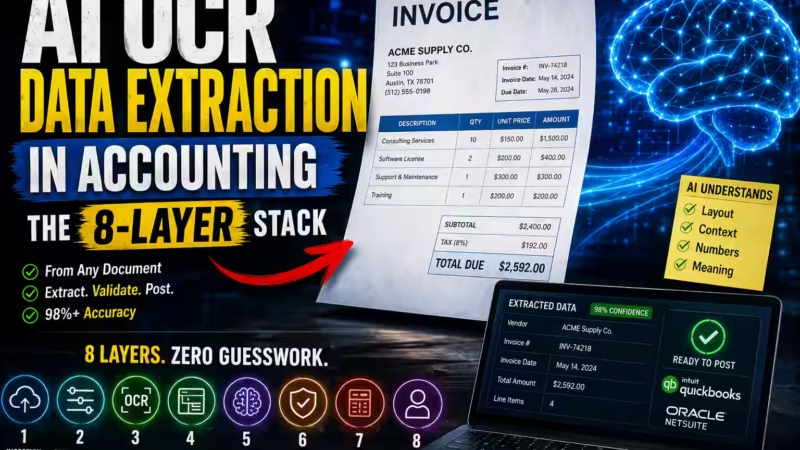
Best AI Accounting Software (2026): Top Picks Ranked
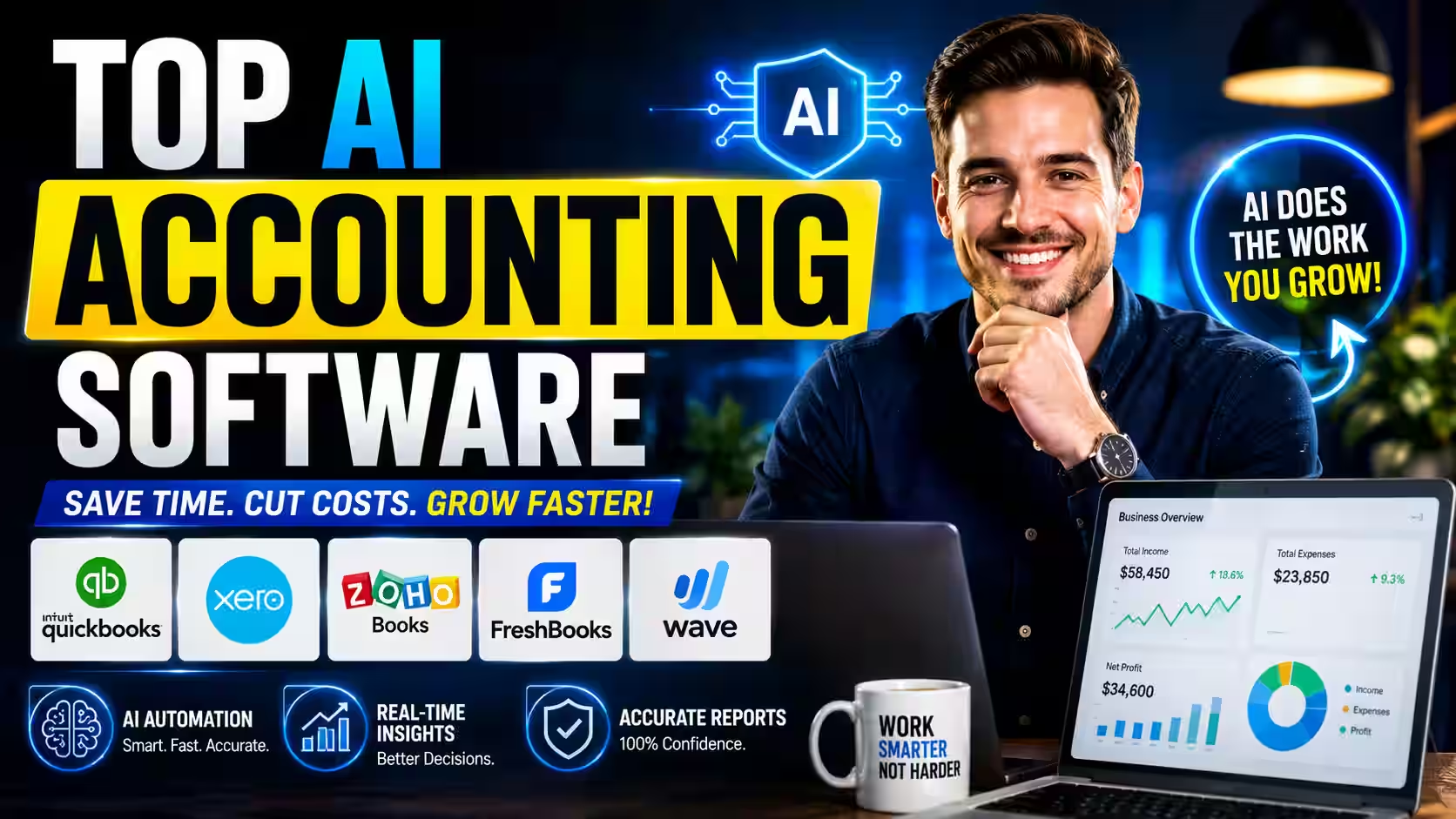

Fintech Analyst | AI Accounting Software & Bookkeeping Automation
Looking for the best AI accounting software? The strongest picks in 2026 are QuickBooks Online with Intuit Assist for US small businesses, Xero with JAX Assure for UK and global teams that need unlimited users, Sage Intacct with Sage Copilot for mid-market companies, and Zeni for venture-backed startups. Each learns your chart of accounts, reconciles bank feeds automatically, and flags anomalies before they hit your books!
This guide ranks the top full-suite AI accounting platforms — matched to business type, pricing, and real buyer needs — so you can pick the right one fast and skip the ones that don’t fit.
Quick Picks: Best AI Accounting Software at a Glance
Short on time? Here are the easy, at-a-glance winners! Each pick is matched to your business type, so you can find your perfect fit in seconds and jump straight to the full review.
QuickBooks Online
with Intuit AssistThe deepest US banking integrations and agentic workflows that chain billing, payroll, and reconciliation together!
Jump to reviewXero
with JAX AssureUnlimited users across every tier plus conversational AI that checks ledger outputs before they surface!
Jump to reviewSage Intacct
with Sage CopilotThe ultimate close diagnosis — it pinpoints exactly which department is causing your bottleneck, not just the speed!
Jump to reviewZeni
AI + human bookkeeperAutonomous matching plus a dedicated human bookkeeper and real-time burn dashboards, all in the base plan!
Jump to reviewZoho Books
with Zia AIThe best value for solo operators — the most automation per dollar plus conversational anomaly alerts!
Jump to reviewDigits
autonomous general ledgerA living, real-time general ledger that lets founders query burn rate and runway continuously — no month-end wait!
Jump to reviewWave
free core suiteGenuinely free core accounting and invoicing — the easy, no-frills starting point when every dollar matters!
Jump to reviewBest AI Accounting Software Compared (2026)
This table covers full-suite AI accounting platforms only. Prices are vendor-stated starting tiers as of early 2026 — verify current pricing directly before committing.
Best AI Accounting Software Compared (2026)
Here is the easy, side-by-side breakdown of the top full-suite AI accounting platforms! Scan the table below to match the best pick to your business type, budget, and team size in seconds.
| Platform | Best For | Starting Price | Key AI Feature | Seat Policy | Main Limitation |
|---|---|---|---|---|---|
| QuickBooks Online with Intuit Assist | US SMBs | ~$38/movendor-stated | Agentic bank feed reconciliation that chains billing, payroll, and matching | Per-seat fees apply | Per-user costs escalate fast for multi-client firms |
| Xero with JAX Assure | UK & Global SMBs | ~$15/moStarter | Ledger-checked AI outputs that verify against the live general ledger | Unlimited across all tiers | US-specific tax workflows feel less native |
| Sage Intacct with Sage Copilot | Mid-Market | Customannual quote | Close bottleneck diagnosis that pinpoints which department causes delays | Corporate licensing | Opaque pricing and complex setup for small teams |
| Zoho Books with Zia AI | Solo & Micro-SMBs | ~$15/moStandard | Conversational anomaly alerts and fast expense extraction | Tiered user limits | Slower support; US workflows feel less native |
| Zeni AI + human bookkeeper | Venture Startups | ~$549/moScale | Autonomous matching plus real-time burn and runway dashboards | Startup team access | Highest starting price; overkill without investors |
| Digits autonomous GL | Tech Startups | ~$65/moSelf-Serve Core | Autonomous real-time general ledger with ML modeling | Unlimited | Not built for inventory-heavy or manufacturing operations |
| Wave free core suite | Early-Stage Operators | Freecore accounting | Lightweight income and expense tracking automation | Entry-level | Lighter automation; most teams outgrow it in a couple of years |
Prices are vendor-stated starting tiers as of early 2026 and change often in this category — always verify current pricing and features directly with each vendor before you commit.
Quick verdict: QuickBooks wins for US SMBs. Xero wins for global teams and unlimited seats. Sage Intacct wins for complex mid-market close. Zeni wins for startups with investors. Zoho Books is the best budget pick. Wave is the best free option!
What AI Accounting Software Actually Does
AI accounting software uses machine learning to automate the financial workflows that traditionally eat up hours of manual effort — transaction categorization, bank reconciliation, financial close, and reporting.
Here’s what that looks like in practice.
- It learns your chart of accounts. The system watches your transaction history and starts predicting the right category for each entry. Recurring transactions categorize automatically. Unusual ones get flagged.
- It reconciles continuously. Instead of dumping the work on you at month-end, modern platforms match bank feeds as they arrive. Xero, for example, targets an 80% automatic reconciliation rate based on its published product documentation.
- It reads documents from the first scan. No template building. Modern models understand invoice and receipt context immediately.
- It checks its own work. Newer tools like Xero’s JAX Assure cross-reference AI outputs against the live general ledger before surfacing them — a real safeguard against hallucinated numbers.
The easy takeaway: AI handles the repetitive, high-volume work. Judgment calls — compliance, audit sign-off, tax planning — stay with you.
Table of Contents
The Best AI Accounting Software Platforms Reviewed

1. QuickBooks Online (with Intuit Assist) — Best for US SMBs
Target Audience: US small-to-medium businesses
Starting Price: $38/month (⚠️ fees increased 15–25% in May 2026)
Core AI Tech: Intuit Assist
QuickBooks Online is the default accounting standard for US-based operations. It features deep banking integrations and automated agentic workflows. The widest ecosystem. The deepest US banking integrations. The AI agents Intuit added in 2025 are genuinely useful.
Key AI Features:
- Payments Agent: Tracks historical data and collects invoices 5 days faster.
- Payroll Agent: Scans ledger entries and flags compliance errors early.
- Customer Agent: Drafts follow-up emails and automates the sales pipeline.
- Reconciliation Agent: Chains with billing and payroll agents to work together rather than in isolation.
Ask Intuit Assist about outstanding invoices. It doesn’t pull a list. It cross-references payment history and drafts the follow-up email.
Pros:
- Deepest US banking integrations — seamless transaction matching
- Widest accountant network; most CPAs know it cold
- Agentic workflows chain across billing, payroll, and reconciliation
Cons:
- High per-user fees — costs escalate fast for bookkeeping firms managing multiple clients
- Base fees have increased significantly and continue to climb
Best for: US small businesses with a single accountant or bookkeeper who want the most connected ecosystem available.
Not suited for: Multi-user accounting firms where per-seat pricing compounds at scale, or businesses operating primarily outside the US.

2. Xero (with JAX Assure) — Best for UK & Global SMBs
Target Audience: UK and global businesses
Starting Price: $15/month (Starter)
Core AI Tech: JAX (Just Ask Xero) Assure
Xero offers the most mature conversational AI workflows on the market. JAX — Just Ask Xero — acts as a master orchestrator, directing multiple underlying agents to complete multi-step tasks. Ask about burn rate: it reconciles, pulls bank data, and delivers variance analysis.
The February 2026 Xero update added JAX Assure — a hallucination-checking layer that cross-references every AI output against the actual general ledger before surfacing it. Nothing displays until it passes that check. Earlier Xero AI felt like polish over the same product. JAX Assure is a workflow change.
Key AI Features:
- JAX Orchestrator: Directs multiple background agents to compile financial data via chat.
- JAX Assure Engine: Checks ledger outputs and eliminates generative AI hallucinations.
- Automated Reconciliation: Targets 80% automated matching, compressing month-end close from 12 days to approximately 3.
Pros:
- Unlimited users free across all pricing tiers — no per-seat fees
- 1,000+ native app integrations
- JAX Assure cross-references every AI output before displaying it
Cons:
- US-specific tax workflows are less intuitive than QuickBooks
- Migration from a Xero-native stack carries significant switching costs
Best for: UK and international businesses, teams with multiple users, and firms managing global clients where unlimited-seat economics matter.
Not suited for: US-only firms whose accountants are deeply embedded in the QuickBooks ecosystem — switching costs are real.
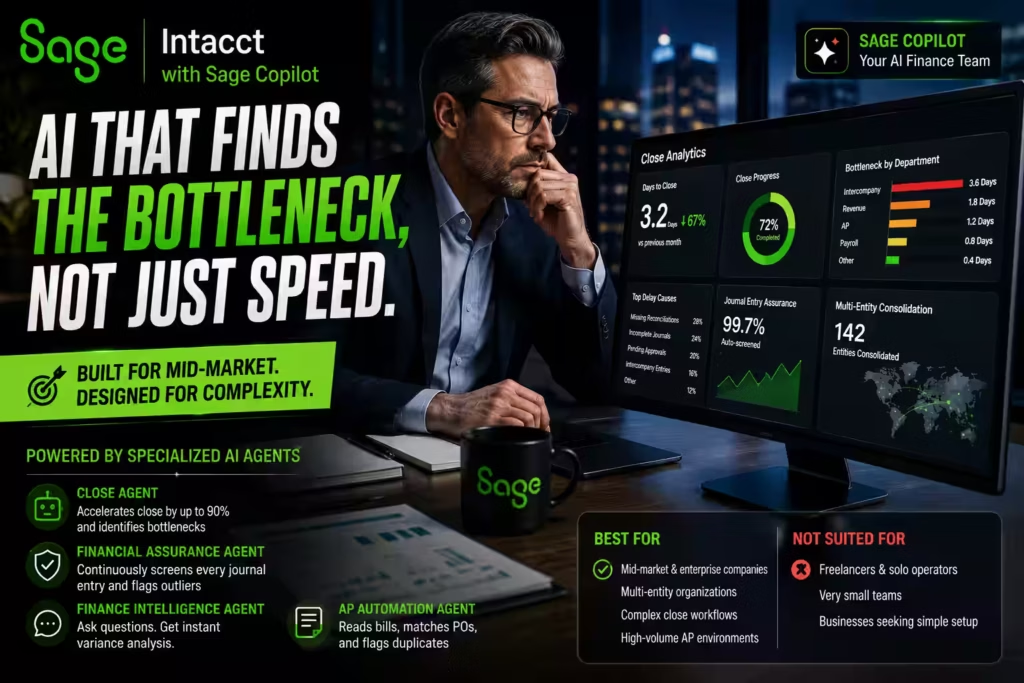
3. Sage Intacct (with Sage Copilot) — Best for Mid-Market Companies
Target Audience: Mid-market companies, large enterprise operations, and multi-entity organizations
Starting Price: Annual quote basis — tailored to team size and active modules
Core AI Tech: Sage Copilot (with a suite of task-specific finance agents)
Sage Intacct stands out because it is built explicitly for mid-market companies needing advanced financial orchestration. Sage rolled Sage Copilot into its plans in October 2025, bundling close automation, AI-driven payroll, and carbon reporting into a single platform.
What sets Sage apart isn’t speed. It’s diagnosis. Sage Intacct’s Close Analytics doesn’t just speed things up — it tells you which departments are creating the bottleneck. That’s something other platforms don’t do.
Key AI Automation Agents:
- 🤖 Close Agent: Accelerates month-end and year-end close timelines by up to 90% by tracking outstanding tasks and pinpointing workflow bottlenecks.
- 🤖 Financial Assurance Agent: Minimizes human error through continuous outlier detection, screening every journal entry as it posts.
- 🤖 Finance Intelligence Agent: Allows teams to ask questions in natural language to perform instant variance analysis across operational records.
- 🤖 AP Automation Agent: Reads incoming bills, predicts three-way matching to purchase orders, and flags duplicate invoices.
Pros:
- Real-time anomaly clearing keeps books continuously audit-ready
- Close Analytics identifies exactly which department is delaying the close
- Seamlessly consolidates 2 to hundreds of global entities
Cons:
- Opaque pricing — no public tiers, making budget planning difficult
- Highly complex setup; vastly over-engineered for small teams or freelancers
Best for: Mid-market and enterprise companies with complex close workflows, multi-entity structures, and meaningful AP volume.
Not suited for: Solo operators, freelancers, or standard small teams where the complexity adds cost without adding value.

4. Zoho Books (with Zia AI) — Best Value for Solo & Micro-SMBs
Target Audience: Freelancers, solo operators, and micro-to-small businesses with international operations
Starting Price: $15/month (Standard Plan)
Core AI Tech: Zia AI (Zoho’s centralized intelligence assistant)
Zoho Books stands out as the ultimate value play for solo operators and small businesses — especially those already running on Zoho applications. Zoho Books’ October 2025 update added automated GST error checks and improved AI reconciliation, features built for India and UK markets.
It offers an interconnected ecosystem that eliminates data silos across CRM, HR, and accounting workflows. If you run international operations or already use Zoho software, it’s an obvious choice.
Key AI Automation Agents:
- 🤖 Conversational Agent: Pull up financial metrics, voice-activate expense logging, and surface anomaly alerts through chat.
- 🤖 Data Extraction Agent: Reads receipts, scans text, and auto-populates line items for fast expense parsing.
- 🤖 Reconciliation Agent: Matches bank feeds dynamically with automated GST error checks built for India and UK markets.
- 🤖 Ecosystem Sync Agent: Bridges accounting data with inventory, CRM, and payroll metrics natively across a single AI layer.
Pros:
- Single-platform integration across CRM, HR, and accounting — no data silos
- At $15/month, punches well above its price on automation depth
- October 2025 updates brought improved AI reconciliation and regional tax checks
Cons:
- Technical support resolution is notably slower than QuickBooks or Xero
- US-based businesses don’t need the GST features, and US-specific workflows feel less native
Best for: Solo operators, freelancers, and small businesses — especially those operating in India or the UK, or already running Zoho software.
Not suited for: US-only businesses that need deep US banking integrations or enterprise-grade AP automation.

5. Zeni AI — Best for Venture-Backed Startups
Target Audience: Venture-backed startups
Starting Price: ~$549/month (Scale Base)
Core AI Tech: Autonomous transaction matching + real-time cash burn dashboards
Zeni is a different animal from every other tool on this list. It’s the most expensive option at $549/month. It’s the only one that pairs AI with a dedicated human bookkeeper included in the base subscription.
The math for startups isn’t hard. One finance error at that stage is a fundraising problem. Zeni removes that risk. Real-time cash burn dashboards, autonomous transaction matching, and a human who catches what the model misses. For a venture-backed team where investors are reading the books, that combination is worth the premium.
Both Zeni and Botkeeper get more accurate faster because humans correct mistakes in the first 30–60 days. That feedback loop is the actual product.
Key AI Features:
- Autonomous transaction matching
- Real-time burn rate and runway dashboards
- AI categorization with human bookkeeper review built into the base subscription
Pros:
- Dedicated human bookkeeper included — catches what the AI misses
- Real-time cash burn and runway visibility
- Purpose-built for startup financial reporting requirements
Cons:
- Highest starting price on this list — $549/month is significant for early-stage companies
- Overkill for businesses without investors reviewing their books
Best for: Venture-backed startups where investor-ready financials are a regular requirement and one finance error carries outsized consequences.
Not suited for: Bootstrapped businesses, freelancers, or small businesses without investor reporting obligations.

6. Digits — Best for Tech Startups and Real-Time Analytics
Target Audience: High-growth tech startups and venture-backed teams
Starting Price: $65/month (Self-Serve Core)
Core AI Tech: Autonomous General Ledger (ML Modeling)
Digits replaces traditional, backward-looking monthly reports with a living, real-time general ledger powered by advanced machine learning models. Unlike traditional tools that force you to wait until mid-next-month to see your financial health, Digits analyzes burn rate and runway every hour.
Key AI Features:
- Living Ledger: Updates transaction data continuously, removing the 15-day monthly close wait.
- Digits AI Assistant: Answers complex natural language questions and generates instant cash flow charts.
- Smart Categorization: Learns vendor behaviors and predicts classification errors before they hit the books.
Keep in mind: Digits is an analytical layer that sits on top of your existing banking stack. It’s not built for heavy manufacturing operations with complex physical inventory tracking needs. Match it to a software or SaaS startup, not a physical-goods business.
Best for: Founders pitching investors or managing a tight seed round who need real-time runway visibility rather than backward-looking monthly snapshots.
Not suited for: Businesses with heavy inventory or manufacturing operations requiring a full general ledger from the ground up.
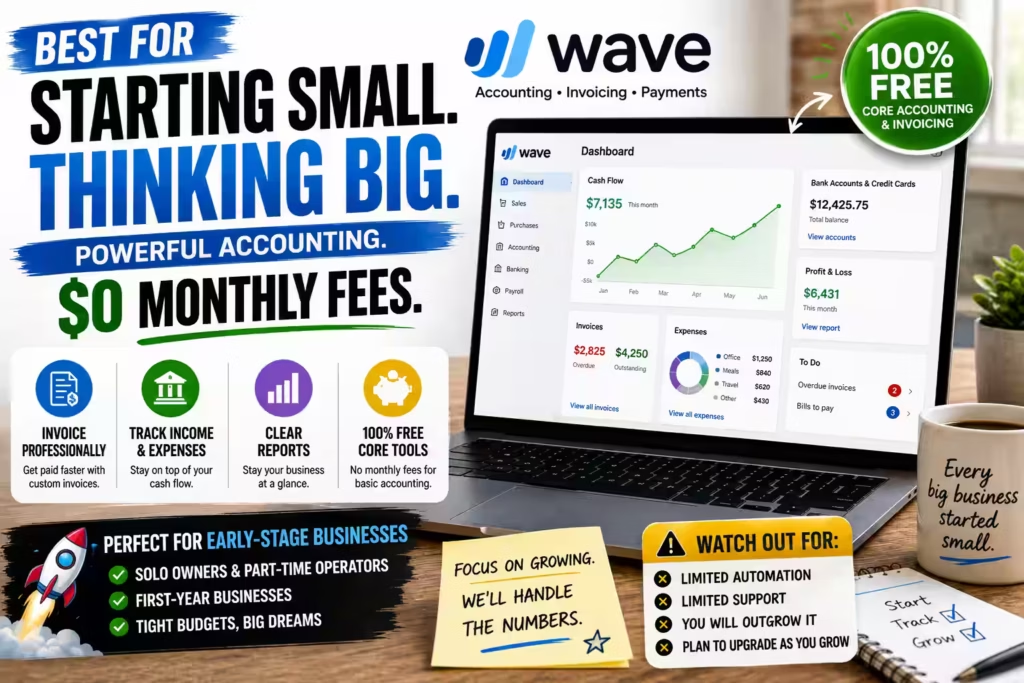
7. Wave — Best for Early-Stage Operators on a Tight Budget
Target Audience: Solo owners, part-time operators, and businesses in their first year
Starting Price: Free (core accounting and invoicing)
Core AI Tech: Lightweight automation for income and expense tracking
Wave sits at the entry point of the market, offering free core accounting and invoicing — a genuinely unusual price point that removes a real barrier at the stage when every dollar matters. The basics work well: income and expense tracking, simple invoicing, and a clear picture of where you stand, all without a monthly subscription. The honest trade-off is depth. Automation is lighter than any paid platform and support options are thinner, so growing transaction volume, payroll complexity, or advanced reporting needs will push you to outgrow it — most operators move off Wave within two to three years.
Key AI Features:
- Automated income and expense tracking
- Simple invoicing with a clear financial overview
- Free core accounting with no monthly subscription
Pros:
- Free core accounting and invoicing — an unusual price point for early-stage operators
- Works without accounting know-how
- Covers the essentials for businesses in their first year
Cons:
- Lighter automation than any paid platform
- Thinner support options
- Users typically outgrow it within two to three years as complexity increases
Best for: Solo owners, part-time operators, and businesses in their first year that need free, no-frills accounting and invoicing.
Not suited for: Teams with growing transaction volume, payroll complexity, or advanced reporting needs.w how
How to Choose the Best AI Accounting Software
Choosing well is less about feature counts and more about matching a tool’s design to your actual operation. Use this simple framework.
Start with business type, not feature lists
The single most reliable filter is business type. QuickBooks is built for US SMBs. Xero is built for global teams and unlimited seats. Sage Intacct is built for complex mid-market close. Zeni is built for venture startups. Matching on design intent eliminates most bad fits before any comparison begins.
Evaluate automation depth, not surface-level AI
Ask specifically: does the platform learn your chart of accounts and improve over time, or apply fixed rules? Does it reconcile continuously or only at month-end? Does it check its own outputs before surfacing them? Surface-level “AI” that tags a few transactions isn’t the same as real automation.
Understand pricing structure before features
Per-seat and volume-based pricing produce wildly different cost curves as you grow. QuickBooks charges per user. Xero offers unlimited users across all tiers. Map your projected usage 18 months out before committing.
Confirm regional compliance
AI tax features are jurisdiction-specific. Zoho’s GST automation fits India and UK markets. Xero’s MTD compliance is UK-specific. Confirm any AI tax feature applies to your jurisdiction before relying on it.
Run a one-month pilot
Pull one recent month. Let the AI categorize it. Have your accountant review every suggestion before accepting anything. Most platforms need three to six weeks of clean history before auto-categorization becomes reliable, so budget 60–90 days before judging a migration.
How We Evaluated These Tools
Every platform here was judged against the same criteria — the same questions a buyer should be asking anyway:
- Automation depth: how well it handles ML categorization and reconciliation without you touching it.
- Ease of use: whether a non-accountant can operate it without dread.
- Accuracy and oversight: how the model improves on your data and where human sign-off is built in.
- Pricing transparency: published tiers and per-seat policy.
- Integration depth: native connections to your bank feeds, payroll, and payment processors.
- Best-fit business type: who each tool actually serves.
- Regional compliance: where each tool’s tax strengths genuinely apply.
Pricing, features, and model behavior change fast in this category. These evaluations reflect vendor-stated details and available documentation through early 2026 — always verify current specifics directly.
Related AI Finance Tool Categories
This pillar page covers full-suite AI accounting software. If your bottleneck is a specific workflow, these dedicated guides go deeper:
- AI bookkeeping software — for automated data entry, receipt capture, and clean reconciled books.
- AI accounts payable software — for invoice ingestion, three-way matching, and approval routing at volume.
- AI accounts receivable automation — for collections, unapplied cash, and payment follow-up.
- AI invoicing software — for sending, tracking, and collecting customer invoices.
- AI OCR data extraction — for how invoices and receipts are read, parsed, and validated.
- AI financial reporting software — for board-ready packages and variance narratives.
People Also Ask
What is AI accounting software?
AI accounting software uses machine learning to automate financial workflows that traditionally require manual effort — transaction categorization, bank reconciliation, financial close, and reporting. It learns your chart of accounts, matches bank feeds automatically, and flags anomalies for review.
Which AI accounting software is best for small businesses in 2026?
For US small businesses, QuickBooks Online with Intuit Assist is the default choice — deepest US banking integrations and useful agentic workflows. For UK, international, or unlimited-user teams, Xero with JAX Assure at roughly $15/month is the stronger fit.
Can AI accounting software replace a bookkeeper or accountant?
No. It replaces the high-volume, repetitive parts of the workflow — data entry, categorization, reconciliation, duplicate detection. Anomaly interpretation, compliance decisions, audit sign-off, and tax planning remain human responsibilities.
How long does AI accounting software take to work reliably?
Most platforms need three to six weeks of clean transaction history before auto-categorization becomes reliable — typically 80–90% accuracy after that window. Budget 60–90 days before evaluating a migration.
Is AI accounting software secure enough for financial data?
Major platforms use AES-256 encryption and maintain SOC 2 certification. The real risk is over-permissioned access and skipping the opt-in training policy check. Confirm both before connecting your books.
What’s the difference between AI accounting software and AI bookkeeping software?
Accounting software handles the full financial picture — reporting, tax readiness, multi-entity consolidation, and compliance. Bookkeeping software is narrower, focused on data entry, receipt capture, and reconciliation. If you need financial statements and tax readiness, choose a full-suite accounting platform.
Final Verdict
The best AI accounting software depends on your business type, not a single universal ranking. Here are the picks, stated plainly:
- QuickBooks Online with Intuit Assist — for US small businesses wanting the most connected ecosystem.
- Xero with JAX Assure — for UK and global teams and anyone where unlimited-user pricing matters.
- Sage Intacct with Sage Copilot — for mid-market companies that need the close diagnosed, not just accelerated.
- Zeni — for venture-backed startups where investor-ready financials are a recurring requirement.
- Digits — for tech and SaaS teams needing real-time runway visibility.
- Zoho Books with Zia AI — for solo operators and small businesses wanting the most value per dollar.
- Wave — for early-stage operators who need free, no-frills accounting.
Prices and features in this category change faster than almost any other software vertical, so verify current details directly with each vendor. The evaluation method — automation depth, pricing structure, integration quality, regional compliance, and human oversight — stays the same.
Pick a starting point. Run a one-month pilot on real data. Adjust from there!
For informational purposes only. Pricing, features, and availability change frequently. This is not financial, tax, or legal advice.
Editorial Integrity
Sources & Citations
Official vendor product documentation for the seven AI accounting platforms ranked in this guide, plus government tax guidance — cited only where it directly supports the claims made about each tool
This guide ranks seven full-suite AI accounting platforms — QuickBooks Online, Xero, Sage Intacct, Zoho Books, Zeni, Digits, and Wave — based on available vendor documentation and hands-on evaluation. Every feature and pricing claim is vendor-stated and matched to the specific tool it describes! Because pricing, features, and model behavior change fast in this category, always verify current details directly with each vendor before you commit.
View full sources, methodology, and editorial notes ⌄
This guide was built around the seven AI accounting platforms it ranks, using official vendor product documentation as the primary source and government tax guidance where compliance limits are discussed. Preference is given to first-party vendor pages for feature and pricing claims, all of which are vendor-stated and clearly framed as such. Because pricing tiers, feature sets, model behavior, and tax rules change often, readers should confirm current figures directly with each vendor before making an operational decision.
- QuickBooks Online (Intuit Assist): Intuit Assist AI Agents (QuickBooks) — cited, based on available documentation, for the vendor-stated rollout of chained billing, payroll, and reconciliation agents inside QuickBooks Online.
- Xero (JAX Assure): Xero Product Updates (Xero Blog) — cited for the vendor-stated JAX Assure ledger-check engine and the 80% automatic-reconciliation target.
- Sage Intacct (Sage Copilot): Sage Intacct Product Documentation (Sage) — cited, based on available documentation, for the vendor-stated close automation, Sage Copilot agents, and multi-entity consolidation features.
- Zoho Books (Zia AI): Zoho Books Product Documentation (Zoho) — cited for the vendor-stated Zia AI reconciliation, expense extraction, and regional GST checks built for India and UK markets.
- Zeni: Zeni Product Documentation (Zeni) — cited, based on available documentation, for the vendor-stated autonomous matching, real-time burn dashboards, and dedicated human bookkeeper included in the base plan.
- Digits: Digits Product Documentation (Digits) — cited for the vendor-stated autonomous, real-time general ledger and continuous ML modeling.
- Wave: Wave Product Documentation (Wave) — cited for the vendor-stated free core accounting and invoicing, plus lightweight income and expense automation.
- Official U.S. tax authority guidance: Internal Revenue Service (IRS.gov) — cited for the note that IRS rules and AI-generated tax outputs do not always match, so filing decisions still need professional review.
Our Editorial Standards
Tech Capital Hub applies Google’s E-E-A-T framework to every article on AI accounting software, bookkeeping automation, and fintech platform reviews, prioritizing hands-on tool evaluation, official vendor documentation, and verifiable benchmark data over generic commentary, sensationalism, or unsupported claims.
View how our editorial standards apply to this article ⌄
Grounded in Real Software Evaluation
This article is framed around how these tools behave once they touch a real ledger, not just how the marketing reads. We focus on what small business owners and firms actually hit in practice — the 60-day learning curve before auto-categorization sticks, the per-seat pricing that punishes multi-client firms, and the messy chart of accounts that AI amplifies if you migrate without cleaning it first.
ML Bookkeeping Methodology and Platform Limits
Coverage explains how machine-learning models capture invoice data, learn a chart of accounts, and reconcile bank feeds continuously rather than at month-end. We show where automation still needs human sign-off — hallucination checks like Xero’s JAX Assure, regional tax gaps such as GST versus US workflows, and the model-drift and over-automation risks that make the first 60 days the point where most migrations succeed or stall.
Vendor Documentation and Benchmark Source Preference
Claims are anchored to official vendor product updates from Intuit, Xero, Sage, and Zoho, 2026 error-rate benchmark research, and government guidance such as the IRS on where AI outputs and tax rules diverge. We do not treat vague AI commentary, affiliate hype, or broad vendor promises as sufficient support for statements about error rates, reconciliation targets, or data-capture accuracy.
Transparent, Reviewable, and Price-Honest
Pricing tiers, feature sets, model behavior, and tax rules change often, so articles are reviewed and updated as vendors ship new capabilities and stronger source material appears. Nothing on this page is financial, tax, or legal advice, and affiliate disclosures apply where relevant. Corrections or source challenges can be submitted directly to our editorial team at editorial@techcapitalhub.com.
About the Author
Marcus Delray
Fintech Analyst | AI Accounting Software & Bookkeeping Automation
Marcus Delray writes about AI accounting software, machine-learning bookkeeping automation, and the fintech platforms that categorize transactions and reconcile bank feeds without manual entry. He focuses on turning vendor product updates, benchmark error-rate data, and hands-on platform testing into clear, practical reviews readers can actually use.
View full author bio, credentials, and links ⌄
Marcus Delray is an analyst and founder of Tech Capital Hub, where he covers AI accounting software, machine-learning bookkeeping automation, agentic finance workflows, and the platform tradeoffs that shape how small businesses and firms run their books.
On accounting automation topics, he focuses on the real mechanics behind how these tools work in practice: how machine-learning models learn a chart of accounts and auto-categorize recurring transactions, how continuous reconciliation matches bank feeds in real time instead of at month-end, and how agentic workflows chain billing, payroll, and reconciliation tasks together rather than running in isolation.
Rather than repeating vendor marketing or affiliate hype, he emphasizes source-backed explanation, documented benchmark data, and the real tradeoffs between automation and human oversight. His goal is to help readers understand what separates AI-native bookkeeping from rule-based software, where per-seat pricing and dirty chart-of-accounts data trip up a migration, and how to avoid over-automation during the first 60 days when a model is still learning.
- Covers AI accounting software, ML bookkeeping automation, agentic finance workflows, and fintech platform reviews
- Explains ML transaction categorization, continuous reconciliation, and data-capture accuracy in practical terms readers can act on
- Breaks down platform migration risks, per-seat pricing pitfalls, and the dirty chart-of-accounts problems that AI amplifies if left uncleaned
- Grounds analysis in official vendor documentation, 2026 error-rate benchmarks, and government tax guidance over marketing claims or unsupported hype
Enjoying our content?
Click below to add us as a preferred source. Google will prioritize our latest articles in your Top Stories, AI Mode, and AI Overviews.
Preferred Source on Google