
Best AI Subscription Trackers to Find and Cancel Recurring Charges


Fintech Analyst · Founder of Tech Capital Hub
Marcus researches AI-powered finance tools, digital banking, and consumer fintech. In this guide, he evaluates AI subscription trackers based on recurring charge detection, renewal alerts, price increase monitoring, and cancellation support so readers can find and stop unwanted subscriptions faster.
Quick answer: AI subscription trackers like Rocket Money, Trim, Monarch Money, and PocketGuard scan your linked accounts to detect recurring charges, flag forgotten free trials, surface price increases, and in some cases cancel unwanted subscriptions for you. This is not a budgeting app roundup. This guide covers one specific problem: finding recurring charges you didn’t mean to keep paying — and stopping them.
Have you ever opened your bank statement and spotted a charge you couldn’t place? You’re not alone. Subscription creep is one of the quietest ways money leaves your account. A free trial here, a forgotten annual renewal there, and before you know it, you’re paying for services you stopped using months ago.
AI subscription trackers are built specifically for this problem. They scan your transaction history, identify recurring charges automatically, and some will handle the cancellation step for you — without a single phone call.
This guide covers what these tools do, how they find hidden charges, and which ones are worth using in 2026. For a broader look at how AI is reshaping personal finance as a whole, our pillar guide on AI personal finance tools in 2026 covers the full picture. This article stays focused on just one piece: recurring subscriptions you want to find, track, and cancel.
What Do AI Subscription Trackers Actually Do?
AI subscription trackers connect to your bank or card accounts and automatically identify recurring charges — then help you manage or cancel the ones you no longer want.
In practice, that covers five core functions:
- Detect recurring transactions. The app scans your transaction history and flags charges that repeat on a consistent cycle — weekly, monthly, or annually.
- Surface hidden free-trial charges. Many subscriptions start as a free trial and silently convert to a paid plan. Good trackers catch that conversion the moment it happens.
- Identify duplicate subscriptions. Paying for two music apps or three streaming services with overlapping content? The tracker flags the overlap.
- Send renewal alerts. You get a heads-up before an annual subscription renews, so you can decide whether to keep it before the charge hits.
- Help cancel subscriptions. Some tools stop at detection. Others go a step further and handle the cancellation on your behalf.
Not every app does all five of these things equally well. That’s exactly why the comparison below matters.
Table of Contents
How Does AI Find Hidden Recurring Charges?
AI subscription trackers use a combination of pattern recognition, merchant matching, and billing-cycle analysis to turn a messy transaction history into a clear list of what you’re actually paying for.
Here’s how each technique works:
Bank transaction pattern recognition is the foundation. The model scans your history and flags charges that repeat at consistent intervals — same amount, similar merchant name, regular timing.
Merchant normalization solves a real problem. Your bank statement doesn’t say “Netflix.” It says something like “NETFLIX.COM 866-579-7172 CA.” The AI matches those cryptic codes to recognizable brand names, so you’re not left guessing what “SQ *ABC123” actually represents.
Recurring billing cycle detection goes deeper than just spotting a repeated charge. It distinguishes between a subscription — same amount, same interval — and a coincidental repeat purchase, like buying coffee from the same shop twice a month.
Duplicate merchant identification cross-references your active subscriptions against each other to catch cases where you’re paying two different services for the same thing.
Trial-to-paid conversion spotting flags the moment a $0 or $1 trial charge turns into a $19.99 monthly charge — before it becomes a pattern you stop noticing.
Quick Picks: Best AI Subscription Tracker by Use Case
Quick Picks
Best AI Subscription Tracker by Use Case
Compare the best subscription tracker apps by what they do best — cancellation help, price increase alerts, household visibility, or privacy-first manual tracking.
Best for people who want an app to find recurring charges and help cancel subscriptions without dealing with support calls themselves.
Best for users who want a simpler subscription tracker focused on recurring bills, renewal awareness, and cancellation help.
Best for couples or families who want shared visibility into recurring charges spread across more than one account or payment method.
Best for spotting recurring charge increases and subscription price creep before small hikes quietly add up over time.
Best for users who do not want to link a bank account and prefer manual subscription tracking with reminder-based renewal management.
Best AI Subscription Trackers to Find and Cancel Recurring Charges
Each app below is evaluated on the same subscription-specific attributes: recurring charge detection, free-trial spotting, renewal alerts, merchant name clarity, duplicate detection, price increase alerts, cancellation support, tracking method, shared household visibility, setup friction, main limitation, and best-fit user.
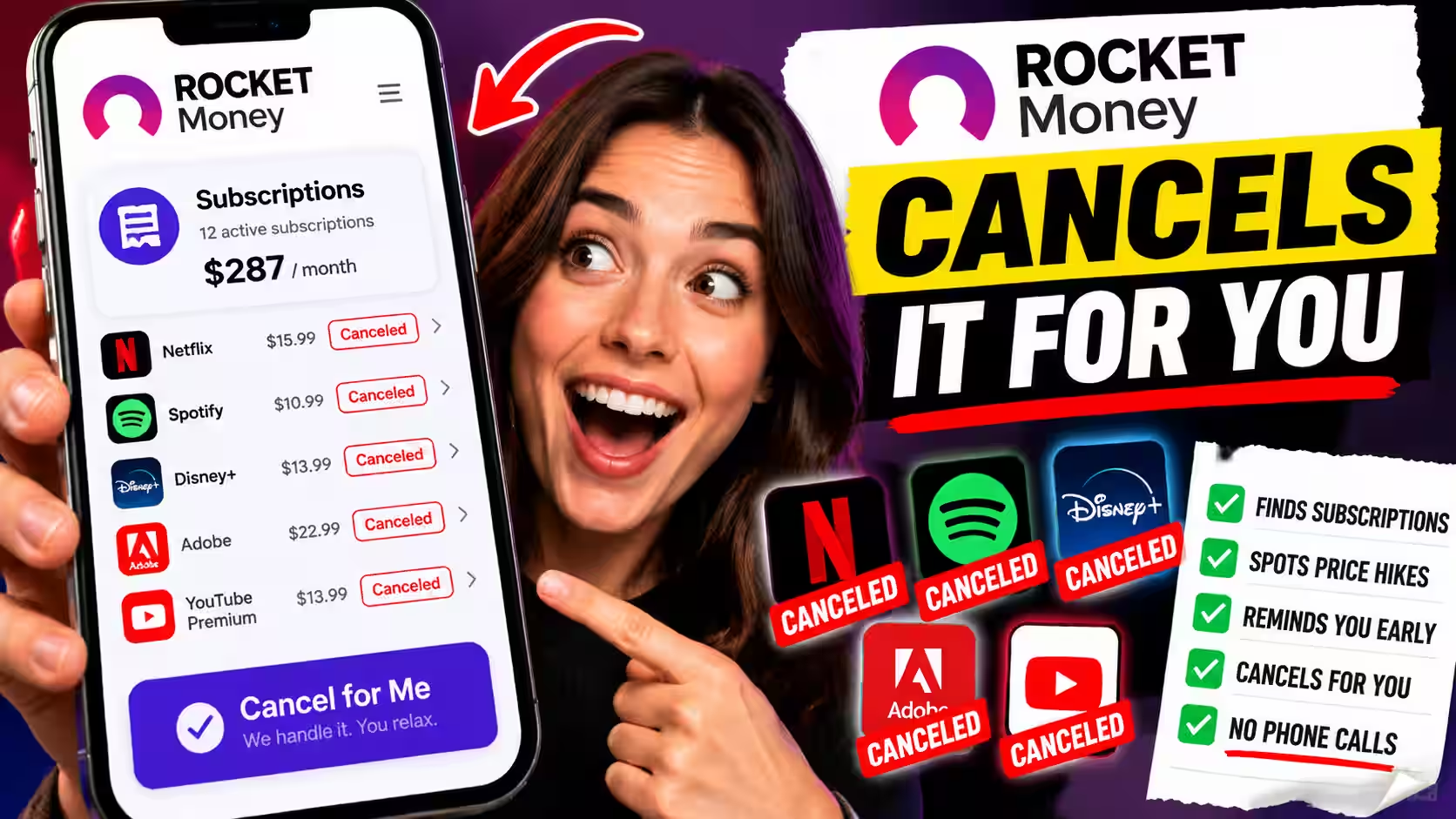
Rocket Money
Best for: Anyone who wants the app to cancel subscriptions for them — not just flag them.
Recurring charge detection: Rocket Money scans your linked accounts and builds a dedicated subscription list from your transaction history. It groups recurring charges by merchant, so every active subscription appears in one organized view rather than scattered across months of statements.
Free trial and trial-to-paid spotting: Rocket Money catches the moment a free or $1 trial converts to a paid plan and flags the new charge before it becomes a habit you stop questioning.
Renewal reminders: The app surfaces upcoming renewals — including annual plans — before the charge hits, giving you a real window to cancel if you want to.
Merchant name clarity: Cryptic bank codes get translated into recognizable brand names. “NFLX 866-579-7172 CA” becomes Netflix. The subscription list is readable at a glance.
Duplicate subscription detection: Rocket Money flags merchant overlaps — two music apps, two cloud storage plans, or two services doing the same job — so you can see exactly where you’re double-paying.
Price increase alerts: It monitors recurring charge amounts across billing cycles and flags increases, including the small ones that tend to slip through unnoticed.
Cancellation support: This is Rocket Money’s most distinctive feature. Once you identify a subscription you want to drop, Rocket Money’s team handles the cancellation on your behalf — directly, through the app. You don’t need to find a phone number, sit on hold, or navigate a cancellation flow designed to make you give up.
Manual vs. automatic tracking: Fully automatic once accounts are linked. No manual input required.
Shared household visibility: Supports multiple users and shared views, making it practical for households tracking subscriptions across more than one card or account.
Setup friction: Low. Linking accounts takes a few minutes. The subscription list populates quickly.
Main limitation: Rocket Money is built around a broader financial dashboard. If you want subscription tracking only, some of the surrounding features may feel like extra noise. The cancellation service is premium-tier.
Who should use it: Choose Rocket Money if you want detection, alerts, and cancellation handled without making a single phone call.
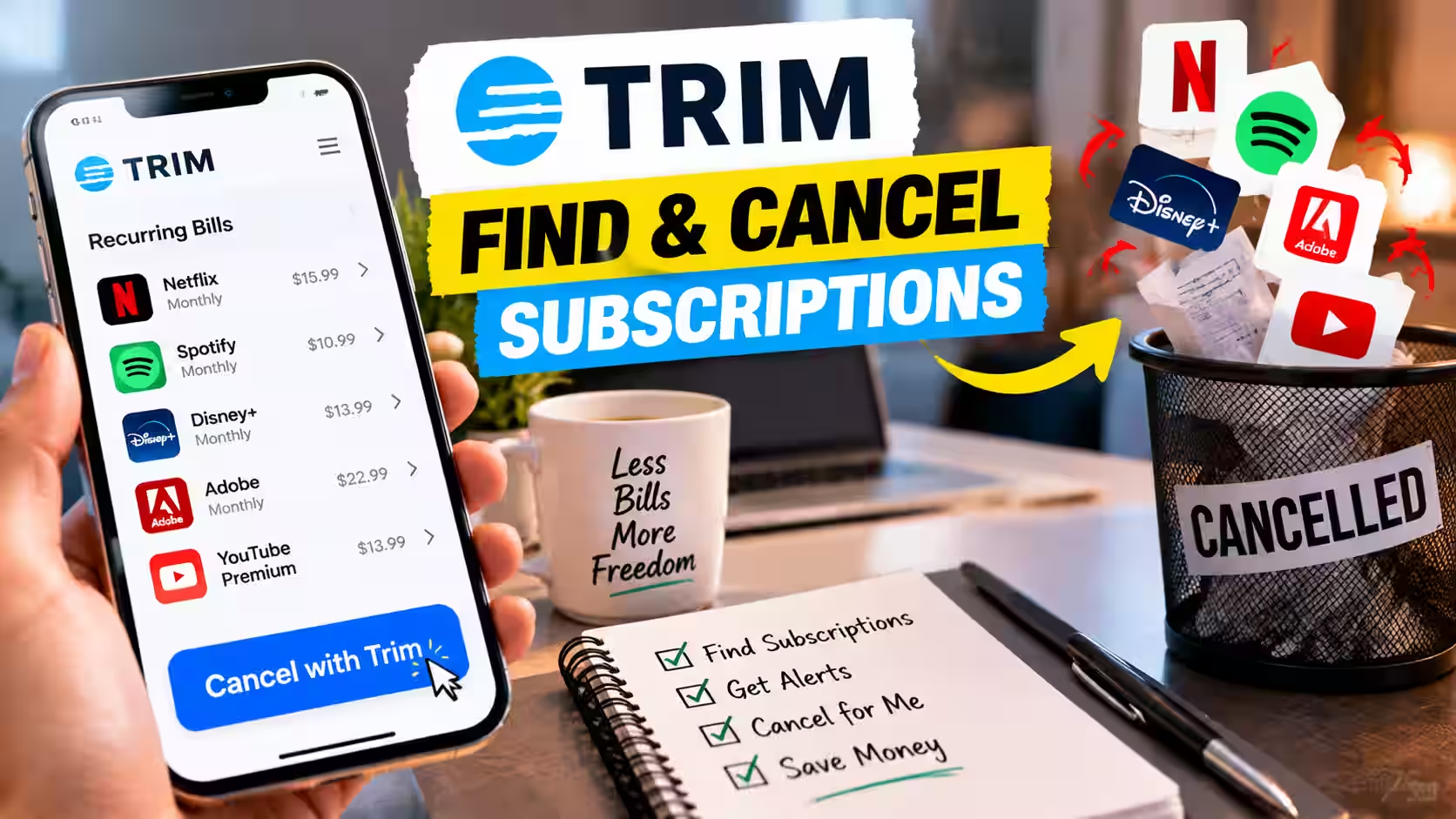
Trim
Best for: People who want a lightweight, bill-focused tool without a full financial dashboard attached.
Recurring charge detection: Trim connects to your bank and card accounts and identifies recurring subscription charges from your transaction history. The result is a clean list of what’s currently being billed and at what frequency.
Free trial and trial-to-paid spotting: Trim catches new charges that appear after a trial period ends, flagging the shift from $0 to a paid amount.
Renewal reminders: Trim alerts you to upcoming bills and renewal dates so annual subscriptions don’t catch you off guard.
Merchant name clarity: Trim translates raw transaction descriptions into readable merchant names, so you can understand each charge without decoding bank codes.
Duplicate subscription detection: Trim identifies charges from merchants with overlapping purposes — streaming, music, storage — and surfaces them for review.
Price increase alerts: Trim monitors recurring charge amounts and notifies you when a subscription quietly raises its fee.
Cancellation support: Trim offers cancellation assistance for subscriptions you want to drop. Rather than navigating a cancellation flow yourself, Trim contacts the provider. It also handles bill negotiation on select services.
Manual vs. automatic tracking: Detection is automatic once accounts are linked.
Shared household visibility: Trim is primarily single-user focused and is not built specifically for shared household tracking.
Setup friction: Low. Account linking is straightforward and the subscription list builds from your transaction history without manual input.
Main limitation: Trim’s primary strength is bill negotiation. Its subscription-tracking view is functional but less detailed than some dedicated trackers. Pricing is tied to savings identified rather than a flat monthly fee — confirm current terms directly with the provider before signing up.
Who should use it: Choose Trim if you want a focused, low-friction tool for finding and canceling subscriptions, especially if bill negotiation is also on your list.
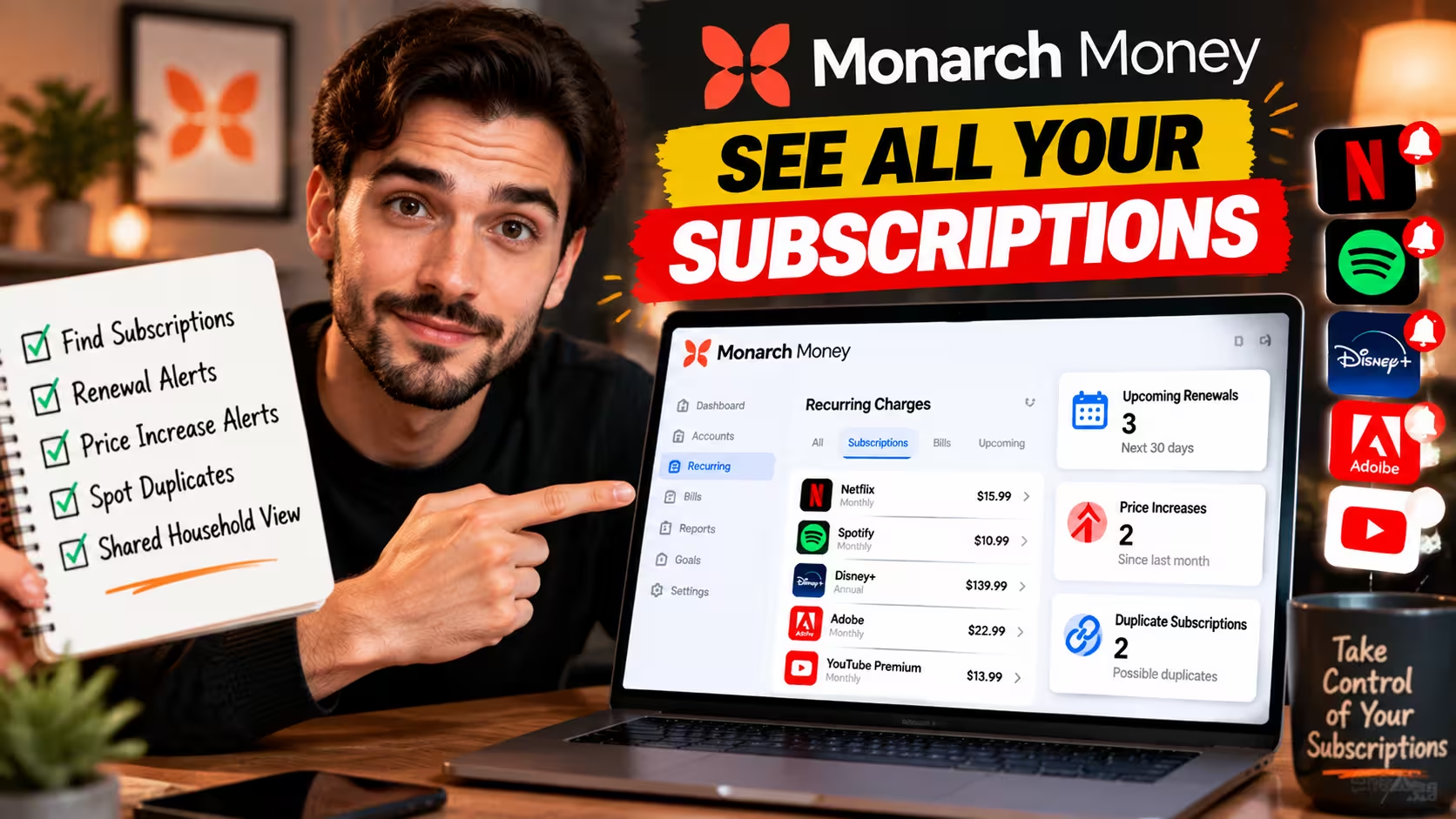
Monarch Money
Best for: People who want detailed, configurable visibility into recurring charges and are comfortable handling cancellation themselves.
Recurring charge detection: Monarch connects to more than 13,000 financial institutions and pulls transaction data across all linked accounts. It identifies recurring charges from your history and surfaces them in a configurable dashboard — you can filter specifically for recurring transactions without sorting through everything else.
Free trial and trial-to-paid spotting: Monarch detects new charges that follow a trial pattern and flags them as recurring once the billing cycle is established.
Renewal reminders: Monarch surfaces upcoming renewals, including annual subscriptions, so you can review before the charge lands.
Merchant name clarity: Monarch normalizes merchant names from raw transaction codes, making it easy to recognize what each recurring charge actually represents.
Duplicate subscription detection: Monarch’s broad multi-account visibility makes it easier to spot duplicate subscriptions spread across different cards or accounts — especially useful for households where spending is split between multiple payment methods.
Price increase alerts: Monarch monitors recurring charge amounts and flags changes, including small increases that most people don’t catch for months.
Cancellation support: Monarch does not handle cancellation for you. It shows you what’s recurring and gives you the information to act — but the cancellation step is entirely yours.
Manual vs. automatic tracking: Fully automatic once accounts are linked.
Shared household visibility: Monarch has some of the strongest shared-view features available. Partners can see the same transaction data, recurring charges, and subscription list — particularly useful for households managing subscriptions across multiple accounts and cards.
Setup friction: Moderate. More configuration options than lighter tools, but initial setup is still straightforward.
Main limitation: No cancellation support. If you want the app to handle cancellation, Monarch isn’t built for that. It is a visibility and tracking tool first. Monarch runs roughly $8 to $15 a month.
Who should use it: Choose Monarch if you want a detailed, configurable view of every recurring charge across multiple accounts, and you’re comfortable canceling subscriptions yourself once you have the full picture.

PocketGuard
Best for: People whose main issue is subscription costs quietly rising over time — not discovering subscriptions they forgot entirely.
Recurring charge detection: PocketGuard identifies recurring charges from your linked accounts and tracks them over time, building a record of what each subscription costs at each billing cycle.
Free trial and trial-to-paid spotting: PocketGuard catches trial-to-paid transitions and logs the new charge amount as it joins your regular billing pattern.
Renewal reminders: PocketGuard alerts you before recurring charges hit, giving you advance notice on upcoming subscription renewals.
Merchant name clarity: PocketGuard translates raw bank transaction descriptions into readable merchant names.
Duplicate subscription detection: PocketGuard flags charges from merchants with overlapping services, helping you spot cases where two subscriptions are doing the same job.
Price increase alerts: This is PocketGuard’s strongest subscription-specific feature. It monitors each recurring charge amount across billing cycles and flags increases immediately — including the $1 or $2 bumps that services quietly add, which most users don’t catch for months. For anyone frustrated by slow, silent price creep more than by forgotten subscriptions, this is the core value.
Cancellation support: PocketGuard surfaces the subscription and the price change but does not handle cancellation itself.
Manual vs. automatic tracking: Fully automatic once accounts are linked.
Shared household visibility: PocketGuard is primarily single-user focused and does not have the shared household view that Monarch Money offers.
Setup friction: Low. Account linking is fast and the recurring charge list populates without manual work.
Main limitation: Its strength is change detection, not cancellation workflow. PocketGuard is an alert tool, not an action tool. It offers a free tier with paid plans for expanded features.
Who should use it: Choose PocketGuard if your subscriptions are mostly known but you want an alert system that catches price increases before they quietly compound month after month.
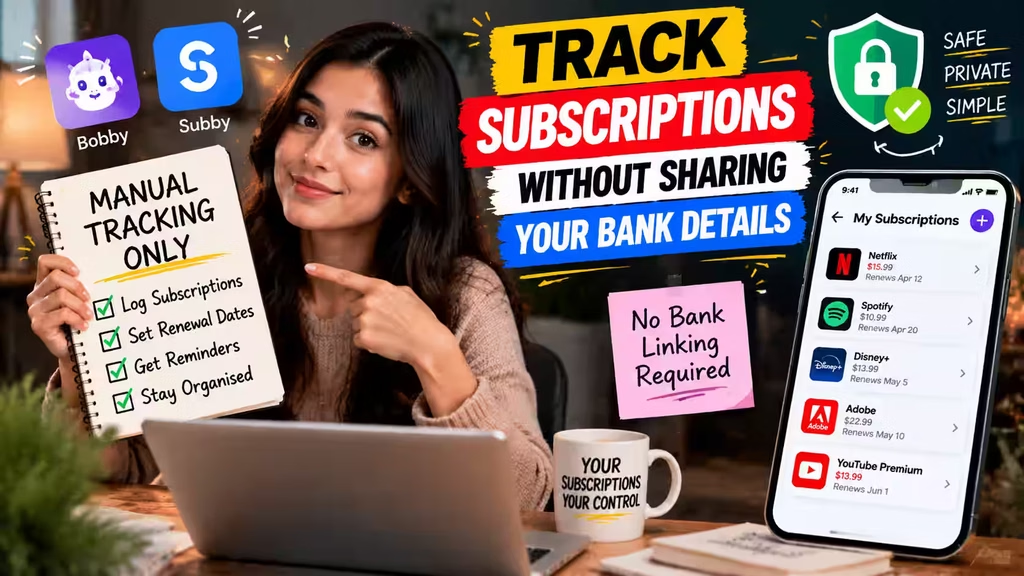
Standalone Subscription Trackers (No Bank Link Required)
Best for: People who are uncomfortable linking financial accounts to any third-party app and prefer a manual, privacy-first approach.
Apps like Bobby and Subby let you log subscriptions manually, set custom renewal dates, and receive reminders before a billing date arrives. They are organizational tools, not discovery tools.
Recurring charge detection: Manual only. You enter each subscription yourself.
Free trial and trial-to-paid spotting: Only what you log manually at signup.
Renewal reminders: This is the core feature — you set the date, the app reminds you.
Merchant name clarity: Not applicable. You enter the merchant name yourself.
Duplicate subscription detection: Only what you’ve logged — these tools won’t surface overlaps you didn’t know about.
Price increase alerts: Only if you update the charge amount manually when a price changes.
Cancellation support: None. These tools are purely organizational.
Manual vs. automatic tracking: Entirely manual. No bank connection required.
Setup friction: Low for the app, but ongoing effort is higher — every new subscription needs to be logged manually.
Main limitation: These apps can only track what you tell them about. They won’t surface forgotten charges, catch trial conversions, or flag price creep. They are useful for staying organized, not for discovering what you don’t already know.
Who should use it: Choose a standalone tracker if you want to stay organized without connecting any financial accounts.
What Should You Look for in a Subscription Tracker App?
The right subscription tracker should detect recurring charges accurately, alert you before renewals, and make cancellation as simple as possible — without requiring your actual bank login.
Before connecting any account, check for:
- Recurring charge detection accuracy. Does the app reliably catch subscriptions, including less common merchants?
- Renewal alerts. Will you get a heads-up before an annual plan auto-renews?
- Cancellation support. Does the app flag charges, or does it help you actually cancel them?
- Merchant recognition clarity. Can it translate cryptic bank codes into recognizable brand names?
- Bank connection security. Does it use secure, read-only access rather than requesting your bank login? Our guide on AI financial data privacy covers exactly what to verify before linking any account.
- Annual and monthly plan tracking. Annual subscriptions are the easiest to forget. Make sure the app catches them.
- Duplicate charge detection. Does it flag cases where two subscriptions are covering the same purpose?
Subscription Tracker vs. Budgeting App: What’s the Difference?
A subscription tracker focuses on one job: find recurring charges, flag changes, and help you cancel what you don’t need. A budgeting app does something broader — categorizing all your spending and tracking progress toward financial goals.
If subscription waste is your specific problem, a dedicated tracker solves it faster. If you want a full picture of where every dollar goes each month, a budgeting app is the right tool for that. For a closer look at what AI budgeting apps do, see our roundup of the best AI budgeting apps that actually save you money.
Who Should Use an AI Subscription Tracker?
An AI subscription tracker is worth setting up for anyone who has ever been surprised by a charge on their statement, or suspects they’re paying for something they no longer use.
It’s especially useful if you manage multiple streaming, app, or software subscriptions across different renewal dates — the exact scenario where a charge is easiest to miss.
Are Subscription Tracker Apps Worth It?
For most people, yes. Setup takes minutes. Finding even one forgotten $10-a-month subscription more than covers the cost of a premium plan. The real value is visibility. Once every recurring charge is visible in one place, canceling what you don’t need becomes a five-minute task rather than a month-long scavenger hunt.
How to Find Hidden Subscriptions on Your Bank Account
If you’d rather start manually before connecting an app, a targeted statement review takes about 20 minutes and can surface most of what you’re missing.
Here’s the step-by-step approach:
- Pull three months of statements. One month isn’t enough. Annual subscriptions won’t show up, and monthly patterns are easier to spot with more data.
- Sort by merchant name, not date. This groups repeat charges together so patterns jump out faster.
- Search for unfamiliar merchant codes. If a charge doesn’t match a service you recognize, look it up before assuming it’s fine.
- Check for small, recent price increases. Compare the same subscription’s charge across a few months to catch price creep.
- Cross-reference your active logins. Search your email for “receipt” or “subscription” to match charges to services you actually signed up for.
- Cancel directly through the provider, or use a tracker app if you’d rather skip the cancellation flow entirely.
Final Verdict: Which AI Subscription Tracker Is Best?
Rocket Money is the strongest all-around pick because it combines accurate recurring charge detection with built-in cancellation support — the one feature that sets it apart from most competitors.
If you want a lighter tool focused on bills and subscriptions without a full financial dashboard, Trim fits that need well.
If you want detailed, configurable visibility across multiple accounts and you’re comfortable canceling subscriptions yourself, Monarch Money is the right choice.
If your subscriptions are mostly known but you want an alert system that catches quiet price increases, PocketGuard is built exactly for that.
And if you’d rather not link any financial accounts at all, standalone apps like Bobby or Subby give you manual control over renewal reminders with no bank connection required.
Once you’ve stopped the subscription leakage, the natural next question is what to do with that reclaimed money. Our guide to predictive AI for savings covers how to put it to work automatically.
Frequently Asked Questions
What is the best app to find recurring subscriptions?
Rocket Money is the strongest all-around option. It combines accurate recurring charge detection with built-in cancellation support, so you’re not left to handle the follow-up yourself.
Can AI apps detect hidden subscriptions?
Yes. AI subscription trackers use transaction pattern recognition and merchant normalization to identify recurring charges, including trial-to-paid conversions that are easy to miss on a plain bank statement.
What app cancels subscriptions for you?
Rocket Money and Trim both offer cancellation assistance. They contact the provider on your behalf so you don’t have to navigate a cancellation flow or sit on hold.
How do I find recurring charges on my bank account?
Pull at least three months of statements, sort transactions by merchant name instead of date, and look for unfamiliar merchant codes or small price increases on charges you recognize. An AI subscription tracker automates this entire process.
Are subscription tracker apps safe to connect to a bank account?
Reputable subscription trackers use secure, read-only access rather than requesting your actual bank login. They can see your transaction history but cannot move money. Always confirm how an app connects your accounts before linking anything.
Can a subscription tracker find duplicate charges?
Yes. Tools like Rocket Money and Monarch Money cross-reference active subscriptions to flag overlapping services — for example, two apps covering the same type of content across different cards.
Do I need a subscription tracker if I already use a budgeting app?
Not necessarily, but it can help. Budgeting apps track overall spending categories. Subscription trackers focus specifically on recurring charges, renewal dates, and cancellation — a narrower, more targeted function. Some users find value in using both.
What are my rights if a company makes it hard to cancel?
Under the FTC’s Negative Option Rule, companies must make cancellation as easy as signing up. If a provider makes canceling unreasonably difficult, that’s worth reporting to the FTC. The CFPB also outlines your rights around stopping automatic payments directly with your bank, even if a merchant is unresponsive.
Consumer Fintech · Editorial Integrity
Sources & Citations
Public guidance, official documentation, and current product information used to evaluate AI subscription trackers, recurring charge detection, cancellation rights, renewal monitoring, and bank-connection security.
This guide was built using a mix of official consumer-protection resources, current financial-data documentation, and product-level information from the apps discussed. Regulatory guidance supports claims about cancellation rights and automatic payments. Primary documentation helps explain how linked-account finance apps access transaction data and surface recurring charges. Product details can change over time, so readers should confirm current features, pricing, and availability directly with each provider before signing up.
View full sources, methodology, and editorial notes
This article was written using official consumer guidance, primary fintech documentation, and current product materials relevant to subscription tracking. We give preference to government sources for claims about cancellation rights, automatic payments, and consumer protections. We use primary product or infrastructure documentation where it helps explain how recurring-charge detection works, how linked accounts are accessed, and what users should verify before connecting financial data. App features and pricing may change, so product-level details should always be confirmed directly with the provider. This article is general educational information, not financial or legal advice.
- Consumer rights for stopping automatic payments: CFPB — How do I stop a company from taking automatic payments out of my bank account? — cited for consumer rights and the process for stopping recurring payments through your bank, even when a merchant is unresponsive.
- FTC rule and cancellation expectations: FTC — Negative Option Rule — cited for the standard that companies offering subscriptions must make cancellation as easy as signup.
- FTC consumer protection and enforcement context: Federal Trade Commission — referenced for broader consumer-protection context around recurring billing, unfair practices, and reporting pathways.
- CFPB consumer finance oversight: Consumer Financial Protection Bureau — referenced for broader consumer-finance oversight and official consumer-help resources.
- How connected finance apps access transaction data: Plaid Docs — Transactions — cited for primary documentation on transaction retrieval used in budgeting, expense tracking, and recurring-charge analysis workflows.
- Linked account connection flow: Plaid Docs — Link — cited to explain how users connect financial accounts to third-party apps through a secure connection layer rather than sharing credentials directly with every app interface.
- Financial data and recurring payment context: Plaid Docs — Financial Insights — referenced for product documentation relevant to analyzing transaction streams and surfacing patterns like recurring charges.
- Official provider documentation for current product verification: Rocket Money, Trim, Monarch Money, PocketGuard — referenced to verify current product positioning, subscription-management workflows, and consumer-facing feature descriptions.
- Privacy and account-linking due diligence: Readers should also review each provider’s current security, privacy, and terms pages directly before linking bank accounts or relying on any cancellation workflow.
AI Subscription Trackers · Editorial Standards
Our Editorial Standards
Tech Capital Hub applies Google’s E-E-A-T framework to every consumer fintech guide, prioritizing plain-English analysis, official documentation, and public consumer-protection sources over marketing claims. This article evaluates AI subscription trackers using current 2026 product information, provider documentation, and government guidance on recurring payments, cancellation rights, and linked-account security. Where app features, pricing, or workflows can change, we describe them cautiously and encourage readers to confirm current terms directly with each provider before signing up.
View how our editorial standards apply to this article
Built Around a Real Consumer Problem
This guide is structured around the way people actually experience subscription waste: a forgotten trial, an annual renewal that slips through, or a small monthly charge that becomes background noise. Rather than reviewing finance apps in the abstract, we stay focused on the practical job readers want done — finding recurring charges, understanding what they are, and deciding what to cancel.
Fintech Features Explained Without the Fog
We break down how subscription trackers work in clear language, including recurring-charge detection, merchant normalization, renewal alerts, trial-to-paid spotting, and linked-account access. Technical finance concepts are translated into practical reader questions: Will this catch hidden charges? Will it alert me before renewal? Will it help me cancel? That keeps the analysis useful instead of overly technical.
Grounded in Official Docs and Consumer Guidance
Claims in this article are supported with primary and official sources where they matter most. Consumer rights and cancellation expectations are anchored to FTC and CFPB guidance, while linked-account and transaction-access explanations rely on primary infrastructure documentation such as Plaid. Product comparisons are informed by current provider documentation and public-facing product materials rather than affiliate-style feature inflation.
Clear About Limits, Change Risk, and Non-Advice
We do not present app capabilities as static facts when they may change over time. Features, pricing, cancellation support, and availability can shift, so readers should verify current details directly with each provider before linking accounts or paying for a premium plan. This content is educational, not financial or legal advice. Corrections or source concerns can be sent to editorial@techcapitalhub.com.
Consumer Fintech · About the Author
Marcus Delray
Fintech Analyst · Founder of Tech Capital Hub
Marcus Delray is a fintech analyst and the founder of Tech Capital Hub. In this guide, he evaluates AI subscription trackers in plain terms — explaining how they detect recurring charges, flag renewals, surface price increases, and sometimes help cancel subscriptions. His focus is practical consumer value: what each tool actually does, where its limits are, and how readers can avoid paying for services they no longer use.
View full author bio, credentials, and links
Marcus Delray has spent over a decade researching financial technology. He built Tech Capital Hub to make that research useful for everyday readers — from people comparing banking apps and AI finance tools to business owners and professionals trying to make smarter money decisions. His work focuses on turning product claims, fintech infrastructure, and policy language into clear, usable guidance.
For this guide, Marcus focuses on one specific consumer problem: hidden and recurring subscription charges. He explains how AI subscription trackers work behind the scenes, including transaction pattern recognition, merchant normalization, renewal monitoring, trial-to-paid detection, and account-linking workflows. He also compares what different tools are actually good at — whether that is cancellation support, multi-account visibility, price-increase alerts, or manual privacy-first tracking. Where product features, terms, or pricing may change, he frames those details cautiously and encourages readers to verify current information directly with each provider. All articles are educational information, not financial or legal advice.
- Explains how AI subscription trackers identify recurring charges, detect trial-to-paid conversions, and surface renewal risks in plain language
- Compares tools based on practical consumer outcomes like cancellation help, household visibility, price-increase alerts, and setup friction
- Clarifies how linked-account apps access transaction data and what readers should verify before connecting financial accounts
- Grounds coverage in official consumer-protection guidance, primary fintech documentation, and current provider materials where relevant
- Frames all recommendations as educational analysis, with clear disclosure that features, pricing, and workflows can change over time
Enjoying our content?
Click below to add us as a preferred source. Google will prioritize our latest articles in your Top Stories, AI Mode, and AI Overviews.
Preferred Source on Google