
Best AI Expense Management Software for Real-Time Spend Control in 2026

Fintech Analyst | AI Expense Management, Spend Automation & Financial Technology
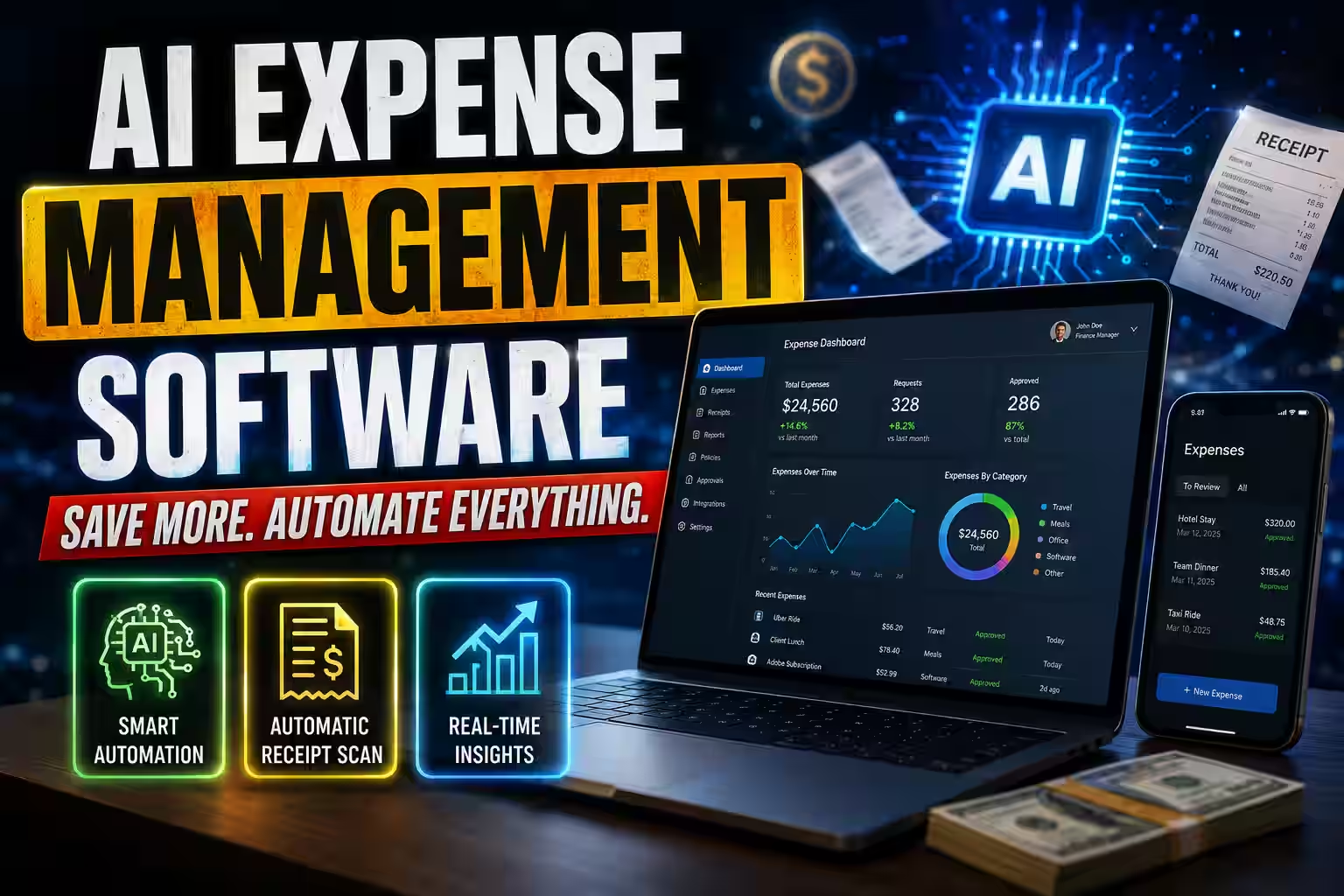
AI expense management software automates the capture, categorization, and audit of business spending—replacing manual receipt tracking, spreadsheet reconciliation, and delayed reimbursements with real-time, AI-driven workflows. As part of the wider finance automation stack, many of these tools also appear in our best AI accounting software comparison.
This guide covers what to look for, how these tools work, which platforms lead the market, and how to evaluate them against your organization’s specific needs.
Top Picks by Use Case
If you want the short version before the full analysis, here is where each platform fits best. Start with how spend actually happens in your business, then read the detailed review of the one that matches your situation.
Ramp
Card-led controlBest for
Card-led mid-market automation
Fits growing tech teams that route most spend through corporate cards and want receipt matching, GL coding, and policy checks handled largely by software.
Brex
Card-led controlBest for
Venture-backed startups scaling globally
Suits fast-growing companies adding teams, entities, and currencies that need spend controls to keep pace before fragmentation sets in.
Expensify
Reimbursement-firstBest for
Reimbursement-first workflows
A practical fit when spend still runs largely through employee reimbursements and you want faster submission without a card mandate.
Spendesk
Multi-workflow spendBest for
European multi-entity operations
Built for teams managing multi-level approvals, VAT reclaim, and spend across several European entities in one interface.
Yokoy
Enterprise AI-nativeBest for
Global, ERP-heavy enterprises
Suited to multinational operations that need AI-native GL coding, VAT and GST reclaim, and deep integration with an existing ERP.
SAP Concur
Enterprise embeddedBest for
SAP-centric enterprises
The practical choice when your finance stack already runs on SAP and switching-system risk outweighs the appeal of a newer platform.
Bottom line: The right choice depends less on feature counts and more on your card strategy, accounting stack, and how much spend you can route through one platform.
AI Expense Platforms Side by Side
Use this table to narrow your shortlist before the detailed reviews. Sort any column to order the platforms by the attribute that matters most to you, or search to filter down to a specific name or model. Pricing figures are directional—confirm current terms with each vendor during a pilot.
| Platform | Best For | Operating Model | Corporate Cards | Pricing Signal |
|---|---|---|---|---|
| Ramp | Mid-market tech automation | Card-led | Native | Free core; $15/user/mo Plus |
| Brex | Startups scaling globally | Card-led | Native | $0 eligible startups; $12/user/mo |
| Expensify | Reimbursement-first teams | Reimbursement-first | Optional card | $5–$9/user/mo |
| Spendesk | European multi-entity | Multi-workflow spend | Native | Quote-based |
| Yokoy | Global enterprise | AI-native enterprise | Native | Quote-based |
| SAP Concur | SAP-centric enterprise | Enterprise embedded | Via ecosystem | Quote-based |
How to read this: A card-led model reduces reimbursement work only for spend that runs through the platform’s own cards. A reimbursement-first model asks less of your card strategy but tends to capture spend after it happens rather than at the point of purchase. Match the operating model to how your team actually spends before you weigh individual features.
What Is AI Expense Management Software?
AI expense management software automates the full expense lifecycle—receipt capture, transaction matching, GL coding, policy checks, and audit—using OCR, machine learning, and large language models. It differs from traditional tools by reducing manual data entry rather than simply digitizing it.
Unlike traditional expense tools that simply digitize paper forms, modern AI platforms:
- Extract and categorize data from receipts automatically, without manual entry.
- Match transactions to corporate card charges in real time.
- Flag policy violations before expenses are submitted, not after.
- Allocate costs to the correct GL codes based on vendor, category, and historical patterns.
- Generate audit-ready reports with minimal human input.
The result is faster reimbursement cycles, tighter spend controls, and dramatically reduced finance team workload.
Table of Contents

Why AI Expense Management Matters in 2026?
Finance teams globally still lose a disproportionate amount of time to manual expense processing. According to the Global Business Travel Association (GBTA), processing a single expense report manually costs an average of $58 and takes 20 minutes to complete—and that’s before factoring in errors, which require an additional $52 and 18 minutes each to correct.
Meanwhile, employee fraud and non-compliant spend remain persistent risks. The Association of Certified Fraud Examiners (ACFE) found that expense reimbursement fraud accounts for 21% of all occupational fraud schemes in small businesses.
AI-powered platforms address both problems directly—reducing processing costs through automation, and reducing fraud exposure through continuous, policy-based transaction monitoring.

How AI Expense Management Software Works?
Most platforms follow five stages—capture and extraction, receipt matching, GL code allocation, policy enforcement, and reimbursement with reporting. Each stage can reduce manual work, though results depend on your data quality and policy configuration.
Step 1: Receipt Capture and OCR Extraction
Expense data starts as a physical or digital artifact: a printed receipt, a PDF invoice, or an emailed confirmation. That artifact has to become structured data before any downstream process can act on it. This is where capture and extraction do the heavy lifting.
An employee photographs a receipt using a mobile app, or forwards a digital receipt to a dedicated inbox. The platform’s optical character recognition (OCR) engine then reads the image. Modern engines pair traditional OCR with computer vision and transformer-based models—the same class of architecture behind large language models—to interpret layout, not just characters.
This matters because a receipt is not a form. Merchant name, date, total, currency, tax lines, and individual line items appear in different positions on every receipt, and the model has to infer which value belongs to which field.
The practical benefit is extraction that holds up under poor conditions. A crumpled receipt, a faded thermal print, or a low-resolution phone photo can still yield usable data, because the model predicts field values from context rather than relying on clean, fixed positions.
Accuracy claims should be read carefully. Leading platforms such as Expensify, Brex, and Ramp have reported OCR accuracy exceeding 95% across supported receipt formats.³ That figure typically reflects common English-language, machine-printed receipts. Handwritten notes, non-Latin scripts, and unusual regional formats can perform below that benchmark.
Well-designed systems handle this by attaching a confidence score to each extracted field. Fields below a set threshold get routed for human review instead of being silently accepted, which helps prevent misclassified data from moving downstream unnoticed.
Step 2: Automated Receipt Matching
A captured receipt is only half of the record. The other half is the corresponding charge on a corporate card, and reconciling the two has traditionally been manual, slow, and error-prone.
Once a receipt is extracted, the system compares it against open corporate card transactions imported through card network feeds. The matching logic weighs several signals together—merchant name, transaction amount, date, and currency—rather than requiring an exact string match on any single field. This tolerance is deliberate. A merchant may appear as “SQ *BLUE BOTTLE” on the card feed and “Blue Bottle Coffee” on the receipt, and a rigid match would fail on that difference alone.
When the signals align within acceptable tolerances, the system pairs the receipt to the charge automatically. Near-matches and unmatched items are flagged for review rather than force-paired, which helps preserve the integrity of the reconciliation.
The operational effect is a shift in when reconciliation happens. Instead of employees reconciling charges at month-end, matching occurs continuously as transactions and receipts arrive. This can reduce the manual reconciliation burden on both employees and finance staff, and it gives finance teams a running view of spend that is already matched, categorized, and checked against policy—rather than a backlog that only clears after the period closes.

Step 3: GL Code Allocation
General ledger (GL) coding assigns each expense to the correct account in your chart of accounts. It determines how spending appears in your financial statements, so an incorrectly coded expense distorts reporting and creates rework during month-end close. Historically, this has been one of the most time-consuming tasks in expense management.
AI-based allocation approaches the problem as a classification task. The model is trained on your company’s own historical transaction-to-GL mappings, so it learns the specific patterns your finance team has already established—which vendors, merchant categories, and cost types map to which accounts. It then applies contextual signals to each new transaction: vendor identity, merchant category code, the employee’s role or department, and any associated project code.
Two points are worth stating plainly. First, accuracy depends on the quality and volume of your historical data. A clean, consistent coding history produces stronger predictions; an inconsistent one carries those inconsistencies forward. Second, no allocation model should code everything on its own.
The intended design routes only genuinely ambiguous transactions—those where the model’s confidence is low or the signals conflict—to a human reviewer, rather than defaulting every entry to manual review.
Handled this way, AI allocation can reduce coding errors and free finance staff from routine coding work. Ramp’s internal benchmarks, for example, report that customers using AI-powered GL coding reduce coding errors by up to 70% compared with manual allocation.¹⁰ Treat vendor benchmarks as directional and confirm them against your own data during a pilot.

Step 4: Policy Enforcement and Flagging
Expense policies are only effective if they are applied consistently. When enforcement happens manually, after submission, non-compliant spending has often already occurred, and correcting it becomes a reconciliation and recovery problem rather than a prevention one.
AI expense platforms address this by embedding your policy directly into the approval workflow as a set of machine-readable rules. A rule-based policy engine evaluates each line item against your configured conditions—spend limits by category, per-diem caps, restricted vendors, required receipt thresholds, and duplicate detection—at the point of submission rather than after it.
The engine then takes one of three actions on each item:
- Approve items that satisfy every applicable rule and pass them through the standard workflow.
- Block items that clearly violate a hard rule, such as a charge from a restricted vendor, and prevent submission until resolved.
- Route for exception review items that need human judgment, such as an over-limit expense with a documented business justification.
Duplicate detection deserves specific mention, because duplicates are a common source of both honest error and deliberate misuse. Stronger systems compare submissions across formats—identifying, for example, that a forwarded digital receipt and a photographed copy of the same receipt represent one charge, not two.
The result is that policy enforcement shifts from reactive to preventive. Employees receive feedback before submission, so most issues are corrected at the source. This can reduce out-of-policy spend and lower the exception volume your finance team handles at close—though the strength of the outcome depends directly on how completely and accurately your policies are configured in the first place.
Step 5: Reimbursement and Reporting
Approval is not the end of the process. An approved expense still has to be recorded in your accounting system, reimbursed to the employee where applicable, and made visible to the people responsible for the budget. Gaps at this stage reintroduce the manual re-entry that automation was meant to remove.
Approved expenses sync to your accounting or ERP system—NetSuite, QuickBooks, Xero, Sage Intacct, or SAP Concur, among others. The important detail is that this should be a bi-directional integration, not a one-way export.
Bi-directional sync means the expense platform both writes transactions into the accounting system and reads reference data back from it—your chart of accounts, vendor records, cost centers, and project codes—so both systems stay aligned as records change. A one-way export can create silent drift between the two systems, which surfaces later as reconciliation discrepancies.
For reimbursable spend, approved amounts trigger payment through the platform’s payment rails, in some cases across multiple currencies and countries. Card-based spend that has already been matched and coded requires no separate reimbursement at all, since the company paid the vendor directly.
Reporting closes the loop. Real-time spend dashboards give finance leaders live visibility into departmental budgets, category breakdowns, budget-versus-actual comparisons, and emerging spend trends.
Because the underlying data is already matched, coded, and policy-checked, these dashboards reflect current activity rather than a reconstructed picture assembled after close—which supports earlier intervention when spending approaches a threshold, instead of a correction after the period has already ended.

Key Features to Evaluate in AI Expense Management Software
When selecting an AI expense platform, evaluate these capabilities in order of operational impact:
1. AI Receipt Scanning Software
The quality of OCR and AI receipt scanning is foundational. Look for platforms that:
- Support multi-language and multi-currency receipts.
- Handle digital receipts (PDF, email forwarding) alongside physical ones.
- Provide confidence scores so ambiguous extractions are flagged, not silently misclassified.
What to ask vendors: “What is your OCR accuracy rate across non-English receipts and handwritten documents?”
2. Real-Time Spend Dashboards
Real-time spend dashboards are not a cosmetic feature—they are a control mechanism. The best platforms update transaction data within minutes of a card swipe, giving finance teams the ability to intervene before spending exceeds budget, not after month-end close.
Look for dashboards that offer:
- Spend breakdowns by employee, department, project, and category.
- Budget vs. actual comparisons updated in real time.
- Customizable alerts for threshold breaches.
3. Corporate Card Issuing and Spend Controls
Several leading platforms now offer corporate card issuing natively—issuing virtual and physical cards with embedded spend controls. This removes the gap between card issuance and expense management that has traditionally created reconciliation headaches.
Platforms offering integrated corporate card issuing include Brex, Ramp, Airbase (now Maxio), and Spendesk. Cards can be configured with:
- Merchant category restrictions.
- Per-transaction and per-period spend limits.
- Single-use virtual cards for vendor payments.
- Automatic expiration after a project or event.
This model is often described as the best AI corporate card and spend management approach for tech companies, because it eliminates petty cash, reduces fraud surface area, and provides granular real-time visibility without requiring employee reimbursement at all.
4. Multi-Currency Expense Support
For organizations operating across borders, multi-currency expense support is non-negotiable. This includes:
- Automatic conversion at the interbank rate at the time of transaction.
- Transparent FX fee disclosure.
- Currency-specific per-diem and policy rules.
- Reporting in both local and functional currency.
Platforms like Yokoy, SAP Concur, and Spendesk offer robust multi-currency capabilities suited to multinational teams.
5. LLM Audit Automation
One of the most significant advancements in expense management in recent years is the application of large language models to audit automation. LLM audit automation allows finance teams to:
- Run natural language queries against expense data (“Show me all meals over $75 in Q1 where no business purpose was provided”)
- Automatically generate audit narratives for flagged transactions.
- Identify anomalous patterns across thousands of transactions without manual sampling.
Ramp, for example, uses AI to surface outlier spend that human auditors would statistically miss in a sample-based audit, covering 100% of transactions rather than a representative subset ⁴.
6. Automated Expense Reports
Automated expense reports shift the burden of report creation entirely from employees to the platform. Leading systems auto-compile expense reports from matched transactions, attach receipt images, populate required fields, and route reports for approval—all without the employee opening a laptop.
This capability has a measurable impact on reimbursement speed and employee satisfaction, particularly for road warriors submitting high volumes of weekly travel expenses.
7. Accounting System Integrations
No expense platform operates in isolation. Verify that any platform you evaluate offers native, bi-directional integrations with your accounting stack. Key integrations to confirm:
- ERP: SAP, Oracle NetSuite, Microsoft Dynamics.
- Accounting: QuickBooks Online, Xero, Sage Intacct.
- HRIS: Workday, BambooHR (for employee onboarding/offboarding sync)
- Travel: TripActions (now Navan), Concur Travel.
How We Evaluated These Platforms
Each platform was assessed against the criteria that tend to affect day-to-day finance operations, not marketing claims. We weighed seven factors:
- OCR and receipt-scanning accuracy across formats.
- Automated receipt matching and reconciliation.
- Corporate card issuing and embedded spend controls.
- Multi-currency and international tax support.
- AI audit and anomaly-detection coverage.
- GL coding accuracy and ERP integration depth.
- Best-fit operating model—card-led, reimbursement-first, or enterprise.
Where a figure comes from a vendor, it is labeled as such and treated as directional. Confirm any benchmark against your own data during a pilot before you commit.

Best AI Expense Management Software in 2026
The six platforms below lead across different company sizes and needs. Ramp and Brex suit card-led automation, Expensify suits reimbursement-first teams, Spendesk suits European multi-entity operations, and Yokoy and SAP Concur suit enterprise environments.
1. Ramp
Most mid-market finance teams do not lose time to any single task. They lose it to the handoffs between tasks—capturing a receipt, matching it to a card charge, coding it to the right account, checking it against policy, and then reconciling all of it at month-end. Each step is small. Together, they consume a large share of the finance team’s week and delay close.
Ramp is built to remove those handoffs rather than speed each one up individually.
Best for: Mid-market tech companies seeking AI automation and spend intelligence
Ramp fits growing companies that want their expense process to run with limited manual input and that are willing to adopt an integrated corporate card program to get there.
If your team already issues corporate cards and wants receipt matching, GL code allocation, and policy checks handled largely by software, Ramp is worth a close look. If you need a reimbursement-first workflow without a card mandate, the fit is weaker—more on that below.
How Ramp’s AI engine works
Ramp treats the expense lifecycle as a connected sequence, not a set of separate screens. Its AI layer handles four tasks that finance teams usually manage by hand.
- Automated receipt matching. When a card charge posts, Ramp pairs it with the corresponding receipt using merchant, amount, date, and currency signals rather than an exact text match. Near-matches are flagged for review instead of force-paired.
- GL code allocation. Ramp learns from your historical transaction-to-account mappings and applies them to new transactions using vendor, merchant category, and department signals. Ambiguous entries route to a reviewer instead of defaulting everything to manual coding.
- Duplicate detection. The system compares submissions across formats, so a forwarded digital receipt and a photographed copy of the same charge are identified as one item, not two.
- Policy enforcement. Your spend rules—category limits, per-diem caps, restricted vendors—are checked at submission, so out-of-policy items are blocked or routed for exception review before they reach close.
The practical outcome is fewer touches per transaction. That can shorten reconciliation time and reduce the coding corrections that typically surface during month-end, though the strength of the result depends on how consistent your historical data and policy configuration are.
The built-in corporate card program
Traditional expense tools sit downstream of the card. An employee spends, submits a report, waits for approval, and then waits for reimbursement. That gap creates reconciliation work and delays repayment.
Ramp closes the gap by issuing the cards itself. Because the company pays the vendor directly for card-eligible spend, there is no separate reimbursement step for those transactions. The charge is captured, matched, coded, and policy-checked as part of one flow.
This is worth stating plainly as a tradeoff. The model reduces reimbursement work most effectively when spending runs through Ramp cards. Spend that happens outside the card program still follows a reimbursement path, so the benefit scales with how much of your spend you move onto the platform.
Standout features
- AI-powered spend insights. Ramp surfaces potential savings—duplicate subscriptions, unused licenses, price differences across vendors—so the data supports decisions rather than just recording them.
- 100% transaction audit coverage. Instead of sampling, Ramp applies machine-learning anomaly detection across every transaction. This expense audit automation reviews the full population, which lowers the chance an outlier goes unexamined compared with sample-based methods.
- Native accounting integrations. Ramp connects with NetSuite, Sage Intacct, QuickBooks, and Xero. Confirm that the sync you need is bi-directional—writing transactions and reading back your chart of accounts and cost centers—before you commit.
- Automated vendor contract management (Ramp Intelligence). Ramp can track vendor contracts, renewal dates, and pricing to help you avoid unnoticed renewals and identify negotiation opportunities.
Pricing
Ramp offers its core expense management and corporate card features free, with no per-user fee. Ramp Plus adds more advanced controls and integrations at $15 per user per month.
Free entry lowers the risk of a trial. Still, evaluate the total picture—implementation effort, integration depth, and whether the free tier covers the controls your finance team actually needs—rather than the headline price alone.
An honest comparison
Ramp is strongest for card-led mid-market teams that want automation across the full expense lifecycle.
It is not the right fit for every organization. If your priority is a flexible, reimbursement-first process—one that does not require employees or the company to adopt a specific card program—Expensify may serve you better. The right choice depends less on feature counts and more on your card strategy, your accounting stack, and how much of your spend you can realistically route through one platform.
Before deciding, run a pilot across at least one full expense cycle and verify receipt-matching accuracy, GL coding accuracy, and integration reliability against your own data.

2. Brex
Best for: Venture-backed startups and fast-scaling companies needing global spend control
Fast-scaling companies rarely struggle because they lack spend visibility in principle. They struggle because spend expands faster than controls do. New teams get hired, more software gets bought, travel resumes, and international entities get added. What began as a simple card program turns into a fragmented model with inconsistent approval paths and uneven policy enforcement.
Brex is built for that scaling phase.
How Brex’s AI engine works
Brex applies automation at the point where spend is created, not only after it is reported.
- Smart receipt capture and categorization. Receipts are captured and interpreted automatically, which reduces manual entry and standardizes spend data earlier in the workflow.
- Automated policy enforcement. Transactions are checked against configured rules as they happen or as they are submitted, rather than at end-of-month review.
- Dynamic spend limits. Instead of static guardrails, limits can adjust based on budget availability and organizational context.
- Category-level classification across 50+ spend categories, which helps finance teams normalize data faster for reporting.
The value here is not only time savings. It is decision quality. The sooner transactions are categorized and policy-checked, the earlier you can spot overspend, duplication, or budget drift.
Operating model
Brex treats the card program as the enforcement point for finance policy. In reimbursement-led environments, policy is often applied after an employee has already spent the money. In a card-led Brex setup, spend can be constrained before misuse happens through merchant restrictions, virtual cards, budget-linked limits, and entity-specific controls.
That makes Brex useful for distributed teams, software-heavy spend, and multiple departmental budgets that need local flexibility inside centralized control. If your environment is still simple and reimbursement-first, Brex may feel broader than necessary.
Standout features
- Global corporate cards (physical and virtual) with real-time controls.
- Integrated travel booking with policy guardrails, so travel and expense policy can be governed together.
- Multi-entity and multi-currency support for companies moving beyond a single domestic entity.
- Budget-aware spend management that ties spend behavior to budget realities.
Pricing
- Essentials: $0/user for startups meeting eligibility criteria.
- Premium: $12 per user per month.
Entry pricing is attractive, but the real question is whether Brex’s structure matches your operating model. A low starting price helps only if the platform reduces finance friction without forcing awkward exceptions around reimbursements, entity setup, or accounting sync.
An honest comparison
Brex is strongest for venture-backed companies scaling spend controls across entities and borders.
It may be less attractive than Ramp for teams whose top priority is deep AI-led spend intelligence and audit-style automation. It is likely a better fit than Expensify when spend is increasingly card-based and travel and budget governance matter.
3. Expensify
Best for: Organizations that need a proven, flexible expense reimbursement platform
Many organizations do not want to rebuild their entire spend model around a new corporate card ecosystem. They simply want the existing reimbursement process to become faster, cleaner, and less painful for employees and finance. That need has not disappeared, and it is where Expensify still matters.
How Expensify’s AI engine works
Expensify’s AI focus is less about deep spend orchestration and more about reducing submission friction.
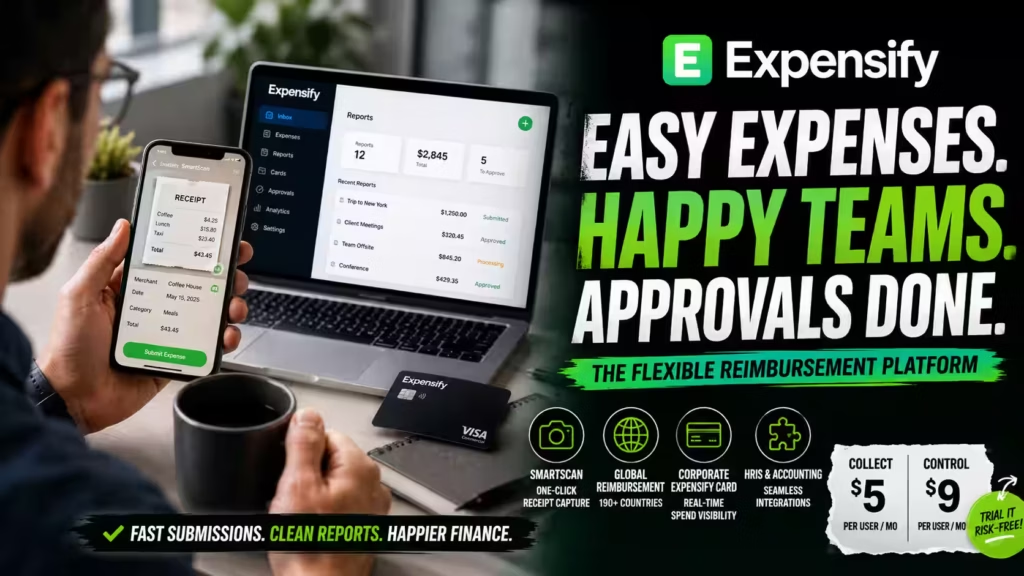
- SmartScan OCR. Employees capture a receipt, and the platform extracts the relevant data automatically.
- Automated expense report assembly. Transactions and receipts are compiled into approval-ready reports rather than built by hand.
- Concierge AI guidance. This helps users navigate policy and submission requirements in real time.
- Global reimbursement support across 190+ countries, which matters for companies paying employees in many markets.
The strength here is usability. Employees can submit expenses quickly, and finance can review standardized reports instead of inconsistent email-and-spreadsheet packets.
Operating model
Expensify works well when reimbursement remains a central part of the company’s expense reality—because employees travel frequently, card issuance is limited, or certain markets rely more on personal spend that gets reimbursed.
That flexibility carries a tradeoff. Reimbursement-first systems usually leave more room for lag than card-led platforms. Spend may still be captured after the fact rather than governed at the moment it occurs.
Standout features
- One-click receipt capture via SmartScan.
- Corporate Expensify Card with real-time spend visibility, for teams that want partial card adoption.
- Direct HRIS and accounting integrations.
- Global reimbursement in 190+ countries.
Pricing
- Collect: $5 per user per month.
- Control: $9 per user per month.
That pricing is accessible and makes Expensify one of the easier tools to trial without a large commitment.
An honest comparison
Expensify is strongest for reimbursement-first organizations that want fast adoption without a card mandate.
It aims to be one of the most operationally usable. It is likely a stronger choice than Ramp or Brex when your organization is reimbursement-heavy and adoption simplicity matters more than deep spend centralization. It is weaker if your goal is to eliminate reimbursement almost entirely, enforce policy before spend happens, or run richer anomaly detection across a consolidated card program.
4. Spendesk
Best for: European mid-market companies with complex multi-currency and approval workflows
Complexity in European finance operations often does not come from transaction volume alone. It comes from jurisdictional nuance: VAT, multiple approval layers, cross-border teams, entity structures, and the need to manage cards, invoices, reimbursements, and subscriptions in one coordinated environment.
Spendesk is built around that complexity.
How Spendesk’s operating model works
Spendesk is best understood less as a pure AI story and more as a workflow-control and spend-unification story. A large share of finance waste comes not from individual receipt processing but from fragmented workflows—one process for employee expenses, another for invoices, another for software renewals, and another for approvals.
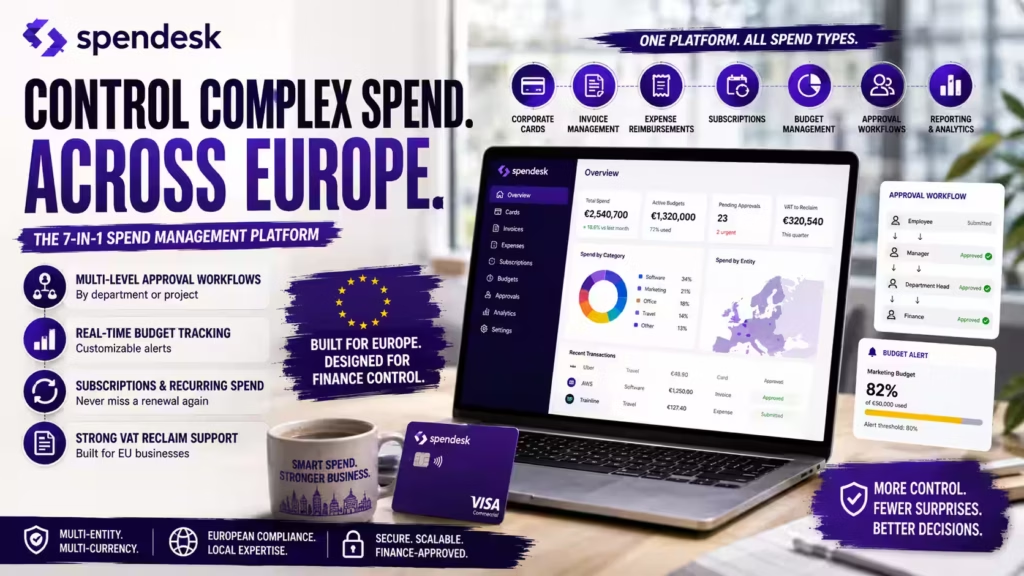
Spendesk’s 7-in-1 platform reduces that fragmentation by covering corporate cards, invoice management, expense reimbursements, and budget management in a single interface.
Approval design as a core advantage
For companies with department-based sign-off, project-based budget owners, regional legal entities, and layered approvals for different spend thresholds, approval routing is not a minor feature. It is a control architecture decision.
Spendesk is strong when finance wants approvals to reflect the organization’s operating reality rather than forcing every transaction through a flat or rigid routing model.
Standout features
- Configurable multi-level approval workflows by department or project.
- Real-time budget tracking with customizable alerts.
- Subscription and recurring spend tracking.
- Strong VAT reclaim support for EU-based businesses.
Pricing
Public pricing is not consistently published for all tiers. Treat pricing as a discovery topic during evaluation, since platforms with multi-entity and workflow depth often price by module, scale, or transaction complexity rather than a single per-user figure.
An honest comparison
Spendesk is strongest for European mid-market teams managing multi-entity approvals and VAT reclaim.
Spendesk is likely stronger than Expensify for organizations that need robust approval routing, centralized visibility into non-employee spend, and closer European operational alignment. Compared with Ramp and Brex, it may feel less centered on AI-led savings intelligence and more centered on structured control across varied spend types. For European mid-market teams, that can be exactly the right tradeoff.
5. Yokoy
Best for: Enterprise organizations requiring AI-native, global expense automation
Large enterprises often outgrow general expense tools not because the basics stop working, but because complexity reaches a point where mid-market automation breaks down. Country-specific tax rules, multi-entity reporting, ERP dependencies, and the need for consistent controls across global operations require more than consumer-grade usability.
Yokoy is built for that level of complexity, and it is positioned as one of the more explicitly AI-native platforms in the category.
How Yokoy’s AI engine works
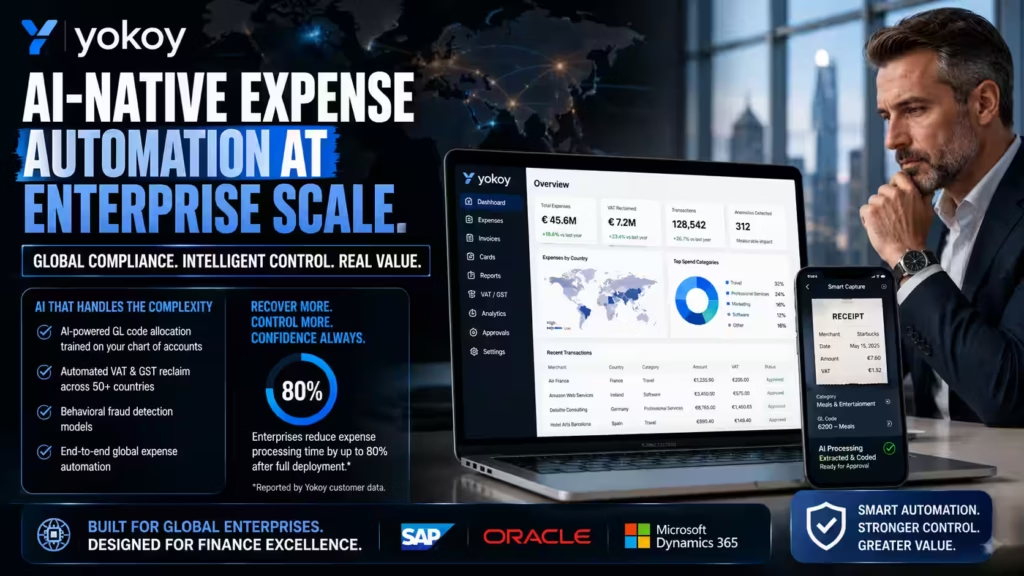
Yokoy’s LLM-powered engine handles receipt extraction, GL code allocation, VAT calculation, and anomaly detection across 160+ countries.
That last detail matters. Many platforms automate domestic expense processing reasonably well. Fewer can do so while accounting for international tax structures, local compliance expectations, and regional variation. Yokoy’s AI-led GL coding is notable here, because enterprise accounting environments usually carry more complex charts of accounts, more cost centers, and more entity-specific logic than smaller businesses.
Operating model
A major reason enterprises evaluate Yokoy is that tax handling is a financial control issue, not a side task. Support for automated VAT and GST reclaim, multi-country tax handling, and integration into broader accounting workflows separates it from tools focused mainly on report convenience.
For a multinational company, reclaim accuracy can create measurable economic value, not just workflow efficiency. That shifts the ROI conversation from “How much time do we save?” to “How much value do we recover while improving control?”
Standout features
- AI-powered GL code allocation trained on your company-specific chart of accounts.
- Automated VAT and GST reclaim across 50+ countries.
- Behavioral fraud detection models.
- Native SAP, Oracle, and Microsoft Dynamics integration.
Reported impact
Yokoy’s published customer data claims enterprise clients reduce expense processing time by up to 80% after full deployment. Treat this as directional rather than universal. The real question is whether the platform sustains that value inside your accounting structure, approval framework, and country footprint.
An honest comparison
Yokoy is strongest for multinational, ERP-heavy enterprises that need AI-native tax and coding automation.
Yokoy is likely stronger than Ramp, Brex, or Expensify when international tax handling is a major requirement, enterprise ERP integration is non-negotiable, and anomaly detection must operate at scale. It may be more platform than a smaller or US-centric company needs. Implementation effort, data readiness, and change management will matter more here than with lighter-weight tools.

6. SAP Concur
Best for: Large enterprises with complex travel and expense requirements integrated into SAP ecosystems
Some platforms stay relevant because they are modern and flexible. Others stay relevant because they are deeply embedded in how large enterprises already operate. SAP Concur belongs to the second category. Many large organizations already run SAP-centered finance architecture, complex travel programs, and enterprise-grade compliance processes that cannot be casually swapped out.
How SAP Concur’s AI capabilities matter
SAP Concur has expanded its AI capabilities, with machine learning now applied to receipt matching, policy compliance, and audit flagging. The framing is important. Its AI story is less about being the most disruptive AI-first platform and more about modernizing an established enterprise-standard system so it can reduce manual review and improve control quality.
In practice, that value comes from embedding smarter automation into existing travel-and-expense flows, applying machine learning to a high-volume transaction environment, and improving compliance without forcing a company to rebuild its finance stack.
Operating model
For many large organizations, the best platform is not the one with the strongest automation claims. It is the one that can be governed, integrated, and scaled across the enterprise with minimal architectural disruption.
SAP Concur’s strength lies in institutional familiarity, structured workflows, and alignment with SAP-centric finance environments. If your company already uses SAP deeply, that ecosystem fit may outweigh the appeal of a more modern standalone platform.
Standout features
- Strong SAP ecosystem alignment and deep ERP integration.
- Complex travel and expense workflow support.
- Expanding AI assistance in receipt matching, compliance, and audit review.
- Enterprise suitability for large-scale governance requirements.
Pricing
Public pricing is not specified. This is common for enterprise platforms, where pricing is negotiated based on scope, modules, travel components, and integration requirements.
An honest comparison
SAP Concur is strongest for enterprises already embedded in the SAP ecosystem.
SAP Concur is likely the best fit when the company is already invested in SAP, travel management is tightly linked to expense workflows, and switching-system risk is high. It may be less attractive than Ramp, Brex, or Expensify for companies seeking faster deployment, mid-market usability, or more visible AI-led savings insights.
Compared with Yokoy, it may feel less AI-native but more institutionally embedded. The choice between them often comes down to whether you value ecosystem continuity or AI-forward change more.
Choosing the Right Platform
The strongest platform on paper is not always the strongest platform for your operating model. Start with how spend actually happens in your business, then filter by the situation that matches yours. Each card shows the best-fit buyer and the strengths that drive the decision.
Ramp
Card-led controlBest for: Mid-market tech companies seeking deep AI automation and spend intelligence.
- Receipt matching, GL coding, and policy checks handled largely by software
- 100% transaction audit coverage rather than sample-based review
- Built-in corporate card removes reimbursement for card-eligible spend
Brex
Card-led controlBest for: Venture-backed startups and fast-scaling companies needing global spend control.
- Global corporate cards with real-time, budget-linked controls
- Integrated travel booking governed alongside expense policy
- Multi-entity and multi-currency support for cross-border growth
Expensify
Reimbursement-firstBest for: Organizations that need a proven, flexible expense reimbursement platform.
- SmartScan OCR with one-click receipt capture
- Global reimbursement across 190+ countries
- Fast adoption without a card-first operating change
Spendesk
Multi-workflow spendBest for: European mid-market companies with complex multi-currency and approval workflows.
- Configurable multi-level approval routing by department or project
- Cards, invoices, reimbursements, and subscriptions in one interface
- Strong VAT reclaim support for EU-based businesses
Yokoy
Enterprise AI-nativeBest for: Enterprise organizations requiring AI-native, global expense automation.
- AI GL coding trained on your company-specific chart of accounts
- Automated VAT and GST reclaim across 50+ countries
- Native SAP, Oracle, and Microsoft Dynamics integration
SAP Concur
Enterprise embeddedBest for: Large enterprises with complex travel and expense needs inside SAP ecosystems.
- Deep alignment with SAP-centric finance architecture
- Structured travel-and-expense workflow support at scale
- Expanding AI assistance in matching, compliance, and audit review
Card-led spend control platforms (Ramp, Brex) work best when the goal is to reduce reimbursement and push spend into governed payment rails, with policy enforced at or before the point of spend.
Reimbursement-first modernization platforms (Expensify) work best when you want to improve existing workflows without forcing a card-first operating model.
Multi-workflow spend management platforms (Spendesk) work best when spend complexity extends beyond receipts into invoices, subscriptions, approvals, and budget routing, particularly across European entities.
Enterprise AI automation platforms (Yokoy, SAP Concur) work best when the real problem is multinational finance operations and ERP-connected control. Yokoy leans more AI-native; SAP Concur leans more ecosystem-embedded.
How to Evaluate Before You Commit
No vendor benchmark should replace your own testing. Reported figures—OCR accuracy above 95%, coding errors reduced by up to 70%, processing time reduced by up to 80%—are directional. They typically reflect common conditions and full deployments, and your results will depend on your data quality, policy configuration, and integration depth.
Before selecting a platform, work through these steps:
- Run a pilot across at least one full expense cycle, from submission through reimbursement, using a representative sample of employees and transaction types.
- Verify OCR accuracy against your real receipts, including any non-English or handwritten documents you process.
- Verify GL coding accuracy against your own chart of accounts, not a demo environment.
- Confirm bi-directional sync with your accounting or ERP system—writing transactions and reading back your chart of accounts, vendor records, and cost centers—rather than a one-way export.
- Test policy enforcement by submitting deliberate edge cases to confirm the engine blocks, approves, and routes items as configured.
The strongest platform on paper is not always the strongest platform for your operating model. Start with how spend actually happens in your business—how much runs through cards, how many entities and currencies you manage, and which accounting system holds your source of truth—and let those answers narrow the shortlist before feature comparisons begin.
Frequently Asked Questions
Q: What is the difference between AI expense management software and traditional expense tools?
Traditional expense tools digitize and organize manual processes—employees still enter data, attach receipts, and submit reports by hand. AI expense management software automates those tasks using machine learning and OCR, reducing manual input to near zero and enabling real-time policy enforcement.
Q: Can AI expense management software handle receipts in multiple languages?
Most leading platforms—including Ramp, Brex, Yokoy, and SAP Concur—support multi-language receipt scanning. Coverage depth varies by platform; Yokoy and SAP Concur offer the broadest international receipt support, covering 160+ countries with local tax rule recognition.
Q: How does AI expense software prevent employee expense fraud?
AI platforms reduce fraud exposure by monitoring 100% of transactions rather than a sample. They apply continuous rule-based checks, duplicate-receipt detection, behavioral anomaly flagging, and vendor cross-referencing—so a non-compliant submission is more likely to be caught before it clears.
Q: Which AI expense platform is best for a company without corporate cards?
Expensify is usually the better fit, because it supports a reimbursement-first workflow that does not require a card mandate. Card-led platforms like Ramp and Brex deliver the most value when spend runs through their cards, so the benefit shrinks if you cannot route spend that way.
Q: Do AI expense tools replace the finance team’s review work?
No. These tools reduce routine work—matching, coding, and first-pass policy checks—but ambiguous transactions still route to a human reviewer. The intended design keeps people on judgment calls while automation handles the repetitive volume.
Q: Is AI expense management software suitable for small businesses?
Yes. Platforms like Expensify and Ramp offer free or low-cost tiers suited to small businesses. The operational benefits—faster reimbursements, reduced manual processing, and stronger spend visibility—apply at any organizational size, though the ROI accelerates as transaction volume increases.
Q: What accounting systems do AI expense platforms typically integrate with?
Most enterprise-grade platforms integrate natively with QuickBooks, Xero, NetSuite, Sage Intacct, SAP, and Microsoft Dynamics. Always verify bi-directional sync capability—not just data export—before selecting a platform.
Q: How long does it take to implement an AI expense management platform?
Implementation timelines vary by platform complexity and organization size. SMB implementations on platforms like Ramp or Expensify can go live within one to two weeks. Enterprise deployments involving ERP integration, multi-entity configuration, and custom GL mapping typically take six to twelve weeks.
Editorial Integrity
Sources & Citations
Official GBTA and ACFE research, Ramp, Brex, Expensify, Spendesk, Yokoy, and SAP Concur product documentation and pricing pages, and published benchmark studies on AI expense automation, OCR accuracy, and corporate spend management
Every claim in this guide ties back to a primary source. We pull the manual expense processing cost and time figures from the Global Business Travel Association (GBTA), and the expense reimbursement fraud statistics from the Association of Certified Fraud Examiners (ACFE). Pricing tiers come straight from the official Ramp, Brex, and Expensify pricing pages, and feature details on OCR extraction, GL code allocation, and audit automation come from each vendor’s own product documentation. Where a platform reports its own performance figures — Ramp’s GL coding accuracy benchmark or Yokoy’s processing-time reductions — we label them as vendor data and treat them as directional. Where a figure could not be traced to an authoritative source, we left it out.
View full sources, methodology, and editorial notes ⌄
This guide was built from official vendor documentation and current pricing pages for every platform reviewed, industry research from the GBTA and the ACFE, and published benchmark studies on AI accuracy in expense workflows. We prioritize first-party pricing pages, dated product documentation, and recognized industry-body research over marketing copy or secondhand commentary. Vendor-reported figures — such as OCR accuracy above 95%, GL coding error reductions, and processing-time improvements — are labeled as vendor data and treated as directional rather than guaranteed. Pricing tiers, feature sets, and automation capabilities change often, so we date our sources and recommend you confirm current vendor documentation and run a pilot against your own data before you commit. Nothing here is financial, tax, or accounting advice.
- GBTA expense report processing cost and time research: Business Travel and Expense Research — GBTA.org — cited for the average cost and time to process a single expense report manually, used to frame why manual handoffs consume a large share of the finance team’s week.
- ACFE occupational fraud research: Report to the Nations 2022 — ACFE.com — cited for the share of occupational fraud schemes tied to expense reimbursement, used to explain why continuous, policy-based transaction monitoring matters.
- Ramp official pricing and plan tiers: Ramp Pricing — Ramp — cited for the free core plan and Ramp Plus per-user pricing, used to explain how the card-led model reduces reimbursement work for card-eligible spend.
- Brex official pricing and plan tiers: Brex Pricing — Brex — cited for the Essentials and Premium plan tiers, used to explain where Brex fits venture-backed companies scaling spend controls across entities.
- Expensify official pricing and plan tiers: Expensify Pricing — Expensify — cited for the Collect and Control plan tiers, used to explain why Expensify suits reimbursement-first teams that want fast adoption without a card mandate.
- Ramp AI expense audit documentation: AI Expense Audit — Ramp Blog — cited for the 100% transaction audit coverage claim, used to explain how machine-learning anomaly detection reviews the full transaction population rather than a sample.
- Ramp GL coding accuracy benchmark: AI-Powered GL Coding — Ramp Blog — cited for the reported reduction in coding errors versus manual allocation, labeled as vendor data and treated as directional rather than a fixed result.
- Yokoy enterprise case studies: Customer Case Studies — Yokoy — cited for the reported reduction in expense processing time after full deployment, used to explain enterprise-scale automation with the vendor-data caveat applied.
- SAP Concur product documentation: Product Resources and Documentation — SAP Concur — cited for travel-and-expense workflow features and expanding AI assistance, used to explain where Concur fits enterprises already embedded in the SAP ecosystem.
- Spendesk product and platform documentation: Spend Management Platform — Spendesk — cited for multi-level approval routing, VAT reclaim, and the unified spend interface, used to explain where Spendesk fits European multi-entity operations.
- Yokoy AI expense automation documentation: AI-Native Expense Automation — Yokoy — cited for AI GL code allocation, automated VAT and GST reclaim, and native ERP integration, used to explain the platform’s fit for global, ERP-heavy enterprises.
- ACFE Report to the Nations, 2022 edition: Report to the Nations, 2022 — ACFE.com — cited for the occupational fraud benchmark data referenced in the article, used to support the case for preventive, rule-based expense controls.
Our Editorial Standards
Tech Capital Hub applies Google’s E-E-A-T framework to every AI expense management software guide, prioritizing first-party vendor documentation, current pricing pages from Ramp, Brex, Expensify, Spendesk, Yokoy, and SAP Concur, and recognized industry research from the GBTA and the ACFE over marketing copy, generic commentary, or unsupported claims about cost or time saved.
View how our editorial standards apply to this article ⌄
Grounded in How Finance Teams Actually Evaluate and Run Expense Platforms
This guide follows what actually happens when a finance team puts a platform to work — not just the feature list. We look at how much spend runs through corporate cards versus employee reimbursements, how receipt matching and GL coding reduce reconciliation effort, how policy checks apply at submission rather than after month-end, how multi-currency support holds up across entities, and how cleanly each platform syncs back to your ERP. Each example reflects a real decision a finance leader would face, not a hypothetical one.
Card-Led vs Reimbursement-First, Audit Coverage, and Operating-Model Fit
Coverage explains the distinctions that matter most to a finance team: why a card-led model reduces reimbursement work only for spend that runs through its own cards, why a reimbursement-first model asks less of your card strategy but tends to capture spend after it happens, how GL coding accuracy depends on the quality of your historical data, why 100% transaction audit coverage differs from sample-based review, how each platform fits a specific company size and stage rather than every business, and why your existing ERP stack quietly shapes which platform is realistic to adopt.
Vendor Pricing, Product Documentation, and Industry Research
Claims are anchored to primary material: the GBTA for the cost and time to process an expense report manually, the ACFE Report to the Nations for expense reimbursement fraud data, current Ramp, Brex, and Expensify pricing pages for the starting-cost and per-user figures, Yokoy case studies for enterprise processing-time reductions, SAP Concur documentation for travel-and-expense workflow features, and vendor GL coding benchmarks for coding-accuracy figures. Vendor-reported performance data is labeled as such and treated as directional. We do not treat promotional content, social commentary, or unverified savings figures as sufficient support for statements about pricing, automation, or compliance.
Transparent, Reviewable, and Buyer-Safety First
A card-led platform delivers most of its value only when spend runs through its cards, so committing to one can lock your team into a specific card program, vendor benchmark figures such as OCR accuracy or coding-error reductions are directional rather than guaranteed, a one-way sync to your accounting system can create silent data drift that surfaces later as reconciliation discrepancies, enterprise deployments with ERP integration and multi-entity setup can take six to twelve weeks rather than days — so we state these risks plainly rather than softening them. Because the strongest test is your own data, we recommend a pilot across at least one full expense cycle before you commit. Pricing, feature sets, and integration behavior change over time, so this guide is reviewed and updated as stronger source material becomes available. Nothing here is financial, tax, or accounting advice. Corrections or source challenges can be submitted directly to our editorial team at editorial@techcapitalhub.com.
About the Author
Marcus Delray
Fintech Analyst | AI Expense Management, Spend Automation & Financial Technology
Marcus Delray writes about AI expense management software for finance teams that want to cut manual work and tighten spend control. He covers what actually matters to a finance buyer: whether a card-led or reimbursement-first model fits how your team spends, how receipt matching and GL coding reduce reconciliation effort, whether policy checks apply at submission or after the fact, how multi-currency support holds up across entities, and how cleanly each platform syncs back to your ERP.
View full author bio, credentials, and links ⌄
Marcus Delray is a fintech analyst and founder of Tech Capital Hub, where he covers AI expense management software, corporate spend control, platform reviews, and the financial technology that shapes how finance teams manage spend. He evaluates how each platform fits a real finance operation — how much spend runs through cards versus reimbursements, how many entities and currencies a team manages, and which accounting system holds the source of truth — rather than repeating feature lists from a marketing page.
On expense platforms, he focuses on what the differences actually mean for a finance team: why Ramp suits card-led mid-market automation, why Brex fits venture-backed companies scaling spend across borders, where Expensify wins for reimbursement-first teams that want fast adoption without a card mandate, why Spendesk works for European multi-entity approvals and VAT reclaim, and where Yokoy and SAP Concur fit global, ERP-heavy enterprises. He explains where automation genuinely saves time — receipt matching, GL coding, and full-population audit coverage — and where a finance team still needs a human on the judgment calls.
Rather than chasing hype, he grounds his coverage in source-backed explanation, drawing on first-party vendor documentation, published pricing pages, and industry research from the GBTA and the ACFE. Vendor-reported figures like OCR accuracy and coding-error reductions are labeled as directional, so readers understand not just how each platform works, but where the real costs, card-mandate lock-in, and operating-model tradeoffs sit.
- Matches each platform to a real operating model — card-led or reimbursement-first, company size, entity structure, and card strategy — instead of ranking tools in a vacuum
- Explains why 100% transaction audit coverage differs from sample-based review, and where AI anomaly detection reliably catches outliers a sample would miss
- Labels vendor benchmark figures — OCR accuracy, GL coding error reductions, processing-time gains — as directional data to confirm against your own pilot
- Grounds analysis in primary sources: current vendor pricing and product documentation, Ramp, Brex, and Expensify plan tiers, and GBTA and ACFE industry research, with a focus on ERP integration depth
Enjoying our content?
Click below to add us as a preferred source. Google will prioritize our latest articles in your Top Stories, AI Mode, and AI Overviews.
Preferred Source on Google