
What Is Ledger? Wallet Features, Safety, Fees, and Who It’s For

Fintech Analyst · Founder of Tech Capital Hub
Marcus has spent more than a decade researching blockchain, hardware security, and financial technology. In this guide he explains how a Ledger wallet works — from the Secure Element chip and offline transaction signing to the Ledger Wallet app, the fees involved, and the recovery phrase that keeps you in control. His goal is to help you understand exactly what Ledger does and decide whether it fits how you hold your crypto.
If you own crypto, one question matters more than almost any other: who actually controls your coins? Ledger built its entire business around one confident answer — you should. In this guide, you’ll learn exactly what Ledger is, how it protects your assets, what it costs, and whether it’s the right fit for you!
This is your complete, easy breakdown of Ledger wallets — the security, the fees, the device options, and the honest tradeoffs. By the end, you’ll know whether a Ledger belongs in your setup or not.
Quick Answer: What Is Ledger Wallet?
A Ledger wallet is a hardware wallet — a small physical device that stores your private keys offline and signs crypto transactions securely. It’s a non-custodial, cold storage wallet, which means you hold the keys and no company can freeze or lose your funds for you.
Here’s the crucial part most beginners miss: Ledger does not store your coins. Your Bitcoin, Ethereum, and other assets always live on the blockchain. What a hardware wallet actually stores are the private keys that prove those assets are yours. Lose access to the keys and you lose access to the crypto. Keep them offline and safe, and your assets stay protected.
| KEY TAKEAWAYS |
|---|
| — Ledger is a non-custodial hardware wallet that keeps your private keys offline, giving you full self-custody and control. |
| — Ledger devices don’t hold crypto — they store private keys and sign transactions. Your coins stay on the blockchain. |
| — Every Ledger uses a certified Secure Element chip and Ledger’s custom OS, and the company reports no hacked devices in over a decade while securing roughly 20% of global crypto value. |
| — The Ledger Nano S Plus starts at $59 and the Ledger Nano X at $99, and both manage 15,000+ coins and tokens. |
| — Ledger itself charges no fees to hold crypto; you pay only network fees and third-party provider fees when buying, swapping, or staking. |
Table of Contents

What Is Ledger Wallet, Exactly?
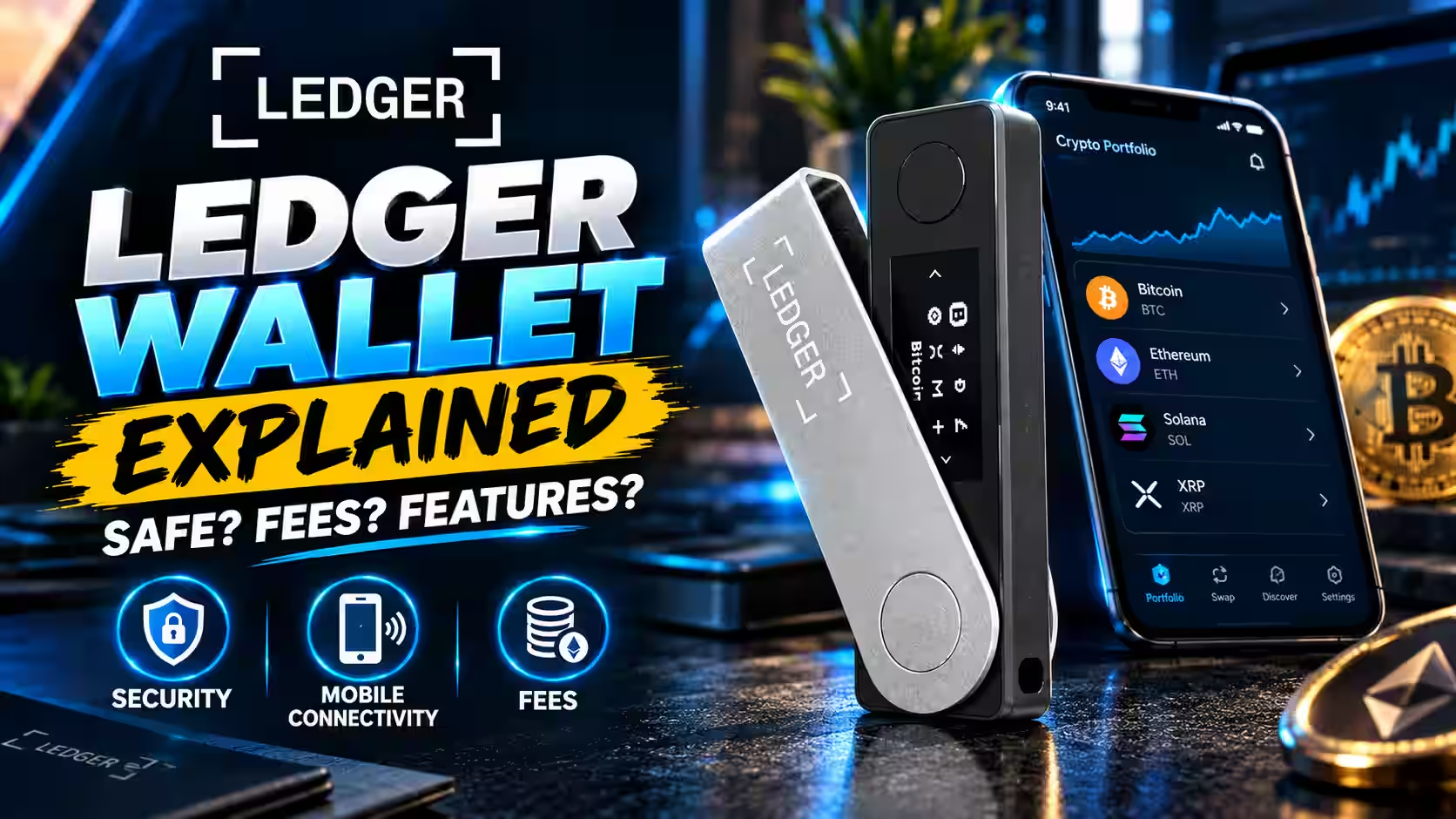
Ledger is a crypto security company that has led secure self-custody since 2014, selling over 8 million hardware wallets and now safeguarding around 20% of global crypto value. Its flagship products are small hardware devices — the Ledger Nano S Plus, Nano X, and touchscreen models like Flex and Stax — paired with a companion app.
The core idea is simple and powerful. Unlike custodial wallets, where an exchange or platform holds your keys, Ledger grants you control over your own private keys with strong security. That’s the difference between renting access to your crypto and truly owning it.
This is why the custodial vs non-custodial distinction matters so much. With a custodial setup, a third party controls access — and if that platform freezes withdrawals or fails, you can lose everything. With Ledger’s non-custodial approach, only you can approve transactions on your device.

How Ledger Wallet Works
Understanding how Ledger wallet works comes down to three moving parts: the device, the app, and the security model that ties them together.
The Ledger Device
Each Ledger device is built around a specialized chip called the Secure Element — the same tamper-proof chip type used in passports and credit cards. This chip generates and stores your private keys, drives the device’s secure screen, and runs Ledger’s custom operating system, BOLOS, which keeps apps isolated from one another.
When you send crypto, the transaction is signed offline inside the device. Even if your laptop or phone is infected with malware, the Secure Element drives the screen directly, so what you see is what you sign. That single feature blocks one of the most common ways attackers steal funds.
Ledger Live and the Ledger Wallet App
The companion app — Ledger Wallet, formerly known as Ledger Live — is your control center. Through it, you can buy, sell, stake, swap crypto, and manage NFTs, with transactions signed offline on the device. The app connects to decentralized apps, tracks your portfolio, and lets partners like MoonPay and Transak handle fiat purchases while your keys stay on your Ledger.
Private Keys, Seed Phrase, and Self-Custody
Here’s the flow in plain English. Your device creates your private keys. It also generates a recovery phrase — a set of 12 to 24 words that acts as your master backup. This seed phrase is everything. Anyone who has it controls your crypto, and anyone without it (including Ledger) cannot access your funds.
Because your assets live on the blockchain and not on the device, losing or breaking your Ledger doesn’t mean losing your crypto. You simply get a new device and restore your accounts using your recovery phrase. Offline crypto storage plus a secure backup is the whole promise of a hardware wallet.
Is Ledger Wallet Safe?
Is Ledger wallet safe? The short answer is yes — the security architecture is among the strongest in the industry, and Ledger reports no breached devices in over a decade of operation. But safety with any self-custody wallet always depends partly on you.
The Secure Element and Certification
The Secure Element chip is the foundation of Ledger’s crypto wallet security. It protects against side-channel attacks, fault attacks, and software attacks, and — critically — it’s certified by third-party security labs using the CC EAL standard. The higher the EAL rating, the more secure the chip.
Certification matters here. The Ledger Nano X uses a Secure Element certified at EAL5+, while the Ledger Nano S Plus and Ledger Stax use one certified at EAL6+. For context, the scale tops out at EAL7+, so both devices sit near the highest assurance levels available.
Extra Layers of Protection
Ledger stacks several defenses on top of the chip and Secure Element:
- PIN protection guards physical access to the device.
- BOLOS, the custom OS, isolates apps and lets you verify you’re running legitimate software.
- Clear Signing shows human-readable transaction details on the secure screen, helping you avoid “blind signing” risky contracts.
- Transaction Check runs a live simulation of each transaction and flags it as safe, risky, or malicious before you sign.
- The Ledger Donjon, an in-house team of security experts, constantly tests and strengthens the defenses.
Where Your Responsibility Comes In
No hardware wallet removes the need for smart habits. Your recovery phrase is your single point of failure — never screenshot it, cloud-save it, or share it. Store it offline. Phishing protection also depends on you verifying details on the device screen rather than trusting your computer. Handle those basics well, and Ledger delivers serious digital asset security.
Ledger Wallet Fees: What Does Ledger Actually Cost?
Let’s clear up the confusion around Ledger wallet fees, because two very different things get mixed together: the cost of the device and the cost of using it.
The Device Cost
A Ledger is a physical product, so you buy it once. Pricing at the time of writing:
- Ledger Nano S Plus — $59
- Ledger Nano X — $99
- Ledger Flex — $249
- Ledger Stax — $399
Transaction and Service Fees
Ledger itself charges no fee simply to hold your crypto — self-custody storage is free once you own the device. What you do pay:
- Network fees: These go to the blockchain, not to Ledger, every time you send or move crypto.
- Third-party provider fees: When you buy crypto through partners like MoonPay or Transak, or swap through decentralized exchanges like Uniswap, 1inch, or ParaSwap, those providers set their own fees.
- Optional paid services: Extras like Ledger Recover are paid add-ons you can choose to use or skip.
So when someone asks how much a Ledger wallet costs, the honest answer is: one upfront device price, then only the standard network and provider fees you’d pay with almost any wallet.
Ledger Nano X Review Angle: The Portable All-Rounder
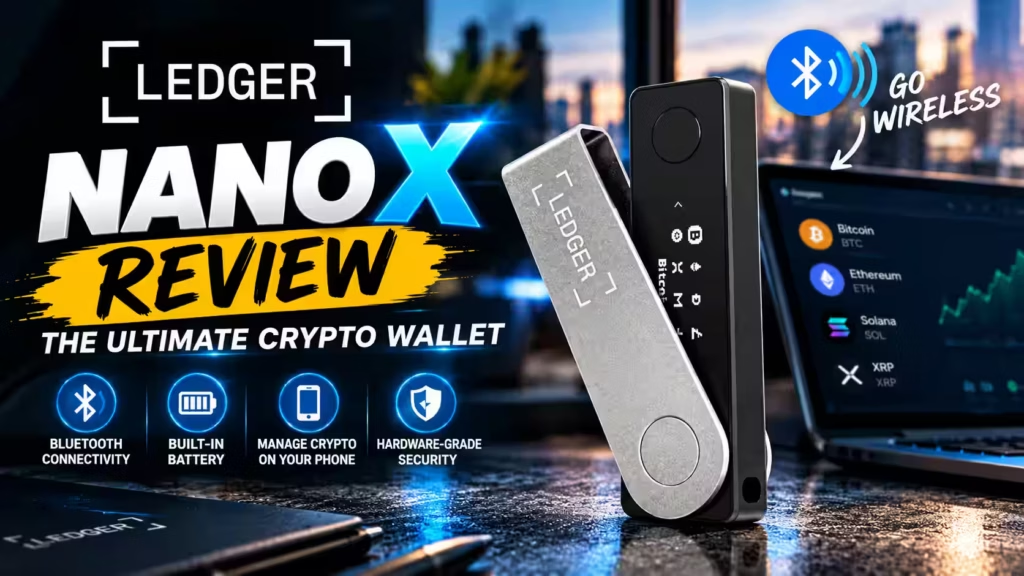
The Ledger Nano X is the crowd favorite, and the review numbers reflect it — it carries thousands of reviews and multiple awards. Here’s who it’s built for.
The Nano X adds Bluetooth connectivity and a built-in battery, so you can manage crypto from your phone without a cable. It’s compatible with the Ledger Wallet app for iOS, which the Nano S Plus is not. For anyone who wants mobile freedom and plans to check or move assets on the go, the Nano X is the natural pick.
Best for: Active users who want portability, mobile access, and Bluetooth convenience without giving up hardware-grade security.
Ledger Nano S Plus Review Angle: The Best-Value Entry Point
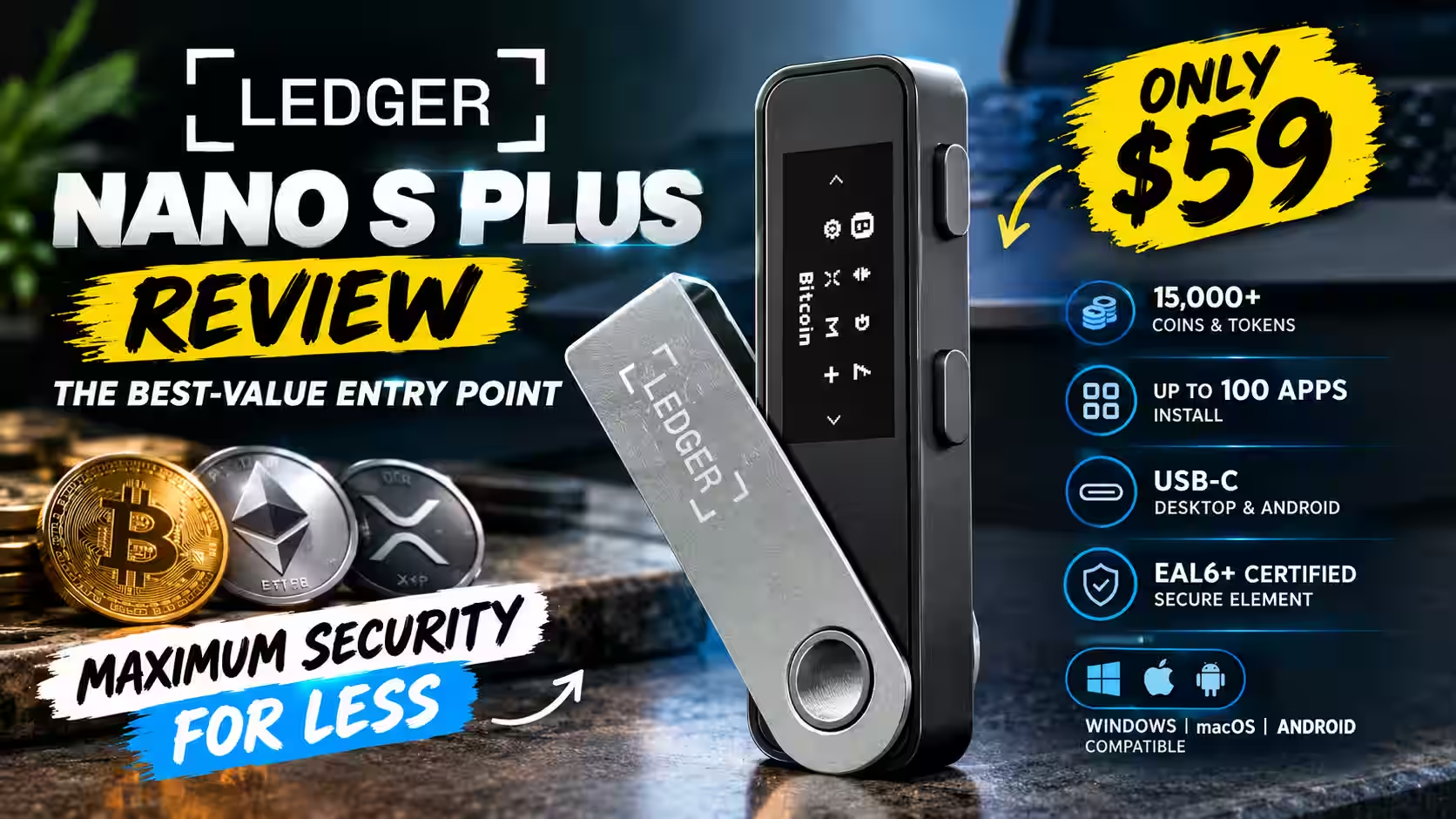
The Ledger Nano S Plus review angle is easy to summarize: it’s the smart, affordable way into self-custody. At $59, it delivers the same core security as its pricier siblings.
The Nano S Plus manages 15,000+ coins and tokens — including Bitcoin, Ethereum, and XRP — and installs up to 100 apps. It connects via USB-C to desktop or Android, carries an EAL6+ certified Secure Element (the ST33K1M5 chip), and works with Windows, macOS, and Android. It’s described as the classic backup signer for simple, secure, stay-at-home use.
Best for: Beginners and long-term holders who want maximum security at the lowest price and don’t need Bluetooth or mobile iOS support.
Ledger Nano X vs Nano S Plus: The Quick Comparison
| Feature | Nano S Plus | Nano X |
|---|---|---|
| Price | $59 | $99 |
| Connectivity | USB-C only | USB-C + Bluetooth |
| Battery | No | Yes |
| iOS support | No | Yes |
| Secure Element | EAL6+ | EAL5+ |
| Supported assets | 15,000+ | 15,000+ |
| Best for | Home storage, value | Mobile use, portability |
Who Should Use Ledger Wallet?
So who should use a Ledger wallet? The honest answer is that it fits some people beautifully and is overkill for others.
Ledger is a great fit if you:
- Hold a meaningful amount of crypto you don’t want to lose.
- Want true self-custody instead of trusting an exchange.
- Plan to store assets long term — Ledger is excellent for long-term crypto storage.
- Interact with DeFi, NFTs, or multiple chains and want secure signing.
- Want a beginner-friendly path into cold storage. The Nano S Plus makes Ledger wallet for beginners genuinely approachable!
Ledger may not be necessary if you:
- Hold only tiny amounts you’re actively trading.
- Aren’t ready to take full responsibility for a recovery phrase.
- Prefer the convenience of a custodial platform (with all its risks).
Ledger Pros and Cons
Here’s the balanced view of Ledger wallet pros and cons.
Pros:
- Certified Secure Element chip with EAL5+/EAL6+ ratings.
- Non-custodial self-custody — you control your keys.
- Supports 15,000+ coins and tokens across major chains.
- No reported device hacks in over a decade.
- Clear Signing and Transaction Check reduce scam risk.
- Affordable entry point at $59.
- Recovery phrase lets you restore assets on a new device.
Cons:
- Upfront cost, unlike free software wallets.
- You bear full responsibility for your recovery phrase.
- Small screens on Nano models mean a multi-step process.
- Some features (like Ledger Recover) are paid add-ons.
- Setup has a slight learning curve for total beginners.
Ledger vs Hot Wallets
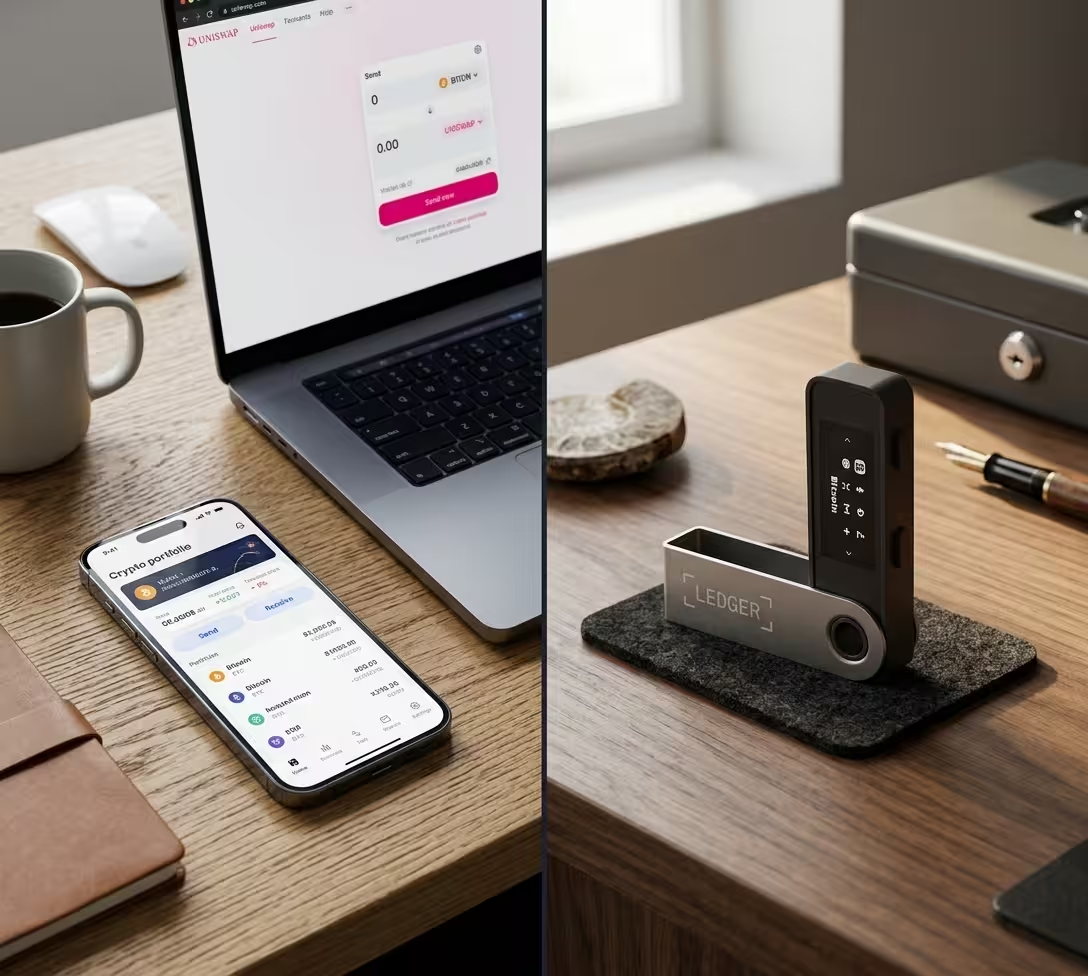
A hot wallet — like a browser extension or exchange app — stores private keys on internet-connected systems, which makes them vulnerable to online attacks. Keeping crypto on an exchange also means you don’t truly control it; if the exchange pauses withdrawals or files for bankruptcy, you can lose access.
A Ledger hardware wallet flips that risk. It stores your private keys offline, giving you full control and enhanced security, and even if you lose the device, your Secret Recovery Phrase restores your assets. The tradeoff is convenience — hot wallets are faster for daily spending, while cold storage shines for protection. The smartest setup often uses both: a hot wallet for small daily amounts and a Ledger for the bulk of your holdings.
Ledger vs Trezor in Brief
Ledger and Trezor are the two biggest names in hardware wallets, and both offer strong cold storage. The clearest technical difference in Ledger’s favor is its use of a certified Secure Element chip to generate and store private keys and drive its secure screen. Ledger pairs this with its custom BOLOS operating system and secure-screen verification, so what you see is what you sign.
Trezor is a respected, open-source alternative with its own loyal following. For a full head-to-head, a dedicated comparison is the best next step — but if certified secure-element hardware and a broad app ecosystem are your priorities, Ledger makes a compelling case.
Frequently Asked Questions
Is Ledger wallet safe for beginners?
Yes! Ledger is safe for beginners, thanks to PIN protection, a certified Secure Element chip, Clear Signing, and Transaction Check that flags risky transactions before you approve them. The one rule beginners must follow: protect your recovery phrase and never share it or store it online.
What are Ledger wallet fees?
Ledger charges no fee to store your crypto. You pay a one-time device price ($59 for the Nano S Plus, $99 for the Nano X), plus standard blockchain network fees and any third-party provider fees when buying or swapping through partners.
Does Ledger store crypto offline?
Ledger stores your private keys offline, not the crypto itself. Your coins always live on the blockchain, and the offline keys are what let you access and control them securely.
What coins does Ledger support?
A Ledger Nano X or Nano S Plus can manage 15,000+ coins and tokens, including Bitcoin, Ethereum, and XRP, and install up to 100 apps. The exact assets available for buying, swapping, or staking can vary by app and third-party integration, so the supported list depends partly on which services you use.
What is the Ledger Live app?
Ledger Live — now called Ledger Wallet — is the official companion app for managing your Ledger. It lets you buy, sell, swap, stake, and manage NFTs, track your portfolio, and connect to decentralized apps, all while transactions are signed securely offline on your device.
How do I back up a Ledger wallet?
Your backup is your recovery phrase — the 12 to 24 words your device generates during setup. Write it on the recovery sheets included in the box, store it offline, and never digitize it. If your device is lost or broken, you restore your accounts on a new Ledger using that phrase. Ledger also offers optional paid backup services like Ledger Recover for added redundancy.
Can a Ledger wallet be hacked?
Ledger reports no hacked devices in over a decade, thanks to its Secure Element and security model. The realistic risk isn’t the device itself — it’s phishing, blind signing, or a leaked recovery phrase. Ledger’s Clear Signing and Transaction Check exist specifically to reduce those human-error risks.
The Verdict: Should You Use Ledger?
Ledger is one of the strongest, most trusted names in crypto self-custody, and it earns that reputation with certified secure-element hardware, a decade without a device hack, and support for thousands of assets. For anyone holding crypto they’d hate to lose, it’s an easy recommendation.
Choose Ledger if you want real ownership of your keys, plan to hold crypto long term, and are ready to safeguard a recovery phrase. Start with the Nano S Plus at $59 for the best value, or step up to the Nano X for Bluetooth and mobile freedom.
Skip Ledger if you only hold small amounts for active trading and genuinely prefer the convenience of a custodial platform — just know you’re trading control for that convenience.
Which part of moving to self-custody feels trickiest for you — choosing a device, or managing the recovery phrase? That’s usually where the real decision gets made.
Cryptocurrency · Editorial Integrity
Sources & Citations
The best public product, security, and pricing references behind this guide to Ledger wallet features, safety, fees, supported assets, device differences, and self-custody best practices.
Every major claim in this Ledger guide is grounded in official Ledger product pages, Ledger Academy security documentation, and supporting educational references on offline key protection and wallet safety. Device pricing, supported asset counts, connectivity differences, Secure Element explanations, recovery phrase practices, and optional service references are tied to publicly available source material. Because wallet features, partner integrations, and prices can change, readers should always confirm the latest details before buying or moving crypto.
View full sources, methodology, and editorial notes
This article was prepared using official Ledger product documentation, Ledger Academy educational resources, and supporting industry educational material where it directly clarified wallet security, self-custody, private-key storage, recovery phrase practices, and hardware wallet tradeoffs. We prioritize primary sources for device pricing, supported assets, Secure Element explanations, operating model details, and service disclosures. General security guidance is included for educational purposes only and should not be treated as legal, investment, or tax advice.
- Ledger company and self-custody overview: Ledger Academy — What Can You Do With Your Ledger — cited for Ledger’s self-custody positioning, ecosystem capabilities, and general product-use explanations.
- Secure Element security architecture: Ledger Academy — The Secure Element: Withstanding Security Attacks — cited for how Ledger devices protect private keys, drive secure-screen verification, and resist physical and software attacks.
- Ledger Nano S Plus pricing and product specifications: Ledger Shop — Ledger Nano S Plus — cited for Nano S Plus pricing, supported asset claims, app capacity, backup guidance, and core device specifications.
- Ledger Nano X and device lineup overview: Ledger Shop — Classic Ledger Nano Signers — cited for Nano X pricing, Bluetooth support, iOS compatibility, and product-line comparisons referenced in the article.
- Optional Ledger Recover service context: Ledger Academy — What Can You Do With Your Ledger — cited for the mention of optional paid services and additional recovery-related features in the Ledger ecosystem.
- Hardware wallet and private-key safety basics: Ethereum.org — Security and Scam Prevention — cited for general best practices around offline key protection, scam awareness, and secure long-term asset storage.
- Ledger buying, swapping, and partner-service references: Ledger Academy — What Can You Do With Your Ledger — cited for the explanation that partner or network fees may apply when users buy, swap, stake, or use third-party services through the app.
What Is Ledger? Wallet Features, Safety, Fees, and Who It’s For · Editorial Standards
Our Editorial Standards
Tech Capital Hub applies Google’s E-E-A-T framework to every crypto wallet guide by prioritizing clarity, verified product information, and plain-English explanations over hype. In this Ledger guide, we ground key claims in official Ledger product pages and Ledger Academy documentation, using primary references for device pricing, supported assets, Secure Element security, connectivity differences, private-key protection, recovery phrase practices, and optional service disclosures. Where broader wallet-security context is needed, we favor established educational sources that help readers understand self-custody risks and responsibilities before moving funds off an exchange.
View how our editorial standards apply to this article
Written for Readers Deciding on Self-Custody
This guide is structured for people asking practical questions before buying a hardware wallet: what Ledger actually is, how it works, what it costs, whether it is safe, and who should use it. We explain ideas such as private keys, seed phrases, offline signing, cold storage, and recovery in simple everyday language so readers can make a security decision without needing deep technical experience.
Security and Fees Explained Without Confusing Jargon
Coverage focuses on the details people most often misunderstand: Ledger does not store coins, only the keys that control them; the device cost is separate from network fees; and third-party buying, swapping, or staking services may add their own charges. We also explain why Secure Element chips, on-device verification, PIN protection, and recovery phrase handling matter in real-world wallet security.
Primary Product and Security Sources Come First
Specific claims are tied wherever possible to official Ledger pages and Ledger Academy resources, including device pricing, supported asset counts, mobile compatibility, Secure Element explanations, and product positioning. Supporting educational references are used only where they help clarify broader hardware-wallet or self-custody concepts and not to inflate claims with weak or promotional sourcing.
Honest About Trade-offs, Risks, and Reader Responsibility
We present the advantages of Ledger alongside the real responsibilities that come with self-custody. A hardware wallet can reduce online attack exposure, but it does not remove the risk of phishing, poor backup practices, or seed phrase loss. We also separate confirmed product facts from broader interpretation, avoid overstating security guarantees, and remind readers to verify current prices, features, and compatibility before purchase. This article is educational content, not investment or legal advice.
What Is Ledger? Wallet Features, Safety, Fees, and Who It’s For · About the Author
Marcus Delray
Fintech Analyst · Founder of Tech Capital Hub
Marcus Delray is a fintech analyst and the founder of Tech Capital Hub. In this guide, he breaks down what Ledger is, how its hardware wallets work, what safety features matter most, how device pricing and transaction fees differ, and which Ledger model may fit different types of crypto holders. The goal is simple: help readers understand self-custody, private-key protection, recovery phrase risk, and the real trade-offs between convenience and security before buying a hardware wallet.
View full author bio, credentials, and links
Marcus Delray has spent over a decade researching financial technology and translating complex topics into practical guidance for everyday readers. Through Tech Capital Hub, he covers cryptocurrency, blockchain, fintech platforms, AI in finance, and business software with a consistent focus on clarity, source-backed analysis, and real-world usability.
In this Ledger wallet guide, Marcus explains the fundamentals that matter most before moving digital assets into self-custody: what a hardware wallet actually stores, how offline signing protects private keys, why a recovery phrase is the true backup, how Ledger’s Secure Element model works, and what buyers should know about pricing, compatibility, and optional service fees. He also compares common use cases for models like the Nano S Plus and Nano X, while keeping the discussion grounded in official product documentation and broader wallet-security best practices. All content is educational information only and should not be treated as investment, legal, or tax advice.
- Explains hardware wallets, private keys, seed phrases, and self-custody in plain, reader-friendly language
- Covers Ledger wallet features, device pricing, supported assets, and practical trade-offs for beginners and long-term holders
- Breaks down the difference between upfront wallet cost, network fees, and third-party service charges inside crypto wallet ecosystems
- Focuses on security habits that matter in practice, including offline backups, on-device verification, and phishing awareness
- Anchors product and safety coverage in official documentation and clearly distinguishes educational guidance from financial advice