Ledger vs Hot Wallet: Is a Hardware Wallet Worth It? (2026)

Fintech Analyst · Founder of Tech Capital Hub
Marcus covers cryptocurrency security, hardware wallets, self-custody, and crypto wallet comparisons in plain English for everyday readers. In this guide, he breaks down the real security differences between a Ledger hardware wallet and a hot wallet. He explains how the Secure Element chip protects your keys, when a hardware wallet is worth buying, and how to run the hybrid “hot + cold” setup most experienced holders use.
- Hardware Wallets
- Hot Wallets
- Self-Custody
- Ledger Live
- Seed Phrase Security
- Cold Storage
You click “Connect Wallet” on what looks like a normal airdrop site. You approve one request. Ten minutes later, your MetaMask balance reads zero.
Nothing was wrong with your wallet app. The weak point was where your keys lived: on an internet-connected device, one signature away from an attacker.
That moment sits at the center of the ledger vs hot wallet debate. Both wallets let you hold, send, and receive crypto. Both give you control of your own keys. But they protect those keys in very different ways — and that gap grows more important as your balance grows.
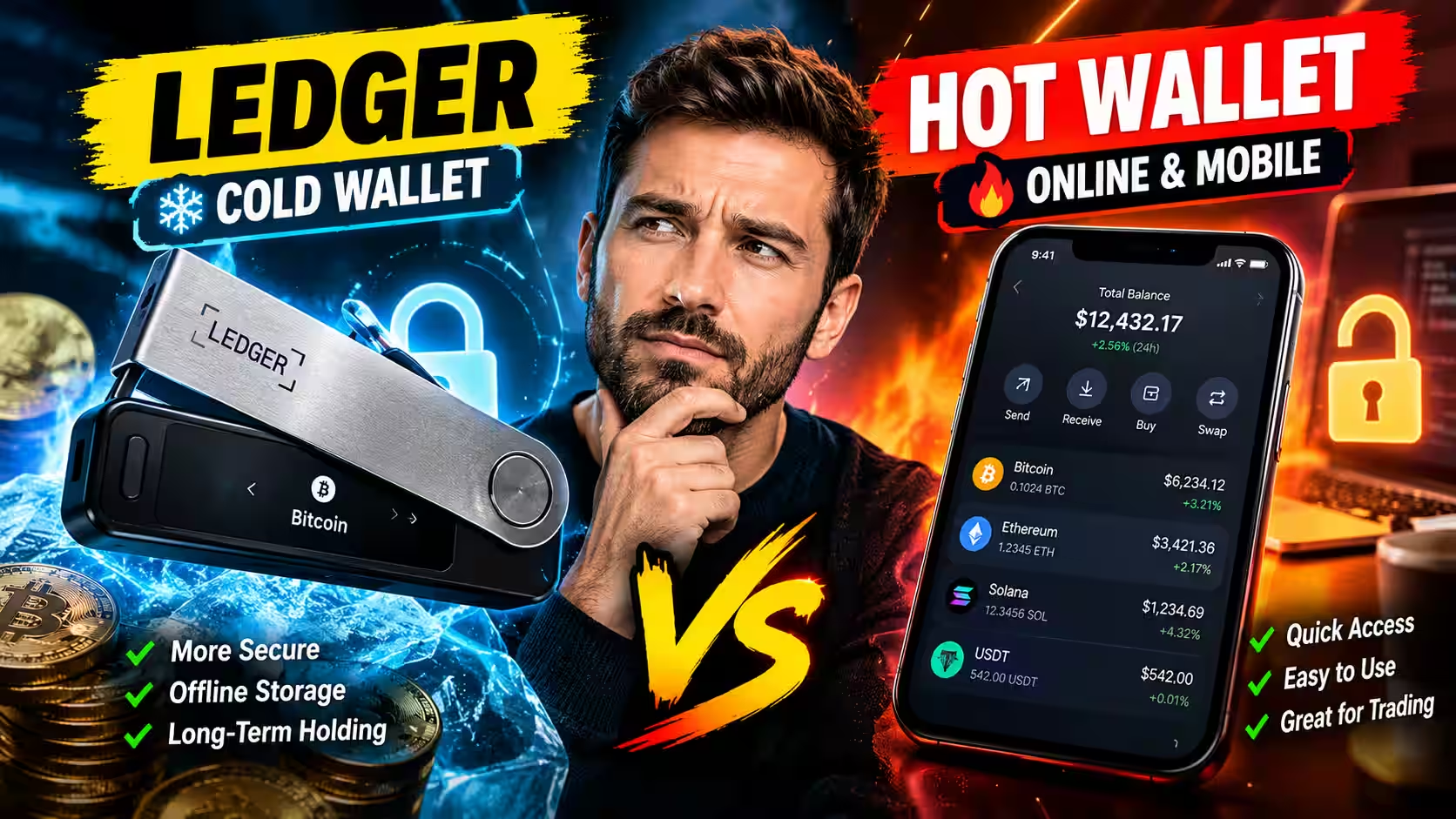
Quick answer: A Ledger hardware wallet stores your private keys offline inside a certified chip, making them unreachable to remote attackers. A hot wallet stores keys on your internet-connected phone or computer. If your holdings exceed what you could comfortably lose, a Ledger is worth the cost. Most experienced users run both.
Key takeaways:
- Hot wallets keep keys online. A Ledger keeps keys offline inside a certified Secure Element chip.
- Both are non-custodial wallets and rely on the same seed phrase system.
- A Ledger stops malware from stealing your keys. It does not stop you from approving a bad transaction.
- The smartest setup splits your crypto like a checking account and a savings account.
For a broader look at every wallet category — hardware, software, and custodial — start with our best crypto wallets 2026 buyer’s guide. That guide covers all your options. This article focuses on one decision: whether upgrading from a hot wallet to a Ledger is right for you.
Key Terms, Defined Briefly
Before the comparison, here’s what these terms actually mean:
- Hot wallet — a crypto wallet that stores private keys on an internet-connected device (phone or computer).
- Cold storage — any method that keeps private keys offline and out of reach of remote attackers.
- Ledger — a brand of hardware wallet that stores keys inside a tamper-resistant chip. Common models include the Nano S Plus and Nano X.
- MetaMask — the most widely used browser wallet. It’s free, non-custodial, and stores keys on your device.
- Seed phrase — a 12- or 24-word backup phrase that regenerates your wallet on any compatible device. It’s the master key to everything.
- Secure Element — a certified tamper-resistant chip (the same type used in passports and bank cards) that isolates and protects private keys.
- Non-custodial wallet — a wallet where you hold your own private keys, with no company between you and your funds.
- Self-custody — the practice of holding your own keys rather than relying on an exchange or third party.
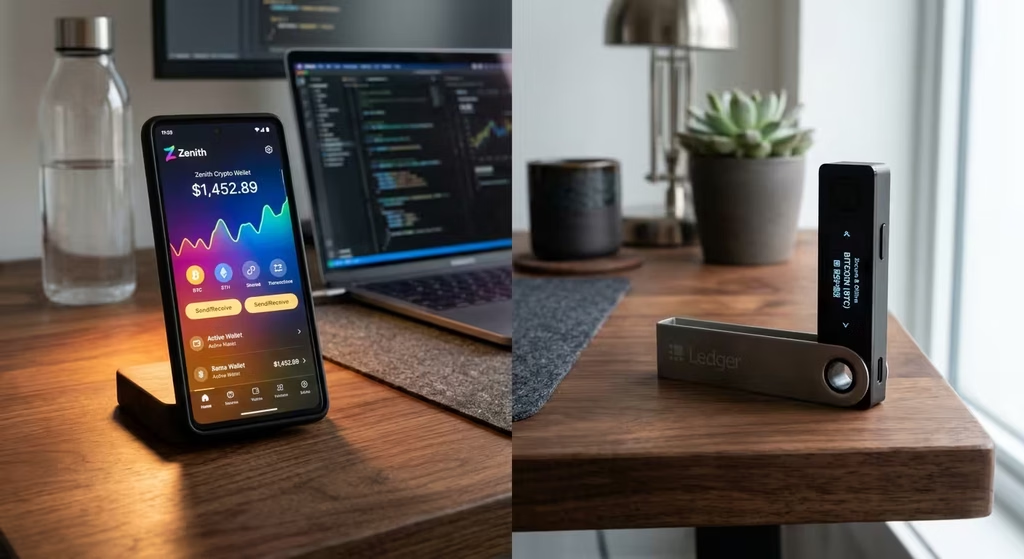
Ledger vs Hot Wallet at a Glance
Quick Comparison
Ledger vs Hot Wallet at a Glance
Nine factors that decide where your crypto should live.
- Strength
- Trade-off
- High risk
- Same on both
| Factor | Hot Wallet MetaMask, Phantom, Trust Wallet | Ledger Hardware Wallet Offline key storage |
|---|---|---|
| Where private keys live Edge: Ledger | On your phone or computer | Inside a Secure Element chip |
| Internet exposure Edge: Ledger | Constant while your device is online | Keys never touch the internet |
| Cost Edge: Hot wallet | Free | One-time device purchase |
| Speed Edge: Hot wallet | One click | Unlock and confirm (10–20 seconds) |
| Malware risk Edge: Ledger | High on an infected device | Low, because keys stay isolated |
| Phishing risk Edge: Ledger | High | Reduced, not removed |
| Recovery Tie | Seed phrase | Seed phrase |
| Custody type Tie | Non-custodial | Non-custodial |
| Best for Different jobs | Spending, trading, testing dApps | Savings and long-term holding |
Hot wallet for spending. Ledger for savings.
Table of Contents

What Is a Hot Wallet?
A hot wallet is any crypto wallet that stores your private keys on an internet-connected device. The app creates your keys, encrypts them, and signs transactions on the same phone or laptop you use for email and browsing.
That design makes hot wallets fast. It also makes them reachable.
Browser Wallets
A browser wallet runs as an extension in Chrome, Brave, or Firefox. MetaMask, Rabby, and Phantom lead this category. They connect you to NFT marketplaces, Web3 apps, and DeFi protocols. If you’ve explored DeFi lending and borrowing, you’ve almost certainly used one.
A browser wallet sits next to every site you open. That proximity is its strength and its biggest vulnerability.
Mobile Wallets
A mobile wallet is a phone app built for quick payments, QR scanning, and swaps on the go. Trust Wallet and the Coinbase Wallet app are common examples. Your phone’s overall security becomes your crypto’s security. Skipped OS updates, sideloaded apps, and a weak passcode all raise your exposure.
Online Wallets and Exchange Accounts
People use “online wallet” loosely. Sometimes it means a web-based hot wallet. Often it means an exchange account. The difference matters a lot.
An exchange holds your keys for you — that’s custodial storage. A browser wallet like MetaMask hands the keys to you directly. If you’re unsure which setup you have, our guide on how crypto exchanges work for beginners explains the difference clearly.
Why People Love Hot Wallets
Hot wallets are free. Setup takes under two minutes. They work with nearly every dApp and move funds instantly. For small balances and frequent activity, that convenience is genuinely hard to beat.
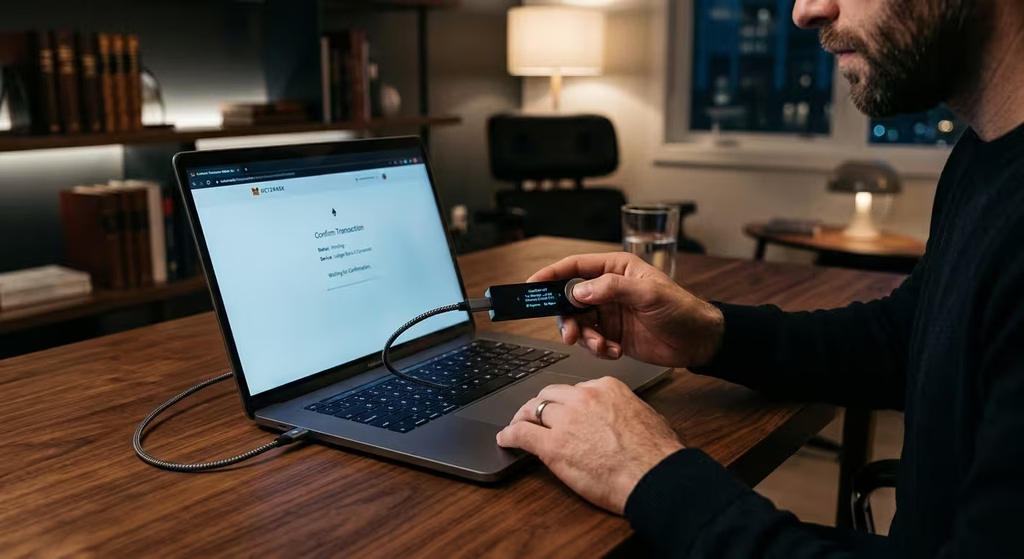
How a Ledger Hardware Wallet Works
A Ledger is a small physical device that keeps your private keys offline in cold storage. Your computer or phone builds the transaction. The Ledger signs it inside the device. The keys never leave.
The Secure Element Chip
Every Ledger uses a Secure Element — a tamper-resistant chip identical in design to those found in passports and bank cards. Ledger’s chips carry Common Criteria EAL5+ certification, an internationally recognized hardware security standard.
The chip resists physical attacks like voltage glitching and side-channel analysis. A thief who steals your device still needs your PIN. Enter the wrong PIN three times and the device wipes itself.
Offline Signing, Step by Step
Here’s the exact flow when you send crypto with a Ledger:
- You create a transaction on your computer or phone.
- The app sends the unsigned transaction to your Ledger.
- The Ledger displays the recipient address and amount on its own screen.
- You check those details and press a physical button to confirm.
- The device signs the transaction and returns only the signature — never the key.
Your computer writes the check. Only the Ledger can sign it.
What Ledger Live Does (and Doesn’t Do)
Ledger Live is Ledger’s official companion app for desktop and mobile. You use it to check balances, install coin apps, send and receive crypto, and push firmware updates.
Ledger Live does not hold your keys. The device does. If your laptop breaks or gets stolen, your crypto stays safe.
Current Ledger Models
Ledger’s lineup runs from the budget-friendly Nano S Plus to the Bluetooth-enabled Nano X and the touchscreen Flex and Stax. Prices shift frequently, so always verify on the official store before purchasing. Weighing other brands? Our Ledger vs Trezor comparison breaks down the two leading hardware wallet options head to head.
Hardware Wallet vs Software Wallet: What Both Have in Common
Many beginners assume a Ledger “holds” crypto and a hot wallet doesn’t. That’s a misconception worth clearing up.
Main difference: It’s not about which wallet holds your crypto. Your coins always live on the blockchain. The difference is where your private keys live — and how exposed those keys are to attackers.
Both Are Non-Custodial Wallets
MetaMask and Ledger are both non-custodial wallets. You hold the keys. No company can freeze your funds or reverse a transaction. That’s the core principle of self-custody — often summed up as “not your keys, not your crypto.” Our guide on what self-custody means in crypto explains why this control matters, especially if an exchange fails or gets hacked.
Both Rely on a Seed Phrase
Every wallet — hot or cold — generates a seed phrase when you set it up. That 12- or 24-word phrase is your true master key. It rebuilds your wallet on any compatible device, anywhere in the world.
Critical point: A Ledger cannot protect you if your seed phrase sits in a Notes app, a cloud folder, or a screenshot. Anyone who finds it owns your crypto — permanently.
Your Crypto Lives on the Blockchain, Not the Device
Your coins never sit inside the device or the app. The wallet only holds the keys that authorize their movement. Losing a Ledger does not mean losing your funds, as long as your seed phrase is stored safely offline.
What a Ledger Protects Against — and What It Doesn’t
This is the part most comparison pages skip. Be clear-eyed about both sides.
A Ledger protects against:
- Remote malware stealing your private keys
- Keyloggers reading your keys from a compromised device
- Clipboard hijacking swapping your recipient address
- Physical device theft (PIN lock and auto-wipe)
- Unauthorized transaction signing without physical button confirmation
A Ledger does NOT protect against:
- You approving a malicious transaction after reading the screen
- Phishing attacks that trick you into signing bad contracts
- Blind signing of unreadable smart contract data
- Sharing or exposing your seed phrase
- Malicious token approvals you grant voluntarily
- Fake Ledger devices bought from unofficial sellers
Bottom line: A Ledger secures your keys. It cannot secure your decisions.
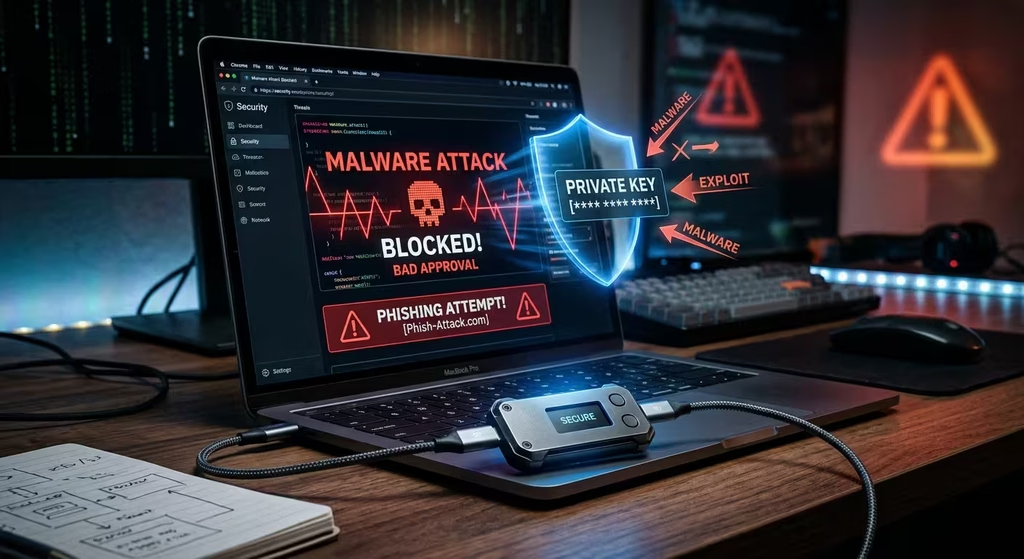
Ledger vs Hot Wallet Security: Where the Real Difference Shows Up
Most comparison pages list features. It’s more useful to compare real threats. Here’s how each wallet holds up against the attacks that actually drain accounts.
Malware and Keyloggers
On a hot wallet, malware can read stored keys, log your passwords, or silently swap a copied address with the attacker’s. This “clipboard hijacking” attack is common and leaves almost no trace.
A Ledger provides strong malware protection because the keys never leave the chip. Malware on your computer has nothing to steal. You also verify the receiving address on the Ledger’s own screen, which defeats clipboard swaps entirely. NIST’s malware reference guide documents how these threats operate across everyday devices.
Phishing Attacks and Fake Websites
This is where honest guides differ from manufacturer marketing. A Ledger reduces the damage from phishing attacks. It does not eliminate the risk.
If a convincing fake site tricks you into approving a malicious transaction, your Ledger will still sign it. The device executes what you authorize. The FTC’s cryptocurrency scam resource page and CISA’s phishing awareness guidance both emphasize the same point: your decision is always the last line of defense.
The most damaging phishing attack is also the simplest: a fake “support agent” asks for your seed phrase. No legitimate wallet company will ever ask for it.
Blind Signing: The Risk Most Competitors Skip
Some smart contract interactions appear on a Ledger screen as raw code or an unreadable hash. You can’t tell what you’re approving. This is called blind signing.
Blind signing turns your hardware wallet into a rubber stamp. To reduce that risk:
- Turn off blind signing by default. Enable it only when a trusted, established app requires it.
- Prefer dApps that support Ledger’s clear signing, which shows human-readable transaction details.
- Use a transaction simulator like Rabby’s built-in preview tool before confirming.
- Treat any unreadable approval request on an unfamiliar site as an immediate red flag.
Malicious Token Approvals and Wallet Drainers
Many legitimate dApps request permission to spend your tokens. Scam sites request unlimited spending allowances. Once you grant that permission, a drainer contract can empty your tokens weeks or months later — with no further action needed from the attacker.
This risk applies equally to hot wallets and Ledgers. Understanding how smart contracts automate these permissions helps you spot dangerous approval requests before you sign them. Audit and revoke old allowances regularly using the Etherscan token approval checker.
Real incident: In December 2023, attackers compromised Ledger’s Connect Kit — a JavaScript library embedded in many third-party dApp front-ends. Users who approved wallet prompts on affected sites lost funds. The Ledger devices themselves were not compromised. The lesson: hardware protects your keys, not your judgment calls.
Physical Theft and Device Loss
- Ledger: A PIN locks access. Three wrong guesses trigger a full device wipe. Your seed phrase restores everything on a new device.
- Hot wallet: A stolen, unlocked phone is a direct path to your wallet. A weak screen passcode makes the situation significantly worse.
Security summary: A Ledger moves your biggest risk from remote hackers to your own decisions.
Common False Assumptions About Hardware Wallets
These misconceptions cause real losses.
- “My Ledger keeps my crypto safe no matter what.” Wrong. A Ledger protects keys. It cannot protect you from approving a bad transaction.
- “A hardware wallet is only for large holders.” Not true. Any balance you couldn’t comfortably lose warrants cold storage.
- “My MetaMask is safer because I use a strong password.” The password protects local access, not remote attacks. Malware bypasses it entirely.
- “If I buy a Ledger, I don’t need to worry about phishing.” Phishing still works on hardware wallet users. The device confirms what you tell it to.
- “I can store my seed phrase in a password manager.” Digital storage of any kind is a risk. Physical storage, offline, is the standard.
Cost and Everyday Convenience
What a Ledger Actually Costs
The device is a one-time purchase with no subscription required for core features. Network fees apply whether you use a hot wallet or a Ledger — the blockchain charges them, not the wallet. Third-party swap and purchase fees inside Ledger Live are optional extras.
Speed and Ease of Use
A hot wallet transaction takes one click. A Ledger transaction requires connecting via USB or Bluetooth, entering your PIN, and pressing a physical button. That adds 10 to 20 seconds. For long-term savings you rarely move, that friction is actually useful — it forces a moment of deliberate thought before you sign.
Ledger vs MetaMask: You Don’t Have to Choose
Many users frame this as an either-or decision. It doesn’t have to be. You can connect a Ledger directly to MetaMask and keep the familiar interface. MetaMask displays your balances and connects to dApps. The Ledger holds your keys and physically signs every outgoing transaction.
MetaMask’s official hardware wallet support documentation walks through the pairing process. Once connected, every transaction from that account requires a physical button press on the device. Malware on your computer cannot approve anything independently.
When a Hot Wallet Is Enough — and When It Isn’t
A Hot Wallet Is Fine If…
- You hold small amounts you could comfortably afford to lose.
- You actively trade, mint NFTs, or test new dApps regularly.
- You’re still learning and your total balance is minimal.
A Ledger Is Worth It If…
- Your holdings are worth several times the cost of the device.
- You plan to hold for months or years without frequent transactions.
- You connect to multiple dApps and want a hardware-level safety buffer.
- Your crypto currently sits on an exchange you don’t fully control.
Beginner Decision Checklist
Use this to make the call:
- My balance exceeds $500 (or several times the device price).
- I hold crypto I plan to keep for more than three months.
- I connect to dApps, DeFi protocols, or new projects regularly.
- Losing my current balance would cause real financial harm.
- My funds currently sit on an exchange I can’t fully control.
If you checked two or more boxes, a Ledger is worth buying.
Three Real-World Scenarios
- The new investor. Maya holds $300 in ETH in MetaMask. A hot wallet is fine for now. She sets a personal rule: buy a Ledger once her balance passes $1,500.
- The long-term holder. James holds $8,000 in BTC on an exchange. He doesn’t trade. Moving to a Ledger for cold storage is the clear right move.
- The active DeFi user. Priya swaps and lends weekly. She keeps $500 in a hot wallet for daily activity and sweeps profits to her Ledger once a month.
The Checking vs Savings Model
Think of your hot wallet as a checking account: it holds this month’s spending money. Your Ledger is the savings account: it holds what you’re building over years.
You wouldn’t carry your life savings in your pocket. Set a hard cap for your hot wallet balance and sweep anything above it to cold storage on a regular schedule.
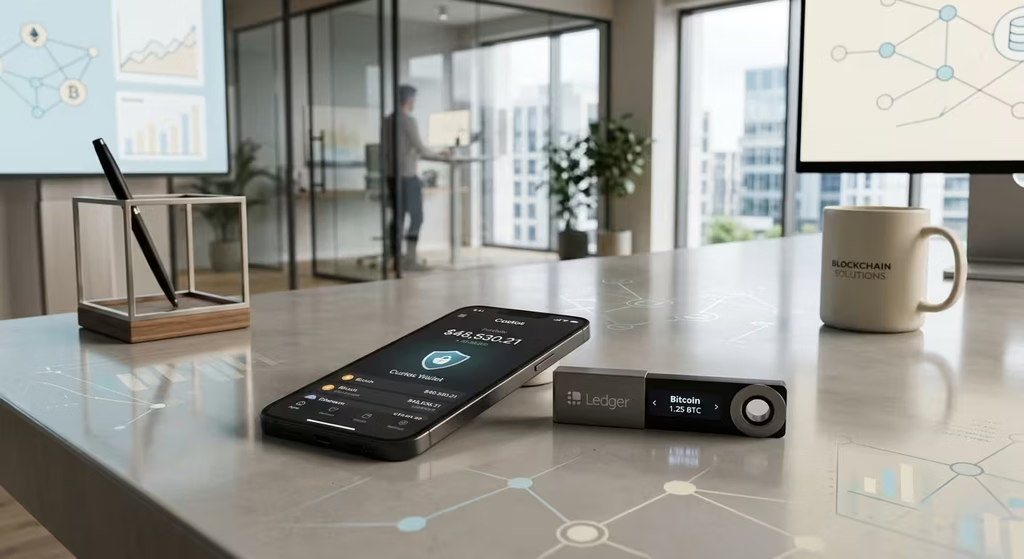
How to Move Crypto From a Hot Wallet to a Ledger
Work through this checklist in order:
- Buy direct. Order from the official Ledger store or a confirmed authorized reseller. Never buy from a secondhand marketplace.
- Initialize it yourself. Set up the device fresh out of the box. Write your seed phrase on paper or a steel backup plate the moment it appears. Never photograph or type it anywhere digital.
- Install Ledger Live from the official source. Download only from ledger.com. Add accounts for each coin you hold.
- Send a test transaction first. Transfer a small amount from your hot wallet to the new Ledger address and confirm it arrives.
- Verify the address on the device screen. Always check the receiving address on the Ledger display — not just your computer screen.
- Transfer the rest. Once the test confirms, move the remainder of your savings.
- Clean up your hot wallet. Revoke old token approvals on your previous address and keep only your active spending balance in the hot wallet going forward.
Common Mistakes to Avoid
- Entering your seed phrase into any website, app, form, or “customer support” chat.
- Purchasing a used or third-party marketplace Ledger.
- Storing your seed phrase in any digital format — cloud, photos, notes, or email.
- Confirming transactions on your Ledger without reading the device screen carefully.
- Leaving blind signing permanently enabled.
- Assuming a Ledger makes every dApp interaction safe.
- Leaving your entire balance in a hot wallet “temporarily” for months or years.
People Also Ask
What is the main difference between a Ledger and a hot wallet?
Key location. A Ledger stores private keys offline inside a certified Secure Element chip. A hot wallet stores keys on an internet-connected device. That single difference determines how reachable your keys are to attackers.
Is a Ledger safer than MetaMask?
Yes, for key storage. A Ledger keeps private keys offline inside a certified Secure Element chip, so malware cannot reach them remotely. MetaMask stores keys on an internet-connected device. Both wallets remain vulnerable if you approve a malicious transaction or share your seed phrase.
Can a Ledger wallet be hacked?
No remote attack has ever extracted keys from a Ledger’s Secure Element. Real losses come from phishing, leaked seed phrases, malicious approvals, and tampered secondhand devices. Buy only from official sources, guard your seed phrase offline, and read the device screen before every confirmation.
Do I need a Ledger if I have MetaMask?
Not for small balances. Once your holdings exceed what you could comfortably lose, add a Ledger. You can connect it directly to MetaMask and keep the same interface while gaining physical signing for every transaction.
What happens if my hot wallet gets hacked?
Move any remaining assets to a fresh wallet with a new seed phrase immediately. Revoke all outstanding token approvals, scan your device for malware, and report the theft to the FBI’s Internet Crime Complaint Center (IC3) if you are in the United States. On-chain transfers to attackers are generally irreversible.
What happens if I lose my Ledger?
Your crypto stays safe on the blockchain. Buy a new device and restore your accounts with your seed phrase. The PIN lock and auto-wipe feature protect the lost device from anyone who finds it.
Is a hardware wallet worth it for small amounts?
Generally not below a few hundred dollars. Consider buying a Ledger once your holdings are worth several times the device price, or when losing that balance would cause you real financial harm.
Conclusion: So, Is a Ledger Worth It?
The ledger vs hot wallet choice is about matching each tool to the right job — not picking a winner. Both wallet types are non-custodial, and both depend entirely on the security of your seed phrase. A Ledger’s core advantage is offline key storage inside a tamper-resistant Secure Element. A hot wallet wins on speed and convenience for small, active balances.
Bottom line: Use a hot wallet for spending. Use a Ledger for savings. Use both together for the best of each. And remember — a hardware wallet secures your keys. Your judgment secures everything else.
Your next step: If losing your current hot wallet balance would genuinely hurt, it’s time to move up. Get a Ledger hardware wallet from the official store — and never buy from an unofficial seller. Still comparing options? Read our Ledger vs Trezor breakdown or explore the full best crypto wallets 2026 guide to find the right setup for your situation.
Ledger vs Hot Wallet · Editorial Integrity
Sources & Citations
Primary security, regulatory, and official wallet sources behind this Ledger vs hot wallet guide. It covers the Secure Element chip, seed phrase protection, cold storage, self-custody, phishing attacks, malware protection, and the core hardware wallet vs software wallet trade-offs.
Every key claim in this guide rests on primary security standards, government guidance, and official wallet documentation. Secure Element claims draw on the Common Criteria certification framework. Scam and phishing guidance comes from the FTC and CISA. Malware definitions follow NIST. Theft-reporting steps point to the FBI’s Internet Crime Complaint Center (IC3).
Token approval advice relies on Etherscan’s official checker, and device, app, and purchasing details come from Ledger’s own documentation. Wallet features, firmware, and device prices change often, so always confirm the latest details with the original source before you buy or move funds.
View full sources, methodology, and editorial notes
We wrote this guide using primary sources wherever possible. We gave preference to international security standards, U.S. government consumer and cybersecurity guidance, and official wallet documentation. These sources helped us explain how the Secure Element chip isolates private keys, how offline signing keeps keys off internet-connected devices, and where a hardware wallet stops protecting you. That includes phishing attacks, malicious token approvals, blind signing, and seed phrase theft.
We organized the security comparison by real-world threat, not by product feature, so readers can see what a Ledger blocks and what still depends on their own decisions. References to device models, Ledger Live features, and pricing reflect the source material available at the time of review. This article is educational information, not financial or investment advice.
- How secure chips like the Secure Element are evaluated: Common Criteria Portal — Certified Products and Security Evaluation Standard — cited for the international framework used to test and certify tamper-resistant hardware, including the Secure Element chips used in Ledger devices.
- Official warning on crypto scams and fake support agents: FTC — What To Know About Cryptocurrency and Scams — cited for common scam tactics, including impersonation and requests for seed phrases, and why crypto payments are hard to reverse.
- How to recognize and report phishing attempts: CISA — Recognize and Report Phishing — cited for phishing warning signs and the principle that user judgment remains the last line of defense, even with a hardware wallet.
- Standard definition of malware and how it operates: NIST — Computer Security Resource Center: Malware — cited for the technical definition of malware and its relevance to keyloggers and clipboard hijacking on hot wallet devices.
- Where to report crypto theft and fraud in the U.S.: FBI — Internet Crime Complaint Center (IC3) — cited as the official reporting channel for victims of hot wallet hacks, phishing scams, and other crypto-related fraud.
- How to review and revoke risky token approvals: Etherscan — Token Approval Checker — cited for the practical method of finding and revoking unlimited spending approvals that wallet drainer contracts exploit on both hot wallets and Ledgers.
- Official documentation for Ledger’s companion app: Ledger — Ledger Live — cited for what Ledger Live does, including balances, coin apps, sending, receiving, and firmware updates, and for the fact that the app does not hold private keys.
- Official source for buying a Ledger safely: Ledger — Official Store — cited for the buy-direct guidance in this article, current device lineup, and pricing. Avoid secondhand or unofficial sellers to reduce the risk of tampered devices.
Ledger vs Hot Wallet · Editorial Standards
Our Editorial Standards
Tech Capital Hub applies Google’s E-E-A-T framework to every cryptocurrency and wallet security guide. We favor plain-English explanations, official security standards, and government guidance over hype, sales copy, or unsourced claims. This guide compares a Ledger hardware wallet with hot wallets and explains the real hardware wallet vs software wallet trade-offs. It covers cold storage, the Secure Element chip, seed phrase protection, self-custody, non-custodial wallets, Ledger Live, phishing attacks, and malware protection.
Common Criteria supports the Secure Element discussion. FTC and CISA guidance shapes the scam and phishing advice. NIST defines the malware threats. The FBI’s IC3 provides the official theft-reporting channel. Etherscan supports the token approval steps, and official Ledger documentation covers device, app, and purchasing details. Wallet features, firmware, and prices change, so we review examples over time rather than treat them as permanent.
View how our editorial standards apply to this article
Built Around the Real “Should I Move My Crypto?” Moment
This article starts where many holders get stuck. Their balance has grown inside a hot wallet, and they wonder if it’s time to buy a Ledger. Instead of listing specs, the guide walks through that exact decision. It shows when a hot wallet is still enough, when cold storage makes sense, and how to move funds step by step. Real-world scenarios and a simple checking-vs-savings model help readers pick a setup that fits their balance and habits. The goal is a confident decision, not a sales pitch.
Wallet Security Mechanics in Plain English
We explain the mechanics that decide whether your crypto stays safe. That includes how the Secure Element chip isolates private keys and how offline signing keeps those keys off internet-connected devices. We show where Ledger offers real malware protection against keyloggers and clipboard hijacking.
We also cover the threats it can’t fully stop: phishing attacks, blind signing, malicious token approvals, and seed phrase theft. We organize the comparison by real threat, not by product feature, and define each term once with practical examples.
Primary Sources Where Security Claims Matter Most
We anchor every key claim to a primary or official source. The Common Criteria framework supports the Secure Element certification discussion. FTC and CISA guidance supports the advice on crypto scams, fake support agents, and phishing. NIST supplies the standard malware definition.
The FBI’s Internet Crime Complaint Center (IC3) is the reporting channel for theft. Etherscan’s Token Approval Checker supports the approval-revoking steps. Ledger Live documentation and the official Ledger store support app features, device details, and safe buying guidance.
Honest About What a Ledger Can and Can’t Do
We state the limits of hardware wallets as clearly as their strengths. A Ledger reduces risk, but it doesn’t eliminate it. It will still sign a malicious transaction if you approve one. Your seed phrase safety is always your responsibility, and no device can protect a phrase you share or store online. Device prices, models, firmware, and Ledger Live features change often, so check the original source before you buy or move funds. Nothing in this guide is financial, legal, or investment advice.
Ledger vs Hot Wallet · About the Author
Marcus Delray
Fintech Analyst · Founder of Tech Capital Hub
Marcus Delray is a fintech analyst and the founder of Tech Capital Hub. In this guide, he breaks down the real trade-offs between a Ledger and a hot wallet. He explains how the Secure Element chip isolates your keys, why seed phrase protection matters more than any device, and where the hardware wallet vs software wallet gap actually shows up. He also covers phishing, malware protection, and the hybrid hot + cold setup most experienced holders use.
View full author bio, credentials, and links
Marcus Delray has spent more than a decade researching financial technology, blockchain systems, digital assets, and AI in finance. He built Tech Capital Hub to make complex fintech and crypto topics useful for everyday readers. His work focuses on crypto wallet security, self-custody, and digital asset protection. He turns technical ideas like private keys, offline signing, and cold storage into clear, practical guides that help readers keep control of their own funds.
For this guide, Marcus tackles a question many holders face once their balance grows: is it time to move from a hot wallet to a Ledger? He explains how browser and mobile wallets store keys on internet-connected devices, how a Ledger signs transactions offline, and what Ledger Live does and doesn’t do. He also shows where hardware wallets stop protecting you, including phishing attacks, blind signing, malicious token approvals, and seed phrase theft.
Because this topic involves real financial risk, the article draws on primary sources such as the Common Criteria certification framework, FTC and CISA guidance, NIST malware definitions, the FBI’s IC3, Etherscan’s token approval checker, and official Ledger documentation. All articles are educational information, not financial or investment advice.
- Explains Ledger vs hot wallet security in plain, jargon-light language grounded in real holder questions
- Breaks down the Secure Element chip, offline signing, and non-custodial wallet basics with practical examples
- Organizes wallet risk by real-world threat, covering malware, phishing attacks, blind signing, and wallet drainers
- Teaches safe seed phrase storage, self-custody habits, and step-by-step moves from hot wallets to cold storage
- Prioritizes honest, value-first education that shows what a hardware wallet can and can’t protect against
Enjoying our content?
Click below to add us as a preferred source. Google will prioritize our latest articles in your Top Stories, AI Mode, and AI Overviews.
Preferred Source on Google