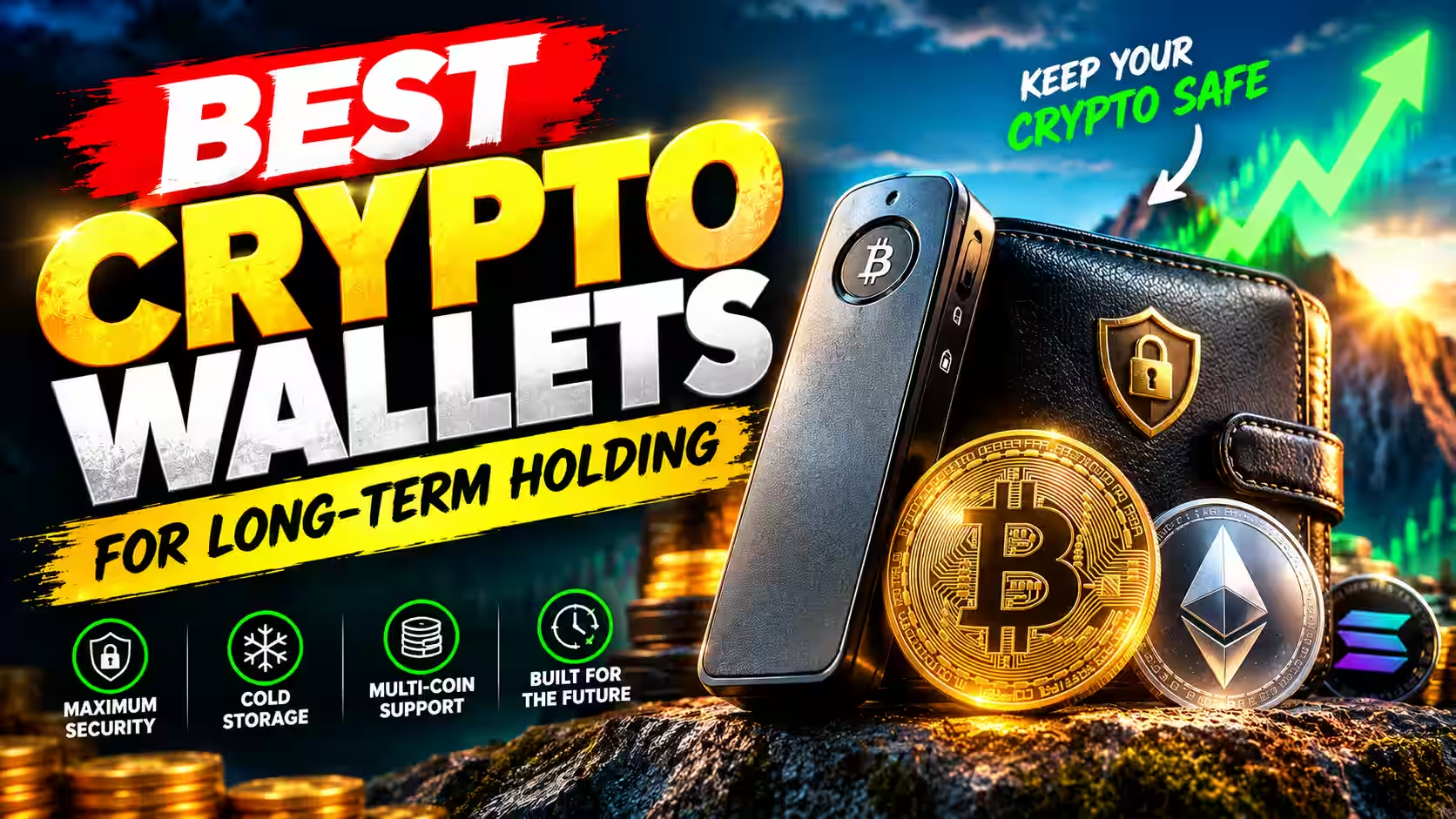
Best Crypto Wallets for Long-Term Holding: Where Your Coins Stay Safe for Years

Fintech Analyst · Founder of Tech Capital Hub
Marcus covers crypto security, self-custody, and digital asset storage in plain English for everyday investors and curious beginners. In this guide, he compares the best crypto wallets for long-term holding and explains why cold storage beats leaving coins on an exchange. He breaks down the hardware wallet features that matter over years, from the Secure Element chip and PIN protection to passphrases and firmware updates. He also walks you through a safe setup, a durable seed phrase backup plan, and simple habits that keep your crypto protected for the long haul.
- Long-Term Crypto Storage
- Cold Storage Wallets
- Hardware Wallets
- Seed Phrase Backup
- Self-Custody
- Crypto Wallet Safety
Buying crypto takes minutes. Keeping it safe for five or ten years is much harder, and most people only think about it after something goes wrong.
Exchange collapses, frozen withdrawals, and phishing attacks have cost long-term investors billions. According to the FBI’s 2024 Internet Crime Report, crypto-related fraud losses exceeded $9.3 billion in 2024 alone. That is why choosing the best crypto wallets for long-term holding matters as much as choosing what to buy.
Quick Answer: For most people, the best crypto wallet for long-term holding is a hardware wallet kept in cold storage. The Ledger Nano X suits holders who want desktop and mobile access. The Ledger Nano S Plus is the best budget pick. Advanced holders with large balances may prefer an air-gapped wallet or a multisig setup for maximum isolation.
This guide explains what makes a wallet safe for the long haul, compares the top picks, and gives you a backup plan you can set up this week. For a broader look at the market, see our best crypto wallets 2026 buyer’s guide.
Key Takeaways
- A hardware wallet kept in cold storage is the safest choice for most long-term holders.
- Self-custody removes counterparty risk, but it makes you responsible for your seed phrase.
- Your backup plan matters as much as the device you choose.
- Quick picks: Ledger Nano X (best overall), Ledger Nano S Plus (best budget), Trezor (best open-source), and an air-gapped wallet or multisig setup (maximum security).
How We Evaluated These Wallets
We assessed each wallet against five criteria: security architecture (Secure Element chip, offline signing, and firmware transparency), backup and recovery reliability, ease of use for long-term holders who don’t need daily access, companion app quality, and total cost of ownership over a multi-year window.
We tested device setup, recovery flows, and companion app updates firsthand. Products were only recommended if they met a minimum standard across all five areas. No wallet received a top pick purely on price or brand recognition.
Table of Contents
Why Long-Term Holding Needs a Different Wallet Strategy
A buy and hold strategy only works if your coins are still there when you need them. That requires a different setup than daily trading.
Spending Wallets vs. Storage Wallets
Think of a checking account and a bank vault. You use one every day, so it’s built for speed. The other stays locked, so it’s built for protection.
Crypto wallets work the same way. A wallet you open daily faces constant online exposure. A wallet you open twice a year can stay offline almost all the time.
For long-term crypto storage, security, durability, and easy recovery matter more than convenience.
The Risks That Grow Over Time
Every risk gets more chances to strike the longer you hold. Here are the big ones:
- Counterparty risk: Exchanges can freeze accounts, get hacked, or go bankrupt.
- Phishing attacks: Fake apps, emails, and “support agents” target crypto holders every day.
- Lost access: Forgotten PINs, damaged devices, and misplaced backups lock people out permanently.
- Physical risks: Fire, flood, and theft become real threats over a multi-year window.
A one-year risk might feel small. Stretch it over a decade, and it compounds fast.

How Crypto Wallets Actually Work (A 60-Second Primer)
A crypto wallet doesn’t actually hold coins. Your digital assets live on the blockchain. The wallet stores the keys that control them. If you’re brand new, our guide on what is a crypto wallet covers the basics in more depth.
Here are the three parts you need to know:
- Public key: This works like an account number. You can share the address it creates to receive funds.
- Private key: This works like a master password. Whoever holds it controls the funds.
- Seed phrase (or recovery phrase): This is a human-readable backup of your keys. It’s usually a 12-word recovery phrase or a 24-word phrase built on the BIP-39 standard. It can restore your wallet on any compatible device.
Many beginners mix up the last two. Our breakdown of private key vs seed phrase clears up the difference. You can also read our full guide on what is a seed phrase.
The rule is simple: protect the keys, and you protect the crypto.
Custodial vs. Non-Custodial Wallets: Who Really Owns Your Crypto?
This choice shapes everything else. It decides who controls your keys, and that decides who controls your money.
Custodial Wallets and Exchange Wallets
With a custodial wallet, a third party holds your private keys for you. An exchange wallet is the most common example.
Exchange wallets are convenient for trading. However, they expose long-term savings to counterparty risk. History offers clear lessons. Mt. Gox lost roughly 850,000 bitcoin in 2014 and entered bankruptcy proceedings, leaving users waiting years for partial recoveries (Mt. Gox Trustee, 2024). FTX collapsed in November 2022 with an estimated $8 billion shortfall in customer funds, as detailed in U.S. federal court filings. In both cases, users on the platform had no direct control over their keys when it mattered most.
The U.S. Securities and Exchange Commission’s crypto asset resources on Investor.gov also warn investors to understand who controls their assets before choosing a platform.
Custody can still make sense for active trading or very small balances. It is rarely the right home for long-term savings.
Why a Non-Custodial Wallet Fits Long-Term Holders
A non-custodial wallet gives you full control of your keys. No company can freeze, lend, or lose your funds.
That is the meaning behind the phrase “not your keys, not your crypto.” If someone else holds your keys, you hold an IOU, not the coins themselves.
The trade-off is real. Full control means full responsibility for your backups. Learn more in our guide to self-custody in crypto.

Hot Wallet vs. Cold Storage for Long-Term Holding
A hot wallet is a software wallet that connects to the internet. Mobile apps and browser extensions are common examples. They are easy to use but more exposed to malware and hacks.
Cold storage keeps your private keys in offline storage, away from internet-based threats. A hardware wallet is the most practical way to achieve this.
Side-by-Side Comparison
Hot Wallet vs. Cold Storage Wallet for Long-Term Holding
See how each wallet type handles security, cost, and recovery when you plan to hold crypto for years.
| Factor |
Hot Wallet
Software wallet, online
|
Cold Storage Wallet
Hardware wallet, offline keys
★ Best for long-term
|
|---|---|---|
| Security | Moderate Keys live on an internet-connected phone or computer. | High Keys stay offline inside a dedicated device, often protected by a Secure Element chip. |
| Convenience | High Send, swap, and spend in seconds from your phone or browser. | Moderate You need the device in hand to approve each transaction. |
| Cost | Usually free Most wallet apps cost nothing to download. You only pay network fees. | One-time device purchase Trusted models often start around $79. That’s small insurance for long-term savings. |
| Internet exposure | Always or often online Exposed to malware, phishing attacks, and fake apps. | Keys never go online Transactions are signed on the device, so private keys never touch your computer. |
| Recovery risk | Higher A hacked or infected device can expose funds before you notice. | Lower A lost device isn’t fatal. Your seed phrase restores funds on a new one. |
| Best use | Spending and trading Daily payments, active trading, and small balances. | Long-term savings Buy and hold strategies and coins you plan to keep for years. |
| Ideal role in a portfolio | Your “checking account” Hold only what you need for near-term activity. | Your “vault” Store your core holdings here and open it only when needed. |
Bottom line: Keep a small hot wallet for spending. Move your core holdings into a cold storage wallet, and back up your seed phrase offline.
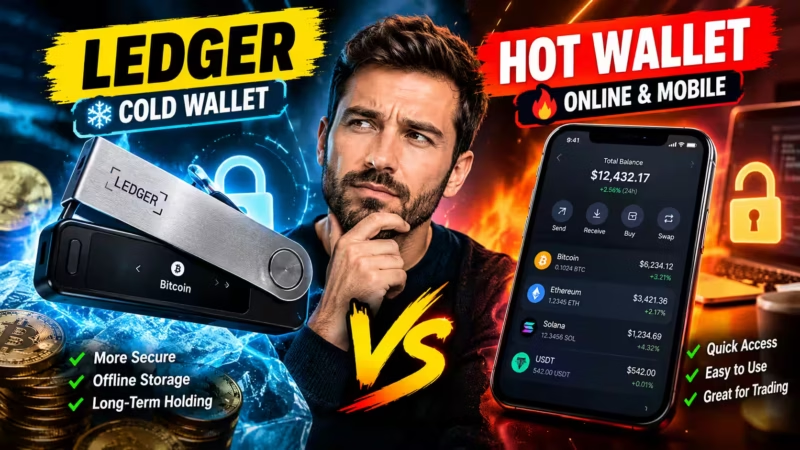
Most holders do best with a hybrid approach. Keep a small hot wallet for spending. Put your core holdings in a cold storage wallet. Our full hot wallet vs cold wallet comparison goes deeper.
What Makes the Best Cold Storage Wallet for Long-Term Holding
Before you look at products, learn how to judge them. These features separate a solid device from a risky one.
Secure Element Chip
A Secure Element chip is a tamper-resistant chip. It is the same type used in passports and bank cards. It protects your keys even if someone has the device in their hands.
This matters for long-term holders. Over ten years, a device may get lost or stolen. A Secure Element makes physical key extraction extremely difficult.
Offline Signing and Air-Gapped Design
A good hardware wallet signs transactions inside the device. Your private key never touches your computer or phone.
An air-gapped wallet goes a step further. It never connects by USB or Bluetooth. Instead, it passes data through QR codes or microSD cards, removing the cable as an attack path entirely.
PIN Protection and Passphrase Support
PIN protection locks the device. Most wallets wipe themselves after repeated wrong attempts. Ledger devices reset after three incorrect PINs.
An optional passphrase, often called the “25th word,” adds a hidden layer on top of your seed phrase. Even if someone finds your seed phrase, they cannot open the passphrase-protected wallet without it.
One important warning: forget the passphrase and you lose access permanently. Back it up separately from your seed phrase.
Firmware Updates and Company Track Record
Regular firmware updates patch security holes. You will own this device for years, so ongoing support matters.
Look for a brand with a long security history and transparent disclosures. Some buyers prefer open-source firmware so anyone can audit the code. Others choose closed-source Secure Element designs for their hardware protection. Both approaches have serious backers, and both have trade-offs worth understanding before you buy.
Companion App and Supported Coins
A clear companion app makes it easy to check balances and install updates. Ledger uses Ledger Live. Trezor uses Trezor Suite.
Always confirm the wallet supports every coin you plan to hold before you buy.
Price, Build Quality, and Durability
A device that sits in a drawer for years needs reliable hardware. Fewer moving parts often means fewer things to fail over time.
Hardware wallets typically range from $79 to $199 depending on features. Weigh the price against what you are protecting. A $79 device guarding $5,000 is cheap insurance.

Best Crypto Wallets for Long-Term Holding in 2026
Disclosure: Some links in this section may be affiliate links. Our picks are based on security features, long-term reliability, and firsthand testing. Prices are approximate and subject to change.
Each pick below suits a different type of holder. Check the official store for current pricing before you buy.
Ledger Nano X: Best Overall Hardware Wallet for Long-Term Holders
The Ledger Nano X is the best hardware wallet for long-term holding if you want both desktop and mobile access.
- Best for: Holders managing a mixed portfolio across devices
- Price: Around $149
- Key security features: Certified Secure Element chip (CC EAL5+), PIN protection, passphrase support, offline signing
- Pros: Bluetooth for mobile use, built-in battery, works smoothly with Ledger Live, supports thousands of tokens
- Cons: Higher price, the battery will eventually degrade over many years
A note on Bluetooth: the private key never leaves the Secure Element. Bluetooth transmits transaction data to the device for signing, and only the signed result comes back. You can also disable Bluetooth entirely and connect via USB-C. In practice, Ledger Live prompts you to confirm all transactions on the physical device screen, which protects against a compromised computer.
A note on Ledger’s past incidents: In May 2023, Ledger announced Ledger Recover, an optional paid subscription that splits an encrypted seed phrase backup across three parties. The announcement drew significant community criticism over potential key extraction concerns. Ledger clarified the feature is strictly opt-in, and the device’s core self-custody model remains unchanged.
In December 2023, a compromised npm package affected Ledger’s Connect Kit, a third-party DeFi integration library. Ledger patched it within hours. Neither incident involved a breach of the hardware wallet’s core security or any user seed phrases stored offline. These events are worth knowing as a buyer. They reflect a level of transparency and fast incident response that, for many security researchers, is actually a mark in Ledger’s favor compared to vendors who stay silent.
Verdict: A strong, flexible choice for long-term investors who check their holdings on the go.
Ledger Nano S Plus: Best Budget Cold Storage Wallet
The Ledger Nano S Plus offers the same core Secure Element security as the Nano X at a lower price.
- Best for: First-time buyers who want strong security without overspending
- Price: Around $79
- Key security features: Certified Secure Element chip (CC EAL5+), PIN protection, passphrase support
- Pros: Affordable, USB-C connection, no battery to degrade, large app storage
- Cons: No Bluetooth, so mobile use requires a cable; no built-in battery
No battery and no Bluetooth means fewer components that can wear out. That is a real advantage for a device you will store for years without opening it often.
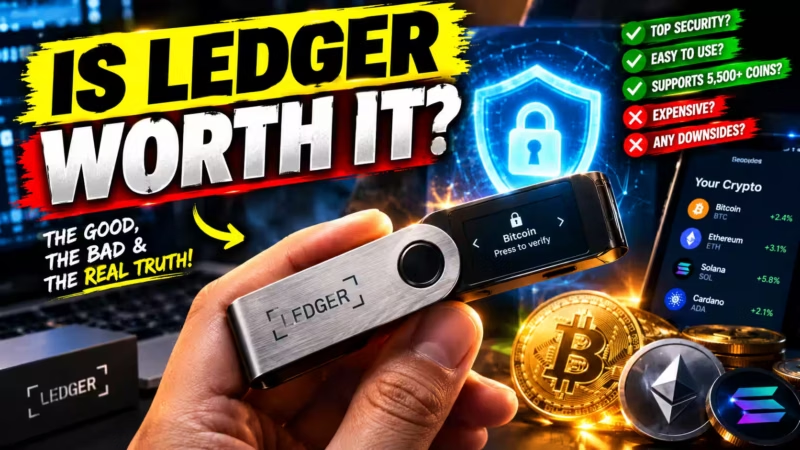
Verdict: One of the best cold storage wallets for long-term holders on a budget. Still weighing the cost? Our honest take on is Ledger worth it walks through the cost-versus-value math.
Trezor: Best Open-Source Alternative
Trezor built its reputation on fully open-source firmware. Its newer Safe 3 and Safe 5 models add a Secure Element while keeping the firmware auditable.
- Best for: Holders who value code transparency and community-audited security
- Price: Safe 3 from around $79; Safe 5 from around $169
- Key security features: Open-source firmware, Secure Element (Safe series), PIN protection, passphrase support
- Pros: Fully auditable code, clean Trezor Suite app, strong Bitcoin and multi-coin support
- Cons: Older Model One and Model T lack a Secure Element; coin support varies by model
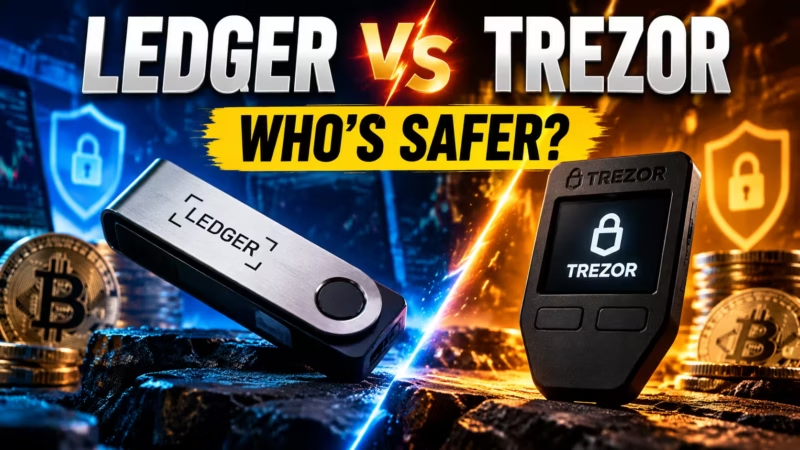
Verdict: A trusted pick if transparency tops your list. See our full Ledger vs Trezor comparison for a detailed breakdown.
Air-Gapped Wallets: Best for Maximum Isolation
Air-gapped devices such as Coldcard (from around $150) and Keystone Pro (from around $169) never connect directly to a computer or phone.
- Best for: Advanced holders storing large amounts, especially Bitcoin
- Pros: Removes USB and Bluetooth attack paths entirely; QR or microSD communication only
- Cons: Steeper learning curve and slower transaction workflows
Verdict: Often considered the best Bitcoin wallet for long-term cold storage by security-focused holders. Not recommended for beginners.
Multisig Wallet Setups: Best for Large Holdings
A multisig wallet requires several keys to approve a transaction. A common setup is “2 of 3,” meaning any two of three keys can sign.
- Best for: Experienced holders with significant portfolios
- Pros: No single point of failure; useful for family, estate planning, or business custody
- Cons: More complex setup and more backups to manage; requires coordinating software
Verdict: The most resilient option for serious long-term wealth, but only practical if you are comfortable with the extra steps.
Side-by-Side Comparison Table
Side-by-Side Comparison
Best Crypto Wallets for Long-Term Holding Compared
Compare security, connectivity, cost, and ease of use across our top long-term storage picks.
- ✓ Yes Built in
- ◐ Varies Depends on model or setup
- — No Not available
| Factor | Ledger Nano X ★ Best Overall | Ledger Nano S Plus Best Budget | Trezor (Safe Series) Best Open-Source | Air-Gapped Wallets Max Isolation | Multisig Setups Large Holdings |
|---|---|---|---|---|---|
| Best For | Mobile + desktop usersHolders managing a mixed portfolio on the go | First-time buyersStrong security without overspending | Transparency fansHolders who want auditable, open-source code | Advanced holdersLarge balances, especially Bitcoin | Serious wealthFamily, business, or high-value custody |
| Connectivity | USB-C + BluetoothBluetooth can be turned off | USB-CWired only, fewer parts to wear out | USB-CWired connection to desktop or mobile | QR codes or microSDNo direct link to a computer or phone | Multiple devicesMix of wired and air-gapped signers |
| Secure Element | ✓ YesCertified chip | ✓ YesCertified chip | ✓ YesOn Safe models; older models lack one | ◐ VariesDepends on the device | ◐ VariesDepends on the signing devices |
| Companion App | Ledger LiveDesktop and mobile | Ledger LiveDesktop and Android via cable | Trezor SuiteDesktop, web, and mobile | VariesVendor apps or wallets like Sparrow | Coordinator softwareManages keys and approvals |
| Air-Gapped Option | — No | — No | — No | ✓ YesCore design | ◐ PossibleWith air-gapped signers |
| Price Range | About $149Mid-range | About $79Entry-level | About $79–$169Varies by model | About $120–$250Varies by brand | $200–$500+Cost of 2–3 devices |
| Beginner-Friendly | High | High | High | Low to medium | Low |
Quick verdict: Most long-term holders do best with the Ledger Nano X or Nano S Plus. Pick Trezor for open-source code. Choose an air-gapped or multisig setup only when your balance justifies the extra steps.
Prices are approximate and change often. Always confirm current pricing, features, and coin support on the manufacturer’s official website before you buy.
How to Set Up Your Hardware Wallet for Long-Term Storage
A careful setup prevents most problems before they start. Follow these steps in order:
- Buy directly from the manufacturer. Use the official Ledger store or the official Trezor site. This helps you avoid a supply chain attack, where a device gets tampered with before it reaches you.
- Check the packaging. Confirm the seals are intact and the device arrives completely uninitialized. Never use a device that comes with a pre-written seed phrase.
- Install the official companion app. Download it only from the manufacturer’s website. Never install it from an ad, search result, or app store listing you did not verify.
- Initialize the device. Write your seed phrase by hand on the card provided. Never photograph it, type it into any device, or store it online.
- Set a strong PIN. Consider adding a passphrase if you hold a significant amount. Store the passphrase separately from your seed phrase.
- Test your recovery. Reset the device and restore it with your seed phrase before you send any real funds. Confirm it works.
- Send a small test transaction. Move the full amount only after the test arrives safely.
- Verify addresses on the device screen. Always check every receiving address on the hardware wallet itself, not just on your computer.
Moving funds from a software wallet like MetaMask? Our guide on Ledger vs hot wallet explains when and how to make the switch.

Seed Phrase Backup: Protecting Your Recovery Phrase for Decades
Your device can be replaced. Your seed phrase cannot. A solid seed phrase backup is the heart of long-term security.
Why Paper Isn’t Enough for the Long Haul
Paper fades, tears, burns, and gets thrown away by accident. Ink smudges in humid conditions.
Your backup needs to outlive your device. It may even need to outlive you.
Metal Seed Backup and Fireproof Storage
A metal seed backup stamps or engraves your words onto steel or titanium. It resists fire, water, and corrosion far better than paper. Products like Cryptosteel and Bilodeau plates are popular options in this category.
Pair it with fireproof storage, such as a home safe or a bank safe deposit box. Each option has trade-offs:
- Home safe: Fast access, but vulnerable to burglary or a determined thief
- Safe deposit box: Strong physical security, but limited access hours and potential complications in estate situations
- Trusted second location: Good for geographic redundancy, but requires someone you fully trust
Smart Offline Backup Strategies
Keep at least one offline backup in a separate, secure location. If one site floods or burns, the other survives.
Never store your recovery phrase in cloud storage, email, notes apps, password managers, or screenshots. Anything connected to the internet can potentially be accessed.
For very large holdings, a multisig setup spreads risk across several keys instead of concentrating it in one seed phrase.
Lost Device vs. Lost Seed Phrase
Here is what happens in each scenario:
- Lost device, seed phrase intact: Buy a new compatible device and restore your wallet with the seed phrase. Your funds are safe.
- Lost seed phrase, device still works: Move your funds to a new wallet with a fresh seed phrase immediately. Do not wait.
- Lost both: Your funds are almost certainly gone for good.
That last scenario is exactly why backups matter before anything goes wrong. Our seed phrase storage guide covers more safe storage methods in detail.
Security Habits That Keep Your Crypto Safe for Years
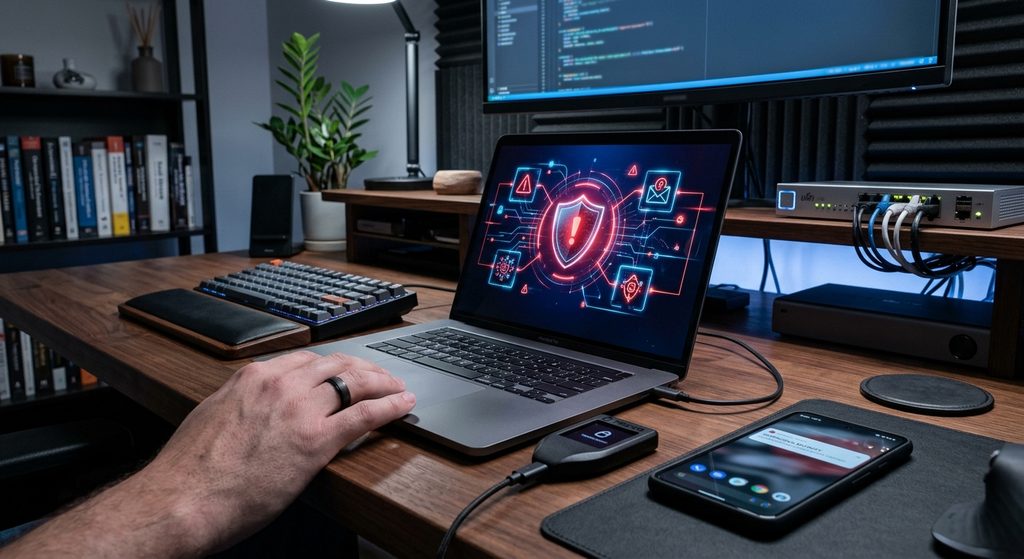
The device is only half the story. Your habits protect the other half.
- Recognize phishing attacks. Watch for fake support agents, airdrop scams, and lookalike websites. In 2020, a Ledger e-commerce database breach exposed over 270,000 customer names and addresses, leading to targeted phishing campaigns (Ledger security notice, 2020). Stay alert even when using trusted brands. The CISA guidance on malware, phishing, and ransomware offers practical defenses.
- Practice malware protection. Keep your computer updated and use trusted software only. Watch specifically for clipboard hijackers that silently swap copied wallet addresses.
- Install firmware updates safely. Only update through the official companion app, downloaded from the manufacturer’s official site.
- Never share your seed phrase. No legitimate company will ever ask for it. The FTC’s guide on cryptocurrency and scams lists common tactics to avoid.
- Bookmark official sites. Avoid clicking wallet links in emails, texts, or online ads.
- Schedule a yearly check. Confirm your backups exist, are readable, and are stored safely. Verify you can still access them.
Building a Long-Term Holding Strategy Around Your Wallet
The safest crypto wallet for long-term use works best inside a simple, repeatable plan.
Buy and Hold (HODL) With Dollar-Cost Averaging
To HODL in practice: buy regularly, store securely, and avoid emotional selling.
Dollar-cost averaging pairs well with cold storage. You buy a fixed amount on a set schedule, then move coins from the exchange to your hardware wallet above a set threshold. This keeps network fees manageable and builds the habit of moving funds off exchanges regularly.
Portfolio Diversification Across Wallets
Portfolio diversification can apply to storage, not just assets. Split holdings by purpose:
- A hot wallet for spending and smaller balances
- A hardware wallet for core long-term savings
- A separate device or account for higher-risk, more speculative assets
Do not overcomplicate it, though. Every extra wallet means another seed phrase backup to manage safely.
Inheritance Planning for Your Digital Assets
Think about what happens to your crypto if something happens to you. Without a plan, your family may never be able to access it.
Common options include:
- A sealed letter of instructions stored with your will or with a trusted attorney
- Guidance from an estate attorney who understands digital assets
- A multisig setup that includes a trusted family member or a professional digital asset custodian service
Balance access with security. Your heirs need a clear path in, but that path should not be obvious to anyone who finds the document.
Our Verdict: The Best Wallet to Hold Crypto Long Term (By Holder Type)
There is no single winner for everyone. Here is the best wallet to hold crypto based on your situation:
- Best overall: Ledger Nano X (~$149)
- Best budget pick: Ledger Nano S Plus (~$79)
- Best open-source option: Trezor Safe 3 (
$79) or Safe 5 ($169) - Best for maximum isolation: Coldcard or Keystone Pro (~$150–$169)
- Best for large holdings: A multisig wallet setup
In the end, the best crypto storage wallet is the one you set up correctly, back up durably, and keep offline.
People Also Ask
What is the best crypto wallet for long-term holding?
For most people, a hardware wallet in cold storage is the best choice. The Ledger Nano X ($149) suits holders who want mobile access. The Ledger Nano S Plus ($79) is the best budget pick. For maximum isolation, Coldcard or Keystone are strong air-gapped options. Advanced holders with large portfolios should consider a multisig setup.
Is a hardware wallet safer than keeping crypto on an exchange?
Yes, for long-term storage. A hardware wallet gives you self-custody, which removes counterparty risk from exchange hacks, freezes, or bankruptcies. The trade-off is responsibility. You must protect your seed phrase, because no one can recover it for you if it is lost.
How long can crypto stay on a hardware wallet?
Indefinitely. Your coins live on the blockchain, and the device only stores your keys. Even if the device fails after years, your seed phrase restores everything on a new compatible device. Install firmware updates periodically and check your backups at least once a year.
What happens if my hardware wallet breaks or gets lost?
Your funds are still safe if you have your recovery phrase. Buy a new compatible device and restore your wallet using the phrase. Without the recovery phrase, restoration is not possible, which is why a durable offline backup is essential before you ever send funds to the wallet.
Can a hardware wallet be hacked?
Remote hacks are extremely difficult thanks to the Secure Element chip and offline signing. Most real losses come from phishing attacks, supply chain attacks on tampered devices, or exposed seed phrases. Buy directly from the manufacturer, always verify addresses on the device screen, and never share your phrase with anyone.
Should I use a 12-word recovery phrase or a 24-word one?
Both are highly secure. A 12-word recovery phrase offers 128 bits of entropy. A 24-word phrase offers 256 bits. Either length is effectively impossible to brute-force. How safely you store the phrase matters far more than its length.
Do I need a passphrase on my hardware wallet?
A passphrase is optional but adds a meaningful layer of protection for large holdings. A stolen seed phrase alone will not unlock a passphrase-protected wallet. However, if you forget the passphrase, you lose permanent access to those funds. Always store the passphrase in a separate secure location from your seed phrase.
How much does a good hardware wallet cost?
Entry-level hardware wallets start at around $79 for the Ledger Nano S Plus and Trezor Safe 3. Mid-range devices like the Ledger Nano X run around $149. Air-gapped devices such as Coldcard and Keystone Pro range from $150 to $169. All are a small price to pay relative to the value most long-term holders are protecting.
Is a cold storage wallet worth it for small amounts?
It depends on your balance and risk tolerance. If losing your holdings would meaningfully hurt you financially, a device under $100 is cheap insurance. If you hold only a very small amount and are still learning, a reputable non-custodial software wallet may be enough for now. Our guide on whether a Ledger is worth it for small amounts explains the break-even math.
Can I store multiple cryptocurrencies on one hardware wallet?
Yes. Most hardware wallets support thousands of coins and tokens through their companion app. One seed phrase backs up all of them. Always confirm a specific coin is supported before you send it to the device.
Conclusion: Your Long-Term Crypto Safety Plan
Long-term holding rewards patience, but only if your coins stay secure throughout. The right wallet makes that possible without demanding deep technical skill.
Remember three core truths:
- Choose cold storage for your core holdings.
- Own your keys through self-custody so no exchange can freeze or lose your funds.
- Protect your seed phrase backup with metal storage and at least one secure offline location.
Take one step today. Order a device directly from the manufacturer, or upgrade your paper backup to a metal seed backup plate.
Ready to compare your options? Explore the Ledger hardware wallet lineup, or see how every option stacks up in our complete best crypto wallets 2026 guide.
Best Crypto Wallets for Long-Term Holding · Editorial Integrity
Sources & Citations
The official documentation, standards, regulator guidance, fraud data, and internal references behind this guide to long-term crypto storage, hardware wallets, cold storage, self-custody, seed phrase backup, and wallet security.
We built this guide to answer one simple question: which crypto wallet keeps your coins safe for years, and how do you set it up so nothing goes wrong? Device features, companion app details, and setup steps come straight from Ledger’s and Trezor’s official documentation. Our explanation of the 12-word and 24-word recovery phrase follows the BIP-39 specification.
Our risk guidance leans on CISA’s malware and phishing resources, the FTC’s cryptocurrency scams guide, the SEC’s crypto asset resources on Investor.gov, FBI Internet Crime Complaint Center fraud data, and FDIC guidance on what isn’t insured. Tech Capital Hub’s own guides on seed phrases, private keys, self-custody, and hot vs cold wallets fill in the bigger picture. Devices, firmware, and prices change often, so always check the manufacturer’s latest documentation before you buy or set up a wallet.
View full sources, methodology, and editorial notes
This is a beginner-friendly buying and safety guide for long-term investors. We wrote it using official manufacturer documentation, open technical standards, U.S. regulator and law enforcement guidance, and Tech Capital Hub’s own articles wherever they directly support the topic. We used these sources to explain how crypto wallets work, why self-custody removes counterparty risk, and how cold storage differs from a hot wallet for long-term holding.
We judged each wallet on six factors: Secure Element protection, offline signing, PIN and passphrase support, firmware update history, companion app quality, and long-term durability. Our picks reflect security features and reliability, not payment, and some links may be affiliate links. The setup steps, backup methods, and inheritance tips are general best practices, not guarantees. Prices and token support are illustrative and may change. Where regulator guidance is broader than wallet storage, we use it to ground safe habits, not to suggest a specific legal requirement. This article is educational information, not financial, legal, or tax advice.
- Official manufacturer education on hardware wallet security: Ledger Academy — Crypto Security and Hardware Wallet Guides — cited for how the Secure Element chip, PIN protection, and offline signing keep private keys inside the device.
- Official companion app documentation: Ledger — Ledger Live App — cited for how Ledger Nano X and Ledger Nano S Plus owners track balances, manage coins, and install firmware updates safely.
- Official open-source wallet documentation: Trezor Learn — Hardware Wallet and Security Guides — cited for open-source firmware, passphrase protection, and the recovery process on Trezor devices.
- Official open-source companion app: Trezor — Trezor Suite — cited for how Trezor users manage holdings and verify transactions from a desktop or mobile app.
- Open technical standard for recovery phrases: Bitcoin Improvement Proposal 39 (BIP-39) — Mnemonic Code for Generating Deterministic Keys — cited for how 12-word and 24-word seed phrases are created, the entropy behind each length, and why one phrase restores a wallet on any compatible device.
- Federal standard on cryptographic key management: NIST SP 800-57 Part 1 Rev. 5 — Recommendation for Key Management — cited for the core principle that whoever controls a private key controls the asset, and why keys need protected, offline backups.
- U.S. federal cybersecurity guidance: Cybersecurity and Infrastructure Security Agency (CISA) — Malware, Phishing, and Ransomware — cited for practical defenses against phishing attacks, fake websites, and malware such as clipboard hijackers that target crypto holders.
- U.S. federal consumer protection guidance: Federal Trade Commission — What To Know About Cryptocurrency and Scams — cited for common scam tactics, including impersonation and fake support agents who ask for your seed phrase.
- U.S. securities regulator investor resources: SEC Investor.gov — Crypto Assets Spotlight — cited for guidance on understanding who controls your crypto, the risks of custodial platforms, and questions to ask before choosing where to store assets.
- U.S. law enforcement fraud data: FBI Internet Crime Complaint Center (IC3) — 2024 Internet Crime Report — cited for the reported scale of crypto-related fraud losses and why long-term holders need strong security habits.
- U.S. federal guidance on deposit insurance limits: FDIC — Financial Products That Are Insured and Not Insured — cited for confirming that crypto assets are not FDIC-insured, which is why exchange failures can leave customers without a safety net.
- Internal pillar guide to crypto wallets: Tech Capital Hub — Best Crypto Wallets 2026: Complete Buyer’s Guide — cited for the wider wallet market this guide builds on, while this article stays focused on long-term storage.
- Internal guide to seed phrase basics: Tech Capital Hub — What Is a Seed Phrase? 5 Secrets Beginners Miss — cited for the full explanation of recovery phrases and safe storage methods behind our seed phrase backup advice.
- Internal explainer on wallet keys: Tech Capital Hub — Private Key vs Seed Phrase: 3 Truths You Missed — cited for the difference between a private key and a seed phrase, and why both need protection in a non-custodial wallet.
- Internal guide to owning your keys: Tech Capital Hub — What Does Self-Custody Mean in Crypto? — cited for the trade-offs of self-custody versus custodial and exchange wallets for long-term savings.
- Internal comparison of wallet types: Tech Capital Hub — Hot Wallet vs Cold Wallet: Which One Do You Need? — cited for the full hot vs cold comparison, while this guide covers it briefly for long-term holding only.
- Internal device comparison: Tech Capital Hub — Ledger vs Trezor: Which Hardware Wallet Is Safer? — cited for the detailed brand comparison behind our open-source alternative pick.
Best Crypto Wallets for Long-Term Holding · Editorial Standards
Our Editorial Standards
Tech Capital Hub applies Google’s E-E-A-T framework to every guide on crypto security, self-custody, and digital asset storage, including this one on the best crypto wallets for long-term holding. We put clear explanations, official documentation, and honest trade-offs ahead of hype or sales pitches.
In this article, device features, companion app details, and setup steps come from Ledger’s and Trezor’s official documentation. Our recovery phrase guidance follows the BIP-39 specification, and our key management principles align with NIST’s recommendations. Our risk guidance draws on CISA’s malware and phishing resources, the FTC’s cryptocurrency scam guidance, the SEC’s crypto asset resources on Investor.gov, FBI Internet Crime Complaint Center fraud data, and FDIC deposit insurance documentation. Our internal guides on seed phrases, private keys, self-custody, hot vs cold wallets, and Ledger vs Trezor fill in the wider cluster. Wallets, firmware, and prices change often, so we review our picks and references over time. We don’t treat them as fixed forever.
View how our editorial standards apply to this article
Built Around Real Long-Term Holder Questions
We built this guide around the questions long-term investors actually ask. Is it safe to leave crypto on an exchange? What’s the difference between a hot wallet and cold storage? Who really controls my coins in a custodial wallet?
We also answer the worries that come after you buy a device. How do I set it up safely? Where should I store my seed phrase? What happens if my wallet breaks, gets lost, or outlives me? It’s practical guidance for protecting your crypto for years, not just for today.
Wallet Security Explained in Plain English
This article explains how crypto wallets actually work. That includes public keys, private keys, and how a 12-word or 24-word recovery phrase restores your wallet on any compatible device. It also shows why self-custody removes counterparty risk.
We judge every wallet on six factors: Secure Element protection, offline signing, PIN and passphrase support, firmware update history, companion app quality, and long-term durability. We then cover safe setup, metal seed backups, and phishing defense. You don’t need a technical background. We define each term in simple language before we use it.
Official Sources Where Accuracy Matters Most
We anchor specific claims to official and authoritative sources. Ledger and Trezor documentation explain device security, Ledger Live, and Trezor Suite. The BIP-39 standard grounds our seed phrase explanations, and NIST SP 800-57 backs our key management principles.
CISA, the FTC, the SEC’s Investor.gov, the FBI’s IC3, and the FDIC provide official security and consumer protection context. Relevant Tech Capital Hub articles extend the topic cluster, including our guides to seed phrases, private key vs seed phrase, self-custody, hot vs cold wallets, and Ledger vs Trezor.
Honest About Limits and Easy to Review
We state the limits as plainly as the features. Our picks reflect security and reliability, not payment, and some links may be affiliate links. We also note known brand incidents so you can judge each option fairly. Prices and token support change, and no wallet makes your crypto risk-free. Setup, backup, and inheritance tips are general best practices, not guarantees. This article is educational information, not financial, legal, or tax advice. Please confirm current details with the manufacturer and test your recovery before you move large amounts.
Best Crypto Wallets for Long-Term Holding · About the Author
Marcus Delray
Fintech Analyst · Founder of Tech Capital Hub
Marcus Delray is a fintech analyst and the founder of Tech Capital Hub. In this guide, he compares the best crypto wallets for long-term holding and explains why cold storage beats leaving coins on an exchange. He shows which hardware wallet features matter over years, from the Secure Element chip to PIN protection and firmware updates. He also walks you through a safe setup and a durable seed phrase backup plan, so your crypto stays protected for the long haul.
View full author bio, credentials, and links
Marcus Delray has spent more than a decade researching financial technology, blockchain infrastructure, and the shift from traditional finance to open, on-chain systems. He built Tech Capital Hub to make complex fintech and crypto topics practical for everyday investors and curious beginners who want clear answers, not hype. His work covers crypto wallet security, self-custody, seed phrase protection, and the real risks behind storing digital assets.
For this guide, Marcus starts with the questions long-term investors ask first. Is it safe to leave crypto on an exchange? What’s the difference between a hot wallet and cold storage? Who really controls your coins in a custodial wallet? He explains how public keys, private keys, and recovery phrases work, and why self-custody removes counterparty risk.
He then judges each wallet on six practical factors: Secure Element protection, offline signing, PIN and passphrase support, firmware update history, companion app quality, and long-term durability. He also notes known brand incidents so you can weigh every option fairly. Finally, he ties it together with a setup and backup plan built around safe habits: buy direct from the manufacturer, test your recovery, and store your seed phrase offline on metal. This isn’t about chasing the newest gadget. It’s about keeping your crypto safe for years. All articles are educational information, not financial, legal, or tax advice.
- Explains how crypto wallets work, including public keys, private keys, and 12-word or 24-word recovery phrases, in plain English
- Compares custodial, non-custodial, hot, and cold storage wallets so long-term holders can see who controls their funds
- Evaluates hardware wallets such as the Ledger Nano X, Ledger Nano S Plus, and Trezor on security, durability, and companion app quality
- Covers real threats clearly, including phishing attacks, malware, supply chain attacks, and exchange failures
- Guides readers through a safe hardware wallet setup, metal seed backup, and simple inheritance planning for digital assets
Enjoying our content?
Click below to add us as a preferred source. Google will prioritize our latest articles in your Top Stories, AI Mode, and AI Overviews.
Preferred Source on Google