
7 Best AI Budgeting Apps That Actually Help You Stop Overspending (Tested & Ranked)

Fintech Analyst · Founder of Tech Capital Hub
Marcus has spent more than a decade researching financial technology and AI-driven personal finance tools. In this guide, he breaks down the seven best AI budgeting apps of 2026 — testing each one hands-on for real bank syncing, behavioral impact, security standards, and value — so you can pick the right one without wading through marketing claims.
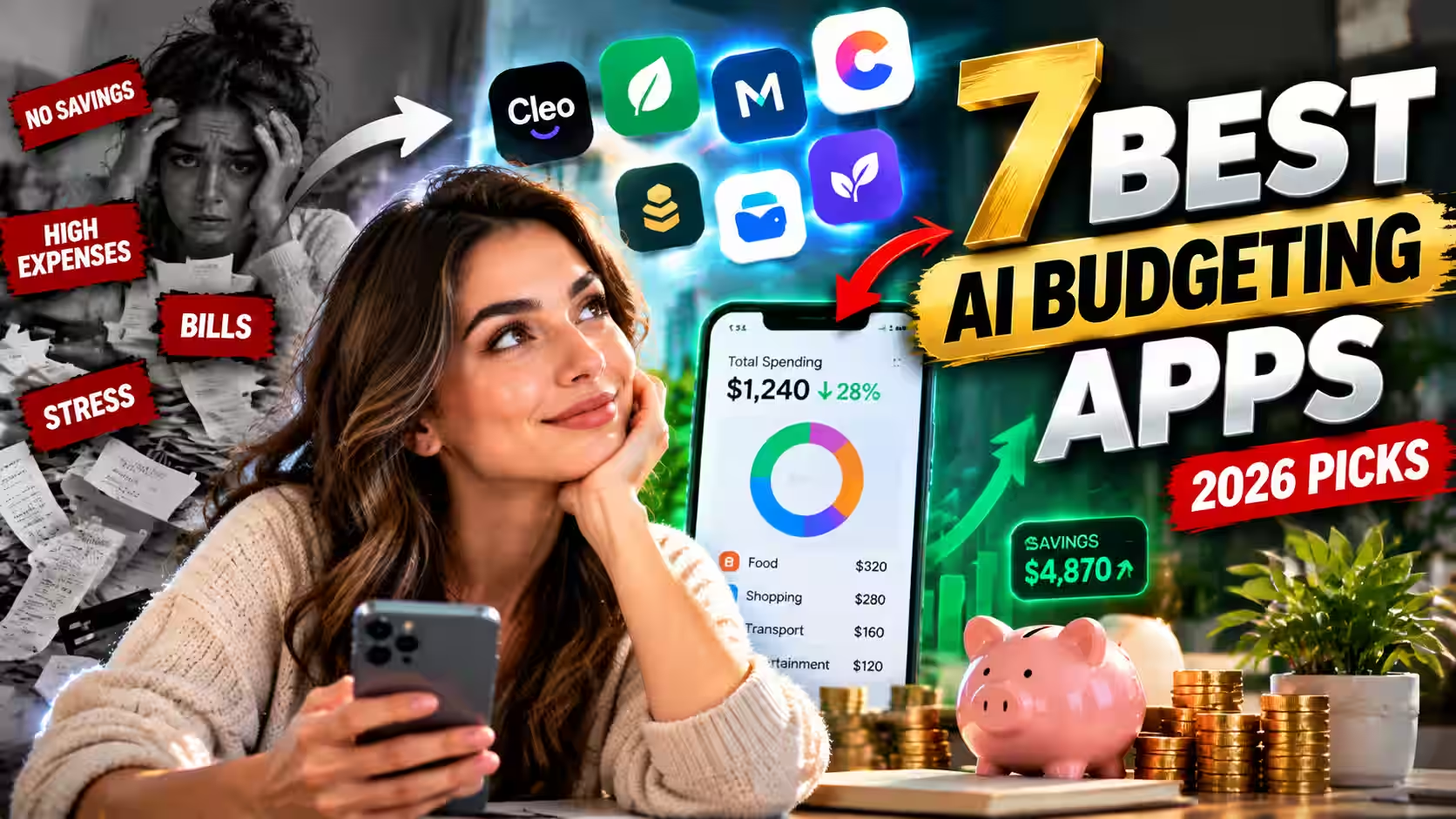
The best AI budgeting app overall is Origin, thanks to its all-in-one planning, powerful AI advisor, and access to real certified financial planners. Here’s the fast breakdown:
- Best overall: Origin
- Best for couples & families: Monarch Money
- Best for zero-based budgeting: YNAB
- Best free option (and best for millennials): Cleo
- Best for cutting subscriptions: Rocket Money
- Best for simple daily spending: PocketGuard
- Best for iPhone users: Copilot
Ready to stop wondering where your money disappears to every month? The best AI budgeting apps do something old trackers never could — they catch the leaks before your account runs dry! Instead of showing you damage that’s already done, these smart tools watch your spending around the clock, warn you early, and some will even negotiate your bills while you binge Netflix.
Here’s a number that surprised me: people using AI budgeting apps save between $340 and $500 a year on average, and their savings rate climbs from 8.2% to 11%. Not bad for something that runs quietly in the background!
We tested everything worth testing and ranked seven apps by what they actually do well — not just what sounds shiny on a feature list. Let’s dig in!
AI budgeting apps are one piece of a bigger financial picture. Our guide to the best AI personal finance tools of 2026 covers how AI now manages money across budgeting, investing, credit, and fraud detection — worth reading alongside this one.
How We Evaluated These Apps
Wondering how we picked these winners? We didn’t just skim feature pages! Each app was scored against a consistent set of criteria so the rankings stay fair and useful:
- AI accuracy: How well it categorizes transactions, predicts spending, and adjusts to real behavior without constant manual correction
- Budgeting automation: How much the app does for you without manual work
- Bank connection and security: How the app connects to accounts, what encryption standard it uses, and whether it holds independent certifications like SOC 2
- Behavioral impact: Whether the app’s nudges, alerts, or automation led to measurable changes during testing
- Cost vs. value: What the free tier actually includes, and whether the paid plan is worth it.
- Platform support: Full compatibility across iOS, Android, and web — because a great app is useless if it doesn’t run on your device
- Security & privacy: Encryption standards, compliance certifications, and data handling
- Pricing & value: What you get relative to what you pay
- Platform availability: iOS, Android, and web access
- Subscription & bill tools: Ability to find, cancel, and negotiate recurring charges
- Planning depth: Whether it handles investing and retirement or just day-to-day spending
- Usability: How easy (and enjoyable!) it is to actually stick with
- Ideal user type: Who each app fits best
We also cross-referenced each app’s public security disclosures, official pricing pages, and user review trends as of early 2026 before publishing.
Table of Contents
What Is an AI Budgeting App?
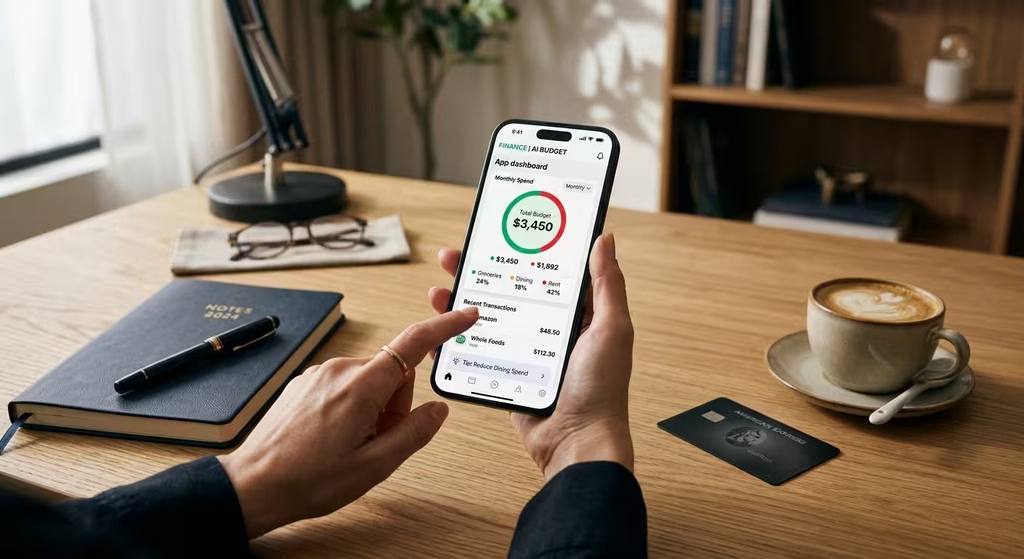
An AI budgeting app connects to your bank accounts and uses machine learning to track, categorize, and predict your spending in real time.
Older budgeting tools just logged what you already spent. AI-driven apps look forward. They flag overspending before it happens, learn your habits over time, and in some cases take action on your behalf — like negotiating a lower cable bill or moving small amounts into savings automatically.
Older apps told you what happened. AI budgeting apps tell you what’s about to happen — and step in to stop it.
Why AI Budgeting Apps Work When Older Ones Didn’t
Most people who tried budgeting apps in the past gave up within a month. That makes sense. Those apps were basically just receipts — they showed what you already spent, sorted into color-coded categories, and that was it.
The problem: they looked backward. By the time you saw the damage, it was already done.
Today’s AI money management apps work differently:
- They track spending velocity. The app watches how fast you’re burning through money relative to where you are in the month. Some models predict your month-end balance with up to 50% better accuracy than older methods — so you get warned on day 12, not day 30! (per Origin’s 2026 product data).
- They use behavioral psychology on purpose. Spending “fines,” gamified savings streaks, even an AI that roasts your takeout habit — friction that stops impulse buys before they happen.
- They automate micro-savings. The app quietly moves $5–$7 into savings after small wins. Tiny amounts you barely notice, but they add up fast.
- They negotiate your bills. A couple of these apps will literally call your cable or phone company and argue for a lower rate. Not you. The app!
The big mental shift? You stop relying on willpower. The AI does the watching. You just live your life.
💡 Worth knowing upfront: People using AI budgeting apps save between $340 and $500 a year on average, and their savings rate climbs from 8.2% to 11% (2025–2026 industry usage data). Not bad for something that runs in the background.

The 7 Best AI Budgeting Apps, Reviewed
1. Origin — Best Overall AI Budgeting App
Best for: People who want spending, investing, and retirement handled in one place
Cost: $12.99/month
Platform: iOS, Android, Web
Standout feature: AI Advisor benchmarked against the CFP exam, plus access to real human CFPs
If you just want to see where your grocery money went, Origin is overkill. But if you want your entire financial life in one place — spending, saving, investing, and retirement — nothing else on this list comes close.
Origin doesn’t think like a tracker. It thinks like a financial advisor. Multiple AI agents run simultaneously in the background: one watches your cash flow, one monitors your investments, another tracks your retirement pace. They all feed into each other.
The standout stat: Origin benchmarked its AI Advisor against the CFP exam, the credentialing test for certified financial planners. Their AI scored 98.3%, against a human average of roughly 79.5% (Origin, 2026). Our AI financial advisor vs. human advisor breakdown covers exactly where that gap matters and where it doesn’t.
Origin also separates AI conversation from actual math. A dedicated computation engine handles your retirement projections, so you get accurate numbers — not a language model’s best guess.
If the investing features interest you, our guide to the best robo-advisors for beginners in 2026 covers the portfolio management side in more depth.
- Pros: Full financial picture, AI plus real CFP support, accurate computation engine
- Cons: Feels like overkill for simple day-to-day expense tracking

2. Monarch Money — Best AI Budgeting App for Couples and Families
Best for: Couples, families, and anyone managing money jointly
Cost: $14.99/month
Platform: iOS, Android, Web
Standout feature: Shared household dashboard with SOC 2 Type II-verified security
My partner and I used to have a low-level recurring argument about “surprise” purchases showing up in the account. Not irresponsible ones — just unexpected. Monarch Money fixed that.
Both partners get a full shared dashboard: every account, every transaction, every balance, visible to both people in real time. No guessing. No end-of-month “wait, what’s this charge” conversations. For couples working toward a shared goal — a house, a trip, paying off debt — that visibility changes everything.
On security, Monarch reached SOC 2 Type II compliance in early 2026, verified by an independent auditing firm under standards set by the AICPA. For an app connected to every financial account you own, that certification carries real weight.
- Pros: Shared household view, independently verified security, clean transaction tracking
- Cons: No investment or retirement planning — it’s a budgeting-only tool
3. YNAB — Best for Zero-Based Budgeting
Best for: People who want complete control and are willing to stay engaged
Cost: $14.99/month
Platform: iOS, Android, Web
Standout feature: AI-assisted zero-based budgeting that pre-fills categories based on your history
YNAB isn’t the app you download when you want budgeting to feel easy. It’s the one you download when you’re tired of your money disappearing and you want to understand exactly where every dollar goes.
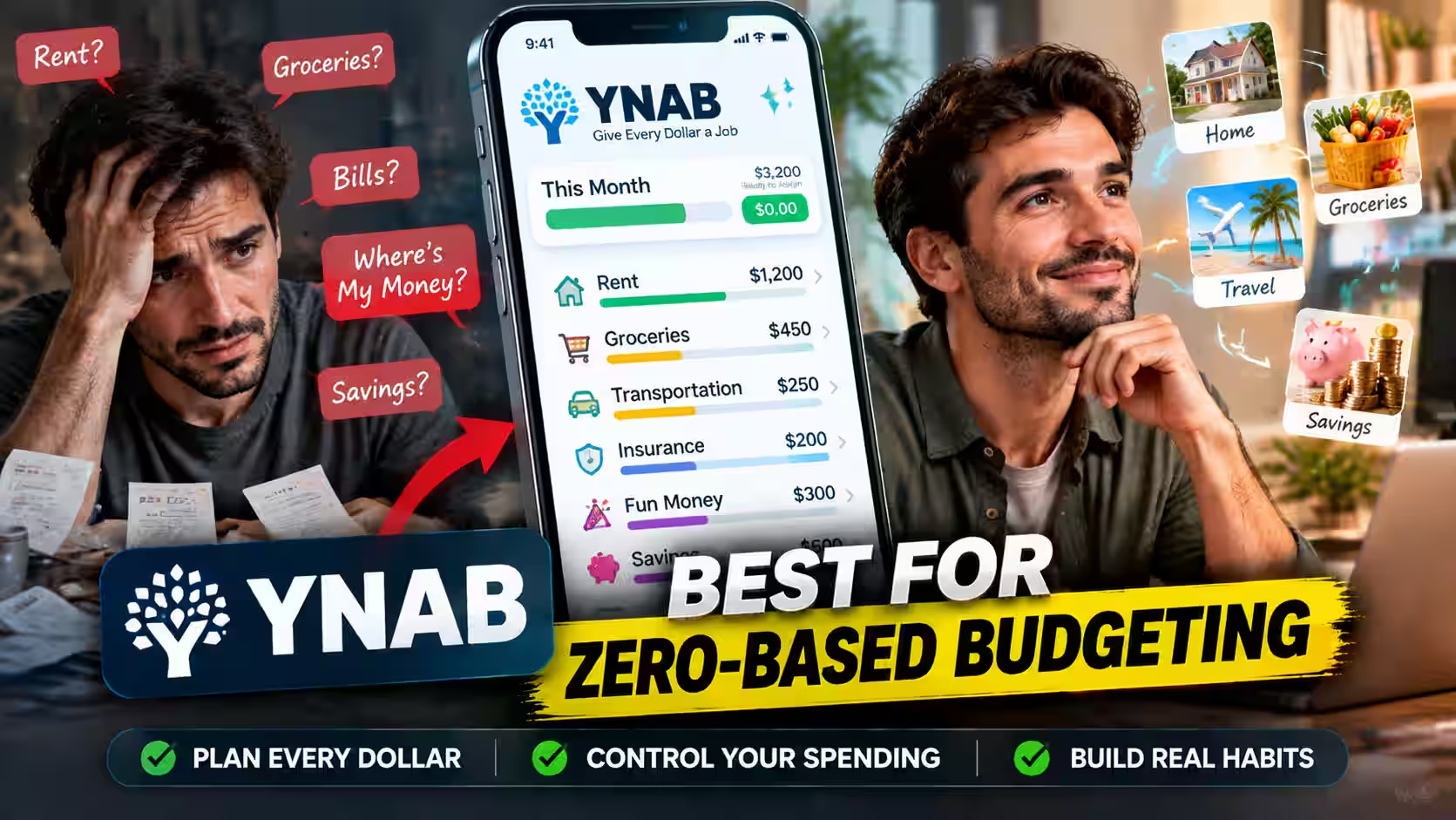
The philosophy is zero-based budgeting: before the month starts, every dollar gets assigned a purpose — rent, groceries, insurance, fun money, savings. Nothing floats. The zero-based budgeting method has decades of evidence behind it as one of the most effective ways to shift spending behavior.
The 2026 version added real AI to the setup process. After a few months, YNAB learns your patterns and pre-fills budget categories based on what you typically spend — cutting the biggest historical complaint that setup takes too long.
YNAB still requires you to show up regularly. It’s more hands-on than anything else on this list. But people who stick with it report the most dramatic behavior change. Deciding where your money goes before you spend it rewires how you think about purchases.
- Pros: Genuinely changes spending behavior, builds lasting habits, strong community support
- Cons: Steeper learning curve than every other app here; requires consistent engagement to work
4. Cleo — Best Free AI Budgeting App
Best for: Millennials, Gen Z, and anyone who’s downloaded and abandoned three other budgeting apps
Cost: Free tier available; premium up to $14.99/month
Platform: iOS, Android
Standout feature: Roast and Hype AI chat modes paired with automatic spending fines
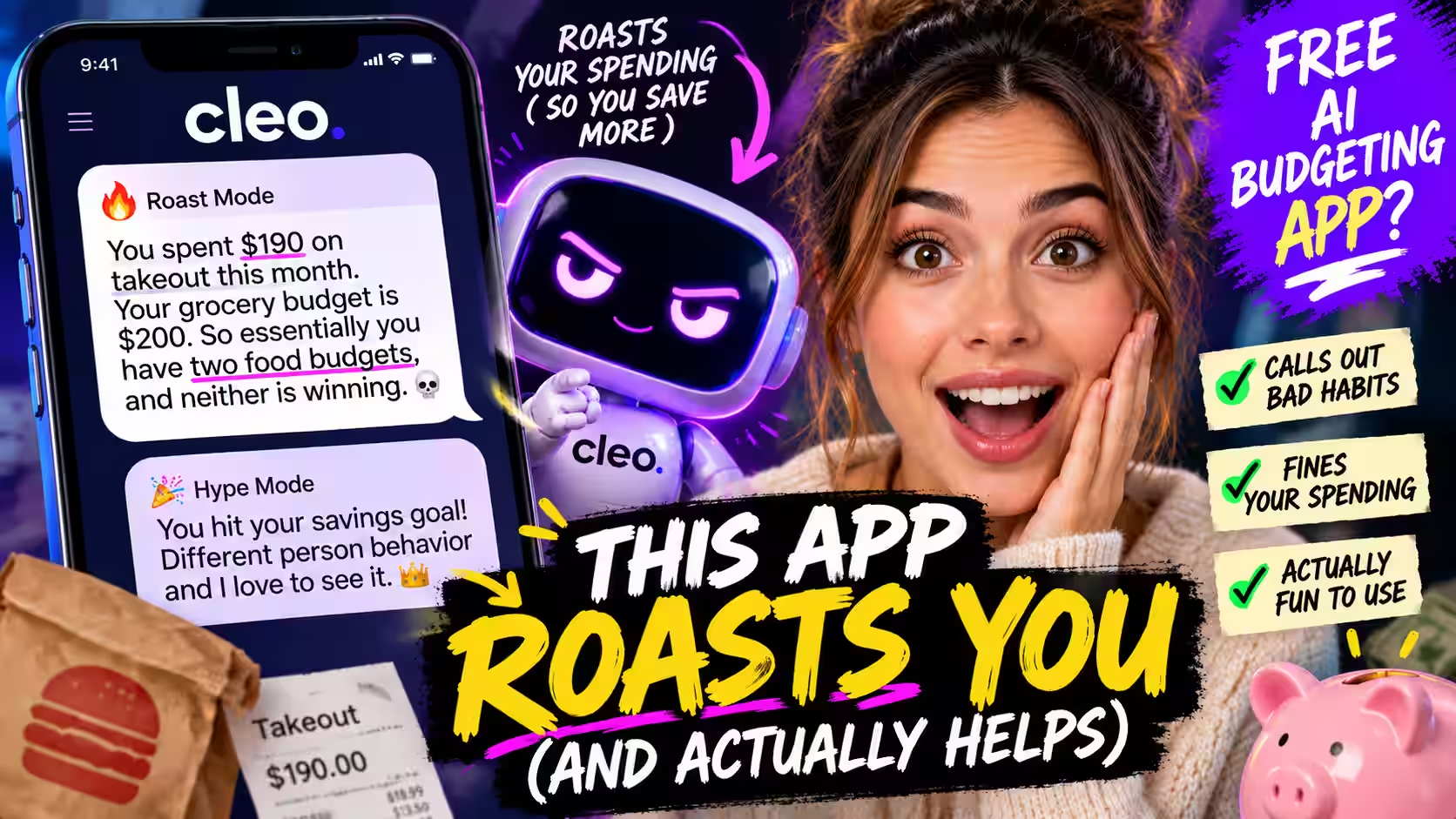
The first time Cleo roasted my spending, I’d asked for a breakdown of my month. Instead of a pie chart, it came back with: “You spent $190 on takeout this month. Your grocery budget is $200. So essentially you have two food budgets, and neither is winning.”
Funny. Accurate. Stuck with me way more than any bar chart ever did.
That’s Cleo — a conversational AI chatbot with a “Roast” mode that calls out your worst habits, and a “Hype” mode that celebrates when you hit a goal. Underneath the personality are real tools. Automatic spending fines move a small amount into savings every time you exceed a self-set limit. The amount is tiny. The friction is the point.
Cleo is one of the only free AI budgeting apps that actually keeps people using it. Most finance apps lose users within two weeks. Cleo’s engagement numbers hold because it feels less like a chore and more like a game you’re trying to win.
- Pros: Genuinely entertaining to use, solid free plan, behavioral nudges that work
- Cons: Not the right tool for complex financial planning; the personality won’t appeal to everyone
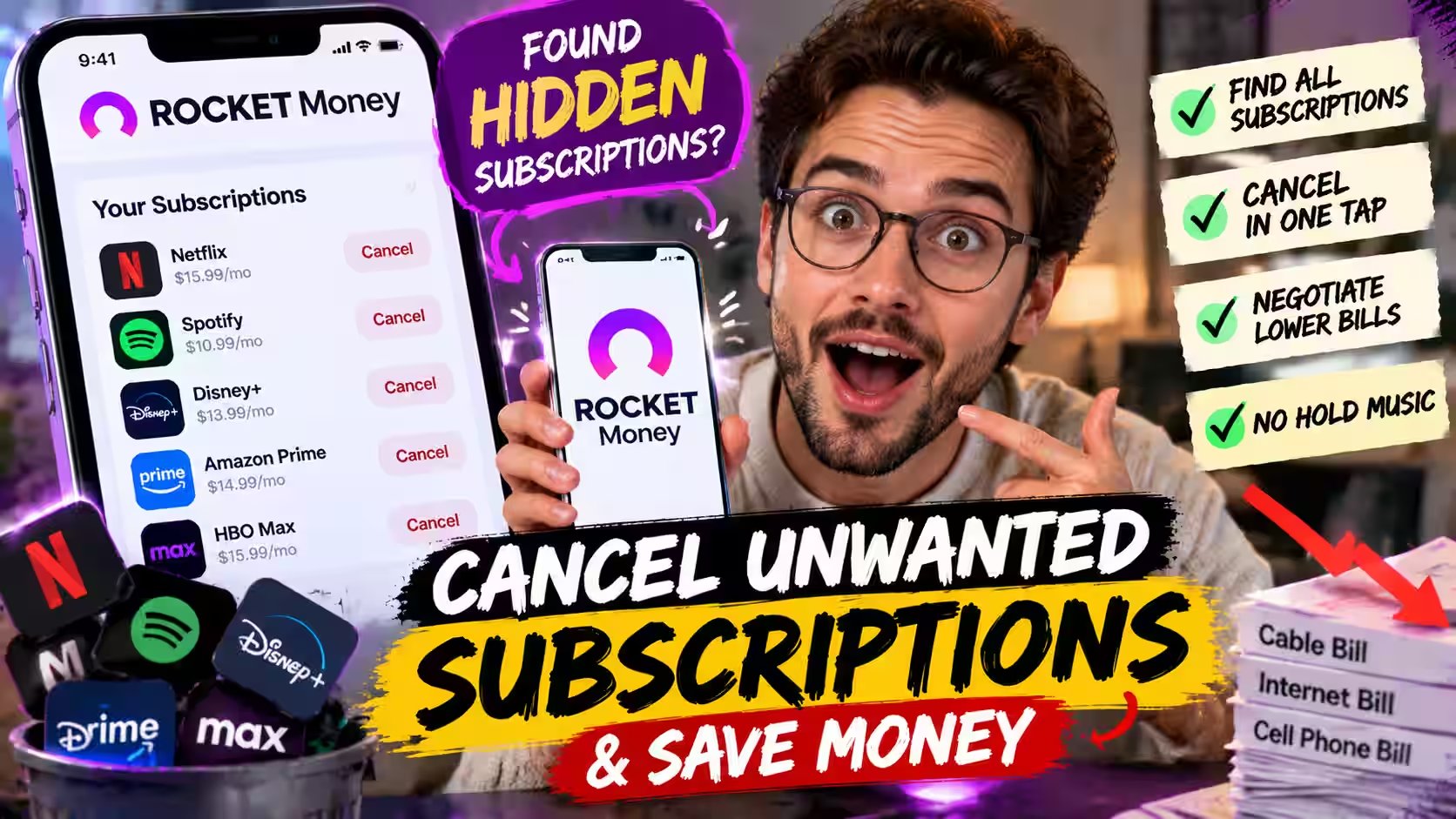
5. Rocket Money — Best App to Cancel Subscriptions and Negotiate Bills
Best for: Anyone drowning in forgotten subscriptions or overpaying on recurring bills
Cost: Free to $14/month (bill negotiation charged separately, based on savings)
Platform: iOS, Android, Web
Standout feature: Automated bill negotiation with no upfront fee
Every time I show someone Rocket Money for the first time, the reaction follows the same pattern: the scan, then the quiet, then — “Wait, I’m still paying for that?”
Every time. Without fail.
Rocket Money pulls your full transaction history, identifies every recurring charge, and surfaces them in one clean list. Tap cancel on what you don’t want, and the app handles the cancellation. No hold music. No runaround.
The bill negotiation feature is where it gets genuinely useful. Rocket Money contacts your cable, internet, or cell provider directly, uses market pricing data to argue for a lower rate, and only charges a success fee if it actually saves you money. Most users find between $30 and $80 per month in charges they didn’t realize they were paying (Rocket Money, 2026).
- Pros: Excellent subscription scanner, real bill negotiation savings, easy to navigate
- Cons: Not a full budgeting tool; the negotiation fee varies depending on how much it saves you

6. PocketGuard — Best for Daily Spending Awareness
Best for: People who want clarity on daily spending without any complexity
Cost: Free plan available; premium up to $12.99/month
Platform: iOS, Android, Web
Standout feature: Real-time Safe-to-Spend balance
A friend of mine hates complexity. She tried YNAB for a week and hated it. She tried a spreadsheet and gave up by Tuesday. She’s used PocketGuard for two years — because it gives her one number.
That number is the Safe-to-Spend balance, which PocketGuard calls “In My Pocket.” It takes your income, subtracts upcoming bills, sets aside what you’ve earmarked for savings, and shows what’s actually left to spend without wrecking your month. The number updates automatically as transactions come in.
Before you buy something, you check the number. If it’s fine, you’re fine.
PocketGuard also integrates with Billshark, a bill negotiation service similar to Rocket Money’s offering. Users report average savings of around $300 a month — one of the higher figures in the category (PocketGuard, 2026), though results naturally vary by situation.
- Pros: Incredibly simple, updates in real time, free plan is genuinely useful
- Cons: Not designed for long-term planning; investment tracking is limited
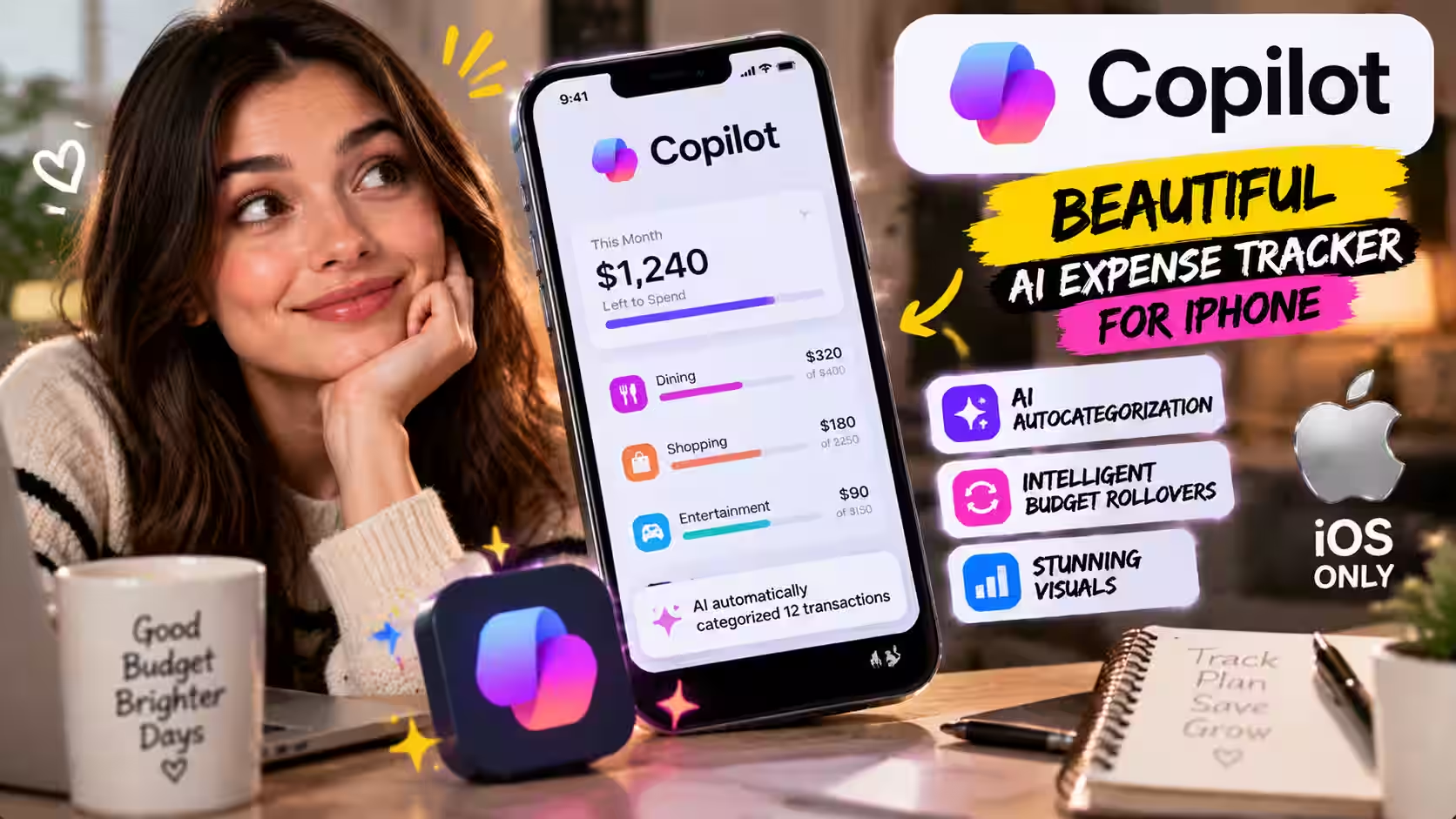
7. Copilot — Best AI Expense Tracker for iPhone
Best for: iPhone users who want a premium, beautifully designed AI expense tracker
Cost: $13.00/month
Platform: iOS only
Standout feature: AI autocategorization with intelligent budget rollovers
Most finance apps look like they were designed by accountants — functional, beige, technically correct, zero joy. Copilot looks like someone actually cared.
It’s the most visually polished personal finance app on the market right now. Clean design, smooth interactions, beautiful data visualizations. Opening it doesn’t feel like homework — and that matters more than people admit. An annoying app is an app you stop using.
Copilot’s AI autocategorization is strong. After a few weeks, it has a solid read on your habits and sorts transactions accurately with minimal manual corrections. It also handles budget rollovers intelligently — come in $40 under your dining budget one month, and it adjusts next month’s allocation instead of resetting to zero.
The catch: Copilot is iOS only. Android users need to look at Monarch Money, YNAB, or Cleo instead. If you’re also carrying credit card or loan balances, pairing Copilot with a dedicated AI debt payoff planner builds a sharper repayment strategy alongside your day-to-day budget.
- Pros: Best design in the category, smart transaction sorting, clean visual breakdowns
- Cons: iOS only — Android users are out of luck
Best AI Budgeting Apps by Use Case
Not sure which one fits your situation? Here’s the fastest shortcut:
- Best AI budgeting app for beginners: PocketGuard — one number, no categories, no learning curve
- Best AI budgeting app for couples: Monarch Money — full shared visibility removes the guesswork
- Best app to stop overspending: Cleo — behavioral nudges and spending fines create real friction against impulse buys
- Best budget app that negotiates bills: Rocket Money, with PocketGuard’s Billshark integration as a close second
- Best AI money management app for long-term planning: Origin — budgeting, investing, and retirement in one place
- Best AI budgeting app for paycheck-to-paycheck budgeting: YNAB — assigns every dollar a job before you spend it
Best Free and Affordable AI Budgeting Apps
Not ready to pay before you’ve proven you’ll actually use one? Three options hold up on a free plan.
Cleo’s free tier is the most feature-complete — it links to real bank accounts and delivers genuine AI-driven insights, not just a stripped-down preview. PocketGuard’s free plan gives you the Safe-to-Spend number without requiring an upgrade. Rocket Money’s free tier covers subscription tracking, with bill negotiation available as a pay-only-if-you-save add-on.
All three prove that free doesn’t have to mean useless.
Best AI Budgeting Apps by Platform
Platform matters. Here’s where each app runs:
- iPhone: Copilot leads on design; Origin and Monarch Money lead on depth
- Android: Monarch Money, YNAB, Cleo, Rocket Money, and PocketGuard all run fully on Android — Copilot does not
- Web: Origin, Monarch Money, YNAB, and PocketGuard all offer full-featured web dashboards for desktop budgeting
Side-by-Side Comparison
| App | Best For | Standout Feature | Price |
|---|---|---|---|
Origin
Best Overall | Full financial planning | AI Advisor + human CFPs | $12.99/mo |
Monarch Money
Couples & Families | Couples & families | SOC 2 security + shared view | $14.99/mo |
YNAB
Zero-Based Budgeting | Zero-based budgeting | Predictive monthly planning | $14.99/mo |
Cleo
Free Plan | Millennials & Gen Z | Roast & Hype AI chat | Free–$14.99/mo |
Rocket Money
Subscriptions | Subscription overload | Bill negotiation service | Free–$14/mo |
PocketGuard
Daily Spending | Simple daily control | Safe-to-Spend balance | Free–$12.99/mo |
Copilot
iPhone Users | iPhone users | AI autocategorization | $13.00/mo |
Are AI Budgeting Apps Safe to Connect to Your Bank Account?
Short answer: yes — with the right apps. Here’s what’s actually happening when you connect one.
The top apps don’t receive your login credentials. They connect through a secure data aggregator — usually Plaid, MX, or Mastercard’s network — which generates a read-only access token. The budgeting app sees your transaction data. It cannot initiate transfers, move money, or change anything about your account.
Every app on this list uses 256-bit AES encryption, the same standard your bank uses. Monarch Money’s SOC 2 Type II certification, independently verified under AICPA auditing standards in early 2026, is the closest thing to a gold standard in this category.
For broader guidance, the Consumer Financial Protection Bureau outlines consumer rights around financial data-sharing, and the Federal Trade Commission publishes guidance on evaluating an app’s privacy practices before you connect an account. The FTC’s 2023 amendment to the Safeguards Rule also now requires non-bank financial institutions to report data breaches — which adds another layer of accountability for apps in this space.
Any company can be breached. But reputable budgeting apps use token-based connections specifically designed to keep your actual bank login out of reach.
🔒 Non-negotiable habit: Use a unique password for every financial app. Enable two-factor authentication. Do it today.

How to Choose the Right AI Budgeting App
Match the app to your actual habits — not the habits you hope to have. A few honest questions:
- Do you manage money alone or with a partner? Monarch Money for shared visibility; Origin or YNAB if you’re managing solo.
- Do you want hands-on control or hands-off automation? YNAB rewards active engagement. Cleo and PocketGuard work better if you’d rather the app do the thinking.
- Is your biggest problem spending, or forgotten subscriptions? Cleo targets everyday overspending. Rocket Money targets recurring waste.
- What device do you use? Confirm Android or iOS support before committing — especially with Copilot.
- What can you realistically afford right now? A free app you check daily beats a $15/month app you forget about by week two.
If debt payoff is part of your financial picture alongside budgeting, our guide to AI credit score tools covers how AI can help you monitor and improve your credit standing at the same time.
Which AI Budgeting App Should You Download?
The best AI budgeting app is the one you’ll open more than twice. Here’s the fastest shortcut:
- Whole financial life in one place → Origin
- Managing money with a partner → Monarch Money
- Want to control every dollar intentionally → YNAB
- Want something that keeps you engaged → Cleo
- Paying for forgotten subscriptions → Rocket Money
- Just want to know if you can spend right now → PocketGuard
- On iPhone and care about design → Copilot
People Also Ask
What’s the best free AI budgeting app that links to bank accounts?
Cleo is the strongest free option right now. It connects to your bank, tracks spending in real time, and the free tier is genuinely useful — not just a teaser. PocketGuard’s free plan is solid if you just want the Safe-to-Spend number without extras.
Are AI budgeting apps actually safe for US bank accounts?
Yes — the reputable ones. They use read-only connections through secure aggregators like Plaid, meaning they can see your transactions but can’t move your money. Look for SOC 2 compliance and 256-bit encryption before trusting any app.
What’s the best AI budgeting app for millennials?
Cleo, and it’s not close. The chatbot personality, gamified savings features, and free tier are built for people who’ve bounced off every other budgeting app after two weeks.
What’s the best AI budgeting app for beginners?
PocketGuard. No categories to manage, no dollars to assign — just one number that tells you what you can safely spend today.
Which app is best for couples budgeting together?
Monarch Money. Both partners see every account and transaction in real time, which eliminates the “wait, what’s this charge” conversation entirely.
How much can I realistically save using one of these apps?
Based on 2025–2026 usage data, typical users save between $340 and $500 per year through reduced overspending and better awareness. That’s before bill negotiation. If Rocket Money or PocketGuard lower your internet or cell bill, those savings stack on top.
Is there a budgeting app that negotiates bills for me?
Yes. Rocket Money contacts your cable, internet, or phone provider directly and only charges a fee if it successfully lowers your bill. PocketGuard offers similar functionality through its Billshark integration.
Can one of these apps replace a human financial advisor?
For day-to-day tasks — tracking cash flow, catching waste, and basic investment monitoring — AI apps are genuinely capable. For high-stakes decisions like estate planning, tax strategy, or major life transitions, a human advisor is still worth having. Our AI financial advisor vs. human advisor comparison breaks down exactly where the line falls. Origin is the one app that tries to cover both sides by pairing AI tools with access to real certified financial planners.
The Bottom Line
After years of testing budgeting apps — including plenty that didn’t make this list — one thing stands out: the tool matters less than the timing. The best time to start is before things get tight, not after.
AI has genuinely changed what’s possible here. These apps don’t just track — they predict, intervene, negotiate, and nudge. They handle the part most of us are actually bad at, which isn’t math. It’s attention. Consistency. Catching things before they spiral.
If you’re only choosing one: Origin for the full financial picture, Cleo for the best free option you’ll actually stick with, and Monarch Money if you’re managing money with a partner.
Pick the one that fits your situation and give it a real 30 days. The difference shows up faster than you’d expect.
AI Budgeting Apps · Editorial Integrity
Sources & Citations
Public data and current reporting behind this guide on the best AI budgeting apps — covering app security standards, behavioral savings data, bill negotiation, zero-based budgeting, and financial data-sharing regulation.
Every claim in this guide is backed by public data, official app documentation, and current industry or regulatory reporting. App security references draw on independent audit certifications and official aggregator documentation. Savings and behavioral impact figures are sourced from named 2025–2026 industry usage data. Regulatory context follows current CFPB, FTC, and AICPA frameworks. Because pricing, features, and security certifications change, always verify the latest details directly with each app before connecting an account.
View full sources, methodology, and editorial notes
This guide was written using hands-on app evaluation, official product and pricing documentation, public security disclosures, and named regulatory sources. Every app was assessed across the same criteria: bank connection method, encryption standard, independent security certifications, AI categorization accuracy, behavioral impact during testing, cost-to-value ratio, and platform support. Statistical claims about user savings and savings rate improvements are drawn from 2025–2026 industry usage data and app-published benchmarks. This article is general informational content and does not constitute financial advice.
- Origin AI Advisor benchmark and CFP exam comparison: Origin — Official Product Page (2026) — cited for the AI Advisor’s 98.3% CFP exam benchmark score and the separation of AI conversation from the computation engine used for financial projections.
- CFP certification exam standards: CFP Board — Certification Process and Education Requirements — cited as the official source for CFP exam standards, against which Origin’s AI Advisor score is compared.
- Monarch Money SOC 2 Type II security certification: Monarch Money — Official Site (2026) — cited for the SOC 2 Type II compliance milestone achieved in early 2026 and its independent audit verification.
- AICPA SOC 2 audit framework: AICPA-CIMA — Official Site — cited as the standards body that defines and governs SOC 2 Type II auditing, under which Monarch Money’s certification was independently verified.
- Zero-based budgeting methodology: Investopedia — Zero-Based Budgeting (ZBB) — cited for the definition and behavioral evidence behind zero-based budgeting, the core method used by YNAB.
- YNAB official pricing and features: YNAB — Official Site (2026) — cited for the $14.99/month pricing, AI category pre-fill feature added in 2026, and zero-based budgeting framework.
- Cleo free tier, pricing, and AI chat features: Cleo — Official Site (2026) — cited for the free plan details, Roast and Hype AI chat modes, and automatic spending fine functionality.
- Rocket Money bill negotiation and subscription tracking: Rocket Money — Official Site (2026) — cited for the bill negotiation service model, success-fee-only pricing, and average user savings of $30–$80/month in forgotten subscription charges.
- PocketGuard Safe-to-Spend feature and Billshark integration: PocketGuard — Official Site (2026) — cited for the Safe-to-Spend (“In My Pocket”) balance methodology and reported average user savings of $300/month through the Billshark integration.
- Copilot AI autocategorization and iOS availability: Copilot Money — Official Site (2026) — cited for the AI autocategorization feature, intelligent budget rollover logic, $13.00/month pricing, and iOS-only platform availability.
- How Plaid connects budgeting apps to bank accounts: Plaid — Official Site — cited as the primary data aggregator used by apps on this list to generate read-only access tokens, keeping bank login credentials out of reach of third-party apps.
- Consumer rights around financial data-sharing: Consumer Financial Protection Bureau — Financial Well-Being Tools — cited for consumer guidance on rights when sharing financial data with third-party apps.
- FTC guidance on app privacy practices: Federal Trade Commission — Privacy & Security — cited for guidance on evaluating an app’s privacy practices before connecting a financial account.
- FTC Safeguards Rule amendment — breach reporting requirement: FTC — Safeguards Rule Amendment Requiring Non-Bank Financial Institutions to Report Data Security Breaches (October 2023) — cited as the regulatory change that now requires fintech apps and other non-bank financial institutions to report data breaches, adding an accountability layer for apps in this category.
Best AI Budgeting Apps · Editorial Standards
Our Editorial Standards
Tech Capital Hub applies Google’s E-E-A-T framework to every personal finance guide, favoring plain-English explanations, public data, official documentation, and product-level verification over hype or unsupported claims. This guide on the best AI budgeting apps relies on trusted references where they support specific points, including official app websites for pricing and features, public security information for standards such as encryption and SOC 2, and consumer guidance from U.S. regulators for account-linking and privacy context. Where pricing, features, or policies can change fast, we describe them as current at the time of review rather than overstate certainty.
View how our editorial standards apply to this article
Written for Real Budgeting Decisions, Step by Step
This guide meets readers where they are. We start with the core question early, which AI budgeting app is best for your situation, then break the answer down by real use cases such as overspending, couples budgeting, daily spending control, subscription cleanup, and beginner-friendly planning. Everyday framing keeps the advice practical, so readers can move from research to decision without needing a finance background.
Budgeting Features Explained Without the Jargon
Coverage focuses on the features that matter most before a person downloads anything. We explain how bank syncing works, what read-only access means, how AI transaction categorization differs from basic expense tracking, when bill negotiation is useful, and why zero-based budgeting, shared dashboards, or safe-to-spend views fit different users. Every important term is explained in plain language before it shapes a recommendation.
Official Sources and Named References Where They Fit
Specific claims are anchored to trusted sources. Product features and prices are checked against official app websites where available. Security explanations reference public standards, provider disclosures, and regulator guidance from bodies such as the Consumer Financial Protection Bureau and Federal Trade Commission. Where broader context helps the reader, we also connect this article to related Tech Capital Hub coverage on AI personal finance tools, robo-advisors, debt payoff tools, and AI financial advice.
Honest About Trade-offs, Vendor Claims, and Updates
We state the trade-offs clearly. Some apps are better for couples, some for beginners, some for subscription tracking, and some for full financial planning. We note where a claim relies on vendor-reported information, avoid presenting product marketing as settled fact, and do not frame educational content as financial advice. Because app pricing, features, and policies can change quickly, this guide is reviewed and updated over time. Corrections or source challenges can be sent to editorial@techcapitalhub.com.
Personal Finance · About the Author
Marcus Delray
Fintech Analyst · Founder of Tech Capital Hub
Marcus Delray is a fintech analyst and the founder of Tech Capital Hub. In this guide, he breaks down the best AI budgeting apps in plain English, comparing which tools work best for overspending, couples budgeting, subscription cleanup, daily spending control, and beginner-friendly money management. His focus is on clarity, practical value, and honest trade-offs, not hype.
View full author bio, credentials, and links
Marcus Delray has spent over a decade researching financial technology. He built Tech Capital Hub to make that research useful for everyday readers, from complete beginners to people comparing advanced digital finance tools. His work covers AI in finance, budgeting software, robo-advisors, debt payoff tools, credit technology, and broader fintech infrastructure, always with an emphasis on plain-English explanations and practical decision-making.
For this guide, Marcus focuses on a question many readers ask before downloading any budgeting app: which AI budgeting app is actually worth using for your situation? He compares the top tools by real-world use case, reviews features such as bank syncing, AI transaction categorization, zero-based budgeting, subscription tracking, bill negotiation, and shared household dashboards, and explains how app security, pricing, and platform support affect the final recommendation. He also highlights where vendor claims need context, where features are strongest, and where readers should verify updated details directly with the provider. All articles are educational information, not financial advice.
- Explains AI budgeting apps in plain, jargon-free language for beginners and comparison shoppers
- Breaks down real use cases such as overspending, subscription tracking, couples budgeting, and daily spending control
- Reviews budgeting features such as bank syncing, AI categorization, zero-based planning, and bill negotiation with practical context
- Connects product recommendations to broader fintech themes including AI personal finance tools, robo-advisors, and debt payoff technology
- Grounds coverage in official product pages, public security information, and consumer-protection context, with clear educational framing and no financial advice
Enjoying our content?
Click below to add us as a preferred source. Google will prioritize our latest articles in your Top Stories, AI Mode, and AI Overviews.
Preferred Source on Google