Best AI Accounting Software for Small Businesses in 2026

Fintech Analyst | AI Accounting, Bookkeeping & Financial Technology
The best AI accounting software for small businesses automates transaction categorization, bank reconciliation, and receipt capture — so owners spend less time entering data and more time understanding their numbers.
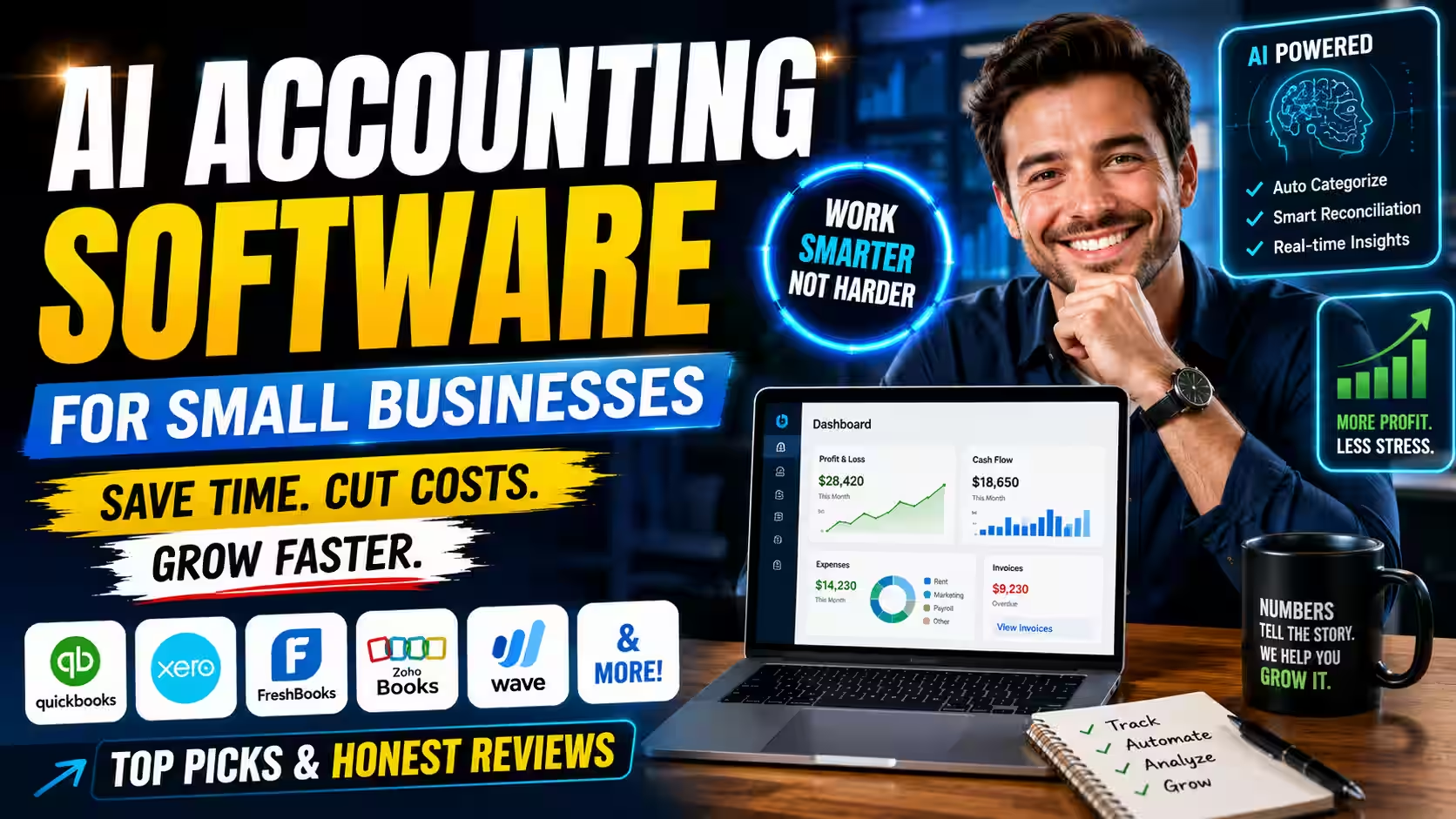
For most US small businesses working with a CPA, QuickBooks Online is the most practical starting point. Xero is the stronger fit for growing teams that want flat-rate pricing. FreshBooks suits service and client-billing businesses. Wave covers early-stage businesses for free.
This guide focuses entirely on the small business decision: cost, ease of use, setup friction, and whether a non-accountant can actually run the platform day to day. It covers QuickBooks Online, Xero, FreshBooks, Zoho Books, Wave, Booke.ai, and Botkeeper — the tools that appear most consistently across real SMB buying decisions in 2026.
Quick-Pick Summary
Tap a filter or open a card to see which AI accounting tool fits your situation best.
QuickBooks Online
Hover or tap for why →Nearly every US accountant already knows QuickBooks, so you skip the learning curve you would otherwise pay for at tax time.
Xero
Hover or tap for why →Unlimited users on every plan keeps your monthly cost flat as you add a partner, an admin, and your accountant.
FreshBooks
Hover or tap for why →Invoicing, time tracking, and client communication live in one workflow, built for anyone who bills by project or hour.
Zoho Books
Hover or tap for why →Strong automation depth at a low price, with clean native integration if you already use other Zoho products.
Wave
Hover or tap for why →Free core accounting and invoicing removes a real barrier for solo owners and businesses in their first year.
Booke.ai
Hover or tap for why →Adds an automation layer on top of QuickBooks or Xero, cutting manual entry without making you switch systems.
Botkeeper
Hover or tap for why →Pairs machine-learning categorization with human review at a scale built for firms, not individual owners.
For a broader market view that includes enterprise and mid-market platforms, see the complete AI accounting software guide. For tools built specifically around daily entry and reconciliation workflows, see the AI bookkeeping software guide.
What Is AI Accounting Software for Small Businesses?
AI accounting software for small businesses uses machine learning to automate the repetitive financial tasks that eat your time — categorizing transactions, reconciling bank feeds, reading receipts, and flagging inconsistencies — so you can focus on running your business instead of maintaining your books.
Standard accounting software records what you enter. AI accounting software learns from your transaction history and predicts the right action, improving as it sees more of your data. After a few weeks of clean transactions, most platforms handle recurring vendors and routine expenses without any input from you.
What it does not do is replace your accountant, file your taxes on its own, or make financial decisions for you. It removes the volume — the data-entry load that consumes hours without producing anything useful. The judgment work still belongs to you and the professionals you work with.
For a small business owner, that distinction matters. You are not buying a system that runs your finances for you. You are buying back the hours you currently spend typing things in.

Who Should Use This Guide?
This guide is written for small business owners with fewer than ten employees who handle their own books, share that job with one other person, or are deciding whether to hire a bookkeeper or automate their way out of the problem first.
More specifically, it fits you if:
- You own and operate a small business and currently do your own bookkeeping, or manage it closely with a part-timer.
- You still use spreadsheets and your business has grown past the point where they work cleanly. Something falls through the gaps every month, and you know it.
- You are weighing the cost of a bookkeeper and want an honest answer about how much software can do before you add that expense.
- You have a small team — under ten people — and need something that stays manageable as you add employees and customers.
- You are getting ready to add payroll, move off a free tool, or prepare for your first serious audit.
If you run a larger operation, manage multiple entities, or need enterprise-grade financial controls, the complete AI accounting software comparison is the better starting point.
Table of Contents

What Matters Most When Choosing Accounting Software for a Small Business?
Four things determine whether accounting software actually works for a small business owner: ease of use without accounting knowledge, a pricing model that stays manageable as you grow, native integration with your bank and business tools, and accountant familiarity at tax time.
Most feature comparisons skip the things that actually cause owners to abandon software. These four criteria are the ones that should drive your decision.
Ease of use without an accounting background
If you need to understand debits, credits, or the logic of double-entry bookkeeping to operate the software, most owners will avoid it within a month. The best tools for small businesses present your financial picture in plain language, let you photograph a receipt and move on, and do not force accounting decisions on the fly. Prioritize the tool you can picture yourself opening on a Friday afternoon without dread.
A pricing model that stays manageable as you grow
Per-seat pricing means your monthly cost rises every time you add a team member. Flat-rate pricing keeps costs predictable. That difference matters significantly when your margins are thin and your team is about to grow. Before committing, calculate what your monthly spend looks like at your expected user count in twelve months, not just today.
Native integration with your bank and business tools
A tool that does not pull your bank feed automatically just creates manual imports. One that does not connect to your payment processor, payroll tool, or invoicing system means you do that connection work yourself. Confirm before you sign up that your specific bank and key business tools are natively supported, not just “available via third-party integration.”
Accountant familiarity at tax time
Most small business owners hand their books to an accountant or CPA at tax time. If your accountant has never used your platform, they charge you more for the time it takes to learn it — or they ask you to switch. That switching cost is real and rarely shows up in any software comparison. The platform your accountant already knows is often worth more than the platform with the best feature list.
Which AI Accounting Software Fits Your Small Business?
The right tool depends on your business situation, not a ranked list. Match your situation to the platform built for it, and you will spend less time second-guessing your choice.
Rather than ranking tools in isolation, this section matches each platform to the SMB situation it fits best. Find your situation and start there.

Best for US small businesses that work with an accountant: QuickBooks Online
Best for: US-based small businesses working with a CPA or tax preparer.
Not for: Businesses adding multiple users quickly; per-seat costs rise fast.
Why it wins: Nearly every US accountant already knows it — accountant familiarity saves real money at tax time.
Key limitation: Per-seat pricing; each additional user raises your monthly bill.
QuickBooks Online is the best choice for US small business owners who work with a CPA or tax preparer, because nearly every US accountant already knows it — and that familiarity saves you real money at tax time.
QuickBooks Online is the most widely adopted accounting platform among US small businesses — and the primary reason has less to do with features than with network effects. When tax season arrives, you grant access, and your accountant moves directly to work without a learning curve you pay for.
The platform includes AI-driven bank-feed matching that learns your recurring vendors and categorizes them automatically over time, reducing the number of manual coding decisions you make each month. Reports update in near-real time, so when you want to know whether a given month was profitable, you get the answer without running a manual reconciliation first.
The main friction is pricing. QuickBooks charges per seat, according to current Intuit pricing documentation. Bringing in a business partner, an office manager, or a part-time bookkeeper raises your monthly bill. If your team is small and likely to stay that way, the cost stays predictable. If you expect to add users, calculate what that does to your spend before you commit.
Starting price: ~$38/mo | Unlimited users: No | Works without accounting knowledge: Moderate learning curve
Best for growing teams that want predictable pricing: Xero
Best for: Small businesses with multiple users sharing access to the books.
Not for: US businesses that need native payroll — it requires a third-party add-on.
Why it wins: Unlimited users on every plan; a growing team does not change your monthly cost.
Key limitation: US payroll is not native; you need a third-party integration.
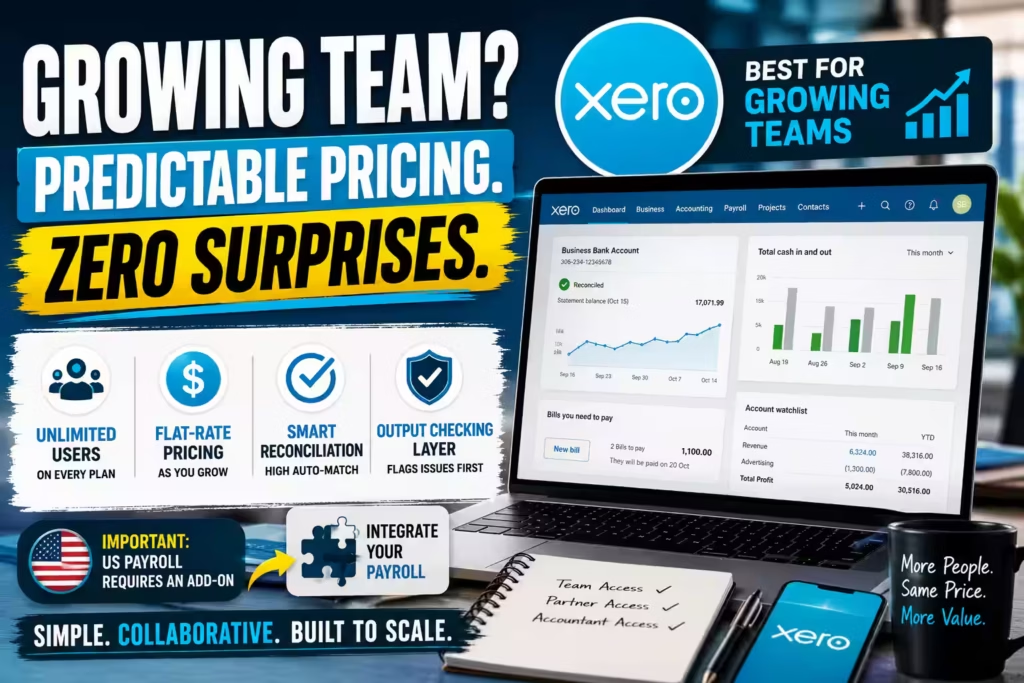
Xero is the best choice for small businesses with a small team or a partner sharing access, because it offers unlimited users on every plan — a distinction that makes a meaningful cost difference the moment you add a second or third person to your books.
Unlimited users across all tiers is Xero’s most practical advantage for a growing business, and it rarely gets enough attention in reviews. If you share accounting access with a business partner, an office administrator, and your accountant, QuickBooks charges you for each one. Xero does not, according to current Xero pricing documentation.
Beyond pricing, Xero keeps its interface clean and approachable for owners who are not accountants. According to the Xero Product Updates Blog, the platform’s 2026 reconciliation updates push toward a high automatic-match rate on incoming transactions, which means fewer lines to review at month-end. An output-checking layer also flags AI-generated suggestions before they appear in your ledger, so the system surfaces anything unusual rather than quietly approving it.
The limitation worth knowing: US payroll is not native to Xero. You need a third-party integration. If payroll is becoming a real part of your operation, factor that connection into your setup decision.
Starting price: ~$15/mo | Unlimited users: Yes | Works without accounting knowledge: Yes
QuickBooks Online vs. Xero: How to Choose
QuickBooks Online is better suited for US small businesses that already work with a CPA or accountant, since near-universal accountant familiarity reduces your real cost at tax time. Xero works best when you have — or expect to add — multiple users who need accounting access, because its unlimited-user model keeps monthly costs flat as your team grows. If payroll is a current priority and you want everything in one system, QuickBooks has a native US payroll solution; Xero requires an add-on. If flat-rate, multi-user pricing matters more than accountant familiarity, Xero often wins that comparison.
Best for service businesses and client billing: FreshBooks
Best for: Consultants, agencies, tradespeople, and any business billing clients by project or hour.
Not for: Product-based businesses, inventory management, or operations needing advanced accounting controls.
Why it wins: Invoicing, time tracking, and client communication are built into one workflow.
Key limitation: Not designed for product-based businesses or complex reporting
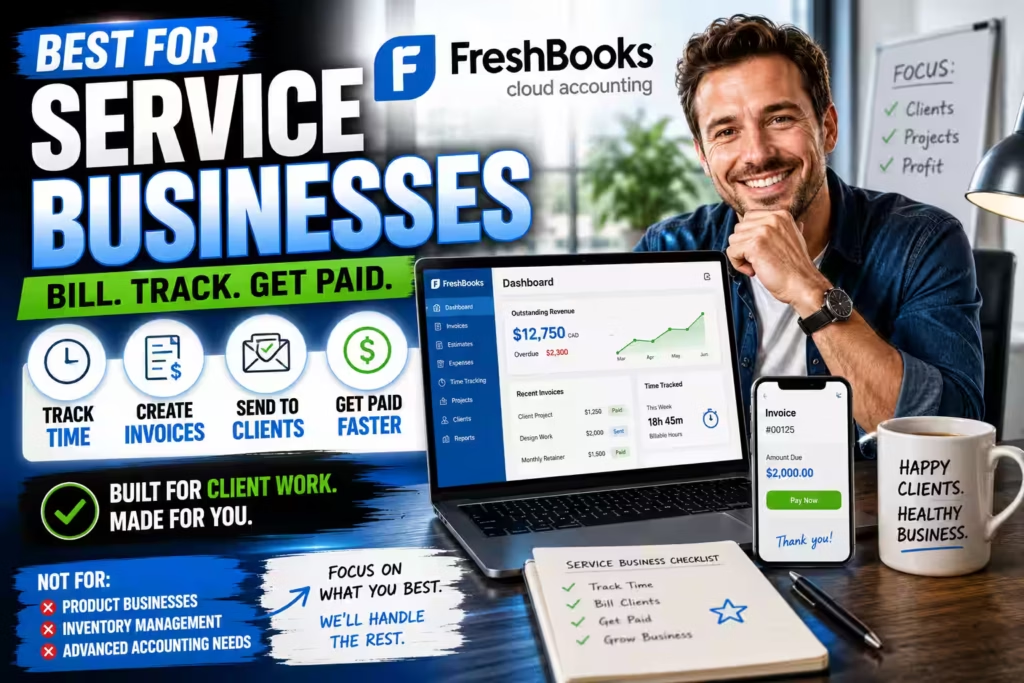
FreshBooks is the best choice for service businesses — consultants, agencies, tradespeople, and anyone who bills clients by project or hour — because its invoicing, time tracking, and client communication tools are built specifically for that workflow.
FreshBooks started as invoicing software, and that origin shows in the right way. You can log time, build an invoice from it, send it to a client, and track payment — all in one place and without moving between systems. The client-facing experience is polished, which matters when the invoice itself is part of how clients perceive your business.
The accounting layer handles income and expense tracking well for a service-oriented business. Where it does not go is depth. If you carry inventory, need complex reporting, or manage multiple business entities, FreshBooks does not serve those needs. It is not designed to.
According to current FreshBooks pricing documentation, starting plans are available for around $21/mo.
Starting price: ~$21/mo | Unlimited users: No | Works without accounting knowledge: Yes
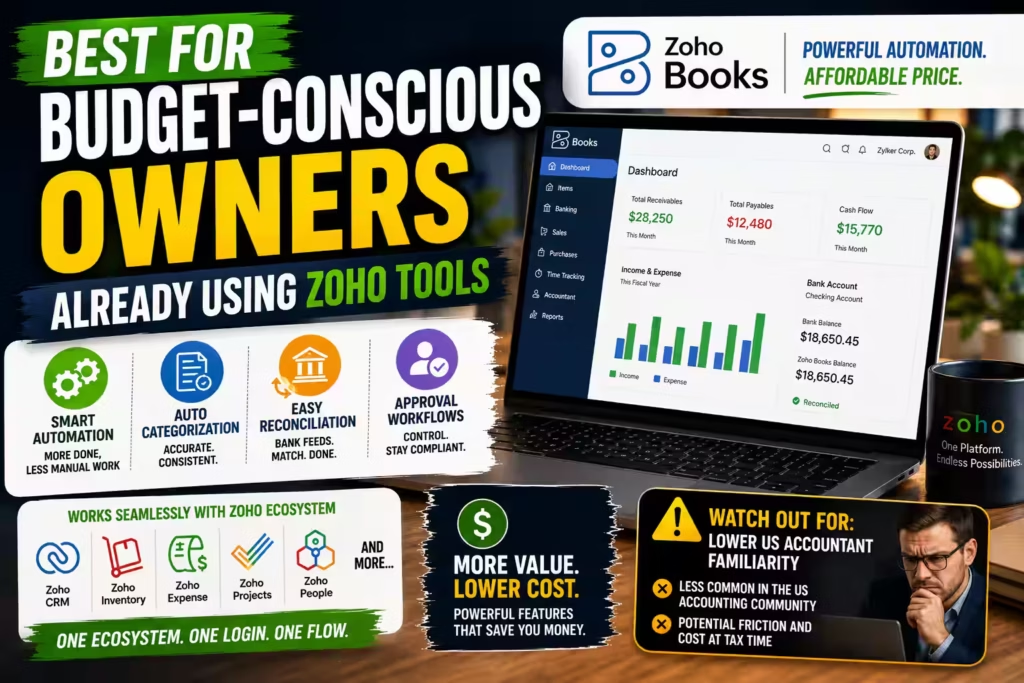
Best for budget-conscious owners already using Zoho tools: Zoho Books
Best for: Cost-sensitive small business owners already using Zoho CRM, Zoho Inventory, or other Zoho products.
Not for: Businesses whose CPA primarily works in QuickBooks or Xero.
Why it wins: Strong automation depth at a competitive price, with clean native integration across the Zoho ecosystem.
Key limitation: Lower US accountant familiarity creates real friction if your CPA expects QuickBooks or Xero.
Zoho Books is the best choice for cost-conscious small business owners who already use Zoho CRM, Zoho Inventory, or other Zoho products, because its automation depth at its price point is strong — and its native integration with the Zoho suite removes the connection work you would otherwise do manually.
Zoho Books offers more workflow automation and categorization capability at a lower price than most comparable platforms. It handles categorization, reconciliation, and approval rules well. If you already use other Zoho products, the integrations work cleanly and reduce the number of tools you manage separately.
The honest tradeoff: US accountant familiarity with Zoho Books is lower than with QuickBooks or Xero. If your CPA works primarily in QuickBooks, they may not know Zoho Books, which can add friction — and cost — at tax time. According to current Zoho Books pricing documentation, Zoho Books is capable, but its network effects in the US accounting community are weaker.
Starting price: ~$15/mo | Unlimited users: No | Works without accounting knowledge: Yes
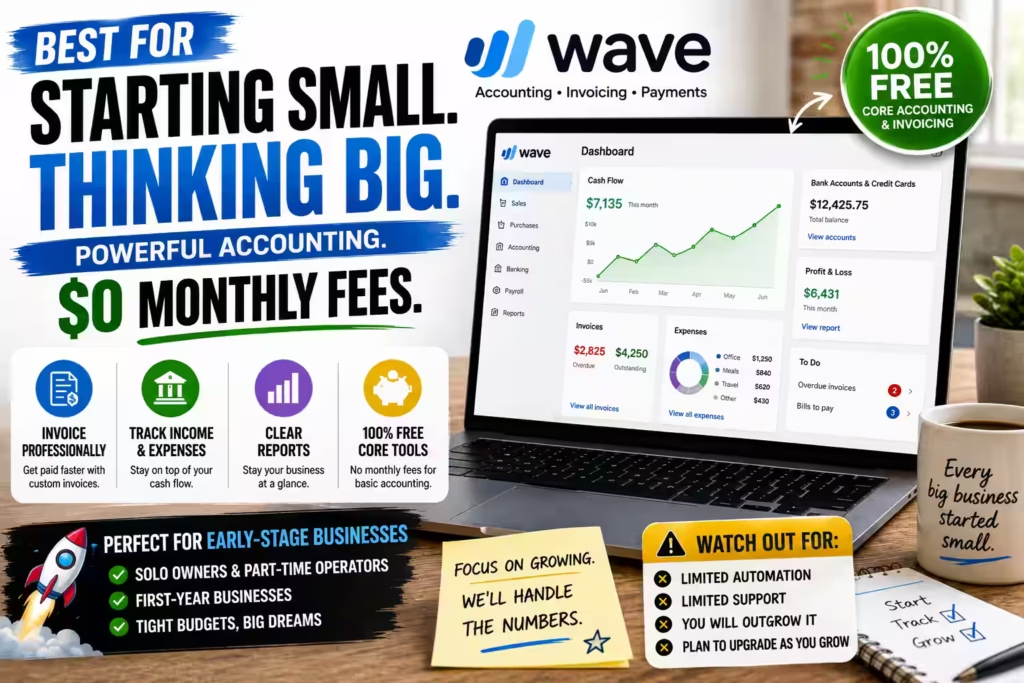
Best for very small or early-stage businesses with tight budgets: Wave
Best for: Solo owners, part-time operators, and businesses in their first year.
Not for: Businesses with growing transaction volume, payroll complexity, or advanced reporting needs.
Why it wins: Free core accounting and invoicing — a genuinely unusual price point for early-stage businesses.
Key limitation: Lighter automation and thinner support than any paid platform
Wave is the best choice for solo owners, part-time operators, and businesses in their first year, because it offers free core accounting and invoicing — a genuinely unusual price point that removes a real barrier at the stage when every dollar matters.
The basics in Wave work: income and expense tracking, simple invoicing, and a clear picture of where you stand. For a business just getting started, that covers most of what you need without a monthly subscription. According to Wave’s pricing documentation, core accounting and invoicing remain free.
The honest limitation is depth. Wave’s automation is lighter than any paid platform, and its support options are thinner. As your transaction volume grows and your financial picture becomes more complex, you will outgrow it. Most growing businesses move off Wave within two to three years. For the stage it serves, though, it does the job without the cost.
Starting price: Free (core) | Unlimited users: N/A | Works without accounting knowledge: Yes
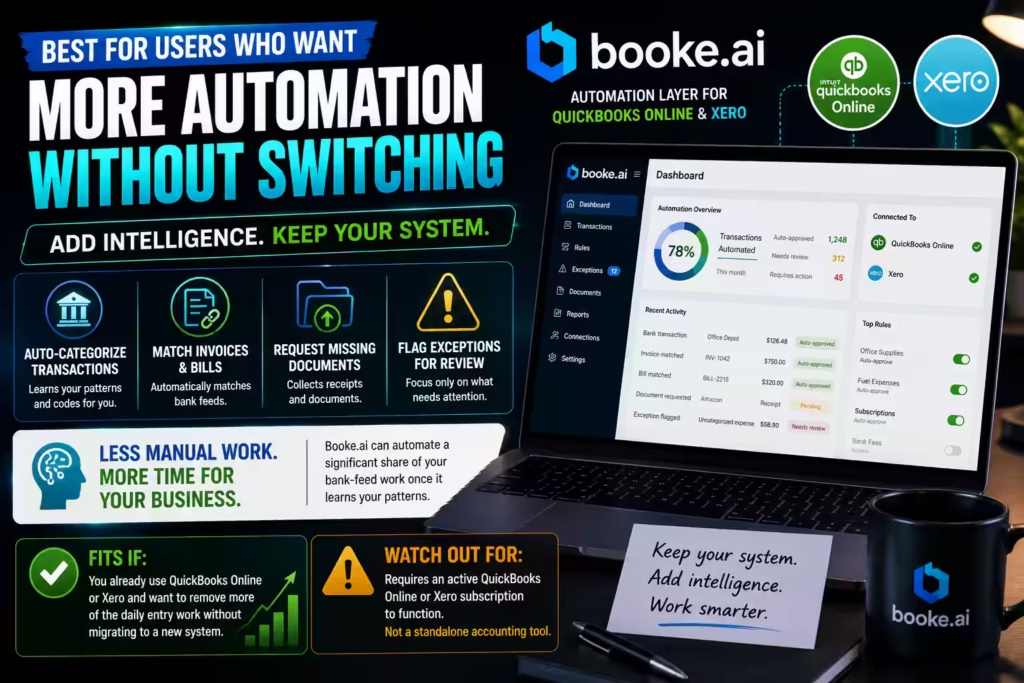
Best for QuickBooks or Xero users who want more automation: Booke.ai
Best for: Small business owners who already use QuickBooks Online or Xero and want to reduce manual entry without switching platforms.
Not for: Businesses that don’t already use QuickBooks Online or Xero — Booke.ai requires an active subscription to either.
Why it wins: Adds an automation layer on top of your existing accounting system rather than replacing it.
Key limitation: Not a standalone accounting tool; requires an active QuickBooks Online or Xero subscription
Booke.ai is the best choice for small business owners who already use QuickBooks Online or Xero and want to reduce the manual entry load without switching platforms, because it adds an automation layer on top of your existing accounting system rather than replacing it.
Booke.ai is not a standalone accounting platform. According to Booke.ai’s product documentation, it works directly inside QuickBooks Online or Xero — categorizing bank-feed transactions, matching them to invoices and bills, requesting missing documents, and flagging exceptions for your review. If you already use one of those platforms and the manual coding work still feels heavy, Booke.ai reduces it without disrupting the system your accountant already knows.
According to Booke.ai, the platform is trusted by over 10,000 businesses and hundreds of accounting firms across the US, UK, Canada, and Australia, and is rated 4.6/5 on the QuickBooks App Store. Booke.ai states it can automate up to 80% of manual bank-feed work once it learns your transaction patterns. You can set rules for what auto-approves and what comes to you, which keeps you in control without requiring you to review every line.
Starting price: ~$10/mo per portal | Unlimited users: N/A | Works without accounting knowledge: Yes
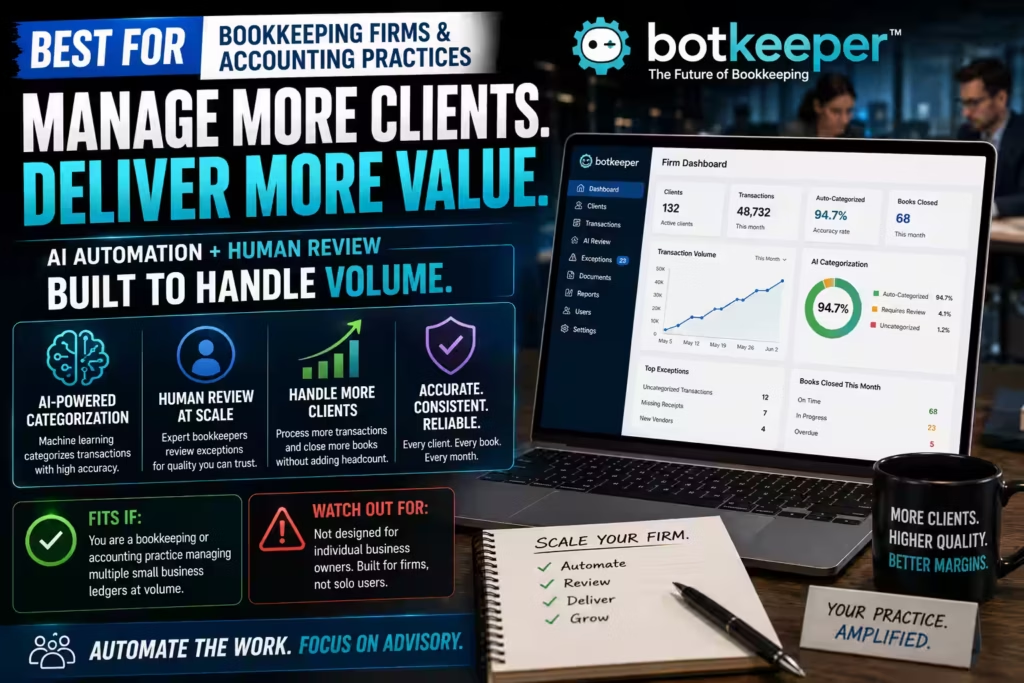
Best for bookkeeping firms managing small business clients: Botkeeper
Best for: Bookkeeping practices and accounting firms managing high volumes of client work.
Not for: Individual business owners doing self-serve accounting.
Why it wins: Pairs machine-learning categorization with human review at a scale no individual business needs.
Key limitation: Designed for firms, not individual owners; setup and pricing reflect that
Botkeeper is the best choice for bookkeeping practices and accounting firms managing high volumes of client work, because it pairs machine-learning categorization with human review at a scale no individual business needs.
If you run a business yourself, Botkeeper is not for you. It is designed for firms, not individual owners, and its setup and pricing model reflect that. If you are a bookkeeper or accountant who serves small business clients and transaction volume is your bottleneck, Botkeeper handles that load with AI automation and a human review layer.
Starting price: Custom | Unlimited users: N/A | Works without accounting knowledge: No
How Do These Tools Compare Side by Side?
Here is a side-by-side comparison of all seven tools across the criteria that matter most to a small business owner: best-fit situation, starting price, unlimited users, and whether you can operate it without an accounting background.
Side-by-Side Comparison
Filter by your situation, then scroll across to compare all seven tools on the criteria that matter most to a small business owner.
| Tool | Best SMB situation | Starting price | Unlimited users | No accounting knowledge needed | US payroll native | Accountant familiarity (US) |
|---|---|---|---|---|---|---|
| QuickBooks Online | Works with a US CPA or accountant | ~$38/mo | No | Moderate learning curve | Yes | Very high |
| Xero | Growing teams, multiple users | ~$15/mo | Yes | Yes | Add-on required | High |
| FreshBooks | Client billing, service businesses | ~$21/mo | No | Yes | No | Moderate |
| Zoho Books | Budget-first, Zoho ecosystem users | ~$15/mo | No | Yes | No | Low |
| Wave | Early-stage or very small businesses | Free (core) | N/A | Yes | No | Low |
| Booke.ai | Add-on for QuickBooks or Xero users | ~$10/mo per portal | N/A | Yes | N/A | N/A (add-on) |
| Botkeeper | Accounting firms managing SMB clients | Custom | N/A | No | N/A | High (firm tool) |
No tools match this filter. Try “All tools” to reset the view.
Prices and features change frequently. Verify current details directly with each vendor before deciding.
Prices and features change frequently. Verify current details directly with each vendor before deciding.
How Do You Choose Based on Your Business Stage?
Choose your accounting software based on where your business is right now, not on the platform with the longest feature list. The right tool at the wrong stage creates as many problems as it solves.
Here is how to think through it by situation:
If you are just starting out and cash is tight, Wave gives you workable free books. Use it until your transaction volume outgrows it, then move to a paid platform with stronger automation.
If you do your own books and want to spend less time on them, FreshBooks or Xero keeps the interface approachable for non-accountants. Both work for owners who have never taken an accounting class.
If you work with a US accountant or CPA, QuickBooks Online is almost always the safer pick. Your accountant knows it, and that saves you money and friction at tax time.
If you have a team or expect to add people, check per-seat pricing at your expected user count. Xero’s unlimited-user model often wins that comparison.
If you already use QuickBooks or Xero and the manual entry still feels heavy, Booke.ai adds automation inside your existing system. You keep what your accountant knows, and you spend less time coding transactions.
If you are a bookkeeper managing clients, Botkeeper is built for that workflow. For individual business owners, it is not the right tool.
What Are the Signs You Have Outgrown Your Current Accounting Tool?
You have outgrown your current accounting tool when your books require meaningful cleanup before tax season, your transaction volume feels unmanageable, or your business needs financial visibility — by project, client, or location — that your current platform cannot provide.
More specifically, look for these signals:
- Your accountant or bookkeeper spends real time cleaning up your records before your tax filing, and that happens every year.
- Your transaction volume has grown to the point where manual review of every line takes more time than you have.
- You are adding employees and payroll is becoming a recurring obligation with compliance requirements.
- You need to see profitability broken down by project, client, service type, or location — not just as a single number.
- You carry inventory and your current tool does not track it.
When these situations arrive, the question shifts from “which simple tool should I use?” to “which platform supports where I am going?” The complete AI accounting software comparison covers that broader landscape in full, including platforms built for more complex operations and greater scale.
People Also Ask
What is the best AI accounting software for a small business owner who does their own books?
FreshBooks and Xero are the most approachable for owners without an accounting background. FreshBooks suits service businesses and invoicing-heavy work. Xero suits growing businesses that need unlimited users and reliable reconciliation. If you work with a US accountant, QuickBooks Online is usually the safer choice because nearly every US accountant already knows the platform.
How much does AI accounting software cost for a small business?
Most small business plans start between $15 and $40 per month. Wave offers free core accounting. The bigger variable is per-seat pricing — tools that charge per user cost significantly more once you add team members. According to current vendor pricing pages, QuickBooks Online starts at around $38/mo, Xero at around $15/mo, and FreshBooks at around $21/mo. Calculate your expected user count before committing to any per-seat plan.
Can I run accounting software without knowing anything about accounting?
Yes, with the right tool. FreshBooks, Wave, and Xero all present your financial information in plain language and do not require accounting knowledge to operate day to day. QuickBooks Online is more powerful but carries a steeper learning curve. If you have no accounting background, prioritize simplicity and make sure you have an accountant you can call when questions come up.
Will switching accounting software disrupt my business?
Switching mid-year is more disruptive than switching at year-end or before you start. If you move from spreadsheets, the main work is migrating historical data and setting up your chart of accounts correctly. Most platforms offer migration support. The cleanest time to switch is January 1, when your books naturally reset.
Do I need a separate bookkeeping tool, or does accounting software handle that?
Most accounting platforms include core bookkeeping functions — categorizing transactions, reconciling bank feeds, and tracking income and expenses. If those functions feel slow or manual inside your current platform, tools like Booke.ai add automation on top of QuickBooks Online or Xero without replacing them. For a deeper look at tools built specifically around daily entry and reconciliation, the AI bookkeeping software guide covers that category in detail.
What should I do before tax season to make sure my books are clean?
Reconcile your bank accounts monthly, not just at year-end. File receipts against the right accounts as they arrive rather than in batches. Run a profit-and-loss report at the end of each quarter and review it for anything that looks wrong. If you work with an accountant, give them read-only access to your platform at least a month before your filing deadline so they have time to ask questions without rushing.
Is free accounting software good enough for a real business?
Wave works well for simple, early-stage businesses. The tradeoffs are lighter automation and thinner support. Once your business grows past basic income and expense tracking — when you need payroll, inventory, detailed reporting, or responsive human support — a paid platform typically earns back its monthly cost in time saved.
What is the difference between AI accounting software and AI bookkeeping software?
AI accounting software — platforms like QuickBooks Online, Xero, and FreshBooks — handles your full financial record: invoicing, expense tracking, reporting, and tax-readiness. AI bookkeeping software, or add-on tools like Booke.ai, focuses specifically on automating the daily entry work: categorizing transactions, matching documents, and flagging exceptions inside your existing accounting system. The AI bookkeeping software guide explains the distinction in full.
What Is the Bottom Line for Small Business Owners?
The best AI accounting software for your small business is the one you will actually use consistently, can afford as you scale, and does not require you to become an accountant to operate.
For most US small business owners who work with a CPA, QuickBooks Online remains the most practical choice. The accountant-familiarity advantage saves real money and real friction at tax time. For growing teams that want predictable pricing, Xero earns its place through unlimited users and reliable reconciliation. For service businesses and solo operators, FreshBooks does the invoicing and billing work better than most platforms at its price point.
If cost is your primary constraint right now, Wave gets you started without a monthly fee, and Zoho Books offers strong automation at a competitive price for owners already inside that ecosystem.
One practical step before you commit: run a real month of your actual transactions through a free trial and look at the output yourself. That test tells you more about fit than any feature list, because it shows you how the tool handles your specific data — not a hypothetical business designed to make the software look good.
For informational purposes only. Pricing, features, and availability change frequently. Verify current details directly with each vendor. This is not financial, tax, or accounting advice.
Editorial Integrity
Sources & Citations
Official IRS and SBA small business financial guidance, QuickBooks, Xero, FreshBooks, Wave, and Zoho Books product documentation and pricing pages, AICPA research, and published benchmark studies on SMB accounting software adoption and AI automation accuracy
Every claim in this guide ties back to a primary source. We pull starting costs and per-seat versus flat-rate pricing straight from the official QuickBooks, Xero, FreshBooks, Wave, and Zoho Books pricing pages, feature and automation details from each vendor’s own product documentation, and small business tax and recordkeeping rules from IRS.gov. We lean on the U.S. Small Business Administration for financial management guidance, the AICPA for professional standards and technology research that shapes how accountants work with these tools, and published academic and benchmark studies for what the data actually shows about SMB software adoption and AI automation accuracy. Where a figure could not be traced to an authoritative source, we left it out.
View full sources, methodology, and editorial notes ⌄
This guide was built from official vendor documentation and current pricing pages for every platform reviewed, primary government publications from the IRS and the U.S. Small Business Administration, professional research and standards from the AICPA, and peer-reviewed or recognized benchmark studies on accounting software adoption and AI accuracy. We prioritize first-party pricing pages, dated product-update posts, and government or professional-body guidance over marketing copy or secondhand commentary. Pricing tiers, feature sets, automation capabilities, and tax rules change often, so we date our sources and recommend you confirm current vendor documentation and official IRS guidance before you buy or file. Nothing here is financial, tax, or accounting advice.
- IRS small business accounting and recordkeeping guidance: IRS Recordkeeping for Small Businesses — IRS.gov — cited for the recordkeeping and bookkeeping requirements a small business must meet, used to explain why your chosen software has to produce clean, audit-ready records at tax time.
- IRS accounting periods and methods (Publication 538): Publication 538, Accounting Periods and Methods — IRS.gov — cited for the cash versus accrual accounting rules, used to explain why platform choice must match the accounting method your business is required to use.
- SBA small business financial management guidance: Manage Your Finances — U.S. Small Business Administration (SBA.gov) — cited for federal guidance on setting up bookkeeping systems and managing cash flow, used to frame why an owner needs reliable accounting software from the start.
- QuickBooks Online pricing and plan tiers: QuickBooks Online Pricing — Intuit — cited for current per-seat plan tiers and starting costs, used to explain how QuickBooks pricing scales and why accountant familiarity shapes an SMB’s real cost.
- QuickBooks product documentation and release notes: QuickBooks Product Updates — Intuit — cited for official automation, bank-feed matching, and AI feature updates that reduce manual categorization for small business owners.
- Xero pricing and unlimited-user model: Xero Pricing — Xero — cited for the flat-rate unlimited-user plans and tier structure, used to explain why Xero often wins for growing teams that would otherwise pay per seat.
- Xero official product documentation and blog: Xero Product Updates Blog — Xero — cited for documented reconciliation targets and automation features that shorten the month-end close for small businesses.
- FreshBooks official pricing and documentation: FreshBooks Pricing — FreshBooks — cited for plan tiers and the invoicing-heavy feature set, used to explain where FreshBooks fits service-based, freelance, and client-billing businesses.
- Wave official pricing and free-tier limits: Wave Pricing — Wave — cited for the free accounting tier and its documented limits, used to explain when Wave is enough for an early-stage business and when it is time to upgrade.
- Zoho Books official documentation and pricing: Zoho Books Pricing — Zoho — cited for plan tiers and integration with the wider Zoho suite, used to explain where Zoho Books fits budget-conscious and ecosystem-driven SMBs.
- AICPA technology and professional standards research: Technology Resources and Research — AICPA & CIMA — cited for professional guidance on how accountants adopt automation and AI, used to explain why accountant familiarity with your platform matters for accuracy and cost at tax time.
- Benchmark research on AI accounting automation accuracy: Technology Research and Analysis — Journal of Accountancy (AICPA) — cited for published analysis of AI and automation accuracy in accounting workflows, used to support claims about where automation reliably saves time and where human review is still needed.
Our Editorial Standards
Tech Capital Hub applies Google’s E-E-A-T framework to every AI accounting software for small business guide, prioritizing first-party vendor documentation, current pricing pages, dated product-update posts, and official government guidance over marketing copy, generic commentary, or unsupported claims about cost or time saved.
View how our editorial standards apply to this article ⌄
Grounded in How Owners Actually Choose and Run Accounting Software
This guide follows what actually happens when a small business owner puts a platform to work — not just the feature list. We look at how long setup really takes, how easy the interface is for someone without an accounting background, how bank feeds pull and categorize transactions automatically, how per-seat versus flat-rate pricing plays out as a team grows, and how cleanly the books hand off to an accountant at tax time. Each example reflects a real decision an owner would face, not a hypothetical one.
Pricing Models, Accountant Fit, and Stage-of-Business Match
Coverage explains the distinctions that matter most to an owner: why per-seat pricing can climb fast while flat-rate and free tiers hold steady, why accountant familiarity quietly decides your real cost at tax time, how each platform fits a specific stage of business rather than every business, why ease of use for a non-accountant is a decisive factor a feature comparison never shows, and when a free tool like Wave stops being enough and it is time to upgrade to a paid platform.
Vendor Pricing, Product Release Notes, and Official Guidance
Claims are anchored to primary material: current vendor pricing pages for the starting-cost and per-seat figures, the Xero Blog 2026 product updates for unlimited-user plans and reconciliation targets, the QuickBooks and Intuit Assist 2026 release notes for automation and bank-feed matching, published SMB adoption research for accountant familiarity trends, and IRS.gov for US tax compliance and filing guidance. We do not treat promotional content, social commentary, or unverified savings figures as sufficient support for statements about pricing, automation, or compliance.
Transparent, Reviewable, and Buyer-Safety First
Switching platforms mid-year is more disruptive than switching at year-end, dirty data migration can carry existing errors into a new system, per-seat pricing can surprise you the moment you add a partner or bookkeeper, an accountant who does not know your platform can add friction and cost at tax time, and early-stage free tools like Wave offer lighter automation and thinner support that most businesses outgrow — so we state these risks plainly rather than softening them. Pricing, feature sets, and compliance rules change over time, so this guide is reviewed and updated as stronger source material becomes available. Nothing here is financial, tax, or accounting advice. Corrections or source challenges can be submitted directly to our editorial team at editorial@techcapitalhub.com.
About the Author
Marcus Delray
Fintech Analyst | AI Accounting, Bookkeeping Software & Financial Technology
Marcus Delray writes about AI accounting software for small business owners who want to spend less time on their books and more time running the business. He covers what actually matters to a small business buyer: how each platform fits your stage and budget, whether a non-accountant can run it, how per-seat versus flat-rate pricing plays out as your team grows, and why accountant familiarity can quietly decide your real cost at tax time.
View full author bio, credentials, and links ⌄
Marcus Delray is a fintech analyst and founder of Tech Capital Hub, where he covers AI accounting software, small business finance, software reviews, and the financial technology that shapes how owners keep their books. He tests how each platform fits a real small business — setup time, ease of use for someone without an accounting background, pricing at different team sizes, and how cleanly it hands off to an accountant — rather than repeating feature lists from a marketing page.
On small business accounting, he focuses on what the differences actually mean for an owner: why QuickBooks Online earns its place through accountant familiarity, why Xero’s unlimited-user model often wins for growing teams, where FreshBooks fits service and invoicing-heavy businesses, when Wave’s free tier is enough for an early-stage business, and how add-on tools like Booke.ai reduce manual work inside a platform you already use. He explains where automation genuinely saves time and where an owner still needs to keep an eye on the numbers.
Rather than chasing hype, he grounds his coverage in source-backed explanation, drawing on first-party vendor documentation, published pricing details, and official IRS guidance so readers understand not just how each platform works, but where the real costs, switching risks, and stage-of-business tradeoffs sit.
- Matches each platform to a real small business situation — stage, budget, team size, and whether the owner works with an accountant — instead of ranking tools in a vacuum
- Breaks down pricing models across platforms, including why per-seat plans can climb fast and where flat-rate or free tiers make more sense for a small team
- Details why ease of use for a non-accountant and accountant familiarity at tax time are decisive factors that never show up in a feature comparison
- Grounds analysis in primary sources: current vendor pricing and product documentation, Xero and QuickBooks 2026 release notes, and official IRS.gov guidance
Enjoying our content?
Click below to add us as a preferred source. Google will prioritize our latest articles in your Top Stories, AI Mode, and AI Overviews.
Preferred Source on Google