
10 Best AI Invoicing Software Tools That Cut Billing Time by 80%

Fintech Analyst | AI Invoicing, Accounts Payable Automation & Finance Software
Manual invoicing quietly drains your business. According to IOFM’s 2021 World Class AP Performance: Efficiency Benchmarking Metrics report, companies with the lowest process maturity pay up to $6.20 to process a single invoice, while those with end-to-end automation pay as little as $1.45. Multiply that gap across hundreds of invoices, and you see why finance teams lose entire days to data entry, chasing payments, and fixing errors.
AI invoicing software changes the math. The right platform reads documents like a human, matches payments before you lift a finger, and predicts which clients will pay late. The best tools combine smart ai for invoice processing with predictive collections, so you spend less time on billing and more time growing. Teams that adopt these tools routinely cut billing time significantly — in documented cases, by 80% or more. This guide breaks down the ten best options, defines what “AI” really means here, maps the wider market, shows how we ranked everything, and helps you choose the right fit for your size and stack.
For a broader view beyond invoicing alone, see our full guide to the best AI accounting software, which covers bookkeeping, AP automation, reconciliation, and close workflows.
What Is AI Invoicing Software?
AI invoicing software is a billing tool that uses machine learning, computer vision, and natural language processing to read invoices, extract line-item data, match payments, and predict late payers automatically. Unlike rule-based automated invoice processing tools, it learns from corrections and adapts to any document layout without pre-built templates.
You’ll also see this same technology called ai invoice management software or artificial intelligence invoice management software. The names differ, but the promise is the same: capture, sort, and process every invoice automatically while your books stay accurate and clean.
Here’s the easy way to think about it. Ai-powered invoice processing reads each document, pulls out the key fields, checks them against your records, and routes them for approval — all in seconds. And when you pair it with ai invoice automation, the repetitive work of data entry, matching, and reminders simply takes care of itself!
Quick Answer
Which AI Invoicing Software Should You Choose?
Choose the tool that best fits your business model, invoice volume, and workflow complexity.
Invoicer.ai
Best for fast invoice creation, AI-powered estimates, and simple automated follow-ups.
Bookipi
A strong fit if you want a free, mobile-first invoicing tool with lightweight automation.
FreshBooks
Best for recurring billing, client invoicing, and time-based service workflows.
Digits
Ideal if you want invoicing and bookkeeping together in one AI-native platform.
QuickBooks or BILL
Best if you need invoicing plus broader accounting or AP/AR automation.
Rossum
Best for high-volume invoice capture, extraction, and workflow automation.
HighRadius
Best for reducing DSO with predictive collections and enterprise receivables automation.
Coupa
Best for source-to-pay control, auditability, and cross-border e-invoicing compliance.
Invoice Ninja
Best if you want an open-source invoicing stack with full control and customization.
Key Takeaways
- AI invoicing software goes beyond templates and reminders by reading, learning, and predicting — it’s not the same as basic invoice automation software.
- The core AI capabilities that matter are intelligent document processing (IDP), line-item data extraction, predictive payment matching, and recurring billing logic.
- Enterprises should prioritize AR automation, DSO reduction, and e-invoicing compliance (Peppol, EN 16931); freelancers and SMBs should prioritize speed, ease of use, and price.
- Documented results are real: Veolia cut processing time by 87.5%, Fugro handles 300,000 invoices a year at 35 seconds each and HighRadius reports DSO reductions of up to 10%.
- There is no single winner — the best tool is the one matched to your segment, invoice volume, and accounting stack.
AI Invoicing Software vs Invoice Automation vs AP Automation
Most “best invoicing software” guides blur three different categories into one. That confusion leads buyers to pick tools built for the wrong job. Here’s how the categories actually differ.
AI invoicing software creates, sends, and collects on the invoices you issue to customers. It lives on the accounts receivable (AR) side. Think branded invoices, payment reminders, and predictive collections.
Invoice automation software captures and processes invoices you receive from vendors. It reads documents, extracts data, and pushes it into your accounting system. This is where invoice OCR software and IDP engines do the heavy lifting.
AP automation tools manage the full accounts payable workflow: capture, approval routing, purchase order matching, and vendor payment. Invoice automation is one piece; AP automation is the whole pipeline.
One quick note on ai billing software. Billing focuses on charging your customers — think recurring subscriptions, usage-based pricing, and automated payment collection. Invoicing focuses on documenting and processing those charges. Many platforms blend both, so knowing your primary need makes the choice easy!
Some platforms, like BILL and Coupa, span more than one category. Most tools do one job well.
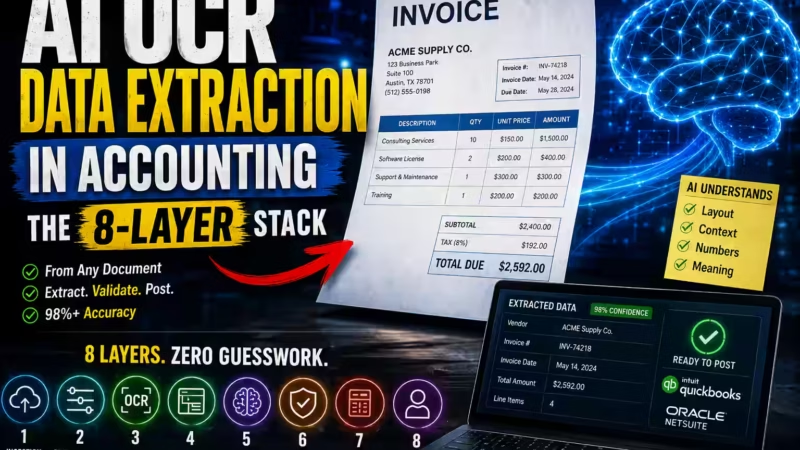
If you want the technical breakdown of how invoice capture actually works behind the scenes, including OCR, layout-aware models, confidence thresholds, and line-item extraction, read our guide to AI OCR data extraction in accounting.
AI Invoicing Software vs Invoice Automation vs AP Automation
Most “best invoicing software” guides blur three different categories into one. That confusion leads buyers to pick tools built for the wrong job. Here’s how the categories actually differ.
| Category | Primary Focus | Best For | Key Capabilities | Typical Buyer |
|---|---|---|---|---|
AI Invoicing Software | Creating, sending, tracking, and collecting on customer invoices | Freelancers, agencies, startups, and businesses focused on AR | AI-assisted invoice generation, recurring billing, payment reminders, client tracking, and receivables visibility | Business owner, founder, operations lead, or AR team |
Invoice Automation | Capturing and processing invoices automatically from documents or incoming billing workflows | Teams handling large invoice volumes and document-heavy processing | OCR or IDP extraction, approval routing, exception handling, invoice validation, and workflow automation | Finance manager, AP lead, controller, or shared services team |
AP Automation | Managing the full accounts payable process from invoice intake to approval and payment | SMBs to enterprises managing vendor bills, approvals, controls, and payment workflows | Invoice capture, PO matching, approval chains, vendor management, payment scheduling, audit trails, and compliance controls | AP team, CFO office, procurement, or enterprise finance leader |
Expert Takeaway: If you mainly send invoices, choose AI invoicing software. If you drown in incoming vendor bills, prioritize invoice automation or AP automation. Buying the wrong category is the most common — and most expensive — invoicing mistake.
What Makes Invoicing Software Genuinely “AI” (Not Just Automation)
Plenty of tools slap “AI” on a landing page. Few earn it. Basic automation follows fixed rules: send a reminder on day 30, apply a template, repeat. True AI invoicing software learns, adapts, and predicts. Here are the four capabilities that separate real intelligence from marketing spin.
Intelligent Document Processing (IDP). According to Automation Anywhere’s official IDP documentation, IDP combines machine learning, computer vision, and natural language processing to extract and organize data from documents — reading any invoice layout without pre-built templates. When a vendor changes their format, IDP still captures the right fields. Rule-based scanners break; IDP adapts. This is what powers modern invoice OCR software.
Line-item data extraction. Smart invoicing tools pull individual line items — quantities, SKUs, tax codes, and descriptions — not just totals. This granular capture feeds accurate general ledger mapping and clean audit trails, both requirements under the Peppol BIS Billing 3.0 specification for compliant invoice processing.
Predictive payment matching. Advanced platforms forecast payment behavior. They analyze a client’s history and flag invoices likely to slip past the due date, so you act before cash flow suffers. This is the difference between reacting to late payments and preventing them — the heart of AR automation.
Recurring billing logic. Genuine AI handles complex subscription and milestone billing — prorating charges, adjusting for usage, and triggering the next cycle automatically without manual setup each time.
If a tool only speeds up templates and reminders, it is automated invoice processing. If it reads, learns, and predicts, it is AI invoicing software.
Expert Takeaway: Ask any vendor one question: “Does your tool learn from corrections and read layouts it has never seen?” If the answer is no, you’re buying automation with an AI label, not real intelligence.
How AI for Invoice Processing Actually Works
Once you see the flow, ai for invoice processing feels wonderfully simple! Every quality platform follows the same clear, repeatable steps:
- Capture — The invoice arrives by email, upload, or scan, and the system ingests it instantly.
- Extract — AI reads the document and pulls out the key fields: vendor, invoice number, line items, tax, and total.
- Validate — The software checks the data against your records and flags anything that looks off.
- Match — It compares the invoice to the matching purchase order and delivery receipt.
- Route — The invoice moves to the right approver based on your rules.
- Sync — Once approved, the data flows into your accounting system, ready for payment.
The magic is that ai-powered invoice processing gets smarter every day. The more invoices it handles, the better it learns your vendors’ formats — so accuracy climbs and manual review shrinks. That’s intelligent document processing (IDP) at its finest!
How We Evaluated These Tools
We ranked every platform against the criteria that matter to real buyers, not just feature checklists. Each tool was scored on the same eight dimensions, and we weighted each dimension by how much it influences a real purchase decision.
Weighted Scoring Methodology
| Criterion | Weight | What We Measured |
|---|---|---|
| AR automation depth | 20% | How well the platform automates collections, payment matching, follow-ups, and receivables workflows. |
| DSO impact | 15% | The tool’s ability to shorten days sales outstanding and improve cash flow through faster collections. |
| ERP synchronization | 15% | How reliably the tool syncs invoice data with accounting systems, ERPs, and general ledger workflows. |
| E-invoicing compliance | 15% | Support for structured invoicing standards, auditability, and regional compliance requirements. |
| Fraud protection | 10% | The presence of anomaly detection, duplicate checks, approval controls, and risk-reduction features. |
| Integrations | 10% | How well the platform connects with payment processors, CRMs, finance tools, and related business systems. |
| Ease of use | 10% | The learning curve, onboarding simplicity, usability, and speed to first successful workflow. |
| Pricing transparency | 5% | How clearly the vendor communicates pricing, plans, and value relative to the target buyer segment. |
Where possible, we backed capability claims with official documentation, benchmark research, and published customer case studies rather than marketing copy alone.
Expert Takeaway: Weighting matters. A tool with a slick interface but weak AR automation scores lower here than a plainer platform that actually recovers cash faster. Prioritize the criteria that map to your biggest pain, not the flashiest demo.
Which AI Invoicing Tool Fits your Business Best?
Use this quick decision guide to match your business type and workflow complexity to the right category of tool.
Client billingI mostly send invoices to customers
- Freelancer or contractor: Invoicer.ai
- Solo business on a budget: Bookipi
- Service business or agency: FreshBooks
- Startup founder: Digits
- Growing SMB: QuickBooks or BILL
Vendor billsI mostly process incoming invoices from vendors
- High-volume invoice capture: Rossum
- AP + AR automation for SMBs: BILL
- Enterprise payables and workflows: Coupa
Receivables optimizationI need to reduce late payments and improve collections
- Enterprise AR automation: HighRadius
- SMB invoicing with reminders: FreshBooks
- AI-first follow-ups for small teams: Invoicer.ai
ComplianceI need auditability, structured workflows, or e-invoicing support
- Cross-border and source-to-pay: Coupa
- High-volume processing with controls: Rossum
- Enterprise receivables intelligence: HighRadius
CustomizationI want maximum control over my invoicing stack
- Open-source and self-hosted: Invoice Ninja
- Custom workflows with accounting included: Digits
Quick Comparison Table
Comparison Table
Compare the best AI Invoicing Software at a Glance
Use this table to quickly compare pricing, best-fit use case, and standout AI strengths before diving deeper into each tool.
| Tool | Best For | Pricing | AI Highlight | ERP Sync | Free Trial |
|---|---|---|---|---|---|
| Rossum | High-volume invoice processing | Custom quote | Template-free IDP capture | Yes | Demo |
| HighRadius | Enterprise AR automation | Custom quote | Predictive payment matching | Yes | Demo |
| BILL | SMB AP + AR automation | From $45/user/mo | Self-learning bill workflows | Yes | Yes |
| Digits | Startups and founders | Free trial + paid tiers | AI-native accounting + invoicing | Native | 30 days |
| Invoicer.ai | Freelancers and contractors | Free plan available | Conversational AI assistant | Limited | 14 days |
| Bookipi | Solo and micro businesses | Free / from $7.60/mo | AI document generation | Limited | Free tier |
| FreshBooks | Service-based small businesses | From $19/mo | Automated follow-up triggers | Via integrations | 30 days |
| QuickBooks | Growing small businesses | From $35/mo | AI matching + multi-currency | Native | 30 days |
| Coupa | Enterprise source-to-pay | Custom quote | Automated 2/3-way matching | Yes | Demo |
| Invoice Ninja | Developers and open-source teams | Free self-hosted | Open API + automation flexibility | API-based | Free forever |
Pricing reflects publicly listed starting points and may vary by region and plan.
The 10 Best AI Invoicing Software Tools
Each review below follows the same structure — Overview, Core AI Capabilities, Who It’s Best For, Standout Features, Pros/Cons, Not Ideal For, Pricing, and Ideal Scenario — so you can compare like for like.
1. Rossum — Best AI Invoice Processing Software for High Volume
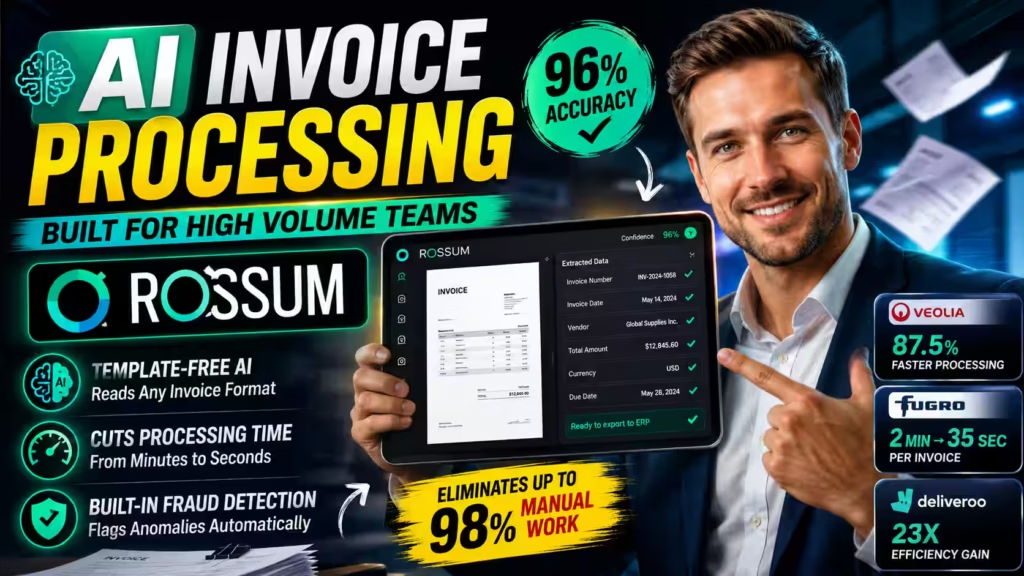
Overview. Rossum is a cloud-native AI invoice processing software built around intelligent document processing. It reads, extracts, validates, and sorts invoices at scale, making it a favorite for finance teams drowning in paperwork.
Core AI Capabilities. Rossum’s Aurora engine combines machine learning, computer vision, and NLP to deliver template-free line-item data extraction. According to Rossum’s published platform metrics, it achieves a 96% average accuracy rate and eliminates up to 98% of manual work. The system learns from every keystroke and correction, improving over time — consistent with how IDP continuous learning functions, as documented by Automation Anywhere.
Who It’s Best For. Mid-market and enterprise teams processing hundreds or thousands of invoices monthly across logistics, manufacturing, and retail.
Standout Features. Template-free capture, e-invoicing compliance with structured file support, ERP synchronization, and strong anti-fraud invoice matching through policy-driven processing. Rossum’s customer case studies show Veolia reduced invoice processing time by 87.5%, Fugro cut per-invoice time from 2 minutes to 35 seconds across 300,000 annual invoices and Deliveroo achieved a 23x efficiency gain.
Pros: Exceptional accuracy, adapts to any layout, deep audit trails.
Cons: Enterprise pricing, more than a solo freelancer needs.
Not Ideal For: Freelancers, solo operators, or teams that only send a handful of cli2ent invoices each month.
Pricing. Custom quotes based on volume. Book a demo for a tailored figure.
Ideal Scenario. A distribution company receives invoices in dozens of formats. Rossum captures every field accurately, posts to the ERP, and flags anomalies before payment.
2. HighRadius — Best for Enterprise AR Automation and DSO Reduction
Overview. HighRadius is a purpose-built accounts receivable automation software platform. While most tools focus on creating invoices, HighRadius specializes in collecting on them.
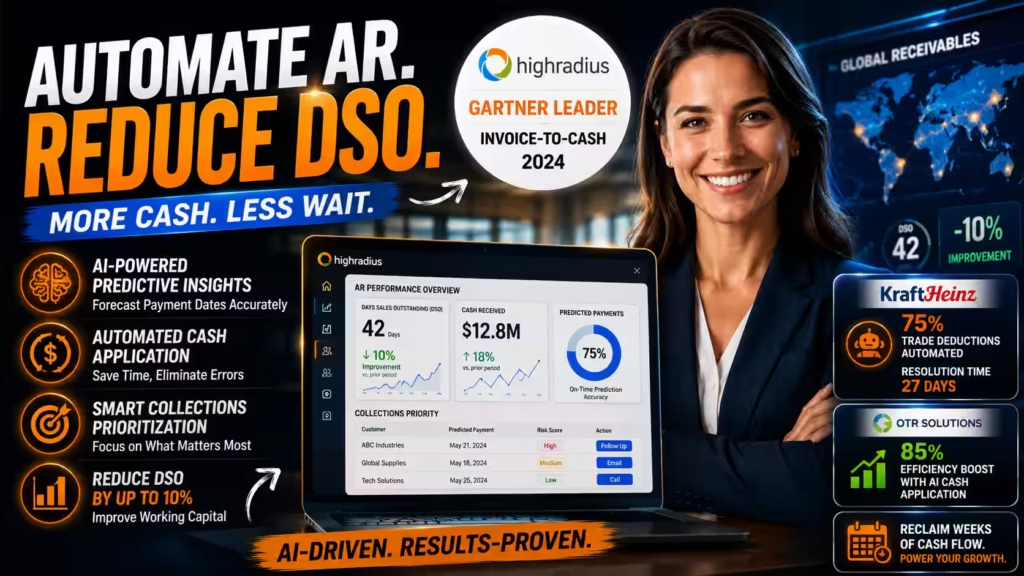
Core AI Capabilities. Its AI drives predictive payment matching, automated cash application, and collections prioritization. According to HighRadius product documentation, the platform can help reduce Days Sales Outstanding (DSO) by up to 10%, directly improving working capital. HighRadius has been recognized as a leader in the 2024 Gartner Magic Quadrant for Invoice-to-Cash software, ranked highest in execution and furthest in vision.
Who It’s Best For. Large finance teams that need to automate accounts receivable tracking and shorten the cash conversion cycle.
Standout Features. Predictive analytics that forecast payment dates, automated follow-up triggers, deductions management, and robust ERP synchronization with SAP, Oracle, and NetSuite. Published case studies show Kraft Heinz automated over 75% of trade deductions using 45 AI agents and cut resolution time to 27 days, while OTR Solutions boosted efficiency by 85% through AI-driven cash application.
Pros: Best-in-class AR intelligence, measurable DSO impact, deep reporting.
Cons: Overkill for small businesses, requires implementation effort.
Not Ideal For: SMBs, startups, or freelancers — the power and price only pay off at high receivables volume.
Pricing. Custom enterprise pricing.
Ideal Scenario. A company with a large receivables ledger uses HighRadius to predict late payers, auto-prioritize collections, and reclaim weeks of finance-team time.
3. BILL — Best All-in-One AP Automation Tool for SMBs
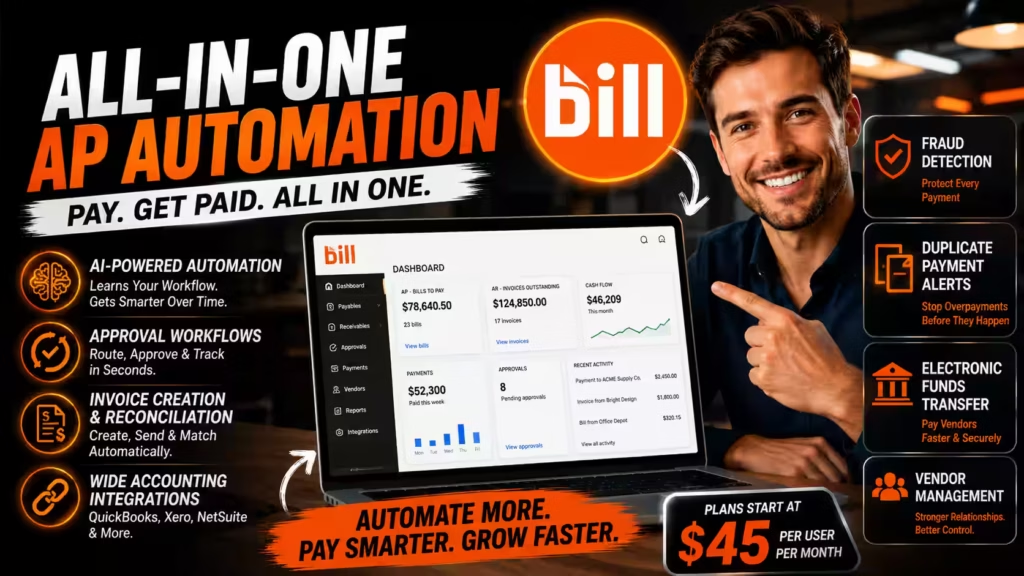
Overview. BILL (formerly Bill.com) blends payables and receivables into one AI-driven platform. It automates invoice creation, sending, approval, and reconciliation.
Core AI Capabilities. BILL learns from your behavior. The more you use it, the smarter its bill management becomes. It automates data entry, approval routing, and payment matching — a self-learning loop consistent with modern AI document processing principles.
Who It’s Best For. Small and mid-sized businesses that want both sides of the ledger handled in one place.
Standout Features. Fraud detection, duplicate payment alerts, electronic funds transfer, purchase order reconciliation, and vendor management.
Pros: Strong two-sided automation, solid controls, wide accounting integrations.
Cons: Per-user pricing adds up, learning curve for the full feature set.
Not Ideal For: Solo freelancers who only need quick invoicing, or enterprises needing deep DSO analytics.
Pricing. Plans start around $45 per user per month, with tiers for approval workflows and integrations.
Ideal Scenario. A growing agency automates both client billing and vendor payments, cutting approval delays and eliminating double payments.
4. Digits — Best AI-Native Invoicing Software for Startups
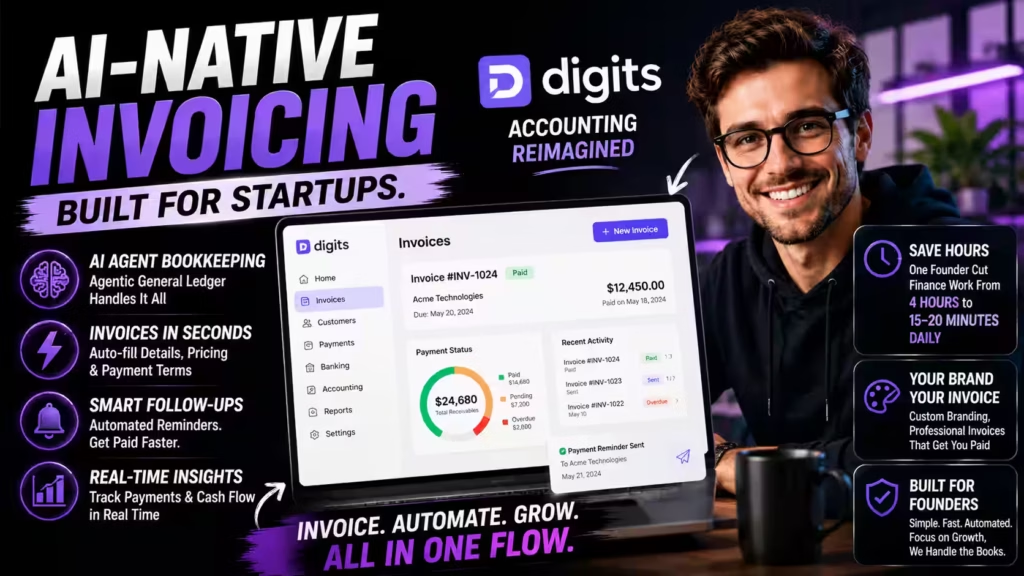
Overview. Digits offers AI invoicing built directly into an AI-native accounting platform. Founders who want billing and bookkeeping in one flow gravitate here.
Core AI Capabilities. Its Agentic General Ledger automates bookkeeping and reconciliations. Invoicing generates documents in seconds by pulling customer details, pricing, and payment terms automatically, per Digits’ official product documentation.
Who It’s Best For. Startups, solopreneurs, and small teams who want minimal accounting overhead.
Standout Features. Real-time payment tracking, automated follow-up triggers, brand customization, and native general ledger mapping. According to published user testimonials on Digits’ platform, one founder reported dropping from four hours of daily finance work to 15–20 minutes after adoption.
Pros: Beautiful interface, tight accounting integration, fast setup.
Cons: Best suited to the Digits ecosystem, less ideal for high-volume AP.
Not Ideal For: High-volume AP teams or enterprises needing Peppol-grade compliance and multi-entity control.
Pricing. Free trial with paid business and partner tiers.
Ideal Scenario. A startup founder issues client invoices while Digits automatically updates the books and chases overdue payments.
5. Invoicer.ai — Best AI Billing Tool for Freelancers and Agencies
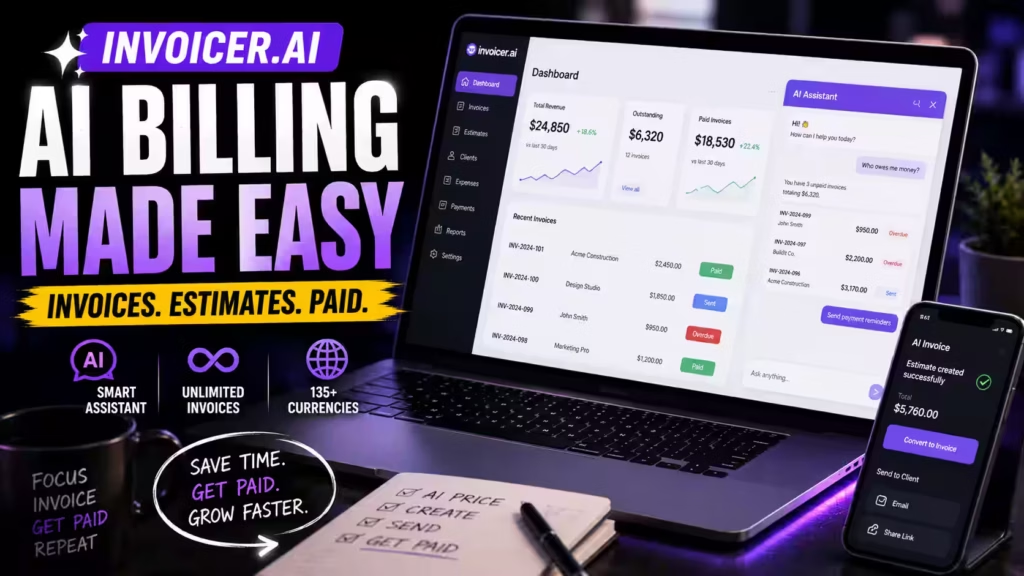
Overview. Invoicer.ai delivers unlimited invoicing with a genuinely useful conversational AI assistant. It targets freelancers and service businesses who want speed without complexity.
Core AI Capabilities. Type or talk to the AI assistant to price jobs, build estimates, and generate invoices. According to Invoicer.ai’s product documentation, you can ask “Who owes me money?” and the assistant surfaces outstanding invoices with suggested next steps — an accessible form of automated follow-up.
Who It’s Best For. Freelancers, contractors, and small agency owners who bill project by project.
Standout Features. AI invoice generator, AI receipt capture, multi-currency processing across 135+ currencies via its Stripe partnership, automatic payment reminders, and real-time tracking.
Pros: Extremely easy, strong AI assistant, unlimited invoices even on lower tiers.
Cons: No native ERP sync, limited for larger finance teams.
Not Ideal For: Mid-market or enterprise finance teams that need ERP sync, PO matching, or audit-grade compliance.
Pricing. Free plan available; paid tiers unlock advanced automation. No credit card required to start.
Ideal Scenario. A contractor asks the AI, “What should I charge for a 200 sq ft deck?” then converts the answer into an estimate and invoice in one flow.
6. Bookipi — Best Free AI Invoicing Software for Solo Businesses
Overview. Bookipi bundles invoicing with a wider suite of AI business tools — CRM, proposals, contracts, and more — aimed at very small operators.
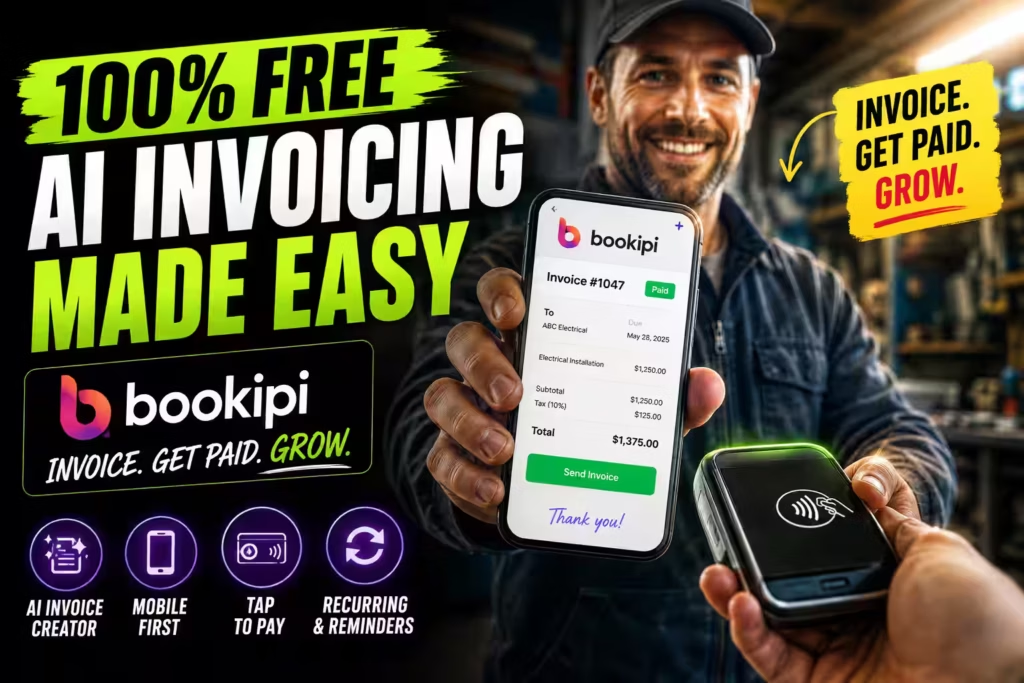
Core AI Capabilities. A built-in AI assistant creates invoices, customers, and proposals through natural, conversational text. According to Bookipi’s product documentation, users save an average of approximately eight hours per week on admin tasks.
Who It’s Best For. Solo business owners and micro businesses who value simplicity and a free starting point.
Standout Features. Recurring invoices, automatic overdue reminders, deposit requests, tap-to-pay, and real-time syncing across web and mobile — all documented in Bookipi’s publicly available pricing and feature pages.
Pros: Genuinely free tier, mobile-first, wide tool suite.
Cons: Light on ERP synchronization and advanced AR analytics.
Not Ideal For: Finance teams needing ERP sync, deep AR analytics, or compliance-grade e-invoicing.
Pricing. Free plan (up to three invoices monthly); Starter from $7.60/month for unlimited invoices.
Ideal Scenario. A tradesperson creates and sends an invoice from a phone on the job site and accepts tap-to-pay on the spot.
7. FreshBooks — Best Automated Invoicing Software for Service Businesses
Overview. FreshBooks is invoicing and accounting software built for service businesses. It automates the repetitive tasks that eat billable hours.
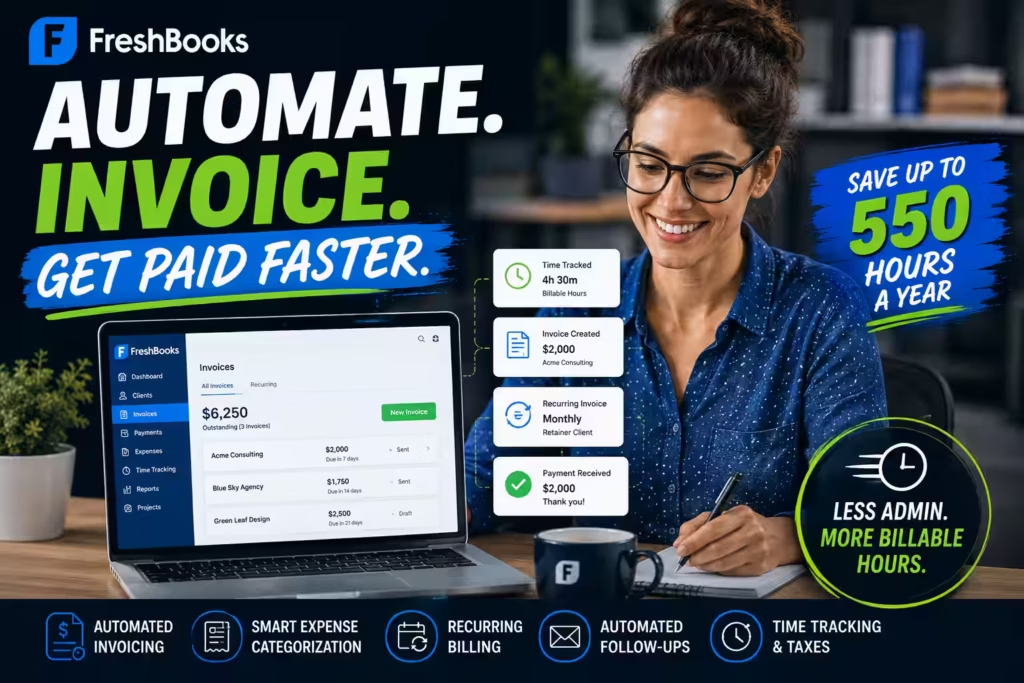
Core AI Capabilities. Automated invoicing, receipt scanning, and smart expense categorization reduce manual entry. FreshBooks estimates users reclaim up to 550 hours a year, per its published product messaging.
Who It’s Best For. Consultants, agencies, and service providers who bill by time and project.
Standout Features. Automated follow-up triggers, recurring billing logic, deposit requests, time tracking, and tax calculations.
Pros: Clean UX, strong time-to-invoice workflow, excellent for billable services.
Cons: Client limits on lower tiers, ERP sync depends on integrations.
Not Ideal For: High-volume AP processing or enterprises needing native ERP and compliance tooling.
Pricing. Plans start around $19/month, scaling with client count.
Ideal Scenario. A consultancy tracks billable hours, converts them to invoices automatically, and lets recurring billing handle retainer clients.
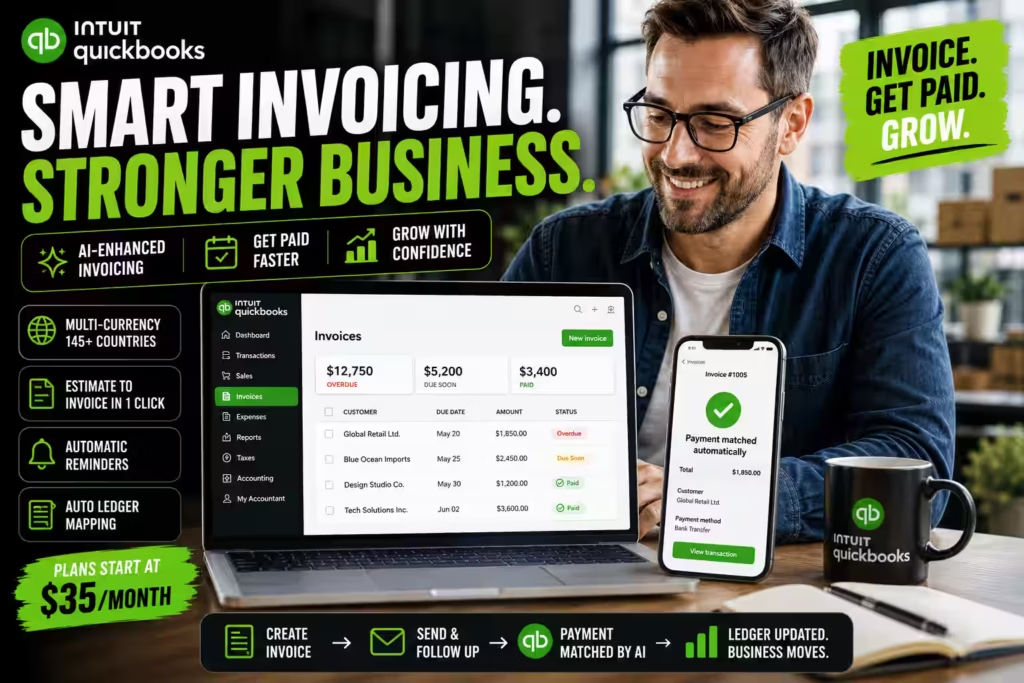
8. QuickBooks — Best AI-Enhanced Invoicing for Growing Businesses
Overview. QuickBooks remains one of the most widely used accounting engines for small businesses, and its AI-enhanced invoicing keeps it competitive.
Core AI Capabilities. After you mark an invoice paid, QuickBooks matches the payment automatically — a practical form of predictive payment matching. It schedules recurring invoices, sends batches, and flags outstanding balances.
Who It’s Best For. Small and growing businesses that want invoicing inside a full accounting system.
Standout Features. Multi-currency processing across 145+ countries, one-click estimate-to-invoice conversion, automatic reminders, and native general ledger mapping, as detailed in Rossum’s comparative review of the tool.
Pros: Deep ecosystem, accountant familiarity, strong reporting.
Cons: Feature bloat for simple needs, add-ons raise the cost.
Not Ideal For: Enterprises needing source-to-pay workflows, or freelancers wanting a lightweight, single-purpose tool.
Pricing. Plans start around $35/month.
Ideal Scenario. A retailer bills international customers in local currencies while QuickBooks reconciles payments and keeps the ledger current.
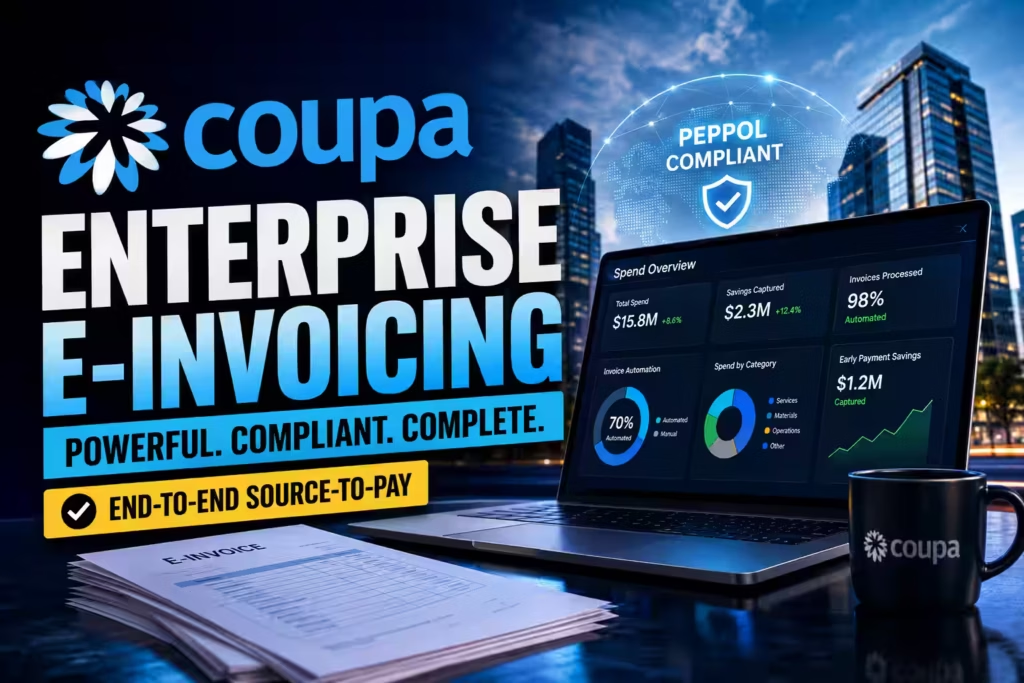
9. Coupa — Best E-Invoicing Software for Enterprise Source-to-Pay
Overview. Coupa handles the full source-to-pay cycle for large organizations, replacing paper invoices with compliant e-invoices.
Core AI Capabilities. Coupa automates two- and three-way matching, routes invoices for approval, and pays them once matched. Its intelligence surfaces risk and spending insights across departments.
Who It’s Best For. Enterprises that need spend control, supplier collaboration, and strict e-invoicing compliance.
Standout Features. Automated matching, early-payment discount capture, Peppol network validation for cross-border e-invoicing as defined in the official Peppol BIS Billing 3.0 specification, real-time spend tracking, and comprehensive audit trails — mandated requirements under EN 16931 compliance. Rossum’s case study with Eurowag shows how Coupa integration enabled 70% invoice automation across 60 entities.
Pros: Powerful spend management, strong compliance, supplier tools.
Cons: Complex implementation, priced for large budgets.
Not Ideal For: SMBs, startups, and freelancers — the cost and implementation effort far exceed small-team needs.
Pricing. Custom enterprise pricing.
Ideal Scenario. A multinational routes supplier invoices through Coupa, validates them against Peppol BIS Billing 3.0 standards, and captures early-payment discounts automatically.
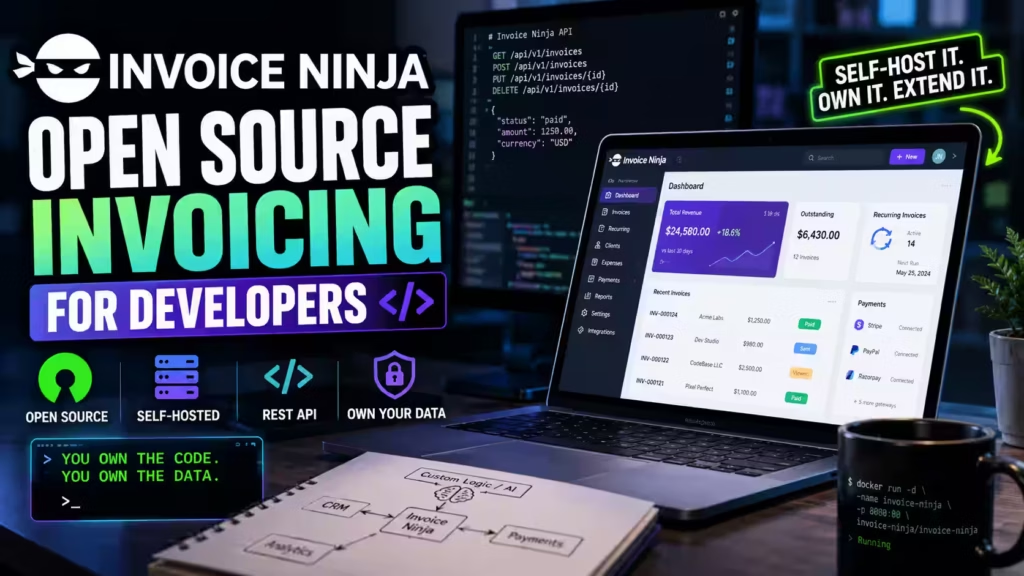
10. Invoice Ninja — Best Open-Source AI Invoicing Software for Developers
Overview. Invoice Ninja is the standout open-source invoicing option for software engineers who want control over their stack. Self-host it, inspect the code, and extend it freely.
Core AI Capabilities. While its AI capabilities are lighter than enterprise IDP engines, Invoice Ninja automates recurring billing, payment reminders, and workflows. Its open REST API lets developers build custom automation and connect predictive logic of their own.
Who It’s Best For. Developers, technical founders, and privacy-conscious teams who want to own their data.
Standout Features. Self-hosting, open codebase, recurring billing logic, multi-currency processing, extensive payment gateway support, and a full REST API.
Pros: Full control, no vendor lock-in, endlessly customizable.
Cons: Requires technical setup, AI features depend on your own build.
Not Ideal For: Non-technical users or teams that need out-of-the-box AI intelligence without engineering effort.
Pricing. Free when self-hosted; affordable hosted plans available.
Ideal Scenario. An engineer self-hosts Invoice Ninja, connects it to internal systems via API, and layers custom predictive payment logic on top.
Table of Contents

How to Choose Based on Invoice Volume and Workflow Complexity
The right tool depends less on features and more on where you sit on the invoicing maturity curve. Use this five-stage model to place yourself, then match the stage to a tool tier.
The Invoicing Maturity Model
Stage 1 — Basic invoice generation (1–20 invoices/month).
You need speed and a professional look. A free or low-cost tool is enough. Fit: Bookipi, Invoicer.ai free tier.
Stage 2 — Reminders, tracking, and recurring billing (20–100 invoices/month).
You want automation to stop chasing payments manually. Fit: FreshBooks, Invoicer.ai paid, QuickBooks.
Stage 3 — AI-assisted intelligence (100–200 invoices/month).
You need predictive payment matching, expense capture, and follow-up prioritization. Fit: QuickBooks, BILL, Digits.
Stage 4 — Workflow automation and ERP sync (200+ invoices/month).
Approval routing, PO matching, and clean general ledger mapping become essential. Fit: BILL, Rossum, HighRadius.
Stage 5 — Compliance-grade e-invoicing (multi-entity or cross-border).
You need auditability, Peppol validation, and multi-currency control. Fit: Coupa, HighRadius, Rossum.
A Simple Decision Framework
Ask three questions in order:
- Do you mainly send or receive invoices? Sending points to AR/invoicing tools; receiving points to AP/invoice automation.
- What’s your monthly volume? Under 100 favors lightweight tools; over 200 demands workflow automation.
- Do you cross borders or run multiple entities? If yes, compliance features move to the top of your list.
Expert Takeaway: Buy for the stage you’ll reach in 12 months, not the one you’re in today. Migrating invoicing data mid-growth is painful — a little headroom saves a costly switch later.
Best Tools by Business Size and Use Case
Comparison Tables for Faster Shortlisting
By Business Model
Choose based on company stage, team structure, and finance complexity.
| Business Model | Top Pick | Runner-Up |
|---|---|---|
| Freelancer / contractor | Invoicer.ai | Bookipi |
| Agency / service business | FreshBooks | Invoicer.ai |
| Startup | Digits | QuickBooks |
| SMB finance team | BILL | QuickBooks |
| Mid-market AP team | Rossum | BILL |
| Enterprise global finance | Coupa | HighRadius |
| Developer / technical team | Invoice Ninja | — |
By Operational Need
Choose based on your biggest workflow bottleneck or highest-priority outcome.
| Operational Need | Top Pick | Why It Wins |
|---|---|---|
| Fastest invoice creation | Invoicer.ai | Conversational AI speeds up estimates, invoices, and lightweight billing tasks. |
| Best recurring billing | FreshBooks | Well-suited for retainers, repeat billing cycles, and service-based client work. |
| Best payment follow-up | HighRadius | Strong receivables intelligence helps prioritize collections and reduce payment delays. |
| Best invoice capture from PDFs | Rossum | High-volume document extraction and workflow automation are core strengths. |
| Best ERP sync | BILL | Balances accounting connectivity with AP and AR automation for growing businesses. |
| Best multi-country compliance | Coupa | Built for enterprise controls, structured workflows, and compliance-heavy environments. |
| Best fraud controls | HighRadius | Designed for enterprise-grade exception handling, oversight, and receivables control. |
| Best free option | Bookipi | Offers an accessible free starting point for solo operators and micro businesses. |
Segment yourself two ways — by company stage and by operational need — then find the overlap.
Expert Takeaway: Match your dominant daily task to a tool, not your wish list. A freelancer who chases late payers weekly gains more from smart reminders than from enterprise-grade compliance they will never use.

When Simple AI Invoicing Tools Stop Being Enough
Lightweight tools are perfect — until they aren’t. Growth quietly changes what you need, and the signs of outgrowing a tool are usually operational, not obvious. Here’s how to spot the ceiling before it costs you.
Warning Signs You’ve Outgrown Your Tool
- You process more than 200 invoices a month. Manual review starts eating real hours again, and you need workflow automation with approval routing.
- You reconcile across multiple entities or currencies. Simple tools rarely handle multi-entity ledgers or accurate cross-border tax treatment.
- Your ERP sync relies on manual exports. Fragile CSV uploads break, and clean general ledger mapping becomes a daily headache.
- Vendor bills pile up alongside client invoices. You’ve moved from an AR problem to an AP problem, which lightweight invoicing tools don’t solve.
- Auditors ask for structured trails you can’t produce. Missing audit trails signal you need compliance-grade tooling.
- Late payments hurt cash flow at scale. You need predictive payment matching, not just scheduled reminders.
The Transition Threshold
The clearest tipping point is invoice volume combined with workflow complexity. Under 100 invoices a month with a single entity, a simple tool wins on speed and cost. Past 200 invoices, or the moment you add a second entity, PO matching, or approval chains, you need a platform built for workflow automation — think BILL, Rossum, or HighRadius. Because manual processing errors drive a large share of late payments, moving up a tier directly protects your cash position.
Expert Takeaway: Don’t wait for a crisis to switch. The best time to move up a tier is the quarter before you hit the ceiling, while your data is still clean and your team has bandwidth to migrate.
What Enterprise Buyers Should Evaluate Beyond Features
At enterprise scale, features become table stakes. The factors that actually determine success or failure sit underneath the feature list. Evaluate these five dimensions before you sign.
Implementation effort. Enterprise platforms like HighRadius and Coupa deliver deep value but demand real implementation work — data migration, integration, and change management. Ask for a realistic timeline and internal resourcing estimate, not a best-case demo figure.
Compliance depth. Confirm the platform supports the standards your regions mandate. Under the European Commission’s EN 16931 compliance guidance, a compliant receiver must accept and process every invoice conforming to the European e Invoicing standard or a recognized CIUS specification. Shallow compliance creates legal and operational risk.
Vendor lock-in. Assess how hard it is to export your data and switch later. Open platforms and clean APIs — as with Invoice Ninja’s full REST API — reduce lock-in, while proprietary ecosystems can trap your data and inflate switching costs.
Service-level agreements (SLAs). For finance operations, uptime and support response times are non-negotiable. Review guaranteed availability, escalation paths, and penalty clauses before committing to a multi-year contract.
Audit readiness. Verify the platform produces complete, tamper-evident audit trails. Audit trail requirements are formally specified under EN 16931 auditing requirements (R56–R57), covering invoice identification, party identification, and links to settlement and supporting documents.
Expert Takeaway: The demo sells features; the contract governs reality. Weight implementation effort, SLAs, and exit terms as heavily as functionality — those clauses decide whether the platform actually pays off.
Compliance, Audit, and E-Invoicing Considerations
If you bill across borders or serve the public sector, compliance stops being optional. Getting it wrong carries legal and financial consequences, so build these considerations into your shortlist early. The best ai powered e invoicing solutions handle this heavy lifting for you — formatting each invoice to meet local standards, validating it before sending, and delivering it through approved networks automatically.
Peppol and EN 16931
The Peppol BIS Billing 3.0 specification is a Core Invoice Usage Specification (CIUS) of the European standard EN 16931, and any document compliant with it is compliant with the European standard. It defines how invoices and credit notes are structured, validated, and exchanged across the Peppol network, including support for ISO 4217 currency codes and ISO 3166-1 country codes for cross-border transactions.
What “Compliance” Actually Requires
The European Commission defines compliance at three levels, and a compliant party must satisfy all of them.
- The invoice document level. The electronic invoice must contain all mandatory information, structure it correctly, calculate amounts as specified, and use only allowed code values.
- The implementation level. A compliant receiver must accept and process any invoice that conforms to the EN 16931 core data model or a recognized CIUS, while a compliant sender must be able to create conforming invoices.
- The specification level. Any CIUS, such as Peppol BIS Billing 3.0, must remain a subset of the core standard and must not break its rules.
Audit Trail and Cross-Border Requirements
Compliant invoices must carry enough information to support auditing — including identification of the invoice, the trading parties, the goods and services, and links to settlement and related documents like contracts and purchase orders. For intra-community supplies, additional data such as the delivery date or invoicing period and the buyer’s VAT identifier becomes mandatory. Public entities across the EU are required by Directive 2014/55 to receive and process invoices that comply with the European e-Invoicing standard, which makes standards support essential for anyone selling to government buyers.
Expert Takeaway: If you sell to EU public bodies or trade across member states, treat Peppol and EN 16931 support as a hard filter, not a nice-to-have. A tool that fails compliance can’t be fixed with a workaround — it simply disqualifies itself.

How to Choose the Right AI Invoicing Software
The best tool depends on your size, stack, and goals. Work through these decision points before you buy.
Match the tool to your segment. Freelancers and agency owners should prioritize speed and a strong AI assistant — Invoicer.ai or FreshBooks fit well. Enterprises need AR intelligence and compliance — HighRadius or Coupa deliver. Developers who want ownership should choose Invoice Ninja.
Prioritize AR tracking automation. If late payments hurt your cash flow, choose a platform that automates accounts receivable tracking with predictive payment matching and automated follow-up triggers. This is where you recover the most time and money.
Target DSO optimization. Ask each vendor for real DSO reduction figures. A tool that trims Days Sales Outstanding directly frees up working capital. HighRadius, for instance, publishes DSO reduction claims of up to 10% in its product documentation.
Check e-invoicing compliance. If you bill across borders, confirm Peppol network validation and support for regional mandates. Per the European Commission’s guidance, compliance failures carry legal and operational risk.
Confirm multi-currency processing. Global billing demands accurate exchange handling and localized payment methods. The Peppol BIS Billing 3.0 specification supports ISO 4217 currency codes for cross-border transactions.
Insist on ERP synchronization and clean general ledger mapping. Your invoicing tool should push accurate data into your accounting system without manual cleanup. Native sync beats fragile exports.
Demand strong audit trails and anti-fraud invoice matching. For any team past the solo stage, complete audit trails and duplicate detection protect you during reviews and guard against fraud. Audit trail requirements are formally specified under EN 16931 auditing requirements (R56–R57).
Expert Takeaway: Run a one-week live test before you commit. Push your real invoices through your top two picks and measure time saved, sync accuracy, and payment speed. Real data beats any feature comparison.
Frequently Asked Questions
What is the best AI invoicing software with automated invoice generation and follow-ups?
For freelancers and small teams, Invoicer.ai and FreshBooks both generate invoices quickly and send automated follow-up reminders on schedules you set. For larger teams that need predictive collections, HighRadius pairs automated generation with intelligent follow-up prioritization. Your choice depends on volume: pick FreshBooks or Invoicer.ai for simplicity, HighRadius for enterprise-scale AR.
How do you automate accounts receivable tracking using AI software?
Connect your invoicing tool to your payment gateway and accounting system, then enable AI features for cash application and reminders. The software captures every invoice, matches incoming payments automatically, and triggers follow-ups when balances go unpaid. Platforms like HighRadius and BILL go further by predicting payment dates and prioritizing which accounts to chase first.
What are the best AI billing tools for freelancers and agency owners?
Invoicer.ai leads for its conversational AI assistant and unlimited invoicing, even on free plans. FreshBooks suits agencies that bill by time and project. Bookipi works well for solo operators who want a free, mobile-first option. All three cut billing time dramatically while keeping costs low.
Can AI invoicing tools predict when a client will pay late?
Yes. Advanced platforms use predictive payment matching to analyze a client’s payment history and flag invoices likely to arrive late. HighRadius forecasts payment dates at scale, while tools like Invoicer.ai surface overdue accounts with suggested next steps. This lets you send proactive reminders and protect cash flow before a payment slips.
Is there open-source AI invoicing software for software engineers?
Invoice Ninja is the leading open-source choice. Engineers can self-host it, review the codebase, and extend it through a full REST API. It handles recurring billing, reminders, and multi-currency processing out of the box, and you can build custom predictive logic on top. You gain full data ownership with no vendor lock-in.
What is the difference between AI invoicing software and AP automation tools?
AI invoicing software focuses on creating, sending, and collecting on invoices — the accounts receivable side. AP automation tools focus on processing and paying incoming vendor invoices — the accounts payable side. Some platforms, like BILL and Coupa, handle both. If you only need to bill clients, choose an invoicing tool; if you drown in vendor bills, prioritize AP automation.
Is invoice OCR software the same as AI invoicing software?
Not quite. Invoice OCR software converts scanned invoice images into readable text. AI invoicing software goes further — it uses intelligent document processing to understand context, extract line-item data, adapt to new layouts, and learn from corrections. OCR is one component; AI invoicing is the full system built around it.
How much can AI invoicing software realistically save?
Savings depend on your invoice volume and current process maturity. IOFM benchmarks show per-invoice costs falling from $6.20 to as low as $1.45 with full automation. Documented case studies report even sharper gains, such as Veolia’s 87.5% cut in processing time and Fugro’s drop from 2 minutes to 35 seconds per invoice.
Do I need Peppol or EN 16931 compliance for my invoices?
You need it if you bill EU public entities or trade across EU member states, where Directive 2014/55 requires public bodies to accept invoices conforming to the European eInvoicing standard. Domestic-only small businesses outside those mandates can usually skip it for now — but should confirm current regional rules before assuming they’re exempt.
Glossary
Invoice OCR software. Technology that converts scanned or photographed invoice images into machine-readable text. It’s a building block of smarter systems but doesn’t understand context on its own.
Intelligent Document Processing (IDP). A system that combines machine learning, computer vision, and natural language processing to extract and organize data from documents without pre-built templates, learning from corrections over time.
AR automation (Accounts Receivable automation). Software that tracks, chases, and reconciles the invoices you issue to customers, often using predictive payment matching to shorten collection cycles.
AP automation (Accounts Payable automation). Software that manages the full workflow for vendor invoices you receive — capture, approval routing, PO matching, and payment.
E-invoicing. The exchange of structured, machine-readable invoice data between systems, often validated against standards like Peppol BIS Billing 3.0 and EN 16931 for cross-border and public-sector transactions.
DSO (Days Sales Outstanding). The average number of days it takes to collect payment after a sale. Lower DSO frees up working capital; leading platforms report reductions of up to 10%.
PO matching (Purchase Order matching). The process of matching an invoice against its related purchase order and receipt (two- or three-way matching) before approving payment, a core control in AP automation.
CIUS (Core Invoice Usage Specification). A compliant subset of EN 16931 that restricts but never breaks the core standard’s rules. Peppol BIS Billing 3.0 is a CIUS of EN 16931.
Peppol. A network and set of specifications for exchanging compliant electronic documents, including invoices, across borders. Peppol BIS Billing 3.0 defines the structure and validation rules for compliant invoices.
Final Recommendation Tree
Follow the path that matches your situation to reach your best-fit tool.
Start: Do you mainly send or receive invoices?
- I send invoices to clients → Continue below on the AR path.
- I’m a freelancer or contractor → Invoicer.ai (or Bookipi for a free tier).
- I’m a service business or agency → FreshBooks (or Invoicer.ai for AI-first speed).
- I’m a startup founder → Digits for billing and books in one flow.
- I’m a growing SMB in an accounting system → QuickBooks or BILL.
- I need to shorten DSO at enterprise scale → HighRadius.
- I’m a freelancer or contractor → Invoicer.ai (or Bookipi for a free tier).
- I receive lots of vendor invoices → Continue below on the AP path.
- I process 200+ invoices monthly → Rossum for template-free capture.
- I want two-sided AP + AR automation → BILL
- I need source-to-pay + cross-border compliance → Coupa.
- I process 200+ invoices monthly → Rossum for template-free capture.
- I want to own and extend my stack → Invoice Ninja, self-hosted with a full REST API.
Expert Takeaway: If two paths fit, choose the one matching where you’ll be in a year. Buying slightly ahead of your growth curve prevents a painful mid-scale migration later.
Final Verdict
No single tool wins for everyone, and that is the point. The best AI invoicing software is the one built for your workflow.
- Freelancers and agencies: Start with Invoicer.ai or FreshBooks for speed and smart follow-ups.
- Startups and founders: Choose Digits for AI-native billing and bookkeeping in one flow.
- Growing small businesses: QuickBooks and BILL balance power with usability.
- Enterprises: HighRadius for AR and DSO reduction; Coupa for source-to-pay and Peppol-compliant e-invoicing; Rossum for high-volume document processing.
- Developers: Invoice Ninja for open-source control.
Whichever you pick, the outcome is the same: fewer hours lost to manual billing, faster payments, and cleaner books. Whether you need powerful ai invoice management software for incoming bills, seamless ai powered e invoicing solutions for cross-border compliance, or flexible ai billing software for recurring revenue, there’s a perfect fit waiting for you! Start with a free trial from your shortlist, run your real invoices through it for a week, and measure the time you get back. The time you reclaim is time you can spend growing the business instead of chasing it.
Editorial Integrity
Sources & Citations
Vendor pricing pages, official product documentation, customer case studies, benchmark research, and e-invoicing compliance standards directly relevant to AI invoicing, invoice automation, and AP automation
This article draws on official vendor documentation, publicly listed pricing pages, benchmark research, customer case studies, and formal e-invoicing standards to support claims about invoice capture, payment matching, AR automation, DSO reduction, workflow controls, and compliance requirements.
View full sources, methodology, and editorial notes ⌄
This article was developed using source material directly related to AI invoicing software, invoice automation, accounts payable automation, and cross-border e-invoicing compliance. Preference is given to primary sources such as official pricing pages, product documentation, release notes, customer case studies, benchmark reports, and standards documentation where those sources directly support claims about automation depth, invoice processing speed, ERP synchronization, recurring billing, predictive collections, and compliance. Because pricing, feature sets, case-study metrics, and regulatory requirements can change over time, readers should verify current details with the vendor or relevant authority before making a purchasing or compliance decision.
- Accounts payable benchmark research: IOFM — 2021 World Class AP Performance: Efficiency Benchmarking Metrics — cited for the invoice processing cost comparison between low-maturity processes and end-to-end automation.
- Official intelligent document processing documentation: Automation Anywhere — Intelligent Document Processing — cited for the definition of IDP and its use of machine learning, computer vision, and natural language processing to read and extract invoice data.
- Rossum product and customer performance documentation: Rossum, Fugro case study, Deliveroo case study — cited for template-free invoice capture, published accuracy claims, and documented processing-efficiency improvements.
- Enterprise receivables automation and DSO reduction claims: HighRadius Accounts Receivable Software and HighRadius Gartner-related analyst page — cited for predictive collections, cash application, and published DSO-reduction positioning.
- Official product documentation for startup and freelancer-focused tools: Digits Invoicing, Invoicer.ai, Bookipi — cited for AI-assisted invoice generation, conversational workflows, reminders, and small-business use cases.
- E-invoicing standard and compliance documentation: Peppol BIS Billing 3.0 and European Commission — EN 16931 Compliance — cited for structured invoice requirements, validation rules, auditability, and cross-border/public-sector e-invoicing compliance.
- Rossum case study referencing Coupa integration: Eurowag customer story — cited for documented invoice automation outcomes in a multi-entity environment using Coupa integration.
Our Editorial Standards
Tech Capital Hub applies Google’s E-E-A-T framework to every AI invoicing software guide, prioritizing first-party vendor documentation, official pricing pages, product release notes, integration documentation, and relevant compliance guidance over promotional claims, generic listicles, or unsupported ROI language.
View how our editorial standards apply to this article ⌄
Grounded in How Finance Teams and Owners Actually Handle Invoicing
This guide is structured around what actually happens in live billing workflows: creating invoices quickly, chasing late payments, handling recurring billing, syncing with accounting tools, routing approvals, matching incoming documents, and deciding when a business has outgrown lightweight invoicing and needs invoice automation or full AP automation. We focus on real buying tradeoffs, not just feature checklists.
Category Distinctions, Workflow Fit, and Stage-of-Business Match
Coverage explains the differences that matter in practice: when AI invoicing software is enough, when invoice automation is the better fit, when AP automation becomes necessary, how ERP sync changes buyer requirements, why approval logic matters more at higher invoice volumes, and how pricing models shift value depending on whether the user is a freelancer, SMB finance team, or enterprise operation.
Vendor Pricing Pages, Product Docs, Integrations, and Compliance Sources
Claims are anchored to primary materials wherever possible: current vendor pricing pages, official product documentation, release notes, integration pages, and publicly available compliance or e-invoicing resources. We give more weight to firsthand documentation about invoice capture, recurring billing, approval workflows, ERP connectivity, and supported standards than to broad marketing claims about automation or time savings.
Transparent Scoring, Clear Tradeoffs, and Buyer-Safety First
We state limitations plainly: some tools are stronger for outgoing invoices than incoming AP workflows, some offer AI features but weak integration depth, some hide enterprise pricing behind demos, and some are only a fit at certain stages of growth. Because software pricing, feature sets, and compliance coverage change over time, this article is reviewed and updated as stronger source material becomes available. Nothing here is legal, tax, accounting, or financial advice. Corrections or source challenges can be submitted to our editorial team at editorial@techcapitalhub.com.
About the Author
Marcus Delray
Fintech Analyst | AI Invoicing, Invoice Automation & Finance Software
Marcus Delray writes about AI invoicing software for business owners and finance teams that want to reduce billing friction, speed up collections, and automate repetitive invoice workflows. He focuses on what actually matters to a buyer: which tools are best for sending customer invoices, which are better for invoice capture or AP workflows, how pricing scales as invoice volume grows, and when a business needs more than lightweight invoicing software.
View full author bio, credentials, and links ⌄
Marcus Delray is a fintech analyst and founder of Tech Capital Hub, where he covers AI invoicing software, invoice automation, AP automation, finance software reviews, and the technology shaping modern billing and back-office workflows. He evaluates software based on how it performs in real business conditions — how fast invoices can be created and sent, how well recurring billing and reminders work, how accurately incoming invoices are captured, how deeply the platform integrates with accounting systems or ERPs, and how smoothly teams can scale from simple invoicing into more advanced automation.
In invoicing and accounts payable coverage, he focuses on the differences buyers actually need to understand: when a freelancer or agency should stay with lightweight invoicing software, when a growing SMB should move into broader AR or AP automation, why invoice capture quality matters more at higher document volumes, how approval workflows and ERP sync affect enterprise buyers, and why some tools are better for outgoing invoices while others are built for incoming vendor bills. He explains not just what each tool does, but where it fits operationally.
Rather than repeating vendor marketing, he grounds coverage in source-backed analysis using first-party pricing pages, official product documentation, product updates, integration documentation, and relevant compliance resources so readers can understand the tradeoffs, limitations, and real business fit behind each platform.
- Matches each platform to a real business use case — freelancer billing, SMB finance operations, high-volume invoice capture, or enterprise AP workflows — instead of ranking tools in a vacuum
- Explains the practical differences between AI invoicing software, invoice automation, and AP automation so buyers choose the right category, not just the flashiest feature list
- Breaks down how pricing, integrations, approval workflows, and invoice volume affect the real value of each platform as a business grows
- Grounds analysis in primary sources including vendor pricing pages, product documentation, release notes, integration resources, and relevant compliance guidance
Enjoying our content?
Click below to add us as a preferred source. Google will prioritize our latest articles in your Top Stories, AI Mode, and AI Overviews.
Preferred Source on Google


2 thoughts on “10 Best AI Invoicing Software Tools That Cut Billing Time by 80%”