AI Bookkeeping Software Compared: 7 Tools for Automated Data Entry

Fintech Analyst · Founder of Tech Capital Hub
Marcus covers AI in finance, bookkeeping workflows, and software evaluation for modern finance teams. In this guide, he reviews AI bookkeeping software for automated data entry, transaction categorization, receipt capture, and bank reconciliation, with a focus on tools that help businesses and bookkeepers reduce manual work without losing review control.
Still typing receipts by hand? Still chasing bank feeds before month-end? There’s a better way. The best AI bookkeeping software handles the repetitive data entry for you, so you can focus on the work that actually needs a person.
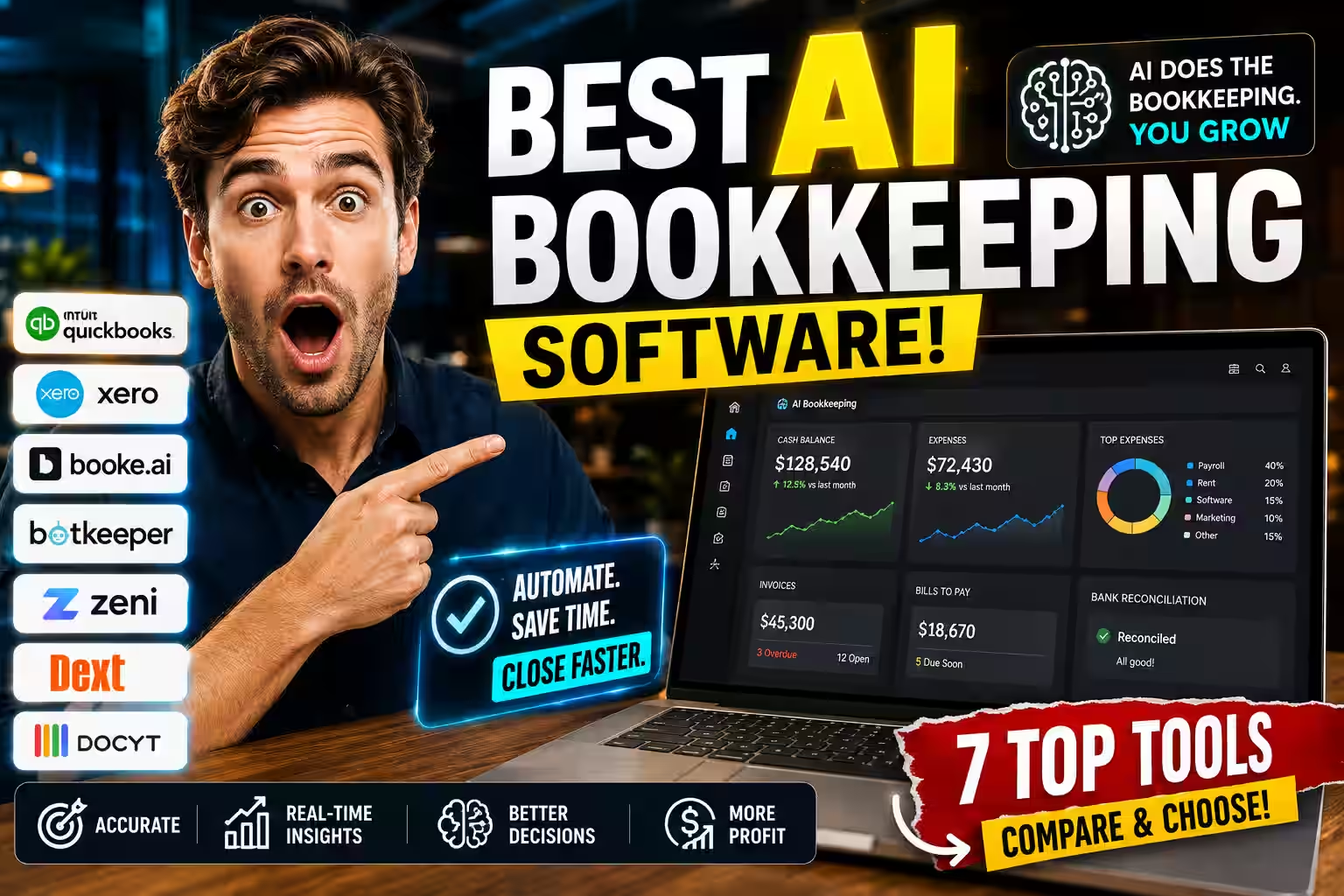
This guide compares seven AI bookkeeping tools that automate the daily grind: receipt capture, transaction categorization, bank-feed matching, reconciliation, and exception review. We keep the focus tight on bookkeeping automation, not the broader accounting stack. Here’s what you’ll walk away with:
- A quick shortlist by use case, so you can pick fast
- A clean comparison of features, pricing, and limits
- How we tested each tool, plus the risks to watch
- Straight answers to the questions buyers ask most
Let’s find the right AI bookkeeping tool for how you actually work.
Quick Picks: Best AI Bookkeeping Software at a Glance
Short on time? Start here.
- Best overall: Booke.ai — deep bookkeeping automation inside QuickBooks Online and Xero, with no new platform to learn.
- Best for high document volume: Dext — strong OCR capture before data hits your ledger.
- Best for multi-location businesses: Docyt — real-time cost tracking across multiple entities.
- Best for small businesses on QuickBooks: QuickBooks Online (bookkeeping layer) — familiar bank-feed matching for US small businesses.
- Best for Xero users: Xero (bookkeeping layer) — continuous reconciliation with output checking.
- Best for accounting firms: Botkeeper — volume-based pricing with machine-learning categorization and human review.
- Best for startups: Zeni — autonomous matching with a human bookkeeper bundled in.
Whatever you choose, run a one-month pilot first. More on that below.
Table of Contents
What Is AI Bookkeeping Software?
AI bookkeeping software uses machine learning and optical character recognition (OCR) to automate daily record-keeping. OCR reads text from images and documents, so the tool pulls data from receipts and invoices without any manual typing. It captures documents, categorizes transactions, matches bank feeds, and flags unusual entries for a human to review.
Here’s the key difference from standard bookkeeping software. Regular software records what you enter. AI-powered bookkeeping software learns from your transaction history and predicts the right action. After a few weeks of clean data, most tools handle recurring transactions automatically. Unusual ones get routed to a person.
These tools stay narrow on purpose. They don’t file taxes or produce financial statements. They solve the automated data entry and reconciliation problem — the part that eats the most time and creates the most errors. If you also need financial statements, payroll, or tax prep, see our AI accounting software guide for a full platform comparison.
Why does accuracy matter so much? Manual entry has a well-documented error problem. The Association of Chartered Certified Accountants and other professional bodies have long flagged manual data entry as a leading source of bookkeeping mistakes. Automating that layer cuts errors at the source.
Who This Guide Is For
Different readers land here with different problems. See where you fit.
- Small business owners doing their own books. Receipts pile up, and transactions sit uncategorized until month-end. You need a tool that reduces daily entry without adding a whole new system to learn.
- Freelance and solo bookkeepers. You manage client ledgers and lose hours to categorization. You want AI tools for bookkeepers that work inside the platforms your clients already use.
- Accounting and bookkeeping firms. Your bottleneck is transaction volume across many clients. You need automation that scales without per-seat pricing eating your margins.
- Founders and early-stage companies. You need clean, investor-ready books from day one — without a full-time hire. AI bookkeeping for startups keeps your ledger accurate as you grow.
If you also need financial reporting, tax prep, or payroll, a bookkeeping-only tool won’t cover it. We’ll point you in the right direction at the end.
How AI Bookkeeping Software Automates Data Entry
Automated bookkeeping isn’t one feature. It’s four distinct mechanisms, each solving a different part of the daily grind.
Receipt and Invoice Capture
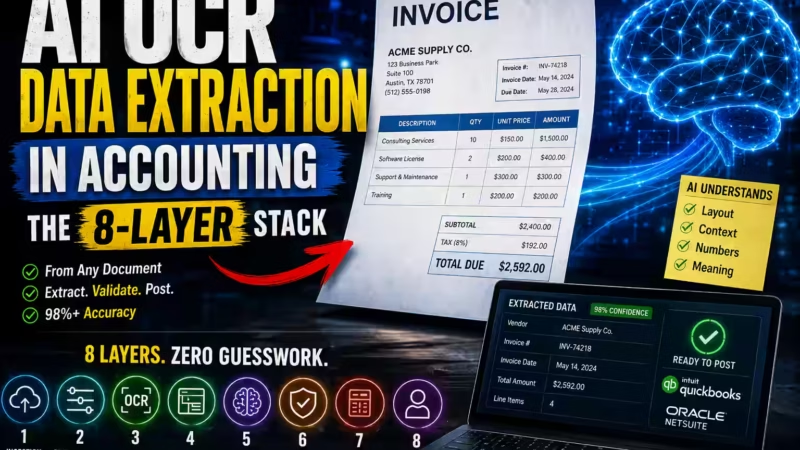
Modern AI bookkeeping tools pair OCR with machine learning to pull data from receipts and invoices. Older OCR needed a manual template for every new vendor — weeks of setup just to locate the total on a different layout. Current tools read document context from the first scan, identifying line items, quantities, tax breakdowns, and totals regardless of format. For a deeper look at how this technology works under the hood, see our guide on AI OCR data extraction in accounting.
The best tools also chase missing documents. A captured receipt with no matching transaction is a common cause of month-end gaps, so that follow-up step really matters.
Transaction Categorization
The AI engine watches how you handle transactions over time. It learns your chart of accounts, recognizes recurring vendors, and applies the right expense category without prompting. This is the heart of what buyers mean when they ask: what software automatically categorizes expenses with AI accuracy?
That’s also the core difference between machine-learning categorization and simple rule-based automation. A rule fires the same way every time. A learning model adjusts as your data grows, keeping it accurate as your business changes.
Bank Feed Matching and Reconciliation
AI bookkeeping software matches each incoming bank-feed entry to the right ledger record in real time. That shifts month-end close from a multi-day sprint to a focused review of exceptions the system couldn’t resolve on its own. The result is a shorter, calmer close. You review what the model flagged instead of working through every line. For a detailed breakdown of how matching rules work, see our guide on automated bank reconciliation matching rules.
Error Detection and Human Review Controls
No AI runs without edge cases. Well-built bookkeeping tools flag anomalies — duplicate entries, mismatched amounts, transactions without supporting documents — and route them to a reviewer. The strongest platforms let you set approval thresholds, so routine items auto-apply and only exceptions go to a person.
Every suggestion should be logged with a clear explanation. That creates an audit trail that manual bookkeeping rarely produces — and it’s invaluable when an auditor or client asks why a transaction was handled a certain way. The AICPA stresses documentation and audit trails as core to sound record-keeping, and automated logs deliver exactly that.
How We Evaluated These Tools
We assessed each AI bookkeeping tool on six criteria that determine whether automated data entry actually works in practice:
- Automation depth: How much manual bank-feed and categorization work it removes.
- Capture accuracy: Documented OCR and extraction accuracy, backed by verifiable claims — not marketing language.
- Reconciliation quality: How deep the matching logic goes — by amount, vendor history, or document context.
- Integrations: Native connections to your bank feed and accounting platform.
- Human review controls: Whether you can set thresholds for what auto-approves and what goes to a person.
- Pricing and scalability: Per-user versus volume-based pricing, and how cost behaves as your transaction volume or client count grows.
We anchored every claim to first-party vendor documentation and dated product updates. Always verify current pricing directly with each vendor before you decide.
AI Bookkeeping Software Compared
Each tool is compared on the daily bookkeeping layer only — how it handles receipt capture, categorization, and reconciliation — not its full platform footprint. Use the filters to focus on the group that matches how you work.
| Tool | Best bookkeeping use case | Daily-entry strength | Best fit if you already use | Where it stops | Starting price |
|---|---|---|---|---|---|
| Booke.ai Bookkeeping-First | Automating bank-feed entry inside an existing ledger | Categorization and document matching in real time | QuickBooks Online or Xero | No tax filing or financial reporting | $10/moper client portal |
| Dext Bookkeeping-First | High-volume receipt and invoice capture | OCR extraction before data reaches the ledger | QuickBooks, Xero, or Sage | Not a standalone ledger; feeds one | Customper-user model |
| Docyt Bookkeeping-First | Multi-entity daily coding and accounts payable | Real-time cost tracking across locations | QuickBooks Online | Overbuilt for single-entity books | $149/moAdvanced Core |
| QuickBooks Online Full Platform | Daily reconciliation for US small businesses | Agent-assisted bank-feed matching | US banks and payroll tools | Broader accounting sits on the pillar | $38/moverify current pricing |
| Xero Full Platform | Continuous reconciliation for teams | High auto-match target with output checking | Xero-native or global stacks | Full platform detail on the pillar | $15/moStarter tier |
| Botkeeper Full Platform | High-volume client entry for firms | ML categorization with human review | Firm client ledgers | Not built for a single business | Customvolume-based |
| Zeni Full Platform | Startup books with a human in the loop | Autonomous matching plus a bookkeeper | Startup finance stacks | Priced beyond most small businesses | ~$549/moScale Base |
Prices and features change often. Verify current details with each vendor before deciding.
Bookkeeping-First Tools (Full Reviews)
These tools exist to solve daily entry and reconciliation. They don’t try to run your whole financial operation — and that’s exactly why they handle the bookkeeping layer so well.
Booke.ai
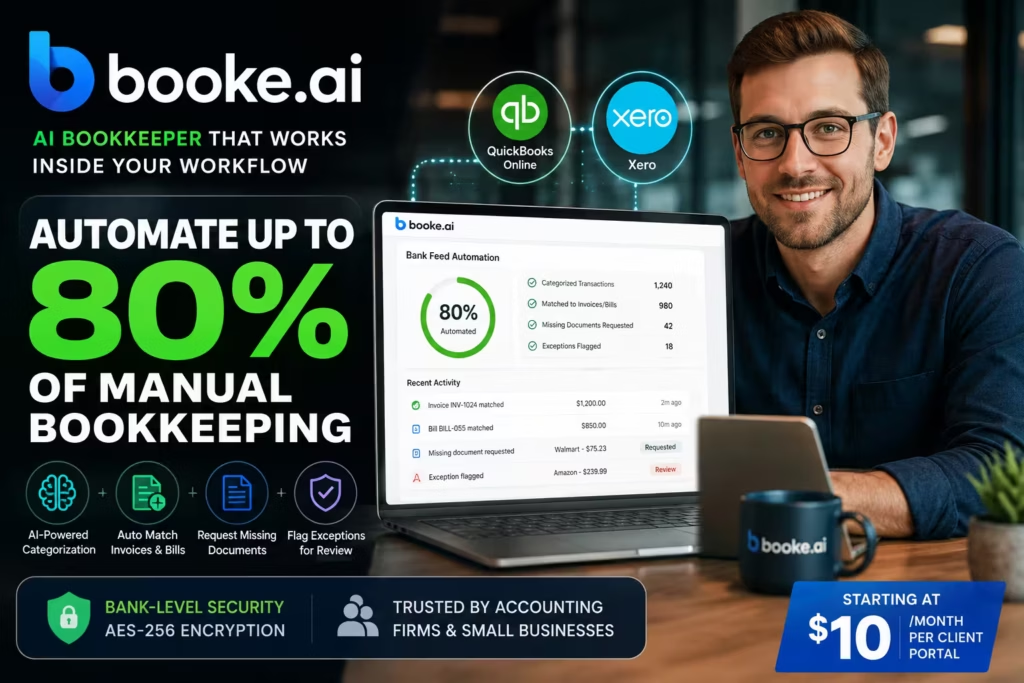
Best for: Freelancers, small businesses, and accounting firms using QuickBooks Online or Xero
Starting price: $10/month per client portal
Booke.ai works as an AI bookkeeper directly inside QuickBooks Online and Xero — not as a separate dashboard you check separately. Connect it once, and it categorizes bank-feed transactions, matches them to invoices and bills, requests missing documents, and flags exceptions for daily review. Per Booke.ai’s own documentation, it automates a large share of manual bank-feed work.
It functions as a true AI assistant for bookkeepers — handling the repetitive data-entry layer while your team focuses on exceptions and client decisions.
Key features: Transaction categorization, document matching, missing-document requests, exception flagging, audit-trail logging
Integrations: QuickBooks Online, Xero, bulk CSV
Pros:
- Works inside existing QuickBooks and Xero workflows — no new platform to learn
- Custom approval thresholds so routine items auto-apply and exceptions go to review
- Bank-level encryption; each client gets an isolated model trained only on their own data
Cons:
- Limited to QuickBooks Online and Xero
- No tax filing or financial reporting
Skip it if: You don’t use QuickBooks Online or Xero, or you need features beyond bookkeeping automation.
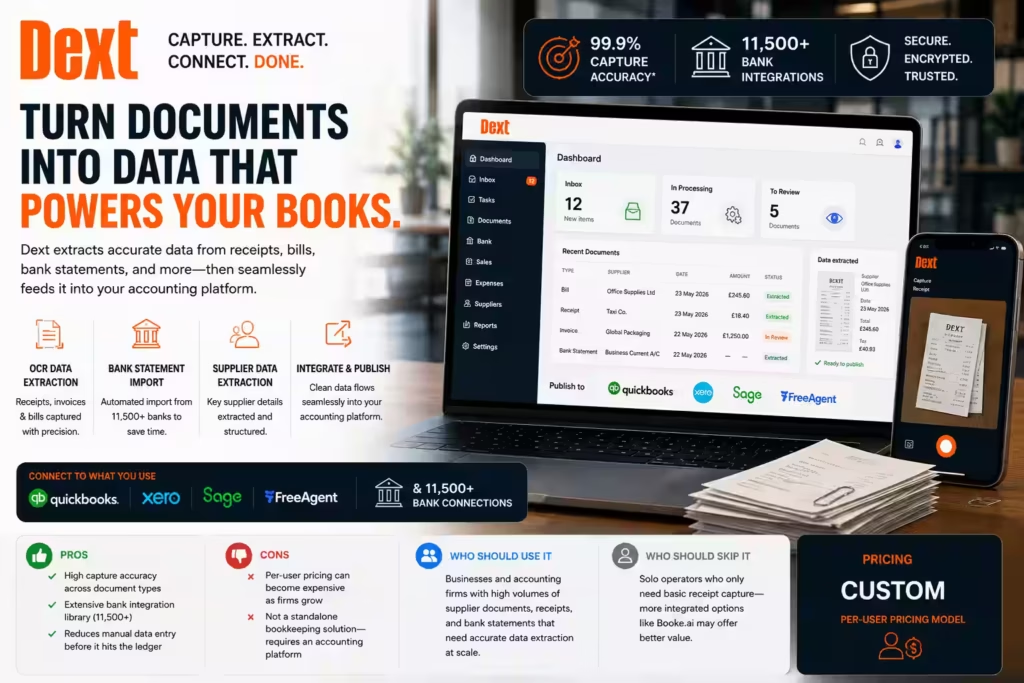
Dext
Best for: Businesses and firms with high document intake
Starting price: Custom (per-user pricing model)
Dext is a document-capture and data-extraction layer that feeds clean, structured data into QuickBooks, Xero, or Sage. It is not a standalone ledger. The value sits upstream: pulling accurate line-item data from receipts, bills, and bank statements before they reach your accounting platform, so the entry that follows starts from a reliable base.
For a firm where the bottleneck is the sheer number of supplier documents arriving each month, that upstream accuracy cuts the manual correction that would otherwise happen downstream. To understand how OCR extraction powers tools like Dext, see our AI OCR data extraction in accounting guide.
Key features: OCR-based receipt and invoice extraction, automated bank-statement import, supplier data extraction, direct feeds to major accounting platforms
Integrations: QuickBooks, Xero, Sage, FreeAgent, and a broad bank-connection library
Pros:
- High documented capture accuracy across varied document types
- Wide bank-integration coverage
- Reduces manual entry before records reach the ledger
Cons:
- Per-user pricing can climb as a firm grows
- Requires a connected accounting platform — it cannot work standalone
Use it if: Your team or firm processes large volumes of receipts, bills, and bank statements that currently require manual extraction.
Skip it if: You’re a solo operator who only needs basic receipt capture. Booke.ai offers a more integrated experience at lower cost for single-platform users.apture. Booke.ai is often a more integrated, lower-cost fit for single-platform users.
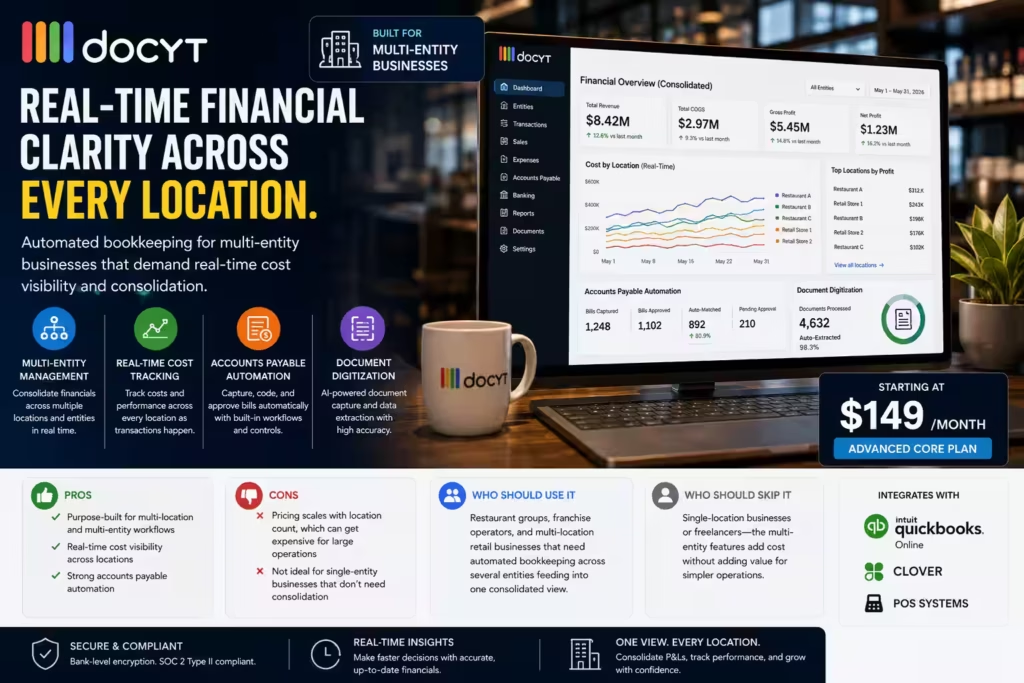
Docyt
Best for: Multi-location businesses needing real-time cost tracking across entities
Starting price: $149/month (Advanced Core)
Docyt automates bookkeeping for multi-entity operations — restaurant groups, retail chains, franchise networks — where consolidating financial data across locations is the core challenge. Real-time cost tracking, accounts-payable automation, and direct QuickBooks Online integration make it well suited to operators managing several profit-and-loss statements at once.
General AI bookkeeping tools handle one set of books well. Docyt is built for when each location’s numbers must stay accurate on their own and also roll into one consolidated view.
Key features: Multi-entity real-time cost tracking, AP automation, document digitization, automated transaction coding
Integrations: QuickBooks Online, POS systems, Clover
Pros:
- Built for multi-location and multi-entity workflows
- Real-time cost visibility across all locations
- Strong accounts-payable automation
Cons:
- Pricing scales with location count, which can add up fast
- Adds complexity a single-entity business doesn’t need
Skip it if: You run a single location or work solo. The multi-entity features add cost without adding value.

Full Accounting Platforms (Bookkeeping Layer Only)
The next four tools are complete accounting platforms. They handle daily bookkeeping entry well, so they belong in this comparison — but only on that layer. Their broader reporting, tax, and payroll features are covered in our full AI accounting software comparison.
- QuickBooks Online: Its reconciliation agent matches bank-feed entries and flags exceptions for review. Auto-categorization learns recurring vendors over time. For US small businesses, the bookkeeping layer is reliable and familiar to most accountants. Watch per-seat pricing if you have multiple users.
- Xero: Xero’s strength is reconciliation. Its output-checking feature reviews AI-generated categorizations against the actual ledger before surfacing them — which cuts errors. Unlimited users across all tiers make it practical for teams and bookkeeping firms.
- Botkeeper: Pairs high-volume machine-learning categorization with human review. Built for accounting firms, not individual business owners. Volume-based pricing avoids the per-seat fees that erode firm margins as client count grows.
- Zeni: Combines autonomous transaction matching with a dedicated human bookkeeper bundled into the subscription — the only tool here that includes a real person at the base level. The strongest option for startups with investor reporting needs, though it’s pricier than most small businesses require.

Match the Tool to How You Work
The right pick depends less on a ranking and more on your daily workflow.
If You’re a Small Business Owner Doing Your Own Books
Your friction is receipt capture and transaction categorization. Receipts arrive in different formats, and each one has to be recorded before it’s lost. You need a tool that reads receipts on the first scan and categorizes recurring vendors automatically.
Booke.ai and Dext both handle this well, and both work inside QuickBooks or Xero without adding a new system. The goal is fewer uncaptured receipts and a shorter month-end — not a brand-new way of working.
If You Manage Client Ledgers as a Bookkeeper or Firm
Your friction is volume and consistency across many accounts. Each client has a different chart of accounts, and applying categorization rules by hand doesn’t scale.
Tools built for firms handle high-volume categorization at the exception level. You sign off on what the model flags, not every single line. Botkeeper is built for this and prices by volume. Booke.ai’s per-client model suits smaller practices that want the same automation without a custom pricing call.
If You’re Running a Startup
You need clean books from the start — without a full-time bookkeeper on payroll. AI bookkeeping handles the daily entry layer automatically, while a human reviews anything unusual. Zeni bundles that human review into the plan. Booke.ai offers a lighter, lower-cost entry point if you already use QuickBooks or Xero.
Try this next: List your top three daily pain points, then match them against the six evaluation criteria above. The tool that best addresses your top pain point is usually the right starting pilot.

Risks and Limitations to Know Before You Start
Automated bookkeeping is powerful, but it isn’t perfect. Here’s what to watch.
- There’s a learning curve. Most AI bookkeeping tools need several weeks of transaction history before auto-categorization becomes reliable. Keep human sign-off on everything early, then loosen approval thresholds as accuracy improves.
- Dirty data amplifies, it doesn’t fix. A messy chart of accounts or inconsistent category naming teaches the model bad habits. Migrate clean data, or automation will speed up your existing errors.
- Regional compliance isn’t universal. Bookkeeping features built for one country don’t apply to another. Before relying on any AI-driven compliance behavior, confirm it fits your jurisdiction. In the US, check current guidance from the Internal Revenue Service; in the UK, see HMRC.
- AI doesn’t replace bookkeeping judgment. It replaces the parts that don’t require judgment: data entry, bank-feed matching, duplicate detection. Interpreting a flagged anomaly and making an audit call remain human responsibilities.
- Model drift needs monitoring. AI bookkeeping tools update their models over time. Keep human-readable audit logs for every AI-generated suggestion. “The AI categorized it” won’t hold up in an audit.

What to Look for in AI Bookkeeping Software
These criteria are ordered by how much they affect whether automated data entry actually works day-to-day. Start with the first three.
- Data capture accuracy. This determines how much manual correction happens downstream. Look for tools that document accuracy with specific, verifiable figures — not vague marketing claims.
- Reconciliation depth. Basic tools match by amount alone. Better ones match by vendor history, document context, and chart-of-accounts patterns, which resolves more transactions without human involvement.
- Approval threshold controls. The strongest bookkeeping tools let you set custom rules — for example, requiring receipts above a certain amount while auto-approving routine items below it. This keeps automation trustworthy without removing human oversight.
A few more criteria matter, though you can weigh them briefly:
- Integration quality: A tool with no native bank-feed connection means manual imports. That defeats the purpose.
- Pricing structure: Per-user, per-client, and volume-based models produce very different cost curves as you scale. Map your projected usage before committing.
- Scalability: Match the tool’s design to both your current structure and where you expect to be in 18 months.
People Also Ask
What is the best AI bookkeeping software for automated data entry?
Booke.ai is the strongest all-around pick for 2026, especially for businesses and firms already using QuickBooks Online or Xero. It automates a large share of manual bank-feed work, runs inside existing workflows, and lets you set approval thresholds so routine items auto-apply while exceptions go to a reviewer.
What are the most effective AI-powered bookkeeping tools for small businesses?
For small businesses, Booke.ai and Dext are the strongest options. Booke.ai works inside QuickBooks Online and Xero with no new interface to learn. Dext is the better choice when you process high volumes of receipts and supplier documents each month. Both focus tightly on automated data entry, not the broader accounting stack.
Which AI bookkeeping tools offer the most comprehensive transaction management features?
Booke.ai covers real-time categorization, bank-feed matching, document requests, exception flagging, and audit-trail logging inside QuickBooks and Xero. Botkeeper adds human review at scale for firms with high client volume. Docyt extends that to multi-entity AP automation for operators managing multiple locations.
Which bookkeeping AI tools let firms set approval thresholds so routine items auto-apply?
Booke.ai lets you define custom rules — for example, requiring receipts on transactions above a set amount while auto-approving smaller routine items. Botkeeper and Xero also support threshold-based review controls. This is one of the most important features to confirm before choosing any AI bookkeeping platform.
What software automatically categorizes expenses with AI accuracy?
Booke.ai, Dext, Xero, and QuickBooks Online all use machine learning to categorize transactions. They learn from your chart of accounts and vendor history, so recurring expenses get categorized automatically. Accuracy builds over the first few weeks as the model accumulates transaction patterns.
How does AI bookkeeping software automate data entry?
It uses OCR and machine learning to extract data from receipts, invoices, and bank statements, then categorizes transactions based on your chart-of-accounts patterns. Recurring vendors get handled automatically, unusual ones get flagged, and bank feeds reconcile continuously instead of only at month-end.
Is AI data entry accurate enough for invoices?
Yes — when the tool is properly configured and working from clean historical data. Vendor benchmarks report AI-powered platforms cutting error rates well below the manual baseline, with some capture-accuracy claims near 99.9%. Accuracy typically reaches a reliable level after three to six weeks of clean data. Keep human review in place during that window.
What’s the difference between AI bookkeeping software and AI accounting software?
AI bookkeeping software handles the entry layer: capturing documents, categorizing transactions, and matching bank feeds. AI accounting software covers the full financial picture, including tax preparation, financial reporting, payroll, and compliance. Bookkeeping tools typically feed into accounting platforms rather than replacing them.
What are the best AI bookkeeping tools for startups?
Zeni is the strongest pick for venture-backed startups. It bundles a human bookkeeper alongside autonomous matching — which matters when investors are reviewing your books. Booke.ai is a lighter, lower-cost entry point for early-stage companies already using QuickBooks Online or Xero.
How long before AI bookkeeping software works well?
Most tools need three to six weeks of transaction history to reach reliable auto-categorization. Clean, consistently categorized data shortens that window. Platforms with human review during onboarding tend to reach accuracy faster.
Can AI bookkeeping software handle accounts payable and receivable?
Yes, to varying degrees. Docyt automates AP workflows for multi-entity businesses. Booke.ai matches transactions to both invoices and bills inside QuickBooks and Xero. Full enterprise-scale AP automation generally falls outside what bookkeeping-focused tools handle.
Final Verdict
The shift from manual to automated bookkeeping is well underway, and the time savings are real. The question isn’t whether to automate the daily entry layer. It’s which AI bookkeeping tool fits how you actually work.
Booke.ai earns our overall recommendation. It delivers genuine automation inside the platforms most businesses already use — with no migration, no new workflow, and clear approval controls for human review. Dext leads when document-capture volume is your constraint. Docyt fits multi-location operators who need consolidated, real-time numbers across entities. Among the full platforms, QuickBooks and Xero each cover the bookkeeping layer well for their respective markets, while Botkeeper and Zeni suit accounting firms and funded startups that need human review built into the loop.
Here’s your next step: pick your top candidate and run a one-month pilot before going live. Pull a recent month, let the tool categorize it, and have your accountant review every suggestion before you accept anything. That single test surfaces gaps in your chart of accounts faster than anything else — and it tells you exactly whether the automation is ready to trust.
For informational purposes only. Pricing, features, and availability change often. Verify current details directly with each vendor. This is not financial, tax, or accounting advice.
Fintech · Editorial Integrity
Sources & Citations
Public documentation, product materials, and workflow research behind this guide to the best AI bookkeeping software — including automated data entry, receipt capture, transaction categorization, reconciliation, and human review controls.
This guide is based on public vendor documentation, product pages, platform help centers, and accounting workflow analysis. We prioritize sources that clarify how AI bookkeeping tools handle bank feeds, document capture, transaction matching, expense categorization, approvals, and exception review. Because software features, pricing, integrations, and availability can change frequently, verify current details directly with each provider before making a decision.
View full sources, methodology, and editorial notes
This guide was written using official product pages, vendor documentation, platform support resources, and broader workflow analysis related to bookkeeping automation. We give preference to primary sources when describing features such as OCR receipt capture, automated categorization, reconciliation workflows, approval controls, integrations with ledgers like QuickBooks Online and Xero, and how much human review remains necessary. We also distinguish bookkeeping-first tools from broader accounting, AP, AR, and financial reporting platforms to preserve search intent and editorial clarity. This article is for educational and informational purposes only and does not constitute financial, tax, or accounting advice.
- Bookkeeping automation and product positioning: vendor product pages, feature pages, and official help documentation were used as the primary sources for how each platform describes AI bookkeeping, transaction processing, and workflow automation.
- Receipt capture and OCR workflows: official vendor documentation and support centers were used to evaluate how platforms handle invoice ingestion, receipt extraction, and document-to-ledger workflows.
- Bank-feed categorization and reconciliation: platform documentation and product walkthrough materials were used to assess how tools support automated categorization, transaction matching, exception handling, and reconciliation review.
- Small business and startup suitability: pricing pages, onboarding documentation, and feature positioning were reviewed to determine which tools are more practical for startups, small businesses, multi-entity teams, or accounting firms.
- Human review and approval controls: vendor materials were reviewed to identify whether platforms allow review queues, approval thresholds, exception workflows, or other controls that matter in real bookkeeping operations.
- Platform scope and adjacent finance workflows: product materials were used to distinguish bookkeeping-first software from broader tools in accounts payable, accounts receivable, invoicing, and financial reporting.
- Editorial judgment: rankings and recommendations reflect comparative workflow fit, scope alignment, automation depth, and clarity of use case — not vendor sponsorship.
Best AI Bookkeeping Software · Editorial Standards
Our Editorial Standards
Tech Capital Hub applies Google’s E-E-A-T framework to every software comparison and fintech workflow guide. For this article, we focus on plain-English explanations, scope accuracy, and practical evaluation criteria rather than hype or feature stuffing. This guide distinguishes bookkeeping-first software from broader accounting, invoicing, AP, AR, and financial reporting tools, and relies on public vendor documentation, product pages, help resources, and workflow analysis to support claims about automated data entry, OCR capture, categorization, reconciliation, integrations, and review controls. Because software features, pricing, and integrations change often, readers should verify current details directly with each provider.
View how our editorial standards apply to this article
Written Around Real Bookkeeping Workflows
This guide is structured around how bookkeeping actually happens in practice: receipts come in, bank feeds need cleanup, transactions need categorization, exceptions need review, and month-end requires reconciliation. Instead of treating AI as a vague promise, the article evaluates where automation saves time and where human oversight still matters.
Focused on Fit, Depth, and Operational Usefulness
We assess these tools based on practical decision factors such as OCR quality, transaction matching, bank-feed categorization, reconciliation support, integration depth, approval workflows, and usability for small businesses, firms, startups, or multi-entity teams. That keeps the guide aligned with buying intent instead of drifting into generic finance software coverage.
Grounded in Primary Product and Documentation Sources
Specific product claims are grounded in public vendor materials, official documentation, feature pages, and help center resources wherever possible. We also use adjacent accounting workflow references to explain where bookkeeping tools overlap with OCR extraction, AP automation, AR workflows, reporting, and invoicing without blurring the core topic of the page.
Clear About Limits, Scope, and Advice Boundaries
We avoid overstating what AI bookkeeping software can do. These platforms may reduce manual data entry and improve workflow speed, but they do not remove the need for human review, accounting judgment, or compliance responsibility. This article is informational only and does not constitute financial, tax, or accounting advice.
AI Bookkeeping Software · About the Author
Marcus Delray
Fintech Analyst · Founder of Tech Capital Hub
Marcus Delray is a fintech analyst and the founder of Tech Capital Hub. In this guide, he evaluates AI bookkeeping software for automated data entry, receipt capture, transaction categorization, and bank reconciliation, with a focus on which tools actually reduce manual work while still preserving review control. His approach is practical, workflow-driven, and built around real software buying intent rather than hype.
View full author bio, credentials, and links
Marcus Delray has spent more than a decade researching financial technology and software-driven change across accounting, payments, automation, and digital finance. He built Tech Capital Hub to turn that research into useful guidance for readers comparing fintech tools, understanding emerging systems, or trying to make better operational decisions without getting buried in jargon.
For this guide, Marcus focuses on a question many finance teams, founders, bookkeepers, and firms are actively trying to solve: which AI bookkeeping software actually helps with data entry and reconciliation, and where does human review still matter? He evaluates tools based on workflow fit, OCR and document capture, transaction categorization, matching logic, reconciliation support, usability, and how well each platform stays aligned with real bookkeeping needs rather than drifting into overly broad accounting claims. He also distinguishes bookkeeping-first software from adjacent categories such as AP automation, AR tools, invoicing systems, and financial reporting platforms so readers can make cleaner, more confident decisions. All content is educational and informational only and does not constitute financial, tax, or accounting advice.
- Evaluates AI bookkeeping software through practical workflow criteria such as receipt capture, categorization, transaction matching, and bank reconciliation
- Focuses on where automation genuinely reduces manual bookkeeping work and where human review still remains essential
- Separates bookkeeping-first tools from broader accounting, AP, AR, invoicing, and reporting platforms to preserve search intent and buyer clarity
- Uses public vendor documentation, feature pages, and workflow analysis to ground software comparisons in verifiable product information
- Writes with a plain-English, educational approach designed to help readers compare tools without hype or overpromising outcomes
Enjoying our content?
Click below to add us as a preferred source. Google will prioritize our latest articles in your Top Stories, AI Mode, and AI Overviews.
Preferred Source on Google