Best Algorithmic Trading Platforms for Retail Investors (No Coding Required)


Fintech Analyst · Founder of Tech Capital Hub
Marcus has spent more than a decade researching financial technology. In this guide, he breaks down the best no-code algorithmic trading platforms for US retail investors, comparing tools for options, charting, and portfolio automation, and explains how to test strategies with paper trading and backtesting before risking real money.
Algorithmic trading used to belong to hedge funds with dev teams and expensive data terminals. That’s no longer true. In 2026, retail investors in the US can run fully automated strategies—bots that watch markets, place orders, and manage risk—without writing a single line of code.
This guide covers the six best no-code algorithmic trading platforms for retail investors, how they compare, and how to start without blowing up your account. Every claim about pricing and features reflects typical plans as of early 2026; always confirm current details on each provider’s site before subscribing.
Fast Answers: Best Platform by Trading Style
Pick the platform that fits how you already trade. Expand any style below to see the top choice and why it stands out.
OA Options traders Best pick: Option Alpha
Built from the ground up for options automation, with a visual decision-tree builder that needs no coding.
Why it stands out: Its SmartPricing engine actively works orders to find better fills, which can improve net returns on high-volume strategies.
TS Chart and technical traders Best pick: TrendSpider
Designed for traders who work from charts, indicators, and price patterns, with deep backtesting built in.
Why it stands out: Multi-timeframe analysis lets you require conditions on both the daily and intraday charts before a trade triggers.
TI Active day and swing traders Best pick: Trade Ideas
Helps you find setups before the open, not just execute them, with a strong real-time scanner during market hours.
Why it stands out: Its Holly AI engine runs thousands of backtesting passes nightly and delivers a ranked watchlist by morning.
CO ETF rotation and rules-based portfolios Best pick: Composer
Lets you build rule sets that shift money between positions as market conditions change, using a clean drag-and-drop editor.
Why it stands out: Its “symphony” builder pairs systematic rotation logic with clear equity-curve and drawdown backtesting output.
TT Multi-asset traders Best pick: Tradetron
Covers equities, options, futures, and forex in a single no-code builder, so you can automate across asset classes.
Why it stands out: A strategy marketplace with performance history lets you study how live strategies behave before you build your own.
CA Total beginners Best pick: Capitalise.ai
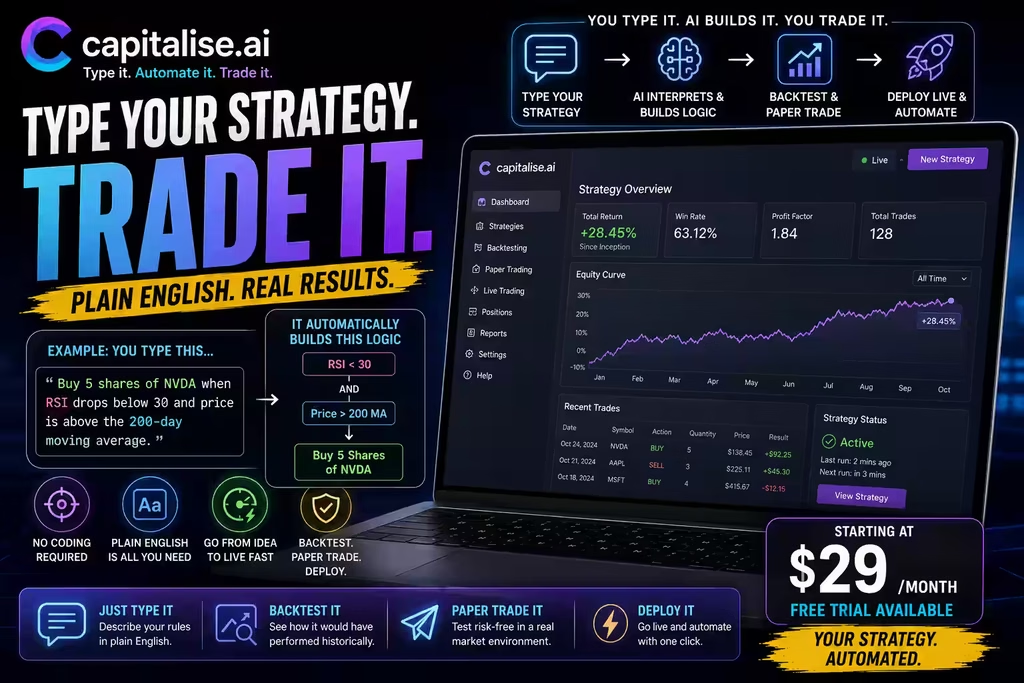
The simplest entry point: type your strategy in plain English and the platform turns it into live trading logic.
Why it stands out: There’s no visual builder to learn, making it the fastest path from a written idea to a working strategy.
Every time I bring up algorithmic trading in a conversation with regular investors, I get the same reaction. Eyes go wide, someone says “isn’t that for hedge funds?” and then the topic changes. And honestly? I get it. For a long time, that was completely true. You needed a Bloomberg terminal, a PhD in quantitative finance, and a dev team just to build something basic.
For a broader look at where AI fits into investing today — beyond just automation — our complete guide to AI stock trading is the right place to start.
In 2026, retail investors across the US are running fully automated strategies — actual live-trading bots that watch markets, fire orders, and manage risk — without knowing a single line of code. The platforms that power this are legitimately good now. Not “good for what they are.” Just good.
How We Evaluated These Platforms
We assessed each platform against the criteria that actually affect retail results:
- Ease of use for non-programmers
- Backtesting depth against historical data
- Paper trading on live market data
- Broker integration with regulated US brokers
- Asset class coverage (stocks, options, ETFs, futures, forex)
- Pricing and whether a real free tier exists
- Automation type (rule-based vs. AI-assisted)
The right platform depends on your strategy. A day trader and an ETF-rotation investor need different tools, so we’ve flagged the ideal use case for each.

What Is an Algorithmic Trading Platform?
An algorithmic trading platform is software that automatically executes trades based on rules you define in advance.
You set the conditions—for example, “buy when the stock breaks above yesterday’s high on above-average volume” or “sell if the position drops 3% from entry.” The platform watches for those conditions and acts the moment they’re met, whether you’re at your desk or asleep.
The old version required coding: Python scripts, broker APIs, and a lot of debugging. No-code platforms replaced that with drag-and-drop editors, visual flowcharts, and plain-English inputs. The platform handles the code in the background. You only see whether your strategy works.
Why automation helps
Manual execution invites hesitation. A setup appears, you second-guess it, and you either miss the trade or chase it. A bot takes the trade at your defined level every time, with no emotional exceptions. When a catalyst hits and prices move in fractions of a second, automated systems react faster than any human can.
Table of Contents
First — What Even Is an Algorithmic Trading Platform?
Short version: it’s software that trades for you based on rules you set in advance.
You decide the conditions. Maybe it’s “buy when the stock breaks above the previous day’s high on volume above average.” Or “sell the position if it drops more than 3% from my entry.” The platform watches for those conditions and pulls the trigger when they’re met — whether you’re at your desk, in a meeting, or asleep.
The old version of this required actual programming. You’d write scripts in Python or C++, connect them to a broker’s API, and pray nothing broke at 9:31 AM on a volatile Monday. A lot of retail traders gave up before they got there.
No-code platforms changed all of that. Now you build your logic using drag-and-drop editors, plain-English inputs, or visual flowcharts. The platform translates your rules into executable code in the background. You never see it. You just see whether your strategy is working.
That’s the simple version. The more interesting question is why it actually matters for your trading.
Why automation beats “I’ll just watch the market myself”
Here’s what happens when you try to manually execute a strategy you’ve thought carefully about. Market opens. Something moves fast. You hesitate — is this the setup or not? You miss it. Or you chase it. Or you second-guess your stop and let a small loss turn into a big one.
None of that happens with a bot. It sees the setup, it takes the trade, it exits at exactly the level you told it to. Every single time. No emotions. No “just this once” exceptions that wreck your win rate.
The trade execution speed difference alone is worth thinking about. When a catalyst hits — earnings release, Fed announcement, breaking news — prices move in fractions of a second. Humans simply can’t compete with that. Automated systems can at least get close.
Why Regular Investors Are Finally Jumping In
A few things happened at once that pushed this from niche to mainstream.
No-code tools got genuinely usable. Not “usable if you spend three weeks watching tutorial videos” — actually usable. Platforms invested real money in user experience. The complexity got hidden behind clean interfaces.
Then there’s the paper trading factor. Every serious platform now lets you test your strategy in real time, with real market data, using fake money. You can run a strategy for a full month and see exactly how it performs before putting a real dollar behind it. That safety net didn’t really exist five years ago.
Backtesting strategies is the other piece. You build a rule set, then run it against 10, 15, even 20 years of historical price data. You can see how it would’ve handled the 2020 COVID crash, the 2022 rate hike selloff, and the choppy sideways markets that grind trend-following systems into dust. That kind of insight used to cost institutional money to access.
And honestly? People got tired of doing it manually. Scanning hundreds of tickers every morning. Setting price alerts that go off when you’re in a meeting. Watching a setup develop in slow motion while you’re stuck on a call. Automation solves all of that — and the tools to do it properly are now within reach of anyone with a brokerage account and $30 a month.
The 6 Best Algorithmic Trading Platforms for Retail Investors (2026)
1. Option Alpha — The one built specifically for options
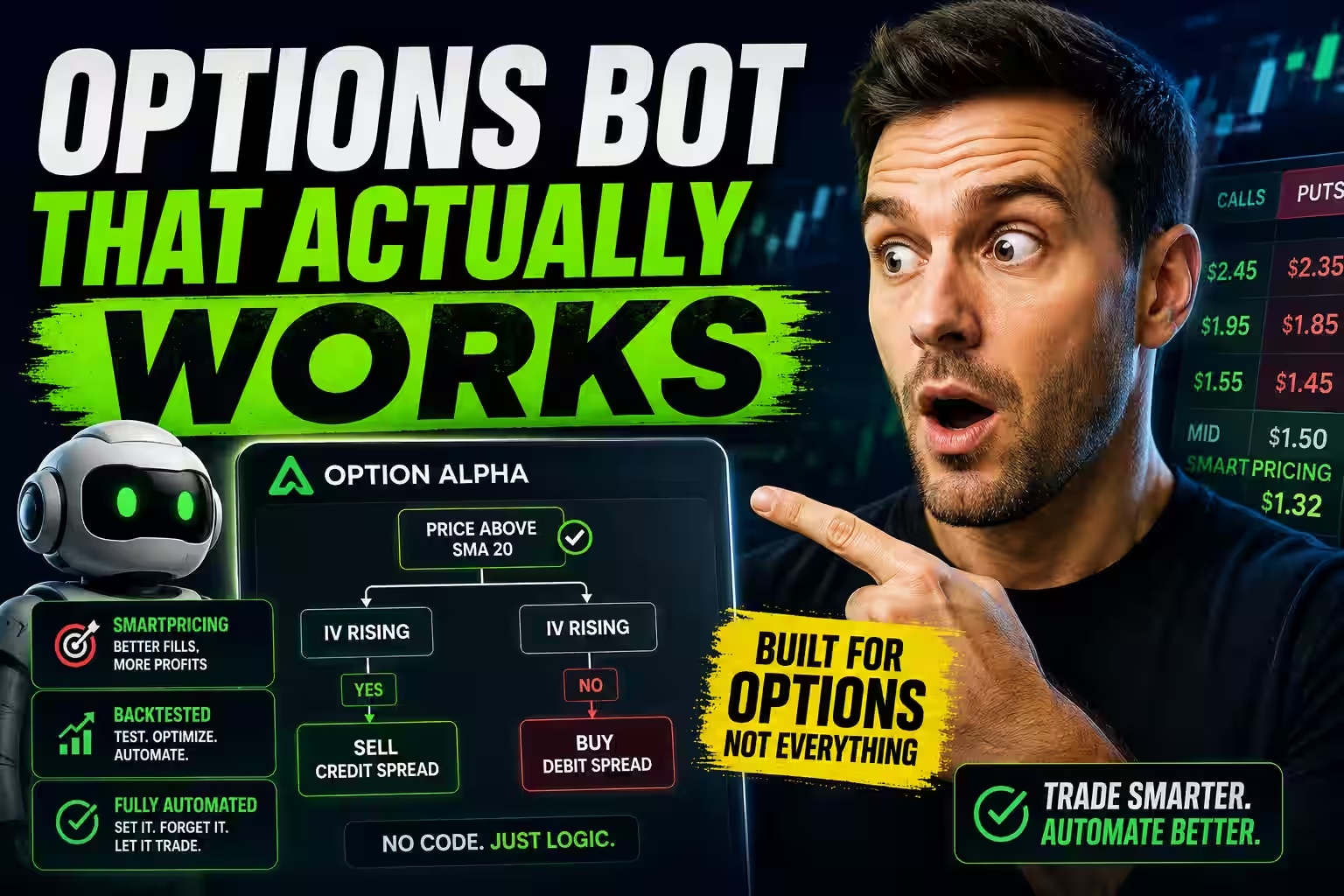
It was built from the ground up for options automation, which sounds obvious but actually matters a lot. Most multi-asset platforms try to bolt on options support after the fact. The logic feels bolted on. Option Alpha doesn’t have that problem — the whole architecture assumes you’re trading options spreads, defined-risk trades, and probability-based strategies.
The bot builder uses a visual decision tree system — no coding required at any point. You set up branches: if this happens, do this; if that happens, do that instead. It’s genuinely intuitive once you spend an hour with it.
- Best for: Options traders who want full automation
- Automation type: Rule-based visual builder
- Backtesting: Yes, built in
- Paper trading: Yes
- Broker integration: Most major US brokers via API
- Pricing: Free tier; paid plans scale with active bots
- Standout feature: SmartPricing engine that actively works orders for better fills
- Main drawback: Options-only focus limits multi-asset traders
The feature that actually impresses me is SmartPricing. Instead of just sending your order to the midpoint of the bid-ask spread and hoping for a fill, SmartPricing actively works the order. It hunts for better prices. On a high-volume options strategy with dozens of trades a month, that makes a real difference to your net returns — not a theoretical difference, an actual one.
2. TrendSpider — If you live and die by charts
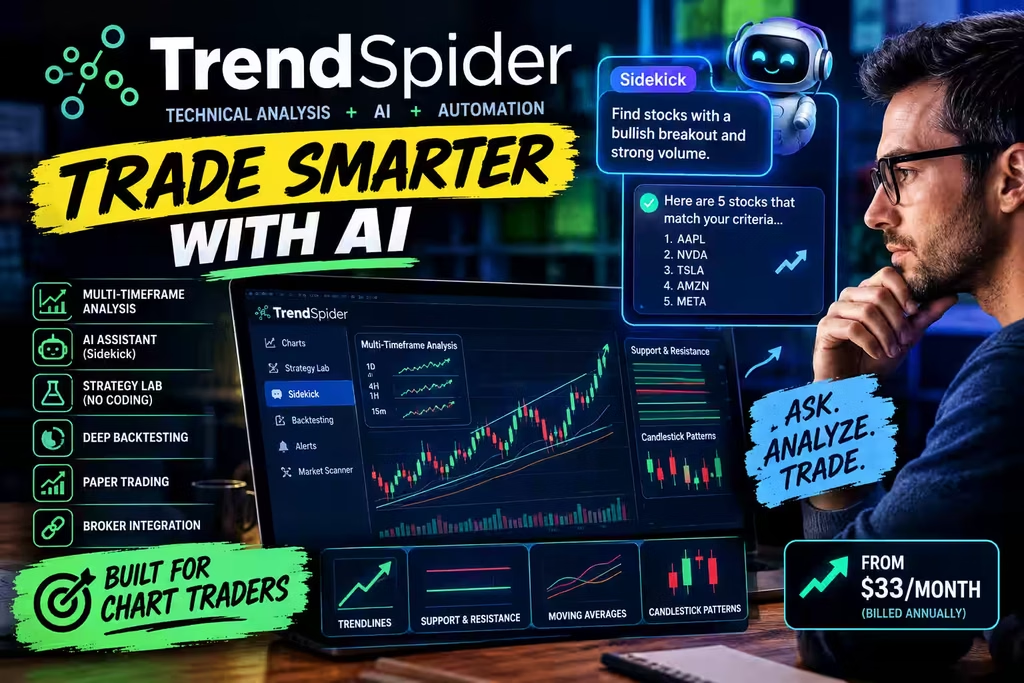
TrendSpider is for the technical analysis crowd. If your trading decisions start with a chart — moving averages, support and resistance levels, candlestick patterns, trendlines — this is where you belong.
The platform has an AI assistant called Sidekick that you can talk to like a person. Ask it to find stocks showing a specific pattern. Ask it what happened last time a certain indicator hit a particular level. It pulls the data and shows you. It’s not perfect, but it’s fast and surprisingly useful when you’re building a watchlist from scratch.
- Best for: Automating chart-based setups
- Automation type: Rule-based with AI assistant
- Backtesting: Yes, among the deepest in the no-code space
- Paper trading: Yes
- Broker integration: Major brokers via API
- Pricing: From ~$33/month billed annually
- Standout feature: Multi-timeframe analysis plus the Sidekick AI assistant
- Main drawback: Steeper learning curve for beginners
What really sets TrendSpider apart is the Strategy Lab. You build trading rules using your technical conditions — no coding — and the platform runs them against historical data to show you the results. And I mean real results: win rate, average gain per trade, maximum drawdown, how many losing streaks you’d have sat through.
The multi-timeframe analysis is also rare among no-code platforms. You can write rules that look at both the daily chart and the 15-minute chart before triggering. That’s genuinely useful for traders who use higher timeframes for direction and lower timeframes for entry.
3. Trade Ideas — For active traders who want an edge before the open
Trade Ideas does something the other platforms don’t. It doesn’t just execute your strategies — it helps you find tomorrow’s setups tonight.
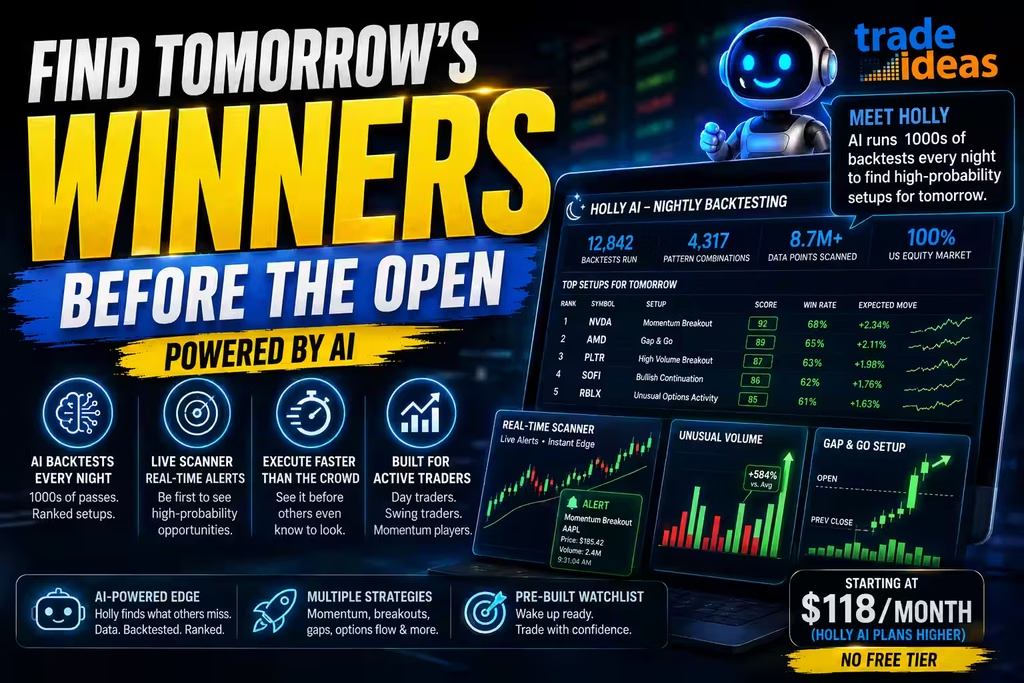
The platform’s AI engine, nicknamed Holly, runs thousands of backtesting passes every single night across the entire US equity market. It’s not looking at a few hundred stocks. It’s scanning everything, testing thousands of pattern combinations, and by morning it has a ranked list of the highest-probability setups for that day. You wake up with a pre-built watchlist that has actual statistical backing.
- Best for: Active US stock, day, and swing traders
- Automation type: AI-assisted scanning and signals
- Backtesting: Yes, Holly runs thousands of passes nightly
- Paper trading: Available on higher tiers
- Broker integration: Major US platforms via API
- Pricing: Standard from ~$118/month; Holly AI plans higher
- Standout feature: Nightly AI backtesting paired with a live scanner
- Main drawback: Highest price on this list, with no free tier
During market hours, the real-time scanning is some of the best available. You can filter for momentum breakouts, unusual volume, gap-and-go setups, unusual options activity — whatever fits your style — and get alerted the instant conditions are met. The trade execution speed advantage is real here because you’re seeing the setup before most people even know to look for it.
It’s the most expensive option on this list. That’s worth acknowledging. But for active day traders and swing traders who rely on scanning efficiency, it earns the cost pretty fast.
4. Composer — Build a strategy like building a playlist
Composer has the most interesting take on portfolio automation I’ve seen. You build what they call symphonies — strategy scripts that control how your money moves between positions based on market conditions.
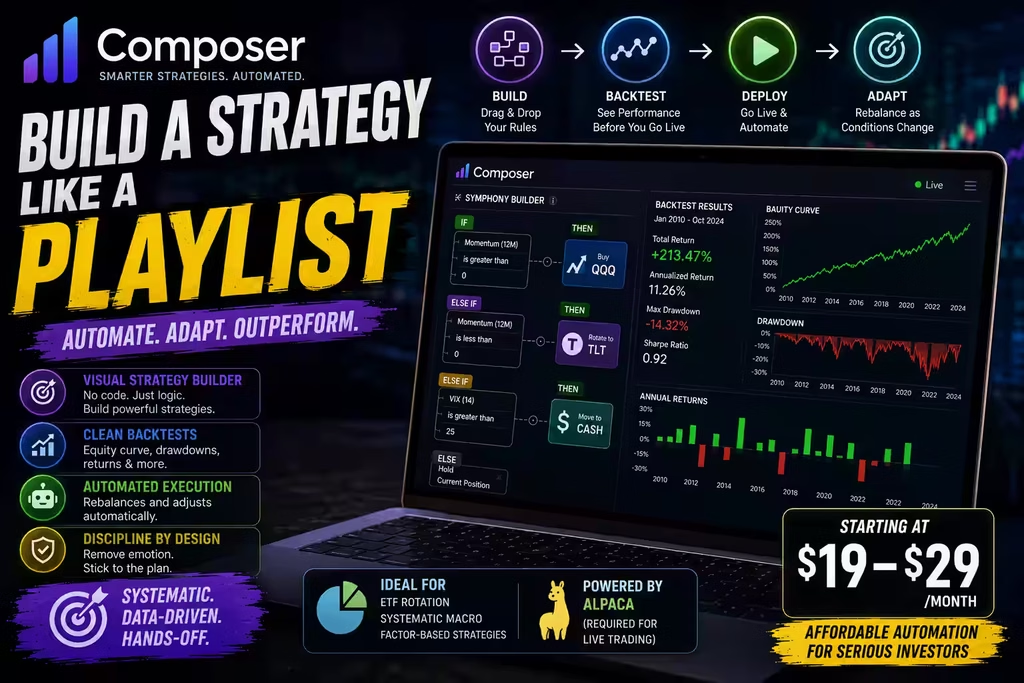
The drag-and-drop editor is clean and logical. You could build something like: hold QQQ when momentum is positive, rotate into TLT when it turns negative, shift to cash if volatility spikes above a threshold. Set it live. Done. The platform rebalances and adjusts automatically as conditions change.
- Best for: ETF rotation, systematic macro, and factor-based strategies
- Automation type: Rule-based portfolio automation
- Backtesting: Yes, with visual equity-curve and drawdown analysis
- Paper trading: Yes
- Broker integration: Alpaca (required for live trading)
- Pricing: From ~$19–$29/month
- Standout feature: Symphony builder with clean, readable backtest output
- Main drawback: Requires an Alpaca account for live execution
It’s genuinely popular among US investors who follow systematic macro or factor-based approaches — people who believe in the data and the rules but hate the manual execution side. The backtesting output is clean too: equity curves, drawdown charts, annual return breakdowns. Easy to read and actually useful for evaluating whether a strategy holds up.
The main limitation is that it routes through Alpaca for execution, so you’ll need an Alpaca account. That’s not a dealbreaker for most people — Alpaca is solid — but it’s worth knowing upfront.
5. Tradetron — The multi-asset option
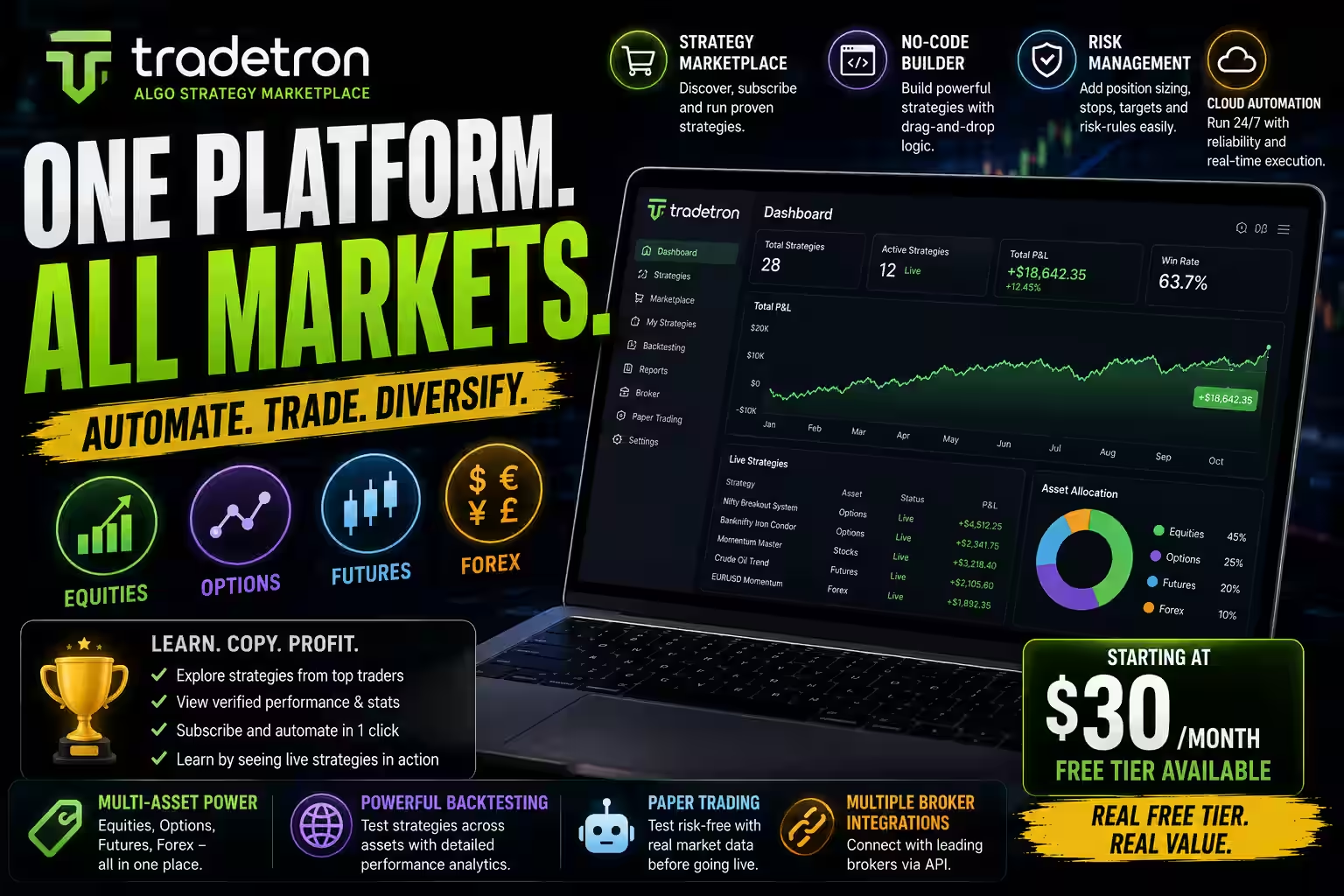
If you trade across more than one asset class, Tradetron deserves a serious look. Equities, options, futures, forex — you can build automated strategies for all of them in one place without writing any code.
The strategy marketplace is what I’d point beginners toward first. Other traders upload their strategies. You can browse them, see the performance history, and subscribe to ones that match your style. It’s a great way to learn how these systems actually work in practice — watching a live strategy run is worth more than any tutorial.
- Best for: Multi-asset traders across equities, options, futures, and forex
- Automation type: Rule-based, marketplace-supported
- Backtesting: Yes
- Paper trading: Yes
- Broker integration: Multiple brokers via API
- Pricing: Free tier; premium from ~$30/month
- Standout feature: Strategy marketplace plus the widest asset-class coverage
- Main drawback: US data depth is still expanding
The no-code builder handles conditional logic, position sizing, and risk management without any programming. API trading integrations with major brokers have gotten solid over the past year, and the platform has been actively expanding its US-specific data feeds.
Free tier is a genuine free tier, not a 7-day trial disguised as one. That matters when you’re still figuring out whether algo trading fits your workflow.
6. Capitalise.ai — You literally just type what you want
This one’s almost too simple, which is exactly the point.
With Capitalise.ai, you type your strategy in plain English. Not a form. Not a dropdown menu. You write: “Buy 5 shares of NVDA when RSI drops below 30 and price is above the 200-day moving average.” The platform reads it, interprets it, and turns it into live trading logic.
- Best for: Beginners who want the simplest possible setup
- Automation type: Plain-English rule interpretation
- Backtesting: Yes
- Paper trading: Yes
- Broker integration: Major brokers via API
- Pricing: From ~$29/month with a free trial
- Standout feature: Type-your-strategy plain-English interface
- Main drawback: Less powerful for advanced strategies
That’s it. No visual builder. No drag and drop. If you can describe your trading rules to another person, you can automate them here.
The backtesting is clean and the paper trading environment is easy to navigate. It’s not the most powerful platform on this list — Trade Ideas or TrendSpider will run circles around it for advanced users. But for someone who has clear trading rules in their head and just wants them automated without fighting a learning curve, Capitalise.ai is the fastest path from idea to live strategy.
Quick Side-by-Side: All 6 Platforms
If you just want to scan and decide, here’s everything in one place.
Quick Comparison: All 6 Platforms
Scan every platform side by side. On smaller screens, tap any platform to expand its full breakdown.
| Platform | Best for | No code | Backtest | Paper trading | Broker integration | Free option | Price (USD) | Standout feature |
|---|---|---|---|---|---|---|---|---|
| Option Alpha | Options traders | Yes | Yes | Yes | Most major US brokers | Yes | Free to start | SmartPricing engine |
| TrendSpider | Chart / TA traders | Yes | Yes | Yes | Major brokers via API | Yes | ~$33/mo | Multi-timeframe analysis |
| Trade Ideas | Active stock traders | Yes | Yes | Higher tiers | Major US platforms via API | No | ~$118/mo | Holly AI nightly backtesting |
| Composer | ETF rotation | Yes | Yes | Yes | Alpaca (required) | Yes | ~$19/mo | Symphony builder |
| Tradetron | Multi-asset | Yes | Yes | Yes | Multiple brokers via API | Yes | Free tier | Strategy marketplace |
| Capitalise.ai | Total beginners | Yes | Yes | Yes | Major brokers via API | Yes | ~$29/mo | Plain-English strategy input |
Option Alpha Best for options traders
TrendSpider Best for chart / TA traders
Trade Ideas Best for active stock traders
Composer Best for ETF rotation
Tradetron Best multi-asset platform
Capitalise.ai Best for total beginners
Algorithmic Trading vs. AI Trading: The Difference
These terms get used interchangeably, but they aren’t the same.
- Algorithmic trading means automating trades based on fixed rules you define. Most no-code platforms are rule-based.
- AI trading adds machine learning for scanning, signal generation, or natural-language strategy building. These systems can adapt over time and process non-price data like news sentiment.
Not every algorithmic platform uses AI, and that’s fine. A clear rule-based system often beats a poorly understood “AI” one. Watch for platforms that slap “AI” on ordinary technical indicators—a practice some call AI broker washing. Real AI systems can explain their reasoning; repackaged indicators usually can’t.
Don’t Overlook What Your Broker Already Built
Before you open a new account somewhere, take five minutes to look at what your current broker actually offers. Several major US brokers have been quietly building AI tools right into their existing platforms — and if you’re already a customer, they’re free.
- Interactive Brokers: Their iBot feature lets you enter trades using natural language commands. Just type what you want to do. They’ve also added AI news summaries that digest and compress market information so you’re not reading ten different articles to figure out what moved.
- OANDA US: Uses Autochartist-powered AI to scan charts for pattern formations in real time and surface trade signals. Well-suited for forex traders who rely on technical setups.
- FOREX.com: SMART Signals uses machine learning to generate trade ideas with built-in performance analytics. You can see the historical accuracy of each signal type before you act on it.
- XM: Has an in-platform AI assistant for quick chart analysis and market commentary. Not the most powerful, but it’s convenient and free.
The trade-off with broker-built tools is customization. You get what they built — you don’t get to modify it or combine it with other signals. For most beginners though, that’s actually fine. Use your broker’s tools first. Upgrade to dedicated algo trading software when you outgrow them.

How to Start Algorithmic Trading With No Coding Experience
I’ve seen a lot of people buy a subscription, open the platform, and freeze. The interface is new, there are fifteen different settings, and they have no idea where to begin. Here’s the order that actually works.
Before you build a strategy, you need a stock shortlist. Our guide to AI stock screeners covers eight tools that surface opportunities most investors miss.
- Write your rules down on paper before you touch any platform. Seriously. Before you log into anything. What conditions make you buy? What makes you sell? What’s your maximum acceptable loss on a single trade? How much of your portfolio is any single position? Writing this out in plain English first — before you try to translate it into a platform — saves you enormous frustration. Most people skip this step. Don’t.
- Pick the platform that matches your actual trading style. Options trader? Option Alpha. Chart trader? TrendSpider. Never tried any of this before and just want something simple? Capitalise.ai. The worst thing you can do is sign up for the platform with the flashiest features when your actual strategy is straightforward.
- Run paper trading for at least four weeks. Every platform here supports paper trading — simulated trades on live market data with fake money. Do not skip this. Four weeks catches the edge cases. The setups that work fine until a random Wednesday when they don’t. The exit rule that looks good on paper until slippage hits. Catch it all before real money is involved.
- Backtest against at least 5 years of data — and include bad years. When you’re running backtesting strategies, it’s tempting to feel great when the results look strong. Just make sure you’re including 2020, 2022, and any extended sideways period you can find. If your strategy only worked during a bull market, it’s not a strategy. It’s luck wearing a suit.
- Connect your broker in read-only API mode first. Once you’re ready to bridge to live trading, connect your brokerage account with read-only API trading access. The platform can see your portfolio, generate signals, and tell you what it would do — without actually doing anything. Watch those recommendations for a week or two. Do they match your expectations? If yes, move forward.
- Go live with a size you could completely lose. I mean that literally. Pick a position size where, if the strategy blows up completely in the first month, you’re frustrated but not financially hurt. Watch the first 20 to 30 trades closely. Compare them to your backtest. When the results align and the logic holds, scale up.

What Algorithmic Trading Platforms Cost
Pricing spans from free entry tiers to enterprise plans. Compare the typical cost of each category and what you get for it.
| Category | Typical cost | What you get |
|---|---|---|
| Beginner / free tiers | $0 – $30 / month | Paper trading, limited live automation, and basic scanning to learn the workflow without financial risk. |
| Research platforms | $50 – $150 / month | AI stock scoring, screeners, and market analysis tools that surface opportunities and support your decisions. |
| Automated trading bots | $25 – $100 / month | Live automation, alerts, and execution management that carry out your rules without manual intervention. |
| Professional / all-in-one | $300 – $1,000+ / month | Enterprise data, deep API access, and advanced backtesting built for high-volume, serious traders. |
| Robo-advisors | 0.25% – 0.50% AUM / year | Fully managed automated portfolio rebalancing, priced as a percentage of assets rather than a flat fee. |
How to Spot a Platform That’s Just Calling Itself AI
This matters more than most guides admit. The 2026 market is full of platforms that plastered the word “AI” on dashboards that are genuinely just old technical indicators in a new skin. It even has an industry nickname: AI broker washing.
Here’s what actually separates the real thing from the rebrand.
The best algo platforms feed on real-time data — including news sentiment. For a deeper look at how sentiment signals work and which tools capture them, see our guide to AI market sentiment analysis.
- Ask it to explain itself. Real AI systems can tell you why they made a call. Platforms like Danelfin will literally list the specific factors driving a stock’s rating. If a platform gives you a buy signal with no explanation, no breakdown, no transparency — that’s a red flag. You’re probably looking at a repackaged indicator.
- Check the backtesting methodology. Proper backtesting strategies use out-of-sample validation and walk-forward testing. What you don’t want is a system that was optimized to fit historical data perfectly — that’s called curve-fitting, and it basically guarantees the strategy falls apart in live markets. If the backtest shows a 95% win rate with almost no drawdowns, be very skeptical.
- Test price data accuracy during live hours. Open the platform while markets are open and compare its quotes to what your broker shows. Consistent delays or differences mean the data feed is slow or unreliable. That directly kills your trade execution speed advantage — which is most of the point.
- Look at what the system actually does differently. If the ‘AI’ is a simple moving average crossover with different branding, it’s not AI. Genuine machine learning platforms improve over time, adapt to new market conditions, and process non-price data like earnings commentary, news sentiment, and analyst revisions simultaneously.
Being Real With You About What to Expect
I’d rather tell you the uncomfortable parts upfront than have you find out the hard way.
This won’t turn bad trading into good trading. A poorly designed strategy that you automate is still a poorly designed strategy. It just executes its bad logic faster and more consistently. The automation is only as good as the rules you feed it.
Backtests always look better than live trading. Always. There’s no exception to this rule. The historical data doesn’t include slippage, doesn’t include liquidity gaps, doesn’t include the moments when your broker is slow to fill. Assume your live results will be 20-30% worse than your backtest and build your expectations accordingly.
You still have to think. The platform executes your rules. Deciding what those rules are, when to modify them, when a strategy has stopped working — that’s still entirely on you. Automation removes execution errors. It doesn’t remove judgment errors.
AI gets things wrong. Sometimes badly wrong. If a platform has never seen a market condition before — a pandemic crash, a hyperinflationary environment, a flash crash driven by a specific mechanism — it may respond in ways that are precise but completely incorrect. Always run position sizes that assume the AI can and will make serious mistakes occasionally.
None of that should stop you from starting. It should just make you start carefully.
People Also Ask
Do I really not need to know how to code?
Not for any of the platforms in this guide. Option Alpha, Composer, Capitalise.ai, Tradetron — all built for non-programmers. The most technical thing you’ll do is connect a broker API, which is just copying and pasting credentials into a form.
Is automated trading legal for regular people in the US?
Yes, completely. There’s no special license required. Retail investors in the US can use automated trading bots freely. Every platform on this list works with regulated US brokers and is designed specifically for retail use.
What’s the difference between backtesting and paper trading?
Backtesting runs your strategy against historical price data — it tells you how your rules would have performed in the past. Paper trading runs your strategy against live real-time market data using simulated money — it tests your rules in current conditions without financial risk. Do both. Backtest first to validate the concept, then paper trade to see how it behaves live.
Which broker connects to the most platforms?
Interactive Brokers. Hands down, it has the widest compatibility with third-party algo trading software of any US broker. Alpaca is a close second for platforms like Composer that are built around it. Check your chosen platform’s broker integration page before opening a new account.
How much money do I actually need to start?
Platform costs can start at zero with free tiers. For actual trading capital, some brokers like Alpaca have no minimum on cash accounts. Others require $2,000 or more for margin accounts. Practically speaking, most strategies need at least $5,000 to $10,000 in capital before position sizing makes mathematical sense — but start wherever you’re comfortable losing the whole thing.
What happens if something breaks while the bot is running?
Set stop-losses. That’s the whole answer. Every platform here lets you define maximum loss limits at the trade level and at the portfolio level. Build those into your strategy on day one, not as an afterthought. During paper trading, deliberately run your strategy through simulated crash scenarios to see if your risk rules actually hold. They often don’t — until you fix them.
Where to Go From Here
Algorithmic trading stopped being a Wall Street exclusive a while ago. The tools that exist right now — the real, functional, no-code ones — put actual automation within reach of any retail investor willing to put in a few weeks of setup time.
If I had to point someone at one thing to do today, it would be this: pick the platform that matches what you already trade, sign up for the free tier or trial, and spend one weekend building your first strategy in paper trading mode. Don’t go live. Just build it. See how it feels to define your rules explicitly enough that a computer can follow them. That exercise alone will change how you think about your trading.
The platforms are ready. The question is whether your strategy is.
| Ready to start? Option Alpha and Tradetron both have real free tiers — no credit card trial tricks. TrendSpider and Capitalise.ai both offer free trials long enough to actually evaluate them. Pick one, spend a weekend, and see what you think. |
Disclaimer: This article is for informational purposes only. Nothing here is financial advice. Algorithmic trading carries real risk — you can lose money. Past performance of any strategy or platform doesn’t predict future results. All prices are in USD and accurate as of February 2026. Always do your own research and consider speaking with a licensed financial advisor before making investment decisions.
Algorithmic Trading · Editorial Integrity
Sources & Citations
Official platform documentation and current reporting behind this guide to the best no-code algorithmic trading platforms for US retail investors — covering backtesting, paper trading, trade execution, options automation, and API-based broker integration.
Every platform in this guide was reviewed against its own official documentation, pricing pages, and feature specs. Details on Option Alpha, TrendSpider, Trade Ideas, Composer, Tradetron, and Capitalise.ai reference each vendor’s live product pages. Backtesting and paper trading claims follow published methodology and broker API documentation, and the legal context for retail automated trading draws on current SEC and FINRA guidance. Because platform features, pricing, and rules change fast, always confirm the latest details on the vendor’s own site before you act on them.
View full sources, methodology, and editorial notes
This guide was built using official platform documentation, vendor pricing and feature pages, broker API references, and current regulatory releases. We give preference to primary vendor docs and named regulators where they directly support a claim about how a platform automates trades, how backtesting or paper trading works, how orders reach a broker, or whether retail automated trading is legal. A few figures — like monthly pricing — are described in general terms because they shift over time. This article is educational information, not financial advice.
- Options automation and visual bot building: Option Alpha — Official Site — cited as the primary source for the visual decision-tree bot builder, SmartPricing engine, and free-tier structure.
- Technical analysis, multi-timeframe rules, and Strategy Lab: TrendSpider — Official Site — cited for the Sidekick AI assistant, backtesting depth, and multi-timeframe strategy features.
- AI scanning and nightly backtesting: Trade Ideas — Official Site — cited for the Holly AI engine, nightly backtest passes, real-time scanner, and pricing tiers.
- Portfolio automation and symphony builder: Composer — Official Site — cited for the drag-and-drop symphony builder, backtesting output, and Alpaca execution requirement.
- Multi-asset strategy building and marketplace: Tradetron — Official Site — cited for the no-code strategy builder, strategy marketplace, and multi-asset class coverage.
- Plain-English strategy automation: Capitalise.ai — Official Site — cited for the natural-language strategy interface, backtesting, and paper trading environment.
- Broker API and execution integration: Alpaca — API Documentation — cited as reference for the API trading connection used by Composer and other no-code platforms for live order routing.
- Third-party platform compatibility: Interactive Brokers — API & Trading Access — cited to support the point that Interactive Brokers offers the widest compatibility with third-party algo trading software.
- Automated trading rules for retail investors: FINRA — Automated Investment Tools — cited for regulatory context on how retail investors can use automated tools and what to watch for.
- Investor protection and platform claims: U.S. Securities and Exchange Commission — Investor Resources — cited for guidance on evaluating trading platforms and understanding the risks of automated strategies.
- Overstated AI and performance claims: SEC — Charges Over “AI Washing” of Investment Products — cited to support the section on spotting platforms that market ordinary indicators as genuine AI.
Best Algorithmic Trading Platforms · Editorial Standards
Our Editorial Standards
Tech Capital Hub applies Google’s E-E-A-T framework to every guide we publish, favoring hands-on testing, official product documentation, and clear explanations over marketing hype. For this guide, every platform was reviewed against its own live product pages and feature specs — Option Alpha for options automation, TrendSpider for chart-based strategies, Trade Ideas for AI scanning, Composer for portfolio rotation, Tradetron for multi-asset trading, and Capitalise.ai for plain-English strategy building.
Backtesting and paper trading claims follow published methodology and broker API docs, and the legal context for retail automated trading draws on current SEC and FINRA guidance. Because platform features, pricing, and rules change fast, we describe fast-moving details in general terms and note that nothing here is financial advice.
View how our editorial standards apply to this article
Written for Real Retail Investors, Not Quants
This guide meets everyday investors where they are. We start with the honest reality — that algorithmic trading no longer needs a coding background — then walk through what it actually feels like to build a strategy, run it in paper trading, and connect a broker. Practical framing anchors every section, from writing your rules on paper first to going live with a size you could afford to lose, so the advice holds up when real money is on the line.
No-Code Automation Explained Without the Jargon
Coverage breaks down the concepts that matter most for new automated traders. We clarify how no-code builders turn plain rules into live trade logic, how backtesting stress-tests a strategy against past markets, how paper trading validates it on live data with fake money, and how API trading links a platform to your broker. Every term — bot, backtest, slippage, drawdown, execution speed — is defined in plain language before it is used.
Official Docs and Named Platforms Where They Fit
Specific claims are anchored to primary sources. Feature and pricing details reference each vendor’s own product pages for Option Alpha, TrendSpider, Trade Ideas, Composer, Tradetron, and Capitalise.ai. Broker integration follows published API documentation from providers like Alpaca and Interactive Brokers, and the rules around retail automated trading draw on current SEC and FINRA guidance. We avoid promotional copy and unverified performance numbers as support for any point.
Honest About Risk, Pricing, and Updates
We state the hard truths as plainly as the how-to steps: automation carries real financial risk, backtests always look better than live results, and a bot only executes the logic you give it. Platform features and monthly pricing shift often, so we describe them in general terms and point you to each vendor’s site for the latest figures. This guide is reviewed and updated over time. Nothing here is financial or investment advice. Corrections or source challenges can be sent to editorial@techcapitalhub.com.
Algorithmic Trading · About the Author
Marcus Delray
Fintech Analyst · Founder of Tech Capital Hub
Marcus Delray is a fintech analyst and the founder of Tech Capital Hub. In this guide, he shows retail investors how to automate their trading without writing a single line of code — comparing Option Alpha, TrendSpider, Trade Ideas, Composer, Tradetron, and Capitalise.ai so you can match the right platform to how you actually trade. His focus is on clarity and practical setup, not hype.
View full author bio, credentials, and links
Marcus Delray has spent over a decade researching financial technology. He built Tech Capital Hub to make that research useful for everyday readers — from total beginners to people who already trade actively. He covers AI in finance, blockchain, DeFi, and business accounting tools, with a consistent focus on turning dense topics into clear, actionable guides.
For this guide, Marcus tackles a question a lot of investors get wrong: how do you automate a strategy without a coding background? He walks through what a no-code algorithmic trading platform actually does, then compares the six tools he’d recommend based on trading style — Option Alpha for options, TrendSpider for chart-based setups, Trade Ideas for active scanning, Composer for portfolio rotation, Tradetron for multi-asset strategies, and Capitalise.ai for plain-English rules.
He explains how backtesting stress-tests a strategy against years of past data, how paper trading validates it on live markets with fake money, and how read-only API connections let you preview trades before real money is at risk. He’s also candid about trade execution speed, slippage, and how to spot platforms that slap the word “AI” on ordinary indicators. Everything here is educational information, not financial advice.
- Explains how no-code platforms turn plain trading rules into live, automated logic — no programming required
- Compares Option Alpha, TrendSpider, Trade Ideas, Composer, Tradetron, and Capitalise.ai by trading style, pricing, and standout features
- Breaks down the difference between backtesting and paper trading, and why you should run both before going live
- Walks through connecting a broker in read-only API mode and starting live with a size you could afford to lose
- Shows how to spot “AI washing,” judge trade execution speed, and set stop-losses that actually hold under stress — with clear educational framing and no financial advice
Enjoying our content?
Click below to add us as a preferred source. Google will prioritize our latest articles in your Top Stories, AI Mode, and AI Overviews.
Preferred Source on Google