
How to Buy Cryptocurrency for Beginners: The First Purchase Walkthrough


Fintech Analyst · Founder of Tech Capital Hub
Marcus has spent more than a decade researching blockchain and financial technology. This is the ultimate easy guide on how to buy cryptocurrency for beginners! He walks you through picking the best exchange, dodging hidden fees, locking down rock-solid security, and nailing the new 2026 tax rules — the simple, step-by-step roadmap every first-time buyer will love!
Key Takeaways
Your fast, easy snapshot for buying cryptocurrency for the first time!
-
1Easiest Exchange
Coinbase is the simplest on-ramp for first-timers — smooth setup and a top-tier security rating!Best for beginners
-
2Cheapest Funding
An ACH bank transfer is close to free — just wait a couple of days and skip the card fees!
-
3Biggest Money Trap
The “Instant Buy” spread can quietly cost you 1.5%–3.5% extra — a limit order is the easy fix!
-
4Safest Storage
As your holdings grow, move them to a hardware wallet that keeps your keys safely offline!
-
5Day-One Tax Habit
Save the date, amount, and price of every buy — this easy 30-second note saves real tax headaches later!
This is the ultimate easy guide on how to buy cryptocurrency for beginners! You buy cryptocurrency for the first time by choosing a regulated exchange, verifying your identity, funding your account, and placing a buy order — usually in under thirty minutes. The part beginners get wrong isn’t the mechanics. It’s the hidden spread fee on “Instant Buy” buttons and the tax paperwork that starts the moment your order fills, both of which now carry real 2026 consequences.
What Are the Actual Steps to Buy Cryptocurrency for the First Time?
Quick answer: Buying crypto for the first time is refreshingly easy — pick a regulated exchange, verify your ID, fund with a bank transfer, place your buy order, and decide where to store it. Five simple steps, start to finish!
Here is the short version, before the details:
- Pick a regulated exchange (Coinbase, Kraken, or Crypto.com are the common US starting points).
- Create an account and complete identity verification (KYC).
- Link a funding method — bank transfer is cheapest, card is fastest.
- Deposit funds and place a buy order for the coin you want.
- Decide whether to leave it on the exchange or move it to your own wallet.
Every one of those five steps has a cheaper and a more expensive way to do it, and the difference often comes down to which button you tap, not which exchange you picked. The rest of this guide walks through where beginners lose money or create tax headaches without realizing it. Every one of those five steps has a cheaper and a more expensive way to do it, and the difference often comes down to which button you tap, not which exchange you picked. The rest of this guide walks through where beginners lose money or create tax headaches without realizing it.
💡 Related reading: New to the space entirely? Start with our beginner guide to what cryptocurrency is and how it works before you buy your first coin.
Table of Contents
Which Exchange Should Beginners Choose for Their First Purchase?
Quick answer: For your first crypto purchase, choose a regulated exchange with a verifiable security rating — Coinbase is the easiest for total beginners, while Kraken wins on lower long-term fees.
For a first purchase, the exchange matters less for price and more for whether it holds a real security rating and regulatory status you can verify. Kraken and Coinbase both carry a AAA security rating from CER.live, and both are compliant with US regulators — Kraken through FinCEN and the UK’s FCA, Coinbase as a Nasdaq-listed company. Coinbase is generally the easier onboarding experience for a true first-timer, while Kraken tends to run lower fees once you move past the beginner interface.
Crypto.com is worth a look if a mobile app and a rewards-linked debit card matter more to you than the lowest possible fee.
Comparison: Beginner-Friendly US Exchanges
| Exchange | Best For | Security Rating (CER.live) | Typical Fee Profile |
| Coinbase | First-time users, simple interface | AAA | Higher on “Simple” mode (roughly 0.40%–0.60%, plus spread) |
| Kraken | Lower long-term cost, strong track record | AAA | Low on Kraken Pro (0.00%–0.26%) |
| Crypto.com | Mobile-first users, card rewards | Not separately rated in CER.live’s AAA tier for this comparison | Competitive on VIP tiers, higher on instant buy |
Fee schedules vary by region and payment method — see the published pricing pages for Coinbase, Kraken Pro, and Crypto.com for current rates.
Whichever one you choose, confirm two things before you fund the account: a real regulatory status (state money transmitter license, FinCEN registration, or a comparable framework) and a published proof-of-reserves disclosure. Both signal that the exchange is answerable to an outside body if something goes wrong.
Avoid picking an exchange based on which one a friend or an online influencer recommends without checking these two items yourself. An exchange with a large user base isn’t automatically the safest one for your first purchase — liquidity and security are two different qualities, and a beginner needs the second one more than the first.
One more detail worth checking before you sign up: whether the exchange offers FDIC coverage on cash balances. Coinbase, for example, extends FDIC protection to the US dollars sitting in your account — but that protection applies only to the cash, never to the cryptocurrency itself. Once you convert dollars into a coin, that FDIC coverage no longer applies to the position. (See Coinbase’s FDIC pass-through insurance disclosure for full details.)
How Do You Set Up and Verify an Exchange Account?
Quick answer: Setup is easy and takes just minutes! Upload a government ID, add your Social Security number for tax reporting, and switch on strong security — all before you deposit a single dollar.
-
🪪Government ID
A valid photo ID confirms your identity — the same easy step banks already use.
-
🧾Social Security Number
Used for tax reporting, so the exchange can issue your Form 1099-DA at tax time.
-
🤳Selfie for Facial Match
A quick photo sometimes confirms the ID is really yours — fast and simple!
-
1Switch off SMS 2FA
Use an authenticator app like Google Authenticator or Authy instead — it stops SIM-swap attacks by keeping your code on your own device.
-
2Set a Custom Anti-Phishing Code
It appears in every legitimate exchange email. Missing your code? It’s a fake — easy to spot!
How Do You Set Up and Verify an Exchange Account?
Quick answer: Setup is easy and takes minutes — you’ll upload a government ID, add your Social Security number for tax reporting, and switch on strong security before you deposit a single dollar.
Verification, or KYC (Know Your Customer), is mandatory on every regulated US exchange. You’ll need a government ID, your Social Security number for tax reporting, and sometimes a selfie for facial match. This isn’t optional friction — it’s the same requirement banks and brokerages already apply, and it’s what lets the exchange issue you a Form 1099-DA at tax time instead of leaving you to guess.
Two account settings matter more here than most beginner guides mention:
- Switch off SMS-based two-factor authentication before you fund the account. SMS 2FA is vulnerable to SIM-swap attacks, where a scammer convinces your mobile carrier to move your number to their device. Use an authenticator app like Google Authenticator or Authy instead — the code stays on your physical device rather than traveling over the phone network.
- Set a custom anti-phishing code, if the exchange offers one. It appears in every legitimate email the exchange sends you. If an email looks real but is missing your code, it’s a fake.
Do both before you deposit a single dollar. Retrofitting security after your account already holds funds is backwards.s.
What Funding Method Is Cheapest for a First Purchase?
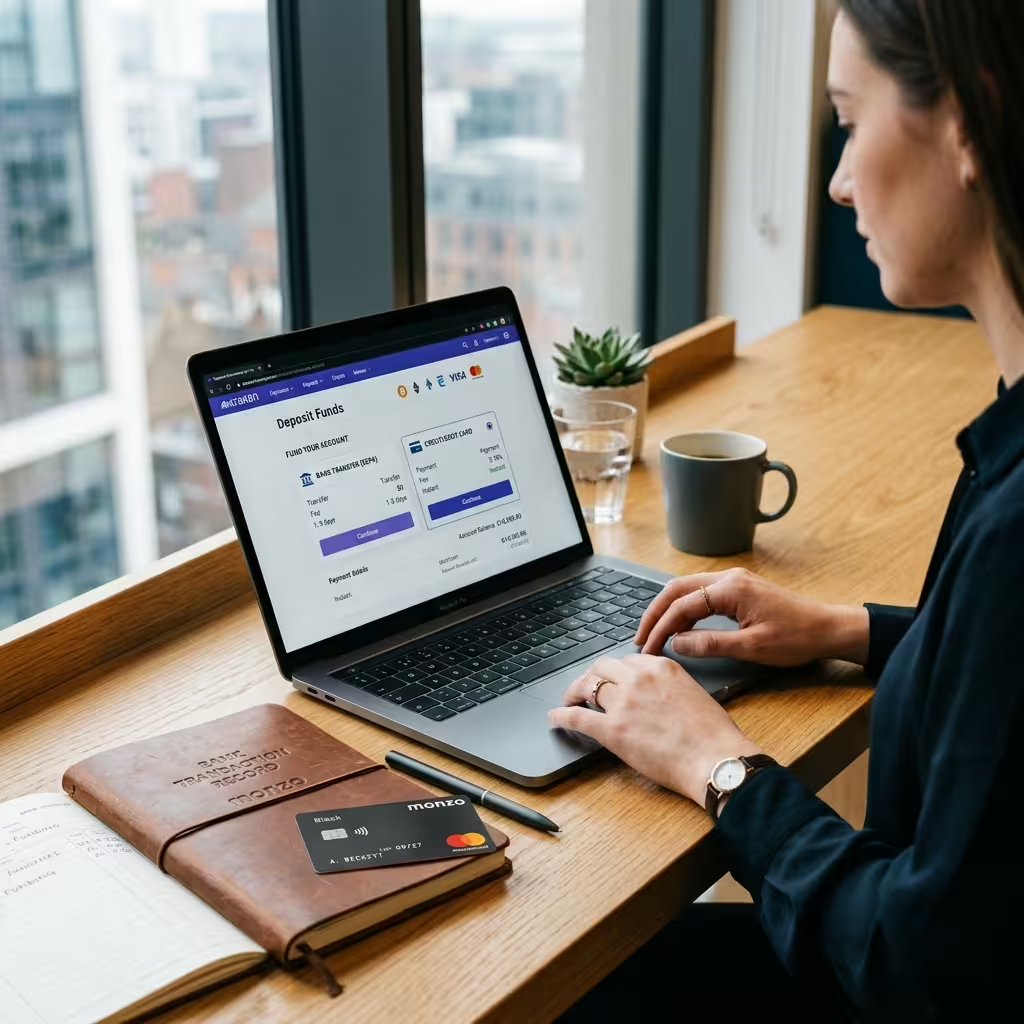
Quick answer: An ACH bank transfer is the cheapest way to fund your first crypto purchase — it’s close to free, while a debit or credit card can quietly add 2%–5% on top of the spread.
This is where most beginners overpay without noticing. A bank transfer (ACH in the US) is close to free on most exchanges. A debit or credit card purchase, by contrast, can add 2% to 5% on top of whatever spread the exchange already charges — and that’s before the exchange’s own transaction fee. (Fee ranges vary by exchange and region; see published pricing pages for Coinbase, Kraken, and Crypto.com for current card-purchase rates.)
The trade-off: bank transfers take a few business days to clear, while card purchases are instant. If you’re buying to hold long-term, the few days of waiting on an ACH transfer costs you nothing. If you’re chasing a specific price, the card fee is the cost of speed.
Avoid PayPal or third-party payment apps for your first purchase if you have any other option — they typically carry the same instant-purchase fee structure without giving you a cost advantage anywhere else.

How Do You Place Your First Buy Order Without Overpaying?
Quick answer: Skip the pricey “Instant Buy” spread when you can — learn a simple limit order on the advanced interface and you could save hundreds of dollars on a larger crypto purchase!
Here’s the part almost no beginner guide states plainly: the “Instant Buy” or “Simple Buy” button on Coinbase and similar apps is not the same price as the exchange’s regular trading price. That button bundles in a spread — the gap between what the exchange pays for the asset and what it charges you — and that spread commonly runs 1.5% to 3.5% on beginner-facing interfaces.
The advanced or “Pro” version of the same exchange charges a maker-taker fee instead, which is usually a small fraction of a percent. The catch is that the advanced interface asks you to set a limit or market order yourself instead of tapping “Buy Now.”
For a first purchase, here’s a reasonable compromise: use the simple interface to learn how the exchange works with a small amount, then switch to the advanced trading view once you’re placing a larger order. The few minutes it takes to learn a limit order can be worth hundreds of dollars in saved spread on a larger purchase.
Do the math before you tap confirm. If you’re buying $200 worth of crypto through a simple “Instant Buy” flow and the spread runs at the higher end of that 1.5%–3.5% range, you could be paying $3 to $7 before the exchange’s own transaction fee is even applied. That’s not a reason to avoid the simple interface entirely — it’s a reason to know the number you’re paying instead of assuming the sticker price is the real price.
Maker fee vs. taker fee, in plain terms:
- A maker order adds a new order to the book (a limit order that doesn’t fill instantly) and usually pays a lower fee.
- A taker order fills immediately against an existing order and usually pays a higher fee.
Quick Decision Guide: Your Best First-Purchase Choices
Quick answer: Match your priority to the right pick with this easy at-a-glance guide — the simplest way to choose the best exchange, funding method, and storage for your very first crypto buy!
| Your Priority | Your Best Choice | Why It Wins |
|---|---|---|
| Easiest first-time experience | Coinbase (Simple mode)Best for beginners | Smoothest onboarding for total beginners |
| Lowest long-term fees | Kraken Pro | Fees as low as 0.00%–0.26% |
| Cheapest way to fund | ACH bank transfer | Close to free; worth the short wait |
| Fastest way to buy | Debit card | Instant, but 2%–5% pricier |
| Safest long-term storage | Hardware wallet | Keeps your private keys offline |
| Lowest order fee | Limit order on advanced view | Beats the built-in Instant Buy spread |
Should You Move Your Crypto Off the Exchange Right Away?
Quick answer: No — for a small first purchase, leaving crypto on a regulated exchange is fine, but move larger holdings to a hardware wallet as they grow.
Not for a small first purchase. For an amount you’re using to learn the process, leaving it on a regulated exchange with a strong security record is reasonable while you get comfortable.
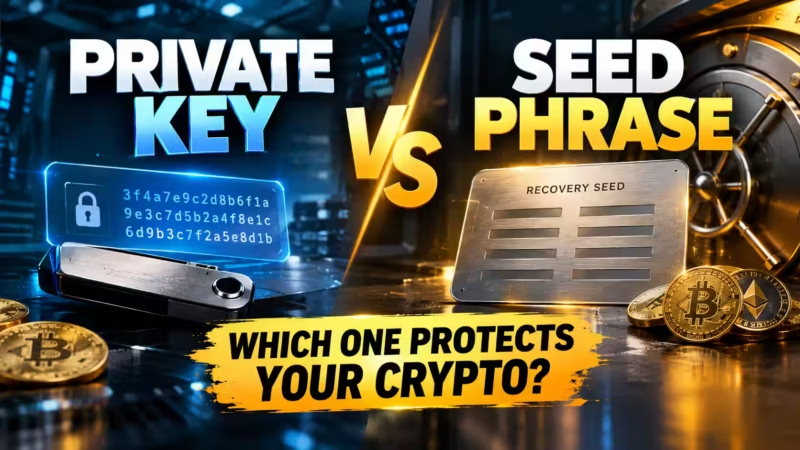
Once your holdings grow past an amount you’d be upset to lose, the standard advice shifts: move it to a hardware wallet that keeps your private keys offline. Exchanges are built for trading liquidity, not long-term custody — even a well-run one is still a single point of failure if its systems are ever compromised.
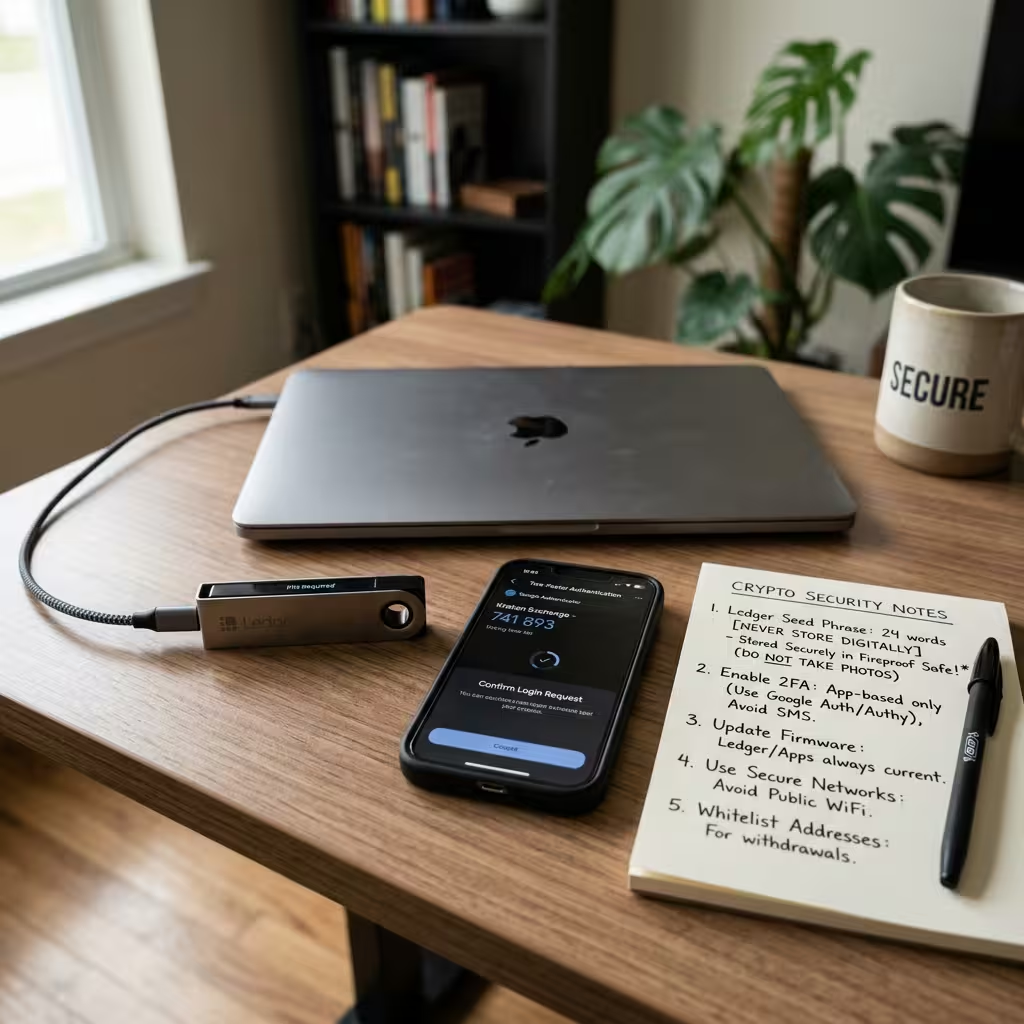
If you do decide to hold on the exchange for now, turn on withdrawal whitelisting. It restricts outgoing transfers to addresses you’ve pre-approved, so even a compromised login can’t immediately drain the account to an unknown wallet.
What Security Steps Matter Before You Buy?
What Security Steps Matter Before You Buy?
Quick answer: The best security habits are wonderfully easy! Bookmark the real exchange URL, never share your seed phrase, and treat every unsolicited DM as a scam — three simple moves that protect first-time buyers before they ever hit “Buy.”
-
1Type the URL or Use Your Own Bookmark
Lookalike domains like “krakenn.com” are an easy trap! A cloned login page can capture your password the moment you type it, so bookmark the real site yourself.
-
2Never Enter Your Seed Phrase Anywhere but Your Hardware Wallet
No legitimate exchange, support agent, or app will ever ask for it. If you’re asked, it’s a scam — no exceptions!
-
3Treat Every Unsolicited DM as Hostile
Scammers pose as support staff or “verified” members on Telegram or X. Real support never DMs you first — every time!
Watch Out for Manufactured Urgency
A message claiming your account will be suspended in two hours, or that you’ve been selected for a limited-time airdrop, is designed to make you act before you think. Slow down — that panic is the scam!
Beyond authenticator-app 2FA and withdrawal whitelisting, three habits protect a first-time buyer specifically:
- Type the exchange’s URL manually or use a bookmark you created yourself. Lookalike domains (think “krakenn.com”) are a common trap, and a cloned login page can capture your password the moment you type it.
- Never enter your seed phrase anywhere except your own hardware wallet setup. No legitimate exchange, support agent, or app will ever ask for it. If you’re asked, it’s a scam — no exceptions.
- Treat unsolicited direct messages as hostile. Scammers increasingly reach out over Telegram or X, posing as support staff or “verified” community members. Real support doesn’t DM you first.
None of this requires technical skill. It requires doing the boring setup steps before you’re excited about a price move, not after.
Watch for manufactured urgency, too. A message claiming your account will be suspended in two hours, or that you’ve been selected for a limited-time airdrop, is designed to make you act before you think. Legitimate exchanges don’t operate on countdown timers, and no real reward requires you to log in through a link someone sent you.

What Tax Records Do You Need to Keep From Day One?
Quick answer: Save the date, amount, and price of every crypto buy from day one — and carry that cost-basis record with you whenever you transfer between platforms, because it won’t travel automatically.
This is the part that changed for 2026 and it affects your very first purchase, not just your eventual sale. Starting January 1, 2026, brokers are required to report cost basis — your original purchase price — on Form 1099-DA for any crypto bought on their platform. That sounds like it solves your tax paperwork automatically. It mostly does, with one important exception. (See the IRS Form 1099-DA guidance and digital asset broker reporting rules for full details on what brokers are required to report.)
If you ever transfer that crypto to a different platform or wallet before selling it, the cost-basis data does not automatically travel with it. The receiving platform may not know what you originally paid, and if you don’t supply that number yourself, the IRS’s default cost-basis assumption can be wrong in a way that inflates your reported gain when you eventually sell.
The fix costs you nothing except a habit: every time you buy, save a note of the date, the amount, and the price. Every time you transfer between platforms or wallets, carry that record with you. It takes thirty seconds and prevents a real tax problem down the line.
A quick primer on how the tax treatment actually breaks down:
- Capital gains apply when you sell crypto for a profit or trade one coin for another.
- Ordinary income applies when you receive crypto as payment, through staking or mining rewards, or via an airdrop.
- Holding an asset for more than one year and one day before selling qualifies it for the lower long-term capital gains rate instead of the short-term rate.
This is general information, not tax or financial advice — a licensed tax professional can confirm how these rules apply to your specific situation.
💡 Related reading: Want to understand what happens after you buy? See our explainer on who confirms crypto transactions for the mining vs. staking basics.sed tax professional can confirm how these rules apply to your specific situation.
What Should You Do If Something Looks Wrong After You Buy?
Quick answer: If you spot an unfamiliar login or transaction, freeze withdrawals first, then reset your password and 2FA from a clean device — and only ever contact support through the official in-app channel.
If you notice a login you don’t recognize or an unauthorized transaction, act in this order: freeze withdrawals from your account settings first, then reset your password and your 2FA from a device you know is clean. Check your recent login history for an unfamiliar IP address, and reach out only through the exchange’s official, in-app support — never through a phone number, email, or DM that reached out to you first.
Crypto transactions are final once they’re confirmed on the blockchain. There’s no chargeback and no “undo” button, which is exactly why the setup steps above matter more here than they would with a bank account that has fraud protection built in.
How This Guide Differs From Our “Beginner Crypto Mistakes” Guide
Quick answer: This article is your step-by-step first-purchase walkthrough — for a deeper dive into the pitfalls that trip people up cycle after cycle, read our companion mistakes guide.
This guide walks you through the exact process of making your first crypto purchase, from choosing an exchange to keeping tax records. If you’d rather focus on the pitfalls to sidestep — the costly errors new buyers repeat every market cycle — that’s a separate, complementary read: our beginner crypto mistakes to avoid guide. Use this one to do your first purchase the easy way, and use that one to avoid the traps around it!
People Also Ask
Is it safe to buy cryptocurrency with a debit card?
It’s safe in the sense that it works and is instant, but it’s rarely the cheapest option. Card purchases commonly carry a 2% to 5% fee on top of the exchange’s own spread, so a bank transfer is worth the short wait if you’re not in a hurry.
How much money do I need to start buying crypto?
Most regulated exchanges let you buy fractional amounts, often as little as $1 to $10. There’s no meaningful minimum that matters for learning the process — start small enough that a mistake wouldn’t hurt.
Do I have to report crypto on my taxes if I haven’t sold it yet?
No. Simply buying and holding crypto is not a taxable event. Taxes apply when you sell, trade one crypto for another, or use it to buy something — not when it’s just sitting in your account or wallet.
What’s the difference between a hot wallet and a hardware wallet?
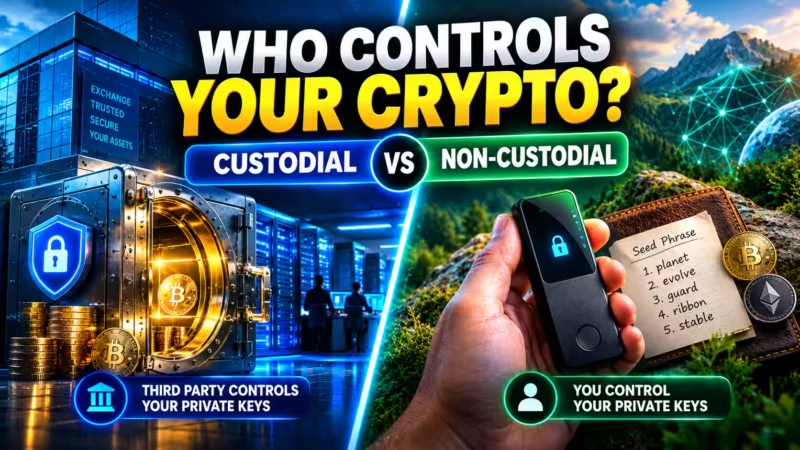
A hot wallet is connected to the internet — this includes your exchange account balance — and is convenient for active trading. A hardware wallet stores your private keys offline on a physical device, which is the recommended setup for anything you plan to hold long-term rather than trade.
Can I lose my crypto if I forget my exchange password?
No — a regulated exchange can reset your password and restore access through standard account recovery, the same as any bank. This is different from losing a seed phrase for a self-custody wallet, which has no recovery option at all.
Should beginners use a Decentralized Exchange (DEX) instead of a centralized one?
Not for a first purchase. A DEX like Uniswap requires you to already own crypto to trade with and offers no customer support if something goes wrong. Centralized exchanges are the standard on-ramp because they accept regular bank transfers and provide account recovery.
General information only. This article does not constitute financial, investment, or tax advice. Consult a licensed financial advisor or tax professional before making investment decisions.
Cryptocurrency · Editorial Integrity
Sources & Citations
The best public data and current reporting behind this easy guide on how to buy cryptocurrency for beginners — covering exchange selection, hidden spread fees, KYC verification, security setup, ACH vs. card funding, maker/taker fees, hardware wallets, and the new 2026 IRS Form 1099-DA tax rules!
Every claim in this simple, step-by-step guide is backed by public data and current industry or government reporting! Exchange security ratings reference published CER.live scores, fee figures draw on official Coinbase and Kraken schedules, and cash-balance protection details follow named FDIC pass-through insurance disclosures. Security setup guidance follows established authenticator-app documentation, and the tax context follows the 2026 IRS Form 1099-DA cost-basis reporting rules. Because exchange fees, ratings, and tax rules change fast, always check the latest data before you act on it.
View full sources, methodology, and editorial notes
This easy beginner guide was written using official exchange fee disclosures, primary IRS documentation, independent security rating platforms, and named insurance and security references. We give preference to primary fee pages, dated regulatory releases, and named platforms where they directly support a claim about exchange selection, spread and maker/taker fees, KYC verification, account security, hardware wallet storage, or crypto tax reporting. A few points are described in general terms where exact figures shift often. This article is educational information, not financial or tax advice.
- Exchange security ratings: CER.live — Cyber Security Ratings for Crypto Exchanges — cited as the source for the AAA security ratings referenced for Coinbase and Kraken.
- Coinbase fee schedule: Coinbase — Pricing and Fees — cited for the higher “Simple” mode fees and spread that beginners pay on the standard buy flow.
- Kraken Pro fee schedule: Kraken — Fee Schedule — cited for the low maker/taker fee range on Kraken Pro (roughly 0.00%–0.26%).
- Card vs. bank funding costs: Coinbase — Deposits and Withdrawals — cited to support the point that ACH bank transfers are close to free while debit and credit card purchases add a higher fee.
- FDIC pass-through insurance on cash balances: Coinbase — Account Protections and Insurance — cited for how FDIC pass-through coverage applies to US dollar cash balances but never to the cryptocurrency itself.
- FDIC deposit insurance basics: FDIC — Deposit Insurance — cited as the primary government reference explaining what deposit insurance does and does not cover.
- IRS Form 1099-DA cost-basis reporting: IRS — About Form 1099-DA, Digital Asset Proceeds From Broker Transactions — cited for the broker cost-basis reporting rules that took effect January 1, 2026.
- Digital asset tax treatment: IRS — Digital Assets — cited for how capital gains and ordinary income rules apply to buying, selling, trading, and receiving crypto.
- KYC identity verification requirements: FinCEN — What We Do — cited for the regulatory basis behind mandatory Know Your Customer (KYC) checks on US exchanges.
- Authenticator-app 2FA and SIM-swap risk: CISA — Turn On Multifactor Authentication — cited to support using an authenticator app over SMS-based two-factor authentication for stronger account security.
- Hardware wallet self-custody basics: Ethereum.org — Security and Scam Prevention — cited for why keeping private keys and seed phrases offline in a hardware wallet protects long-term holdings.
How to Buy Cryptocurrency for Beginners · Editorial Standards
Our Editorial Standards
Tech Capital Hub applies Google’s E-E-A-T framework to every beginner crypto guide, favoring easy, plain-English explanations, public data, and official documentation over hype or unsupported claims. This guide anchors specific points to trusted references — CER.live for exchange security ratings, published Coinbase and Kraken fee pages for hidden spread and maker/taker fees, FinCEN for KYC verification, CISA for authenticator-app 2FA over risky SMS codes, the FDIC for what cash-balance insurance really covers, and the IRS for the 2026 Form 1099-DA cost-basis reporting rules. From ACH versus card funding to hardware wallet storage, every claim is grounded in a source you can check yourself!
View how our editorial standards apply to this article
Written for First-Time Buyers, Step by Step
This is the ultimate easy walkthrough for total newcomers! We meet beginners right where they are — from creating a first exchange account and passing KYC verification to funding it and placing that very first buy order. Everyday framing anchors each lesson, like why an ACH transfer takes a few days or why tapping “Instant Buy” quietly costs more, so the steps actually stick and your first purchase feels simple and confident.
Fees and Security Explained Without the Jargon
Coverage breaks down the choices that save beginners real money right away. We clarify the hidden spread baked into simple buy buttons, how maker and taker fees work on advanced views, why ACH beats card funding on cost, and how authenticator-app 2FA blocks SIM-swap attacks. Every term — spread, KYC, maker, taker, seed phrase, hardware wallet — is defined in plain, easy language before it’s ever used.
Official Sources and Named Data Where They Fit
Specific claims are anchored to the best trusted references. Security ratings draw on CER.live, fee figures reference published Coinbase and Kraken schedules, and cash-balance protection follows named FDIC pass-through disclosures. KYC rules point to FinCEN, strong two-factor guidance follows CISA, and the tax details follow the IRS Form 1099-DA cost-basis rules that took effect January 1, 2026. We avoid promotional content and unverified numbers as support for any point.
Honest About Fees, Security, and Tax Trade-offs
We state the hard truths as plainly as the steps: card funding is fast but pricier, simple buy buttons are easy but carry a bigger spread, and leaving crypto on an exchange is convenient but not the safest long-term home. FDIC coverage protects your cash, never your coins. Because exchange fees, ratings, and tax rules change fast, this guide is reviewed and updated over time. Nothing here is financial or tax advice. Corrections or source challenges can be sent to editorial@techcapitalhub.com.
How to Buy Cryptocurrency for Beginners · About the Author
Marcus Delray
Fintech Analyst · Founder of Tech Capital Hub
Marcus Delray is a fintech analyst and the founder of Tech Capital Hub. This is the ultimate easy guide on how to buy cryptocurrency for beginners! In a simple, step-by-step walkthrough, Marcus shows you how to pick the best exchange, dodge the hidden “Instant Buy” spread, choose cheap ACH funding over pricey card fees, breeze through KYC setup, lock down your account with authenticator-app 2FA, move coins to a hardware wallet, and stay ready for the new 2026 IRS Form 1099-DA tax rules. It’s the confidence-building roadmap every first-time buyer will love!
View full author bio, credentials, and links
Marcus Delray has spent over a decade researching financial technology. He built Tech Capital Hub to turn that research into easy, useful guides for everyday readers — from total beginners to people who already follow the market. He covers cryptocurrency, blockchain, DeFi, AI in finance, and business accounting tools, with a consistent focus on turning dense topics into clear, actionable steps.
This guide is his simple, start-to-finish answer to how to buy cryptocurrency for beginners! Marcus walks first-time buyers through choosing a regulated exchange — comparing Coinbase, Kraken, and Crypto.com on security ratings and fees — then breezing through KYC verification the right way. He explains the hidden “Instant Buy” spread that quietly costs 1.5%–3.5%, how maker and taker fees work on the advanced view, and why a near-free ACH bank transfer beats a debit card that can add 2%–5%.
He shows you how to switch on withdrawal whitelisting and authenticator-app 2FA, when to move your coins to a hardware wallet, and exactly which records to keep for the 2026 IRS Form 1099-DA cost-basis reporting rules. Every step is grounded in official exchange, security, and IRS documentation. All articles are educational information, not financial or tax advice.
- Explains how to buy cryptocurrency for beginners in plain, jargon-free language — from account setup to your very first buy order
- Compares regulated US exchanges like Coinbase, Kraken, and Crypto.com on security ratings, KYC verification, and real fee structures
- Breaks down the hidden “Instant Buy” spread versus maker/taker fees, plus why ACH bank transfers beat card funding on cost
- Details rock-solid security habits — authenticator-app 2FA over SMS, withdrawal whitelisting, and hardware wallet storage for private keys
- Grounds coverage in official exchange, FDIC, and IRS documentation, including the 2026 Form 1099-DA cost-basis rules, with clear educational framing and no financial advice
Enjoying our content?
Click below to add us as a preferred source. Google will prioritize our latest articles in your Top Stories, AI Mode, and AI Overviews.
Preferred Source on Google



One thought on “How to Buy Cryptocurrency for Beginners: The First Purchase Walkthrough”