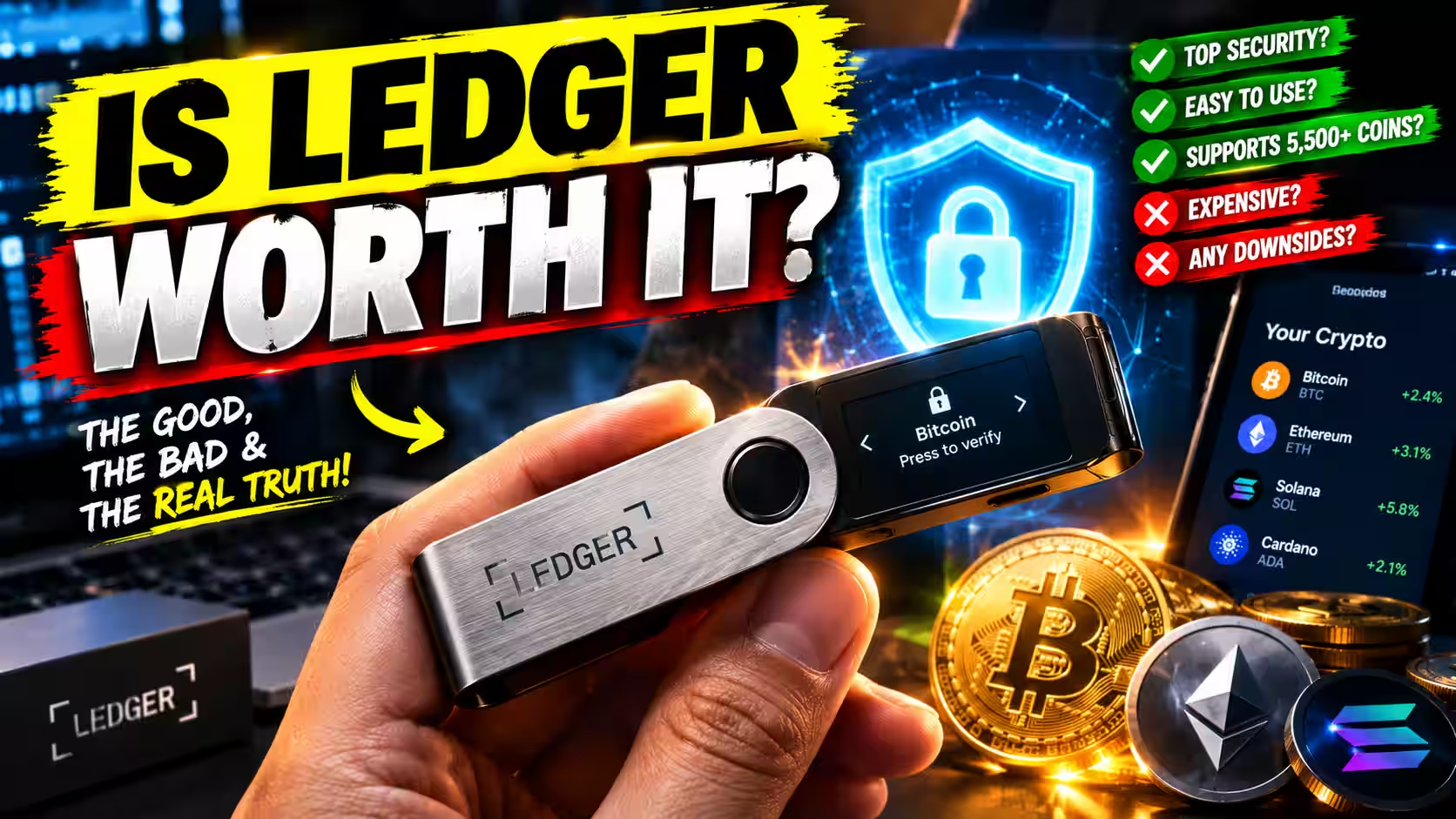
Is Ledger Worth It? An Honest Look Before You Buy (2026)

Fintech Analyst · Founder of Tech Capital Hub
Marcus covers cryptocurrency, blockchain, DeFi, and financial technology in plain English for everyday readers. In this guide, he helps you decide whether a Ledger is worth it by breaking down safety, self-custody, setup, supported coins, and past trust concerns. He also explains which Ledger model suits beginners best, so you can buy with confidence or skip it with good reason.
- Hardware Wallets
- Self-Custody
- Ledger Safety
- Recovery Phrase Security
- Supported Coins
- Beginner Wallet Setup
Some days you open your exchange app, look at your balance, and feel a little uneasy. It’s more money than it used to be. You’ve heard the warnings about hacks and frozen withdrawals. And somewhere in the back of your mind, a quiet question keeps coming up: Is ledger worth it?
We’ve been there too. So let’s answer it plainly — no hype, no scare tactics.
Quick Verdict
Worth it if: You hold crypto you’d genuinely miss, plan to keep it long term, and are willing to protect a 24-word recovery phrase.
Skip it for now if: You hold a very small amount, trade daily, or don’t want full responsibility for your own keys.
Best model for most beginners: Ledger Nano S Plus (~$79). It protects your crypto just as well as pricier models. You pay more for convenience, not better security.
If you’re still weighing all your hardware wallet options, our best crypto wallets 2026 guide covers the full landscape. This post focuses on one question: is a Ledger worth your money?
What you’ll find here:
- What you actually pay and what you get for it
- A plain honest look at safety, setup, and coin support
- A simple decision table to match your situation to the right choice
- Honest coverage of past trust concerns, including the data breach and Ledger Recover
- A model-by-model breakdown so you know which Ledger fits you
What a Ledger Actually Does (in Plain English)
A Ledger is a small hardware wallet. It stores your private keys offline, away from your phone and computer.
Your private keys are what prove you own your crypto. Whoever holds them controls the funds. When you send crypto, your computer or phone builds the transaction. Then the Ledger signs it inside the device. Your keys never leave the hardware.
That’s the whole idea, and it’s simpler than it sounds.
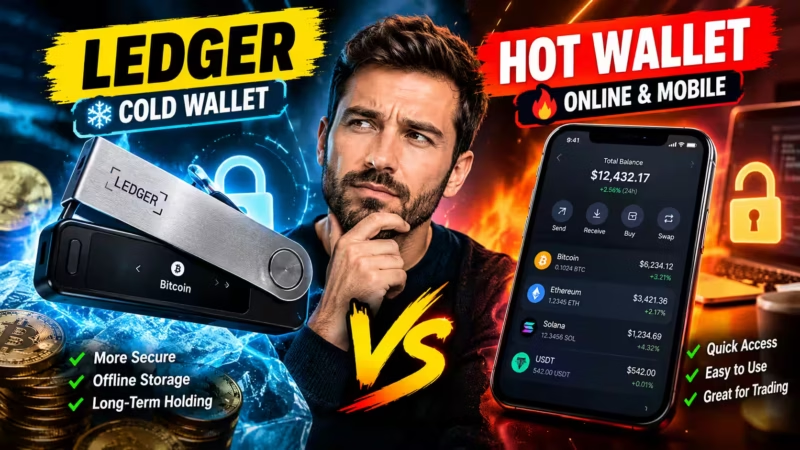
You manage everything through the Ledger Wallet app (formerly called Ledger Live). It shows your balances, lets you send and receive, and handles firmware updates. If you want a clear breakdown of how this compares to browser and mobile wallets, our piece on hardware wallet vs hot wallet covers those trade-offs in detail.
Table of Contents
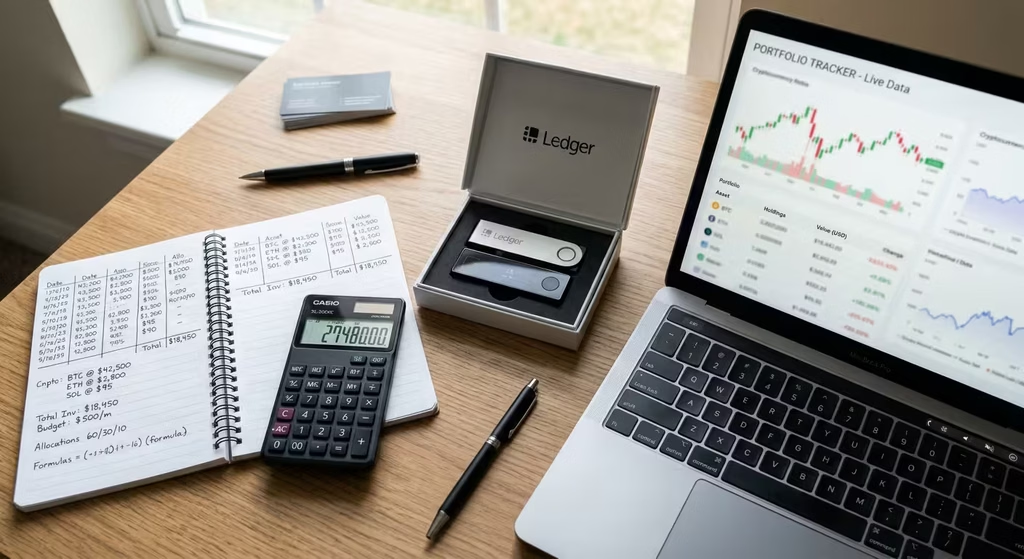
Is Ledger Worth It? The Honest Cost-vs-Value Breakdown
You’re paying real money for a physical device. Here’s exactly what that money buys.
What You Pay
Ledger offers four main models. Prices are based on Ledger’s official store and can shift with promotions or new releases. Always buy directly from Ledger or an authorized reseller — a used or tampered device defeats the whole point.
What You Pay · 2026 Cost Breakdown
The Real Cost of Owning a Ledger
The device is a one-time purchase with no monthly fee. But the sticker price is only part of the picture. Here’s everything you’ll actually spend, in money and in effort.
| Cost item | What you pay | Type | Our take |
|---|---|---|---|
Ledger Nano S Plus
USB-C, no battery, no Bluetooth
Best value | ~$79 One device, lifetime use | One-time | The smartest pick for most beginners. Same core security as pricier models. Why it mattersIf you mainly hold crypto and connect to a computer, you give up nothing important on safety by choosing the cheaper model. |
Ledger Nano X
Bluetooth, built-in battery | ~$149 Often discounted in sales | One-time | Worth the extra ~$70 only if you manage crypto from your phone often. Why it mattersYou’re paying for convenience, not stronger protection. Batteries also age over time, which matters if you plan to keep the device for years. |
Ledger Flex
Touchscreen, mid-range pricing | ~$249 Mid-range option | One-time | Best for users who want a touchscreen experience without going to the top of the range. Why it mattersThe touchscreen makes navigation easier, especially for DeFi users reviewing longer transaction details. The security core is the same as cheaper models. |
Ledger Stax
Largest screen, premium build | ~$399 Top-of-range model | One-time | For premium buyers who want the largest screen and best build quality. Overkill for most beginners. Why it mattersThe Stax offers the most screen real estate for reviewing transactions, but the underlying security is the same as the Nano S Plus. The extra cost buys comfort, not protection. |
Backup & accessories
Metal seed plate, spare cable, optional Ledger Recover | $0–$100+ Paper is free; steel costs more | Optional | A metal backup is the best add-on for larger balances. Recover is a paid opt-in, never required. Why it mattersPaper can burn, fade, or get water-damaged. A steel plate protects your 24-word recovery phrase, which matters more than the device itself. |
Buying & swapping in Ledger Live
Handled by third-party partners | Varies Provider fees + spread + network fees | Per transaction | Convenient, but rarely the cheapest. Compare the final quote before you confirm. Why it mattersPartner fees and price spreads can add a few percent per trade. Many holders buy on a low-fee exchange, then withdraw to their Ledger instead. |
Self-custody responsibility
The hidden cost no price tag shows | Time & care No help desk can restore lost keys | Ongoing | The real price of control. Lose your recovery phrase or fall for a scam, and the funds are gone. Why it mattersPlan for safe backup storage, firmware updates, and spotting phishing. Ledger will never ask for your 24 words, so anyone who does is a scammer. |
Bottom line: For most beginners, about $79 to $130 covers a Nano S Plus and a solid backup. If your crypto is worth more than a few hundred dollars and you plan to hold it, that one-time cost is small next to what it protects.
Prices are approximate as of 2026 and may change with sales, region, or new models. Confirm current pricing on Ledger’s official store before you buy. This is educational information, not financial advice.
What You Get for That Money
You’re not buying a gadget. You’re buying a specific set of protections:
- Offline private keys. Malware on your laptop can’t simply copy them.
- A Secure Element chip. The same type of tamper-resistant chip used in bank cards and passports. It’s independently certified by security labs.
- Physical transaction confirmation. Every transaction needs a button press or screen tap on the device itself. Nothing moves without your say.
- PIN code protection. Too many wrong guesses and the device wipes itself.
- Self-custody. No exchange can freeze, lend out, or lose your funds.
That last point matters more than most people realize. When your crypto sits on an exchange, you’re trusting that company to stay solvent, honest, and secure. Ledger’s own guide on custodial vs non-custodial wallets explains this trade-off plainly.
The Real Cost Nobody Mentions
The price tag is the easy part. The real cost is responsibility.
With a Ledger, you become your own bank. If you lose your recovery phrase and your device, nobody can help you. Not Ledger. Not support. Not anyone. That’s the trade-off for full control, and it’s worth sitting with before you buy.
Who Should Buy a Ledger — and Who Should Wait
This isn’t about whether Ledger is “good.” It’s about whether it’s good for you, right now.
Buyer Fit · 2026 Decision Guide
Is a Ledger Right for You Right Now?
A Ledger is a great tool for some people and an unnecessary expense for others. Find your profile below to see whether you should buy now, wait, or compare first.
| Your profile | Verdict | Why |
|---|---|---|
| ✅ Should buy a Ledger Strong fit for these readers | ||
Long-term holders
Buying and holding for months or years
Best fit | Buy | This is exactly what a Ledger is built for. Your keys stay offline, away from hacked exchanges and malware. What to doStart with the Nano S Plus. Pair it with a metal backup for your 24 words, then move your long-term coins over in a small test first. |
Exchange-only users
All crypto sits on one exchange today | Buy if you hold | On an exchange, the platform holds your keys. If it freezes withdrawals or fails, your coins can get stuck. What to doKeep using the exchange to buy. Then withdraw anything you don’t plan to sell soon to your Ledger. |
DeFi users
Connecting wallets to on-chain apps | Buy | Every approval needs a physical button press. Clear Signing shows readable details, which helps you catch a bad transaction. What to doUse a separate account for risky apps. Never approve a transaction your device screen can’t explain clearly. |
| ⏳ Should wait or compare first Not a bad choice, just not yet | ||
Active traders
Buying and selling every day or week | Split it | Moving coins on and off an exchange for every trade adds network fees and delays. What to doKeep your trading balance on the exchange. Use a Ledger only for the part you plan to hold long term. |
Beginners with small balances
Under a few hundred dollars in crypto | Wait | A $79 device can cost a big share of a small balance. The math gets better as your holdings grow. What to doTurn on two-factor authentication on your exchange. Revisit a Ledger once your crypto is worth more than the device. |
Careless with passwords or backups
Often reset logins or lose notes | Wait | Lose your recovery phrase and your funds are gone for good. No help desk can restore them. What to doBuild the habit first. Practice storing one important backup safely offline before you take full control of your keys. |
Privacy-sensitive users
Worried about Ledger’s past trust issues | Compare first | The 2020 customer data breach and the Ledger Recover debate left some buyers uneasy. Your keys were never exposed, but trust matters. What to doRecover is optional, so you can skip it. If open-source firmware matters most to you, compare Ledger with Trezor before you buy. |
Convenience-first users
Want easy access and little responsibility | Wait | Self-custody trades convenience for control. Extra steps for every transaction will feel like friction, not protection. What to doA reputable exchange or a well-reviewed software wallet may suit you better for now. Upgrade when security becomes the priority. |
Bottom line: Buy a Ledger if you plan to hold crypto worth more than the device and you’re ready to protect a recovery phrase. Wait if your balance is small, you trade constantly, or you’d rather someone else handle security. The device protects your keys, but only you can protect your backup.
General guidance based on common buyer situations. Your needs may differ. This is educational information, not financial advice.
If you’re mostly active on exchanges, our beginner guide on how to read a crypto exchange is a better starting point.

Is a Ledger Worth It for Small Amounts?
Short answer: It depends on how much losing it would hurt — not just the dollar amount.
There’s no fixed threshold. But here’s a simple rule we find useful: if losing your crypto tomorrow would genuinely hurt, it’s worth protecting.
For most people, that point arrives around $500 to $1,000 in holdings. At that level, a $79 Nano S Plus costs less than 10–15% of what it protects. Below roughly $200, the cost-to-protection ratio gets harder to justify unless you’re actively adding to your holdings.
A Quick Gut Check
Ask yourself three questions:
- Would losing this amount ruin my week or my month? If yes, lean toward buying.
- Am I adding to my holdings regularly? If yes, you’ll likely cross the threshold soon anyway.
- Am I holding long term? If yes, cold storage makes more sense the longer you hold.
Two or more “yes” answers usually means a Ledger is worth it — even if your balance feels small today.
A Simple Example
Say you invest $100 a month into Bitcoin. Today you hold $600. In a year, you’ll hold at least $1,800 in contributions alone, before any price movement. Buying a Nano S Plus now costs less than one month’s contribution and means you build safe habits early. That’s not overkill. That’s just planning ahead.
Is Ledger Safe? What the Security Actually Protects
Short answer: Yes — when used correctly. But “safe” deserves an honest look.
What Ledger Protects You From
- Remote hacking. Your private keys stay offline. Even if your computer is compromised, a remote attacker can’t extract keys stored on the device.
- Exchange collapses. Your funds live on the blockchain, not on a company’s balance sheet. FTX’s collapse in 2022 made this painfully clear for millions of users who held funds on exchange.
- Blind signing mistakes. Ledger’s Clear Signing feature shows transaction details in plain language on the device screen before you confirm. Ledger’s own guide on Clear Signing explains why this matters, especially for DeFi interactions.
If you use DeFi protocols, many actions involve approving code you can’t easily read. Our plain-English guide on what a smart contract is makes it much easier to understand what you’re actually approving before you tap confirm.
What Ledger Can’t Protect You From
A hardware wallet isn’t a force field. It can’t stop you from:
- Typing your recovery phrase into a fake website
- Approving a malicious transaction you didn’t read carefully
- Storing your recovery phrase in a photo, screenshot, or cloud note
- Giving your 24 words to someone pretending to be Ledger support
Most real-world crypto losses come from scams, phishing, and social engineering — not from broken hardware. Ledger’s crypto wallet security checklist covers the practical steps worth taking after setup.
Can a Ledger Wallet Be Hacked?
Short answer: Remotely? Extremely unlikely. Physically, with the right expertise and access? Theoretically possible, but not a realistic threat for most holders.
The Secure Element chip is independently certified and designed to resist physical tampering. The realistic risks for everyday users are phishing, social engineering, and a poorly stored recovery phrase. Protect those three things and you’ve covered the vast majority of real-world threats.
Is Ledger Legit? Addressing the Trust Concerns
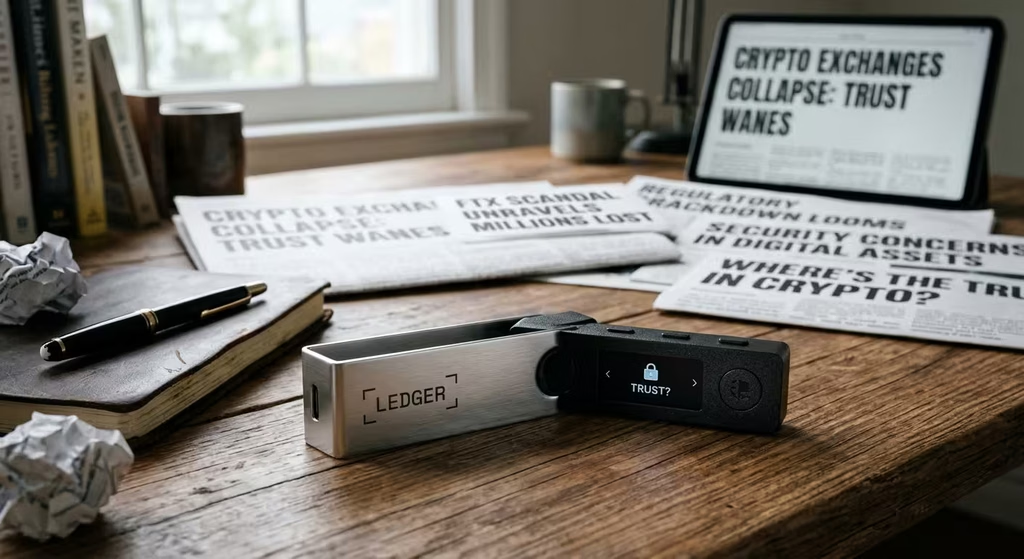
Ledger is a legitimate company. It was founded in France in 2014 and is one of the most widely used hardware wallet brands globally. But it has had real controversies, and you deserve a straight account of them.
The 2020 Customer Data Breach
In July 2020, a third-party contractor’s misconfigured API exposed Ledger’s marketing and e-commerce database. Around 272,000 customers had names, phone numbers, and postal addresses exposed. Over one million email addresses were also leaked.
Here’s what matters: no devices were compromised, and no crypto was stolen directly from the hardware. The breach hit customer data, not wallet security. The damage came in the months that followed, as affected customers faced targeted phishing emails, text messages, and in some cases threatening contact.
Is Ledger Safe After the Data Breach?
Yes — for device security, the breach changed nothing. Your private keys were never at risk. But the incident is a real privacy concern worth acknowledging.
If you’re ordering today, a few practical steps help:
- Use a dedicated email address just for your Ledger purchase
- Ship to a pickup point or alternative address if you have one
- Treat any unexpected message about your Ledger as a scam until proven otherwise
Ledger will never contact you asking for your recovery phrase. Not by email. Not by phone. Not ever. Any message claiming otherwise is a scam.
The Ledger Recover Controversy
In 2023, Ledger announced Ledger Recover — an optional, subscription-based service. It encrypts your recovery phrase, splits it into three encrypted fragments, and stores those fragments with three separate custodians. You verify your identity to restore access.
The pushback was fast and loud. The core concern: if the firmware can export an encrypted backup of your phrase, the “keys never leave the device” principle felt less absolute than users had been led to believe.
Here’s the balanced picture:
- Ledger Recover is completely opt-in. If you never subscribe, it never activates.
- It requires government ID verification, which many self-custody advocates are unwilling to share.
- For users genuinely worried about losing access to their 24 words — or planning for inheritance — it does offer a real safety net.
Is Ledger Recover Worth It?
For most people who value self-custody, probably not. A handwritten recovery phrase stored in two secure physical locations does the job for free. But if the idea of losing your phrase keeps you up at night, or if you want a recovery option for family members, it may be worth considering. Just understand the trade-off clearly: more convenience, less privacy, and a degree of third-party trust.
Ledger’s own article on self-custody misconceptions is worth reading if you’re still working out how much control you actually want.
Is Ledger Easy Enough for Beginners?
Short answer: Yes. Setup is simpler than most people expect.
How Hard Is It to Set Up a Ledger?
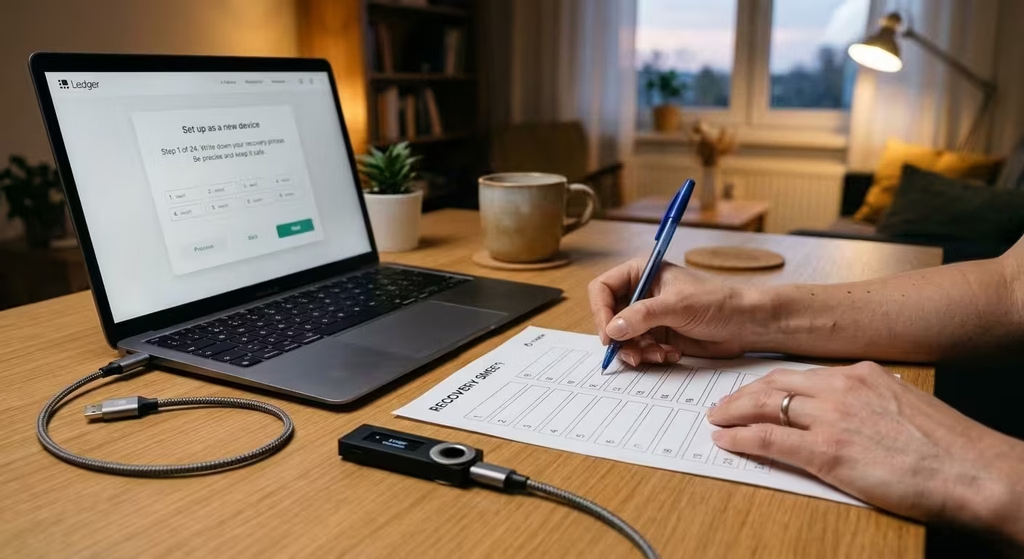
Plan for 20 to 30 minutes for your first setup. Here’s the basic flow:
- Download the Ledger Wallet app from Ledger’s official website only. Don’t search app stores for it — go directly to ledger.com.
- Connect your device and choose a PIN code on the device itself.
- Write down your 24-word recovery phrase on the card provided. Use pen and paper. Never take a photo or save it digitally.
- Confirm the words on the device screen to verify you wrote them correctly.
- Install apps for the coins you plan to hold.
- Send a small test amount first before moving the bulk of your holdings.
The app guides you through every step. You don’t need any technical background.
Ledger vs Keeping Crypto on an Exchange
Keeping crypto on an exchange is easier upfront. No device, no recovery phrase, no setup. You can reset your password if you forget it.
But that ease comes with a real catch. You don’t actually own the crypto. The exchange holds it on your behalf. Ledger’s piece on crypto wallet vs exchange explains the ownership gap clearly.
A simple approach that works well for many people: keep a small trading balance on an exchange, and move your long-term holdings to your Ledger.

Does Ledger Support All Cryptocurrencies?
Short answer: No — but it supports thousands of coins and tokens, including all major ones.
That includes Bitcoin, Ethereum, Solana, XRP, Cardano, and most ERC-20 tokens. Some assets work natively in the Ledger Wallet app. Others need a compatible third-party wallet connected to the device. A small number of newer or more obscure coins aren’t supported at all.
Before you buy, spend two minutes checking Ledger’s official supported assets list on Ledger Support. It’s updated regularly and saves you from a nasty surprise after the fact.
Ledger also connects with popular DeFi protocols and Web3 apps through the Ledger Wallet app and compatible browser wallets. If you’re new to that world, our beginner’s guide to DeFi gives you a solid starting point before you start signing anything.
A Quick Note on Fees
The device is a one-time cost. Ledger doesn’t charge you to hold or receive crypto. You’ll pay standard blockchain network fees on outgoing transactions, and in-app purchases or swaps through partner services carry their own spreads and fees. That’s worth knowing upfront, but it shouldn’t drive your buying decision.
Ledger Pros and Cons at a Glance
Pros & Cons · 2026
Ledger Pros and Cons at a Glance
Each row shows what Ledger does well, where it falls short, and what that means for you before you buy.
- Strength Clear advantage
- Trade-off Depends on your situation
- Watch out Real risk to plan for
| Factor | Pro | Con | What it means for you |
|---|---|---|---|
| Private key security Strength | Your keys are created and stored on the device. They never leave it. | It protects your keys, not your choices. A bad approval still goes through. | A strong home for long-term coins, as long as you read before you sign. |
| Offline protection Strength | Keys stay offline, out of reach of remote hackers and malware. | You still connect to a computer or phone to send, so that device should be clean. | Far safer than an exchange or hot wallet for coins you plan to hold. |
| Secure Element & on-device confirmation Strength | A certified security chip guards keys. Every transaction needs a physical button press, and Clear Signing shows readable details. | Parts of the chip’s firmware are not open source, so you trust Ledger’s audits. | Always check the device screen. If it can’t explain a transaction clearly, reject it. |
| Asset support Strength | Supports thousands of coins and tokens across major networks. | Not every coin or network is covered. Some need a third-party wallet app. | Check Ledger’s official support list for your exact coins before you buy. |
| Ledger Live app Trade-off | One app to check balances, send, receive, and stake on desktop or phone. | Buying and swapping run through partners, and fees plus spreads are rarely the lowest. | Use it to manage coins. Compare quotes, or buy on a low-fee exchange and withdraw. |
| Beginner-friendly models Strength | Guided setup and a model for every budget, from ~$79 Nano S Plus to ~$399 Stax. | Pricier models add screens and Bluetooth, not stronger core security. | Most beginners get full protection from the Nano S Plus. |
| Cost for small balances Trade-off | One-time purchase. No subscription to hold or send crypto. | $79 or more can be a big share of a balance under a few hundred dollars. | Worth it once your crypto is worth clearly more than the device. |
| Recovery phrase responsibility Watch out | You alone control access. Lose the device and you can restore everything with your 24 words. | Lose the phrase and your funds are gone for good. No one can reset it. | Store it offline, ideally on metal. Never photograph or type it anywhere. |
| Phishing & social engineering Watch out | On-device approval adds a final checkpoint before money moves. | It can’t stop you from giving your phrase to a fake site or “support agent.” | Ledger will never ask for your 24 words. Anyone who does is a scammer. |
| 2020 customer data breach Watch out | No private keys, recovery phrases, or funds were exposed. | Leaked emails and some home addresses fueled years of phishing and scam mail. | Consider a separate email for crypto, and treat unexpected Ledger messages with suspicion. |
| Ledger Recover debate Trade-off | An optional paid backup for people who fear losing their phrase. It’s off unless you sign up. | It showed firmware can export encrypted key shards, which unsettled some self-custody fans. | Skip it for pure self-custody. Compare with Trezor if open-source firmware matters most. |
| Convenience for active traders Trade-off | A safe vault for the coins you aren’t trading. | Moving coins to and from an exchange adds network fees, steps, and delays. | Keep a trading balance on the exchange and your long-term stash on the Ledger. |
Bottom line: Ledger’s strengths are real: offline keys, physical confirmation, and wide coin support for a one-time price. Its weak spots sit mostly with you. Guard your recovery phrase, spot scams, and decide whether past trust issues matter to you. If you hold more than the device costs and accept that responsibility, the pros clearly outweigh the cons. This is educational information, not financial advice.
Which Ledger Should You Buy?
Once you’ve decided a Ledger is worth it, the model choice is straightforward for most people.
Model Comparison: Which Ledger Is Best for You?
Model Comparison · 2026
Which Ledger Is Best for You?
All four models protect your keys the same way. What you pay extra for is screen size, mobile connectivity, and ease of use. Here’s how they compare.
Same core security on every model: a Secure Element chip, offline private keys, a 24-word recovery phrase, and physical confirmation for every transaction.
| Model | Approx. price | Best for | Standout strengths | Trade-offs |
|---|---|---|---|---|
| Ledger Nano S Plus USB-C · Button controls · No battery Best value | ~$79 One-time cost | Budget buyers, desktop users, and most beginners |
|
|
| Ledger Nano X Bluetooth · USB-C · Battery Best for mobile | ~$149 Often discounted | Mobile users who want Bluetooth |
|
|
| Ledger Flex E Ink touchscreen · Bluetooth · NFC Best mid-range | ~$249 Mid-range tier | Users who want a touchscreen at a mid-range price |
|
|
| Ledger Stax Curved E Ink touchscreen · Bluetooth · NFC · Wireless charging Premium pick | ~$399 Top of the range | Premium buyers who want the largest screen |
|
|
Bottom line: Most beginners should start with the Nano S Plus. It offers the same core protection as every other model for the lowest price. Choose the Nano X if you manage crypto mostly from your phone. Go with the Flex or Stax only if a bigger touchscreen will truly make signing easier for you, especially in DeFi. Spend the money you save on a metal backup for your recovery phrase. This is educational information, not financial advice.
Our honest take: Start with the Nano S Plus unless you genuinely need Bluetooth or a touchscreen. The core security — the Secure Element chip, offline key storage, and transaction signing — is identical across all models. You pay more for convenience, not stronger protection.
Ledger Alternatives Worth Knowing
A Ledger isn’t the only hardware wallet worth considering.
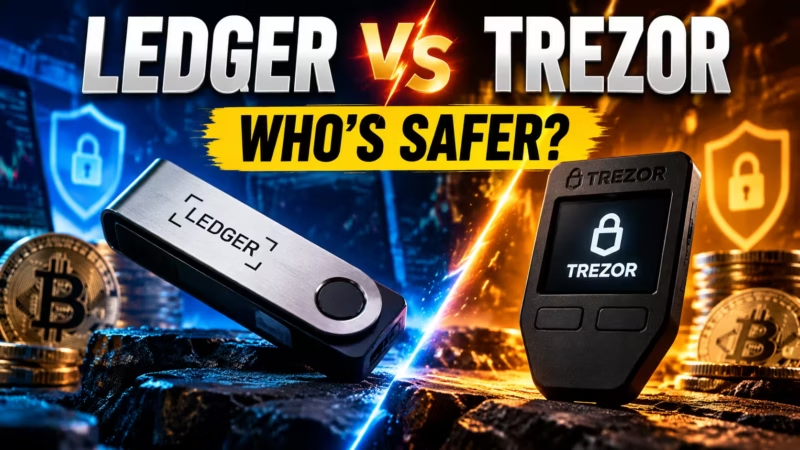
- Trezor: A well-established alternative with a strong open-source focus. Our full Ledger vs Trezor comparison breaks down which brand fits beginners better across security, usability, and price.
- Hot wallets: Free software wallets on your phone or browser. They work well for small amounts and frequent use, but your private keys live on an internet-connected device.
Many people end up using both: a hot wallet for everyday transactions and a Ledger for savings. That split is simple, practical, and easy to manage over time.
The Bottom Line: Should You Buy a Ledger?
Here’s the honest summary:
- Buy a Ledger if you’re holding crypto long term and losing it would genuinely hurt.
- Start with the Nano S Plus unless Bluetooth or a touchscreen is a real need for you.
- Protect your recovery phrase like it is the crypto — because it is.
- Stay alert to scams. That’s where most real losses happen, not from broken hardware.
- Wait if you hold very little, trade daily, or mostly hold unsupported assets.
Your next step is simple. Check that your coins appear on Ledger’s supported list. Order directly from Ledger’s official store. Set it up on a quiet evening when you’re not rushed. Send a small test amount first. That’s all it takes to get real peace of mind — without overthinking it.
People Also Ask
Is a Ledger worth it for small amounts?
It depends on how much losing it would hurt, not just the raw dollar figure. For most people, a Ledger starts making sense around $500 to $1,000 in holdings. If you’re adding to your crypto regularly, buying early helps you build secure habits before your balance grows and the stakes get higher.
What happens if I lose my Ledger?
Your crypto stays safe on the blockchain. Buy a new Ledger, restore your wallet using your 24-word recovery phrase, and you’re back in. Without that phrase, though, there’s no recovery path — for anyone. Store it offline, in at least two secure physical locations.
What happens if Ledger goes out of business?
Your crypto is unaffected. It lives on the blockchain, not with Ledger. Your 24-word recovery phrase follows the BIP-39 open standard, which means you can restore your wallet using any compatible hardware or software wallet — even if Ledger no longer exists.
Can a Ledger wallet be hacked?
Remote hacking of a properly used Ledger is extremely difficult. The Secure Element chip is designed and certified to resist physical tampering. The real risks for most users are phishing, fake support agents, and poorly stored recovery phrases. Protecting those three things covers the vast majority of realistic threats.
Is Ledger safe after the data breach?
Yes — for device security, the 2020 breach changed nothing. No devices were compromised and no crypto was stolen directly from hardware. Customer contact details were exposed, which led to targeted phishing campaigns. Today, treat any unexpected Ledger-related message as suspicious, and remember that Ledger never asks for your recovery phrase.
Does Ledger support all cryptocurrencies?
No, but it supports thousands of coins and tokens, including Bitcoin, Ethereum, Solana, XRP, Cardano, and most ERC-20 tokens. Some assets need a third-party wallet app. Always check Ledger’s official supported assets list before you buy.
Is Ledger Recover worth it?
For most self-custody users, probably not. A handwritten recovery phrase stored in two secure locations is free and just as effective. Ledger Recover is worth considering if you’re genuinely worried about losing access to your phrase, or if you want a simpler inheritance option. Just know the trade-off: more convenience, less privacy, and some third-party trust required.
Hardware Wallet Reviews · Editorial Integrity
Sources & Citations
Official Ledger documentation, wallet security guides, and related Tech Capital Hub coverage behind this honest look at whether a Ledger is worth buying. The guide covers device cost, self-custody, security limits, setup, supported coins, trust concerns, and which model suits beginners.
Every key claim in this guide is checked against official Ledger documentation and practical wallet security resources. Coin and token compatibility relies on Ledger’s official support center. Custody and exchange-risk explanations draw on Ledger Academy guides about custodial wallets and wallet-vs-exchange trade-offs. Security sections reference Ledger’s wallet security checklist and its Clear Signing documentation, with clear notes on what a hardware wallet can and cannot protect against.
We cite Ledger’s own materials for product facts, but our verdict on whether a Ledger is worth it is independent. Ledger did not sponsor or review this article. Because prices, models, supported assets, and app features change, always confirm the latest details with Ledger’s official store and support pages before you buy.
View full sources, methodology, and editorial notes
This guide was written for readers deciding whether to buy a Ledger hardware wallet. We gave preference to official Ledger support documentation and Ledger Academy guides for product behavior, security features, and asset compatibility. We then weighed those claims against real buyer concerns: cost relative to holdings, the responsibility of protecting a 24-word recovery phrase, phishing and social engineering risk, and the trade-off between convenience and control. Device prices are approximate and reflect typical pricing at the time of review.
Context on the 2020 customer data breach and the optional Ledger Recover service is summarized for balance; readers should confirm current details through Ledger’s official channels. Related Tech Capital Hub guides are linked to give deeper context without repeating full comparisons on this page. This article is educational information, not financial or investment advice.
- Which coins and tokens Ledger supports: Ledger Support — Official Help Center — cited for the supported crypto assets list, device setup guidance, and the official recommendation to verify coin compatibility before buying.
- What self-custody actually changes for the owner: Ledger Academy — What Are Custodial and Non-Custodial Wallets? — cited for the difference between holding your own private keys and trusting a third party to hold them for you.
- Why moving off an exchange matters for long-term holders: Ledger Academy — Crypto Wallet vs. Exchange — cited for the custody trade-offs behind the “Ledger vs keeping crypto on an exchange” section, including counterparty risk and withdrawal control.
- Practical habits that protect a hardware wallet owner: Ledger Academy — Crypto Wallet Security Checklist — cited for recovery phrase storage, phishing awareness, and the point that most losses come from scams rather than broken hardware.
- How on-device transaction review reduces blind signing: Ledger Academy — What You Sign Matters: Clear Signing — cited for how Clear Signing shows readable transaction details on the device screen, especially relevant for DeFi users.
- Common misunderstandings about owning your own keys: Ledger Academy — Addressing Self-Custody’s Greatest Misconceptions — cited for balance in the trust and Ledger Recover discussion, helping readers weigh how much control and responsibility they want.
- Hardware wallet vs software wallet trade-offs: Tech Capital Hub — Ledger vs Hot Wallet: Is a Hardware Wallet Worth It? — referenced for deeper context on convenience versus security for readers still choosing between cold storage and an app-based wallet.
- How Ledger compares with its closest alternative: Tech Capital Hub — Ledger vs Trezor for Beginners — referenced in the alternatives section so readers can compare brands without this page becoming a side-by-side review.
- Context for readers who mainly trade on exchanges: Tech Capital Hub — How to Read a Crypto Exchange — referenced for active traders who may be better served by an exchange balance than by moving everything to a hardware wallet.
- What you approve when you sign a DeFi transaction: Tech Capital Hub — What Is a Smart Contract? — referenced in the security section to explain why readable transaction signing matters when interacting with on-chain code.
- Why wallet security matters more once you use DeFi: Tech Capital Hub — What Is DeFi? A Beginner’s Guide — referenced in the supported coins section for readers planning to connect a Ledger to DeFi apps.
Hardware Wallet Reviews · Editorial Standards
Our Editorial Standards
Tech Capital Hub applies Google’s E-E-A-T framework to every cryptocurrency and wallet guide. We put plain-English explanations, official product documentation, and honest trade-offs ahead of hype, affiliate spin, or recycled unsourced claims. In this article, official Ledger support documentation backs the setup guidance and supported-asset details. Ledger Academy guides support the discussion of self-custody, wallet-versus-exchange risk, Clear Signing, and everyday wallet security.
Related Tech Capital Hub coverage adds context on hot wallets, Ledger alternatives, exchanges, smart contracts, and DeFi. We use Ledger’s own materials for product facts, but our verdict on whether a Ledger is worth it stays independent. Ledger did not sponsor or review this article. Because prices, models, supported coins, and app features change, we review examples and dates over time rather than treating them as permanent.
View how our editorial standards apply to this Ledger review
Built Around the Real Buying Decision
This article starts where most readers actually are: holding crypto on an exchange and wondering if a hardware wallet is worth the money. Instead of listing specs, the guide walks through the questions buyers really ask. Is it worth it for small amounts? Is it safe after past controversies?
How hard is setup? Which model should a beginner pick? The goal is not to sell a device. It is to help each reader decide whether a Ledger fits their holdings, habits, and comfort with responsibility.
Wallet Security Explained in Plain English
Coverage focuses on what directly affects safety, cost, and control. We explain how a hardware wallet keeps private keys offline, what the Secure Element chip does, why every transaction needs on-device confirmation, and how Clear Signing helps reduce blind-signing mistakes.
We also explain why the 24-word recovery phrase matters more than the device itself. Technical terms are defined once, examples stay practical, and model comparisons focus on real trade-offs like price, Bluetooth, and screen type.
Official Sources Where Accuracy Matters Most
Product claims are anchored to official Ledger sources. Ledger’s support center backs the supported-asset and setup guidance, and readers are told to confirm coin compatibility there before buying.
Ledger Academy guides support the explanations of custodial and non-custodial wallets, exchange risk, Clear Signing, and security best practices. Related Tech Capital Hub guides offer deeper context on hot wallets, Ledger vs Trezor, exchanges, smart contracts, and DeFi, so this page stays focused on one clear decision.
Honest About Limits, Risks, and Trust Concerns
We state what a Ledger cannot do as clearly as what it can. A hardware wallet protects keys from remote malware, but it cannot stop phishing, fake support agents, or a recovery phrase stored in a photo.
The 2020 customer data breach and the optional Ledger Recover service are covered openly, so readers can weigh privacy and control for themselves. Prices are approximate, and models and features change, so readers should confirm details with Ledger’s official store and support pages. Nothing in this guide is financial, legal, or tax advice.
Hardware Wallet Reviews · About the Author
Marcus Delray
Fintech Analyst · Founder of Tech Capital Hub
Marcus Delray is a fintech analyst and the founder of Tech Capital Hub. In this guide, he helps you decide whether a Ledger is worth it in plain English. He breaks down device cost, self-custody, what the security does and does not protect, recovery phrase responsibility, supported coins, setup, past trust concerns, and which model fits beginners, so you can buy with confidence or skip it with good reason.
View full author bio, credentials, and links
Marcus Delray has spent more than a decade researching financial technology, blockchain systems, digital assets, and AI in finance. He built Tech Capital Hub to make complex fintech and crypto topics useful for everyday readers, operators, and finance professionals. His work covers cryptocurrency basics, DeFi infrastructure, digital custody, wallet security, and business finance tools, with a focus on turning technical concepts into practical, readable guides.
For this guide, Marcus focuses on a question many crypto holders reach once their balance starts to matter: is a hardware wallet actually worth the money? He explains how a Ledger keeps private keys offline, what the Secure Element chip and on-device confirmation protect against, and why phishing, fake support agents, and careless recovery phrase storage remain the real risks. He also weighs cost against holdings, walks through beginner setup, covers coin and token compatibility, and addresses the 2020 customer data breach and the optional Ledger Recover service openly.
Because this topic involves real money and personal responsibility, product claims are checked against official Ledger support documentation and Ledger Academy guides, while the verdict itself stays independent. Ledger did not sponsor or review this article. All articles are educational information, not financial or investment advice.
- Explains hardware wallets and self-custody in plain, jargon-light language grounded in real buyer questions
- Breaks down device cost, Ledger models, and value relative to holdings with practical, beginner-friendly examples
- Clarifies wallet security limits, recovery phrase responsibility, and common scam risks using official Ledger documentation
- Covers supported assets, beginner setup, and DeFi wallet use with a focus on accuracy over hype
- Addresses trust concerns, including the 2020 data breach and Ledger Recover, with balanced, independent analysis
Enjoying our content?
Click below to add us as a preferred source. Google will prioritize our latest articles in your Top Stories, AI Mode, and AI Overviews.
Preferred Source on Google