QuickBooks Online vs Desktop: The Brutal Risk of Sticking with Desktop Past the 2026 Cutoff

If you’ve been running your business on QuickBooks Desktop for years, things are getting complicated. Prices went up. Third-party tools are walking away from Desktop. And Intuit keeps adding new AI features — but only for cloud users.
So is it finally time to switch? Or does QuickBooks Desktop still hold up in 2026? If you’re also comparing QuickBooks against an entirely different platform — like FreshBooks — our QuickBooks vs FreshBooks comparison covers who each tool is actually built for, which helps frame this Online vs Desktop decision in the right context.
That’s exactly what we’re going to break down here. QuickBooks Online vs Desktop Pricing, features, AI tools, support deadlines, and migration options — all the stuff that actually matters when you’re running a real business. By the end, you’ll know exactly which version fits your situation.
🛑 Is Your QuickBooks Desktop 2023 Broken? Here is What Stopped Working:
Support for QuickBooks Desktop 2023 officially ended on May 31, 2026. If you did not upgrade or migrate before the cutoff, the following live services are now permanently disabled in your software:
- Live Bank Feeds: Transactions will no longer automatically sync or download from your bank account.
- Desktop Payroll Services: Direct deposit functions and automated tax table updates are completely turned off.
- Security Updates: Your software will no longer receive critical patches, leaving your private financial data exposed to cyber threats.
- QuickBooks Payments: You can no longer process customer credit cards or online ACH payments directly through your desktop system.
The Post-Migration Reality Check: What Changes on Day 1
When you convert your QuickBooks Desktop file into QuickBooks Online, your data does not look identical. Here is the exact map of what transforms or gets left behind during the migration process:
- Custom Invoice Templates: These do not transfer over. Your beautiful desktop invoice designs are gone. You will need to rebuild them from scratch using QBO’s native template builder.
- Reconciled Bank Accounts: While your financial history transfers, your previously cleared bank transactions will appear as “Unreconciled” in your bank feed on Day 1. You must manually clear the first month to set your baseline.
- Inventory Assembly/Manufacturing: If you use “Inventory Assemblies” in Desktop Premier or Enterprise to build physical products, QBO Plus or Advanced cannot natively handle this without an expensive third-party app plugin like Katana or SOS Inventory.
- Audit Trail History: Your detailed history of who changed what transaction in the Desktop version is wiped clean during the move. Keep a backup copy of your Desktop file on a local hard drive as a permanent legal archive.

The Real Pricing Picture in 2026
Here’s where things get uncomfortable for Desktop fans.
On February 1, 2026, Intuit raised prices across every Desktop tier. QuickBooks Desktop Pro Plus now costs $1,149 per year. That’s up from $999. Premier Plus jumped to $1,609. The Desktop Accountant Edition shot up to $1,799 per year. That was $1,199 before — a 50% increase in one shot.
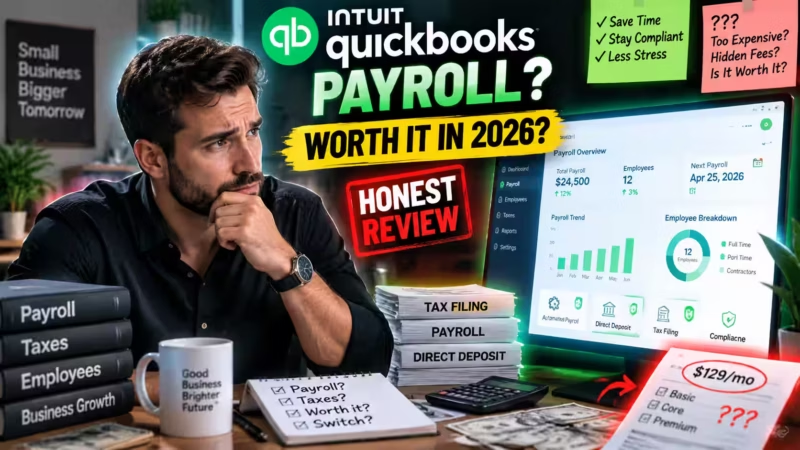
Note: Intuit stopped selling new Desktop Payroll subscriptions in 2024. If you’re evaluating whether QuickBooks Payroll is worth adding to your cloud subscription, our full QuickBooks Payroll review breaks down all three tiers — Core, Premium, and Elite — with actual monthly cost calculations by team size
Compare that to QuickBooks Online. You can start with Simple Start at around $35/month. The top tier, QBO Advanced, runs about $235/month. Nonprofits get an even better deal. Through TechSoup, QBO Advanced is available for roughly $170 a year as an administrative fee.
And it’s not just subscriptions. Multi-user seats on Desktop got more expensive too. Pro Plus now charges $230 per extra seat. Premier Plus charges $345 per seat. Two or three users on Desktop? Those costs add up fast.
Transaction fees went up as well. ACH payment fees on basic plans rose to a $5 cap per transaction. That’s up from $3. Advanced plan users now pay up to $10 per ACH transaction. That’s up from $5.
The idea that Desktop was the cheaper option? That’s gone. The pricing gap has closed. For most US businesses, the cloud version now costs the same — or less. And it does a lot more.
Here’s a quick comparison to keep it simple:
| Plan / Tier | QuickBooks Online (Monthly Cost) | QuickBooks Desktop (Annual Subscription) |
|---|---|---|
| Entry Tier (Simple Start vs. Pro Plus) | $30 / month | $649 / year |
| Mid Tier (Essentials vs. Premier Plus) | $60 / month | $949 / year |
| Advanced Tier (Plus vs. Enterprise) | $90 / month | $1,499 / year (Starting rate) |
| Top Enterprise Tier (Advanced vs. Enterprise Cloud) | $200 / month | $3,000+ / year (Custom quotes) |
The 3-Year True Cost Comparison: Desktop vs. Online
Let’s look past the initial sign-up discounts and calculate the true cost of software ownership over a three-year business cycle.
| Feature / Cost Component | QuickBooks Desktop (Pro Plus) | QuickBooks Online (Plus Plan) |
|---|---|---|
| Year 1 Base Cost | $649 to $949 (Fixed Annual Fee) | $1,140 ($95/month standard rate) |
| Year 2 Base Cost | $649 to $1,149 (Subject to price hikes) | $1,140 (Price stability) |
| Year 3 Base Cost | $649 to $1,349 | $1,140 |
| Additional Users | Up to 3 users max (Costs extra per user) | 5 users included (No extra charge) |
| Remote Access Fee | $300+/year extra (Requires hosting network) | $0 (Cloud access included) |
| 3-Year Estimated Total | $1,947 – $3,447 | $3,420 |
The Verdict: While QuickBooks Online looks more expensive on day one, it eliminates the hidden tech support, backup server costs, and hosting fees required to make Desktop accessible outside your physical office.
What happens after the QuickBooks Desktop 2023 Support Deadline?
After the May 31, 2026 support deadline, QuickBooks Desktop 2023 loses all security patches, bank feeds, and live tech support.
This part is urgent. Please read it carefully.
So, If you’re on QuickBooks Desktop 2023, your support ends on May 31, 2026. That’s not a minor update notice. After that date, a lot gets cut off. No more security patches. No bank feeds. No payroll tax table updates. No online payment processing. No live tech support.
Your software will still open. But it becomes what the industry calls an “operational hazard.”
What does that mean in practice? If a cybersecurity bug is found in the software after May 31st, it won’t get patched. Your financial data stays exposed. If your bank changes its feed format, your transactions stop syncing. If you run payroll through Desktop, your tax tables go stale. Filing errors become a real risk.
And it’s not just Intuit stepping back. Contractor Foreman ended its QuickBooks Desktop integration on January 1, 2026. Other third-party tools are doing the same thing. The Desktop ecosystem is getting smaller every month.
Already on Desktop 2022? Your support ended May 31, 2025. It’s already expired.
| Desktop Version | Support End Date |
| Desktop 2022 | May 31, 2025 — Already Expired |
| Desktop 2023 | May 31, 2026 — Recently Expired |
| Desktop 2024 | May 31, 2027 |
Bottom line: if you’re on 2023 or older, the clock is ticking. Don’t wait until the last week of May to start thinking about a plan.
QuickBooks Online: What You Actually Get
QBO isn’t what it used to be. It’s not just a web version of Desktop anymore. Intuit has poured serious development into the cloud platform. In 2026, the feature gap between QBO and Desktop is real — and it keeps growing.
The AI Agents Are the Biggest Deal
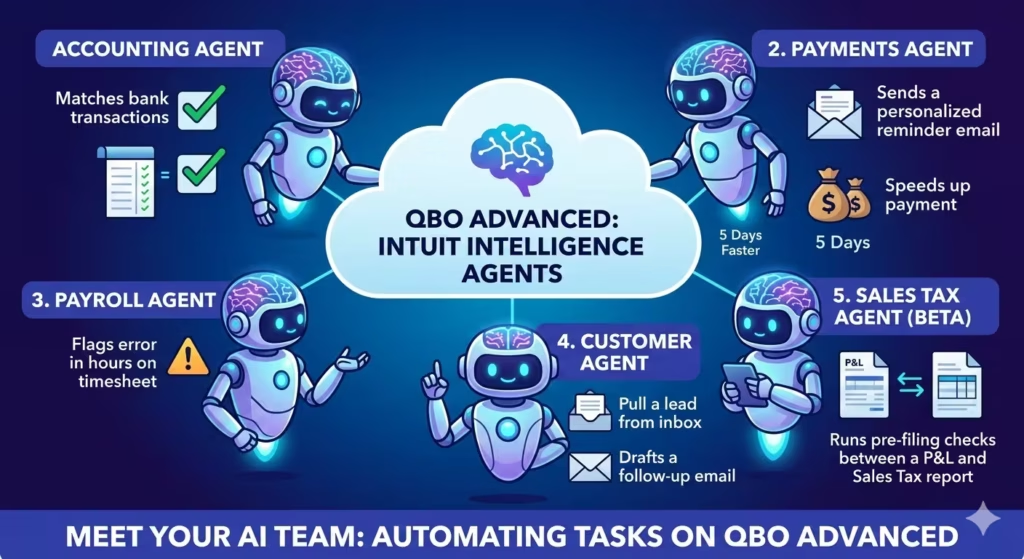
Intuit Intelligence runs a set of specialized AI agents. They work quietly in the background. They’re not chatbots. They’re goal-oriented tools that actually complete tasks.
Here’s what each one does:
- The Accounting Agent scans your bank feeds and matches transactions. It flags anything unusual. It explains the problem so you understand what went wrong — not just that something happened.
- The Payments Agent learns how your customers pay. It sends personalized reminders at the right time. Businesses using it report getting paid an average of 5 days faster than those doing it by hand.
- The Payroll Agent collects time data from employees. It catches errors in hours logged. Payroll prep becomes a lot less stressful when the heavy lifting is already done.
- The Customer Agent pulls leads from your inbox. It drafts follow-up emails so sales opportunities don’t fall through the cracks. If you’ve ever lost a deal because you forgot to reply, this helps.
- The Sales Tax Agent (Beta) runs pre-filing checks. It catches mismatches between your P&L and Sales Tax Liability reports before you file. That’s a much better time to catch mistakes than after.
None of these agents exist on Desktop — not on any plan, at any price. If you’re setting up QBO for the first time to take advantage of these tools, our step-by-step QuickBooks setup guide for small business walks you through every configuration step, including how to activate and use the AI features.

The Intelligence Chat Feature
QBO has a built-in chat tool. You can ask it plain-English questions about your own data. Things like “What were my top expenses last quarter?” or “Which customers owe me money right now?”
The answers come from your actual company data — not generic advice. It’s like having a financial analyst who already knows your books.
Standard plans come with 25 chat prompts per month. That resets each billing cycle. For most small businesses, 25 is plenty. If you need more, you can buy additional prompts as an add-on.
Cloud Access That Actually Helps
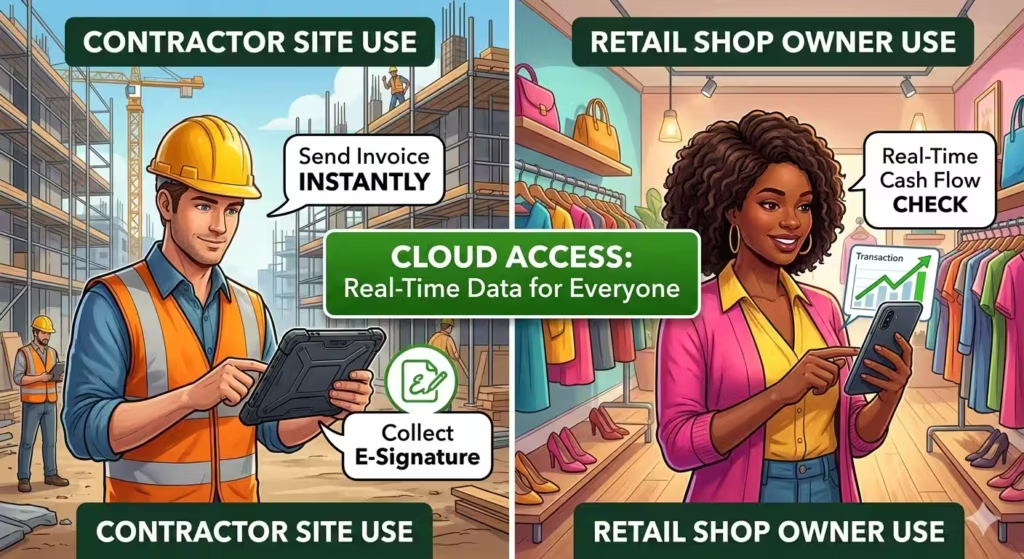
With QBO, you can create estimates, collect e-signatures, and take payments from your phone. It doesn’t matter if you’re on a job site or working from home.
Think about what that looks like in real life. A contractor can send an invoice from the job site right after the work is done. A retail shop owner can check cash flow from their phone while running errands. A bookkeeper can log in from home during tax season without driving anywhere. Desktop can’t do any of that without extra cost and extra setup.
QBO also updates in real time across all your devices. You and your accountant see the same numbers at the same moment. No emailing files back and forth. No waiting for someone to export an Accountant’s Copy. No more “which version is current?”
How QBO Plans Are Structured
QBO has expanded its plan lineup in 2026. There’s now something for every stage of business growth.
| QBO Plan Tier | Included Users | Key Features | Best Suited For… |
|---|---|---|---|
| Accountant Access | 2 Firms Max (Does not count toward user limits) | Direct general ledger view, batch transaction reclassification, and dedicated accountant toolsets. | External CPA firms, remote tax professionals, and independent bookkeepers. |
| Desktop Migration Path | Varies (Matches your chosen tier) | Built-in .QBW company file converter gateway and automatic data mapping validation logs. | Any existing business actively transitioning from local offline software to the cloud. |
| QBO Simple Start | 1 User (+1 Accountant) | Income/expense tracking, basic tax estimation, custom invoice generation, and receipt capture. | Solopreneurs, freelancers, and new service startups. |
| QBO Essentials | 3 Users (+1 Accountant) | Everything in Simple Start plus accounts payable bill management, automated employee time tracking, and multi-currency tools. | Growing service-based teams needing multi-user bill logging. |
| QBO Plus | 5 Users (Standard Migration Target) | Everything in Essentials plus real-time inventory tracking, project profitability dashboards, and vendor purchase orders. | Product-based brands, e-commerce shops, and inventory-heavy businesses. |
| QBO Advanced | 25 Users (Deep Custom Roles) | Everything in Plus plus automated batch invoicing, Intuit AI Agents, deep custom fields, premium 24/7 tech help, and advanced app integrations. | Established enterprises looking for high-level automation and deep data controls. |
The AI agents described above are available on the Advanced plan. If you want the full suite of automation tools, that’s the tier to look at.
Where Desktop Still Makes Sense
Let’s be fair. Desktop isn’t the right answer for everyone — but it’s not dead either.
QuickBooks Desktop Enterprise still holds up in a few specific situations:
- You’re a heavy manufacturer with complex Bills of Materials (BOM)
- You’re processing 50,000 or more transactions and need local processing speed
- You work in a location with no reliable internet access
For those businesses, Enterprise is still the stronger tool. The inventory features go deeper than QBO. The transaction capacity is higher. User permission controls are more detailed. If you need highly granular, activity-based access settings for a large team, Desktop Enterprise gives you more control.
But if you’re a standard small or mid-sized business doing accounting, invoicing, payroll, and basic reporting? Desktop’s advantages have mostly dried up. The features you actually use day to day are matched or exceeded by QBO — at a similar price.
The Intuit Enterprise Suite: For Businesses That Have Outgrown QBO
Some businesses outgrow regular QBO. If you run multiple legal entities — subsidiaries, separate LLCs, different divisions — standard QBO may not cut it anymore. That’s where Intuit Enterprise Suite (IES) comes in.
IES is built for complex organizations. It handles intercompany transactions between entities. It produces consolidated reports across all of them. It supports parallel approvals with up to five approvers at once.
You can also assign dimensions — like region or department — to transactions in bulk. That gives you far more detailed reporting than standard class tracking in regular QBO. Want to see profit by region across three separate LLCs? IES can do that.
The Construction Edition (Beta) adds AIA-style invoicing. It tracks total contract value, amount billed to date, and the remaining balance. All of it is broken down by project phase. Construction firms used to need separate software for this. Now it’s part of the platform.
IES also includes standard cost groups for construction — labor, materials, and subcontractors tracked separately across budgets and job costs. Negative change orders let you handle scope reductions without deleting your original estimate data.
IES sits on the same platform as QBO. Moving from QBO Advanced to IES is much simpler than switching to a traditional enterprise system like Sage or SAP.

The “Post-Cutoff” Emergency Protocol
If you are reading this after the May 31, 2026 cutoff, your software is officially disconnected from live networks. Do not panic. Follow these four precise steps to protect your data before making a move:
- Step 1: Run a Final Local Verification. Open your Desktop software, go to
File > Utilities > Verify Data. This checks your company database for internal glitches. If it finds errors, runRebuild Dataimmediately. Do not migrate a corrupted file to the cloud. - Step 2: Export an Archive PDF Bundle. Go to your Report Center. Export your Balance Sheet and Profit & Loss statements for every year you have operated, and save them as PDFs. If anything goes wrong during the cloud upload, you have definitive tax proof.
- Step 3: Create a “Portable Company File”. Do not just save a regular backup. Go to
File > Create Backup > Portable Company File (.QBM). This is a highly compressed version of your data that is far less likely to freeze or break during a cloud migration. - Step 4: Use the Internal Link Tool. When you are ready to switch, do not sign up for QBO through a standard Google search. Open your current Desktop software and look for the “Export to QuickBooks Online” banner directly inside the menu. Using this built-in gateway ensures your historical data uploads safely.
📋 Free Download: The Ultimate 15-Minute Cloud Migration Checklist
Ready to leave QuickBooks Desktop but terrified of losing your historical data or custom invoice numbers? We have you covered. Get our step-by-step PDF blueprint. It covers the exact settings you must change before hitting the export button to ensure a perfect, stress-free move.
🔒 100% Free. We respect your privacy and never spam.
Your Post-Cutoff Migration Options: Step-by-Step
Now that the deadline has passed, your migration isn’t a casual project—it’s an emergency escape from a disconnected system. You have three distinct pathways to transition safely depending on the health of your desktop files:
Path A: The 15-Minute Express Export (Best for Healthy Files)
If your local company file is under 50,000 transactions and free of data errors, you can use Intuit’s built-in utility tool to push everything to the cloud automatically. This moves your entire transactional history seamlessly.
- Open QuickBooks Desktop and log in as the Admin.
- Go to the top menu and select Company > Export Company File to QuickBooks Online.
- Log into your newly created QBO account when prompted.
- Select your online company destination file and click Export.
- Wait for the confirmation email from Intuit (usually takes 15–30 minutes) before logging in to verify your balances.
Path B: The “Clean Slate” Import (Best for Corrupted or Bloated Files)
If your Desktop software was glitching before the cutoff, or if you have over a decade of messy data, do not upload your historical garbage to the cloud. Start fresh instead.
- Run a trial balance report in Desktop as of your chosen transition date.
- Export just your core lists (Chart of Accounts, Customers, and Vendors) to Excel files via File > Utilities > Export > Lists to IIF Files.
- Log into your new QuickBooks Online account.
- Click the Gear icon and choose Import Data to upload your clean Excel lists.
- Manually enter your opening balances. Keep your old Desktop software on a local hard drive as a permanent, read-only legal archive for historical audits.
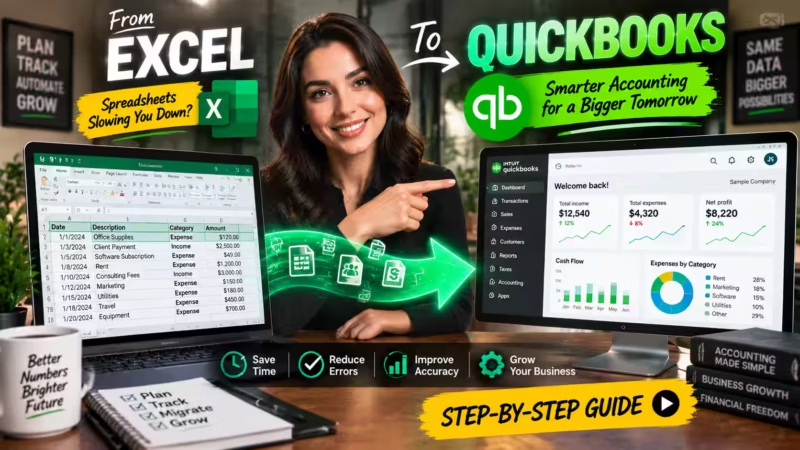
Export your core lists — Chart of Accounts, Customers, and Vendors — to Excel files. If you’re migrating from a spreadsheet-based system rather than from Desktop, our complete guide to switching from Excel to QuickBooks covers the full data cleaning process and the import sequence that prevents duplicate records
Path C: Expert-Assisted Migration (Required for Large or Complex Systems)
If you process massive transaction volumes, manage complex inventory assemblies, or handle multi-state payroll, a basic automated export will fail. You need a professional conversion specialist or certified ProAdvisor to re-map your books manually before hitting the cloud gateway.
People Also Ask – PAA’s
Q: Is QuickBooks Online cheaper than Desktop in 2026?
For most businesses, yes. After Intuit’s February 2026 price hikes, Desktop Pro Plus costs $1,149/year. QBO Plus runs around $960/year. QBO also includes AI agents that Desktop doesn’t offer at any price. When you factor in what you actually get, QBO wins on value.
Q: Can I still use QuickBooks Desktop after the support deadline?
You can. The software keeps working for basic bookkeeping. But you’ll lose bank feeds, payroll tax updates, e-filing, and all online services. You’ll also stop receiving security patches. That’s a serious risk for a file that holds all your financial data.
Q: What’s the difference between QuickBooks Online and Intuit Enterprise Suite?
QBO is built for single-entity businesses with up to 25 users. IES is for multi-entity organizations. IES handles consolidated reporting, intercompany transactions, and complex approval workflows that go beyond what standard QBO can do.
Q: Do I need to be tech-savvy to use QuickBooks Online?
Not at all. The interface is designed to be simple. The AI features reduce manual work — they don’t create more of it. Most users find the transition smoother than expected, especially if they work with a ProAdvisor during setup.
Q: How long does migrating from Desktop to QBO take?
For a full migration with fewer than 50,000 transactions, it usually takes 15 to 30 minutes. The data transfers automatically. You don’t need to re-enter anything by hand.
Q: Are there free alternatives to QuickBooks?
Yes. Wave offers free bookkeeping and invoicing for service-based businesses under $100K in revenue. QuickBooks Free (launched in 2026) handles basic income and expense tracking at no cost. Neither one replaces QBO for a growing business, but both are worth knowing about.
So Which One Should You Choose?
Here’s the plain answer.
Choose QuickBooks Online if you want modern cloud accounting with real AI tools and room to scale. It’s the right fit for most small to mid-sized US businesses in 2026.
Choose Desktop Enterprise if you’re a heavy manufacturer with complex BOM needs. Also choose it if you process 50,000+ transactions locally. Or if you truly can’t rely on internet access every day.
Choose Intuit Enterprise Suite if you manage multiple entities. It handles consolidated financials and intercompany automation. Construction firms that need AIA billing will also get a lot of value from it.
The QuickBooks Online vs Desktop debate used to be a close call. In 2026, it isn’t anymore. Pricing has equalized. All the new AI features live in the cloud only. Desktop’s support window gets shorter every year.
If you’re on Desktop 2023, don’t wait until May 31st to act. Start planning your migration now. The process is smoother than most people expect. And the sooner you’re on the cloud, the sooner you start getting the benefits.
Enjoying our content?
Click below to add us as a preferred source. Google will prioritize our latest articles in your Top Stories, AI Mode, and AI Overviews.
Preferred Source on Google