
QuickBooks vs FreshBooks (2026): Which Accounting Software Is Right for Your Business?

Fintech Analyst · Founder of Tech Capital Hub
Marcus has spent more than a decade researching financial technology and business accounting tools. This is the ultimate easy guide to choosing between QuickBooks and FreshBooks! He breaks down pricing, invoicing, time tracking, inventory, payroll, and reporting into a simple, step-by-step decision every small business owner will love!
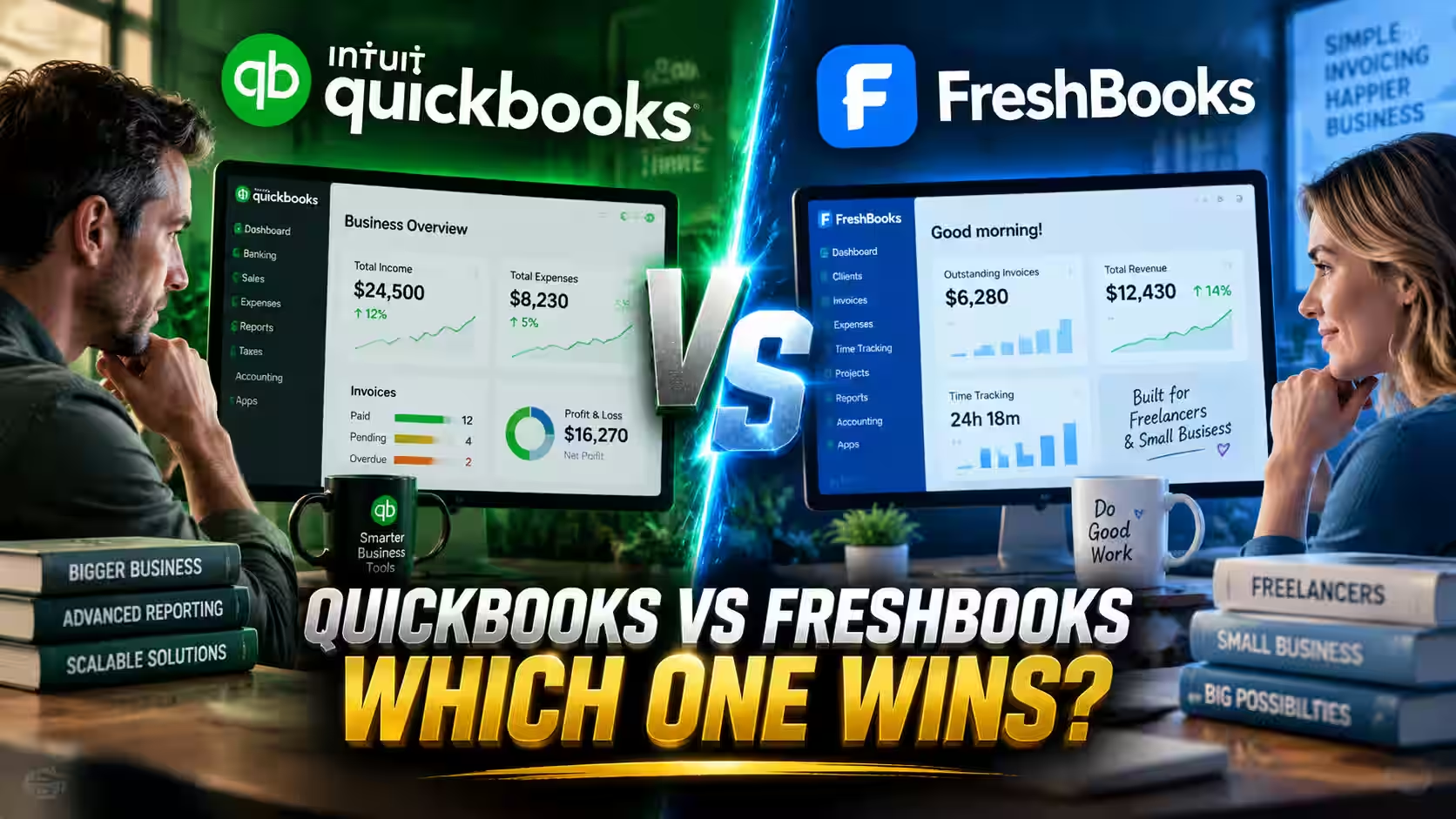
Picking accounting software should be easy! And the good news is, choosing between QuickBooks and FreshBooks usually comes down to one simple question: what kind of business do you actually run? Answer that, and the rest falls into place fast.
This guide walks you through it step by step, so you can pick the right tool with confidence and get back to the work you love.
The Quick Answer
FreshBooks is best for freelancers, consultants, agencies, and other service-based businesses that bill by time or project and want simple, powerful invoicing. QuickBooks Online is best for product-based, inventory-heavy, or growing businesses that need payroll, advanced reporting, e-commerce integrations, and room to scale.
If your business is mostly you (or a small team) sending invoices for your time, start with FreshBooks. If you track inventory, run payroll, or sell across multiple channels, QuickBooks earns its price.
That single distinction answers most of the question. Keep reading for the full breakdown!
How We Evaluated These Tools
We based this comparison on publicly available information, including each vendor’s official documentation and pricing pages, plus widely cited third-party reviews. We looked at pricing, invoicing, time tracking, inventory, payroll, integrations, reporting depth, and ease of setup.
Pricing and features change often, especially with frequent promotions and new AI releases, so always confirm current details on the QuickBooks pricing page and the FreshBooks pricing page before you buy. Where a detail could shift over time, we’ve flagged it.
| Factor | FreshBooks | QuickBooks Online |
|---|---|---|
| Best for | Freelancers & service businesses | Product & growing businesses |
| Starting price | $23/mo (Lite) | $38/mo (Simple Start) |
| Free plan | No (30-day free trial) | Yes (limited features) |
| Time tracking | Included on all plans | Paid add-on |
| Invoicing | Excellent; built in from day one | Strong; scales with plan |
| Inventory | Not a core strength | Real inventory tracking (Plus and up) |
| Payroll | Add-on available | Add-on via QuickBooks Workforce |
| Integrations | Smaller app ecosystem | Large marketplace, native e-commerce |
| Reporting | Solid for service businesses | Deep; multi-entity, KPIs, forecasting |
| Extra users | $11/mo per person, any plan | Fixed seat counts by tier |
| Ease of setup | Very fast, beginner-friendly | More powerful, steeper learning curve |
Pricing reflects standard published rates and excludes frequent promotional discounts. Confirm live pricing before purchase.
Who Each Tool Is Best For
FreshBooks is made for people who sell their time. Freelancers. Consultants. Designers. Coaches. Contractors. If your business is essentially you (or a lean team) doing client work and sending invoices, FreshBooks fits like a glove.
QuickBooks Online is built for businesses with more moving parts. Product sellers. Companies with real inventory. Businesses running payroll. Anyone managing multiple locations or selling on Shopify and Amazon. If your accounting software also needs to power serious reporting, that’s QuickBooks territory.
Table of Contents
FreshBooks: The Easy Choice for Service Businesses
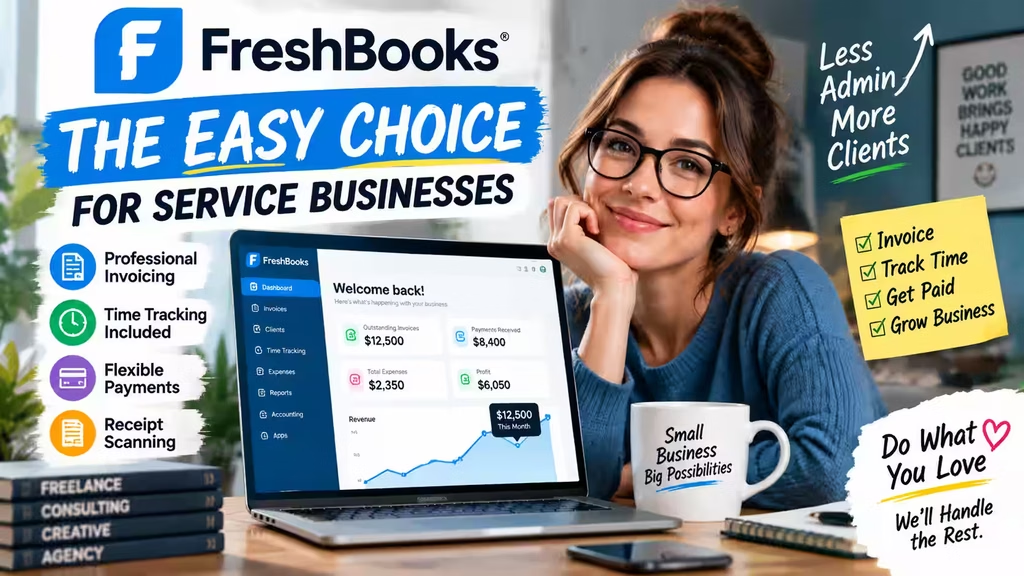
FreshBooks started as an invoicing tool, and that heritage still shines through. You can set it up and send your first invoice quickly, with no accounting background required. It’s genuinely one of the easiest platforms to learn!
What FreshBooks Does Well
The invoicing is the star. You can set up recurring billing, collect e-signatures inside the client portal, and request deposits before starting a project. You can attach files, and FreshBooks keeps track of which files go to each client.
Time tracking is included on every plan, which is a real advantage for anyone billing by the hour. FreshBooks positions its time tracking as a core feature rather than an upsell, and it connects directly to invoices with a click.
Payment flexibility is another strength. FreshBooks supports credit and debit cards, ACH bank transfers, Apple Pay, Google Pay, and Buy Now, Pay Later options like Affirm. That variety helps you get paid faster, which is exactly what service businesses need.
Receipt scanning works smoothly too. Snap a photo, and FreshBooks captures the expense. If it belongs to a client project, one click adds it to their next invoice. Easy!
FreshBooks Pros and Cons
Pros:
- Fast, beginner-friendly setup
- Time tracking included on all plans
- Excellent invoicing and client experience
- Flexible payment options, including BNPL
- Transparent per-user add-on pricing
Cons:
- No robust inventory management
- Smaller app ecosystem than QuickBooks
- Multi-currency support is limited on lower tiers
- Advanced reporting isn’t as deep as QuickBooks
What FreshBooks Costs
Based on the official FreshBooks pricing page, standard rates are:
- Lite ($23/mo): Up to 5 billable clients. Great for a solo freelancer starting out.
- Plus ($43/mo): Up to 50 clients. Adds double-entry accounting reports and accountant access. Most freelancers and small agencies land here.
- Premium ($70/mo): Unlimited clients. Adds accounts payable and project profitability tracking.
- Select (custom): For more complex setups, with perks like Easy Switch data migration and lower transaction rates.
Extra team members are $11 per person per month on any plan. FreshBooks also runs frequent promotions, so check for current offers.

QuickBooks Online: The Powerhouse for Complex Businesses
QuickBooks Online is genuinely powerful, and that power comes with more to learn. Many users find it takes time to master. But for businesses with real complexity, that depth pays off.
What QuickBooks Does Well
Real inventory management. If you sell physical products and need to track stock, QuickBooks handles it natively on the Plus plan and above. FreshBooks simply isn’t built for this.
Deep reporting. QuickBooks offers customizable reports, KPI tracking, dashboards, forecasting, and multi-entity consolidation on higher tiers. You can drill into any number to see the transactions behind it. If financial data drives your decisions, this is where QuickBooks shines.
AI-assisted workflows. Intuit has rolled out AI features branded as Intuit Intelligence across QuickBooks Online, including automated categorization, reconciliation help, and cash flow planning. Availability varies by plan, so review the current QuickBooks pricing and feature details to see what’s included at each tier.
Payroll and team management. QuickBooks Workforce combines payroll, time tracking, and benefits in one place, with features like same-day direct deposit and tax penalty protection. You can see the full breakdown on the official QuickBooks Payroll page. Want the pricing math across tiers? Our full QuickBooks Payroll review walks through every option.
A large integration marketplace. QuickBooks connects natively to Shopify, Amazon, eBay, Etsy, Square, and more through the QuickBooks App Marketplace. For e-commerce businesses, these native connectors can settle the decision on their own.
QuickBooks Pros and Cons
Pros:
- Robust inventory management
- Deep, customizable reporting and forecasting
- Large integration ecosystem with native e-commerce connectors
- Built-in payroll, HR, and benefits options
- Scales to many users and multiple entities
Cons:
- Steeper learning curve
- Time tracking and payroll are paid add-ons
- Fixed user seats by tier can limit flexibility
- Can include features smaller businesses won’t use
What QuickBooks Costs
Based on the official QuickBooks pricing page, standard monthly rates are:
- Free: Basic income and expense tracking for one user, with limited invoicing.
- Simple Start ($38/mo): One user. Great for a solopreneur getting started. New to the platform? Our step-by-step QuickBooks setup guide for small business walks you through first-time configuration.
- Essentials ($85/mo): Three users. Adds bill management and multi-currency.
- Plus ($140/mo): Five users. Adds inventory tracking, project profitability, and class/location tracking.
- Advanced ($340/mo): Up to 25 users. Adds advanced reporting, forecasting, custom roles, and priority support.
QuickBooks frequently discounts new signups (often 50% for the first few months), so confirm current pricing before you commit.

The Factors That Actually Matter
When the feature lists blur together, focus on these:
- Time tracking cost. Included with FreshBooks; a paid add-on with QuickBooks. If you bill hours, this matters.
- Ease of getting started. FreshBooks is faster to learn. If you need to invoice by Friday, start there.
- Inventory. If you sell products and track stock, QuickBooks is the clear pick.
- E-commerce connections. QuickBooks offers native connectors to major platforms. FreshBooks relies more on third-party bridges.
- Extra users. FreshBooks charges a flat per-user rate; QuickBooks uses fixed seat counts by tier.
- Payment flexibility. FreshBooks offers a wide mix of payment options, including BNPL and instant payouts.
- Reporting depth. QuickBooks leads on advanced, multi-entity, and forecasting reports.
Alternatives Worth Considering
- Xero: Unlimited users on every plan and strong multi-currency support. A good fit for international teams.
- Wave: A free tier that genuinely works for microbusinesses with simple needs. No inventory or advanced reports.
- Zoho Books: Sits between FreshBooks and QuickBooks in complexity, and integrates well if you already use other Zoho tools.
Switching Between QuickBooks and FreshBooks
FreshBooks offers an “Easy Switch” service that migrates your invoices, client records, and expenses. Moving in the other direction, from FreshBooks or a spreadsheet into QuickBooks, follows similar principles. Our complete guide to importing Excel data into QuickBooks covers the exact import sequence and post-migration checks.
One tip: if your volume allows, run both platforms in parallel for about 30 days. Verify your data matches before you close the old account. That overlap prevents a lot of headaches!
A quick note on bookkeeping basics: both platforms support double-entry accounting, which records each transaction in two accounts to reduce errors and improve accuracy. If you’re weighing the cloud version of QuickBooks against the desktop edition, our QuickBooks Online vs Desktop comparison covers the 2026 pricing changes and support deadlines.
Whichever tool you pick, remember that accounting software is generally a deductible business expense. The IRS treats off-the-shelf software as qualifying property under the Section 179 deduction; you can review the details in IRS Publication 946. New to running a business? The U.S. Small Business Administration offers free guidance on recordkeeping and setting up your finances.
The Bottom Line
QuickBooks vs FreshBooks really comes down to your business model.
Choose FreshBooks if you run a service business, work solo or with a small team, and bill by time or project. It’s easier, faster to set up, and its invoicing and payment tools are excellent.
Choose QuickBooks Online if you sell products, manage inventory, run payroll, operate across multiple locations, or need advanced reporting and e-commerce integrations. It’s built for that complexity.
Pick what matches your business right now. You can always switch later, and both platforms have made that transition smoother than it used to be!
Frequently Asked Questions
Is FreshBooks cheaper than QuickBooks?
At standard starting prices, yes: FreshBooks Lite is $23/mo versus QuickBooks Simple Start at $38/mo. But QuickBooks often discounts heavily for new users, and FreshBooks’ per-user fees add up on bigger teams. Do the math for your actual headcount.
Which is better for freelancers, QuickBooks or FreshBooks?
FreshBooks is generally the better fit for freelancers. Time tracking is included, invoicing is excellent, and the learning curve is gentle.
Does FreshBooks do inventory?
FreshBooks isn’t built for inventory management. If tracking stock matters, QuickBooks Online Plus is the better choice.
Can I move from QuickBooks to FreshBooks?
Yes. FreshBooks offers a migration service (Easy Switch) that moves invoices, clients, and expenses for you.
Does QuickBooks include time tracking?
Time tracking in QuickBooks is available as a paid add-on and is included with certain QuickBooks Workforce payroll tiers. Check the current pricing page for details.
Is QuickBooks hard to use?
It has a steeper learning curve than FreshBooks because it does more. Beginners who need something simple often start with FreshBooks.
What AI features does QuickBooks have?
QuickBooks includes AI-assisted tools branded as Intuit Intelligence for tasks like categorization, reconciliation help, and cash flow planning. Availability depends on your plan.
Does FreshBooks handle multiple currencies?
Multi-currency support in FreshBooks is more limited on lower tiers. If you regularly invoice clients in different countries, QuickBooks tends to be more robust.
What’s the best accounting software for a new small business?
FreshBooks is a strong start for service-based businesses, Wave suits those needing a free option, and QuickBooks fits product-based or fast-growing businesses with complex reporting needs.
Which is best for an e-commerce business?
QuickBooks, thanks to native connectors for Shopify, Amazon, eBay, and Etsy through its app marketplace.
Business Tools · Editorial Integrity
Sources & Citations
The best public data and official documentation behind this easy guide to choosing between QuickBooks and FreshBooks — covering pricing tiers, invoicing, time tracking, inventory, payroll, integrations, reporting depth, and business software tax guidance!
Every claim in this simple, step-by-step comparison is grounded in official product documentation and authoritative public guidance! Pricing and plan details reference the official QuickBooks and FreshBooks pricing pages, feature notes draw on published product documentation for payroll, time tracking, and integrations, and the tax context follows IRS guidance on deducting business software. Because pricing, promotions, and features change often, always confirm the latest details on each provider’s official pages before you buy.
View full sources, methodology, and editorial notes
This easy comparison guide was written using official vendor pricing pages, published product documentation, and primary government resources. We give preference to primary pricing and feature pages, official product documentation, and authoritative public sources where they directly support a claim about plan costs, invoicing, time tracking, inventory, payroll, integrations, reporting depth, or business software tax treatment. A few points are described in general terms where exact figures shift often, especially with frequent promotions and new AI feature releases. This article is general educational information, not financial or tax advice.
- QuickBooks Online pricing & plans: QuickBooks — Pricing — cited for standard plan tiers, published monthly rates, user seat counts, and included features.
- FreshBooks pricing & plans: FreshBooks — Pricing — cited for standard plan tiers, client limits, per-user add-on pricing, and included features.
- QuickBooks payroll & team management: QuickBooks — Payroll (Workforce) — cited for payroll, time tracking, direct deposit, and benefits features referenced in the comparison.
- QuickBooks integrations: QuickBooks — App Marketplace — cited for the native e-commerce connectors and third-party app ecosystem.
- FreshBooks time tracking: FreshBooks — Time Tracking — cited to support the point that time tracking is included as a core FreshBooks feature.
- Double-entry accounting basics: FreshBooks Hub — Double-Entry Bookkeeping — cited for the general explanation of how double-entry accounting records each transaction in two accounts.
- Business software tax deduction: IRS — Publication 946 (How To Depreciate Property) — cited for how off-the-shelf computer software can qualify for the Section 179 deduction.
- Small business recordkeeping guidance: U.S. Small Business Administration (SBA) — cited as a primary government resource for setting up business finances and recordkeeping.
QuickBooks vs FreshBooks (2026) · Editorial Standards
Our Editorial Standards
Tech Capital Hub applies Google’s E-E-A-T framework to every accounting software guide, favoring easy, plain-English explanations, official documentation, and balanced comparisons over hype or unsupported claims. This guide anchors specific points to trusted references — the official QuickBooks and FreshBooks pricing pages for plan tiers and per-user costs, published product documentation for invoicing, time tracking, inventory, payroll, and integrations, plus IRS Publication 946 for business software deductions and the U.S. Small Business Administration for recordkeeping guidance. From starting prices to switching costs, every claim is grounded in a source you can check yourself!
View how our editorial standards apply to this article
Written for Real Small Business Decisions
This is the easiest, most practical walkthrough for choosing accounting software! We meet business owners right where they are — from a solo freelancer sending a first invoice to a growing team weighing payroll and inventory. Everyday framing anchors each point, like why included time tracking saves a consultant real money or why native e-commerce connectors matter, so the decision feels clear and confident before you ever enter a card number.
Features and Costs Explained Without the Jargon
Coverage breaks down the choices that shape your monthly bill and your workflow. We clarify how standard plan tiers compare, when time tracking or payroll is a paid add-on, why per-user pricing differs between platforms, and how reporting depth changes at higher tiers. Every term — double-entry accounting, multi-entity reporting, ACH, integrations — is defined in plain, easy language before it’s ever used.
Official Sources and Named Data Where They Fit
Specific claims are anchored to the best trusted references. Pricing and plan details point to the official QuickBooks and FreshBooks pricing pages, feature notes draw on published product documentation for payroll, time tracking, and integrations, and tax context follows IRS Publication 946 on off-the-shelf software deductions. Recordkeeping guidance references the U.S. Small Business Administration. We avoid promotional content and unverified numbers as support for any point.
Honest About Costs, Add-ons, and Trade-offs
We state the trade-offs as plainly as the wins: FreshBooks is easier to learn but isn’t built for inventory, QuickBooks is powerful but has a steeper learning curve, and add-ons like payroll or time tracking can raise your real monthly cost. Because pricing, promotions, and features change often, this guide is reviewed and updated over time. Nothing here is financial or tax advice. Corrections or source challenges can be sent to editorial@techcapitalhub.com.
QuickBooks vs FreshBooks (2026) · About the Author
Marcus Delray
Fintech Analyst · Founder of Tech Capital Hub
Marcus Delray is a fintech analyst and the founder of Tech Capital Hub. This is the ultimate easy guide to choosing between QuickBooks and FreshBooks! In a simple, step-by-step walkthrough, Marcus shows you how to match the right accounting software to your business, compare pricing tiers, weigh invoicing and time tracking, size up inventory and payroll needs, evaluate integrations, and judge reporting depth. It’s the confidence-building roadmap every small business owner will love!
View full author bio, credentials, and links
Marcus Delray has spent over a decade researching financial technology. He built Tech Capital Hub to turn that research into easy, useful guides for everyday readers — from first-time business owners to teams ready to scale. He covers business accounting tools, AI in finance, fintech, and small business software, with a consistent focus on turning dense topics into clear, actionable steps.
This guide is his simple, start-to-finish answer to the QuickBooks vs FreshBooks question! Marcus walks small business owners through choosing the right platform for their business model — comparing FreshBooks and QuickBooks Online on pricing, invoicing, and ease of setup. He explains why service businesses often thrive with FreshBooks and its included time tracking, while product-based, inventory-heavy, and growing teams lean toward QuickBooks for payroll, deep reporting, and native e-commerce integrations.
He breaks down standard plan tiers, per-user costs, and the features that actually matter, then covers switching between platforms and what to verify before you commit. Every point is grounded in official QuickBooks and FreshBooks documentation and authoritative public guidance. All articles are educational information, not financial or tax advice.
- Explains how to choose accounting software in plain, jargon-free language — from first invoice to full-scale reporting
- Compares QuickBooks Online and FreshBooks on pricing tiers, invoicing, time tracking, inventory, payroll, and integrations
- Breaks down which platform fits freelancers and service businesses versus product-based and growing multi-user teams
- Details real-world factors like per-user costs, e-commerce connectors, reporting depth, and migration between platforms
- Grounds coverage in official QuickBooks and FreshBooks documentation plus IRS and SBA guidance, with clear educational framing and no financial advice
Enjoying our content?
Click below to add us as a preferred source. Google will prioritize our latest articles in your Top Stories, AI Mode, and AI Overviews.
Preferred Source on Google