7 Best AI Budgeting Apps That Actually Help You Stop Overspending (Tested & Ranked)
My bank account
used to stress me out so bad that I'd avoid checking it for weeks. Not because
I was broke, but because I knew the number would be lower than it should
be - and I didn't want to face why.
Turns out I was
spending $400+ a month on stuff I couldn't account for. Takeout here. A random
Amazon order there. Five subscriptions I'd forgotten existed. All of it just
quietly draining out while I told myself I'd "sort it out later."
What actually
changed things wasn't discipline. I didn't suddenly become a spreadsheet
person. What changed was switching to an AI budgeting app that caught the leaks
for me - before they emptied the tank.
These aren't
the clunky trackers from 10 years ago. The best AI budgeting apps right now are
more like a financial co-pilot. They watch your accounts around the clock, warn
you when something's off, and some of them will literally call your internet
provider to negotiate a lower bill while you're watching Netflix.
I went through
everything worth testing and put together this honest breakdown. Seven apps,
ranked by what they actually do well -
not just what sounds good on a feature list.
 Worth knowing upfront:People using AI budgeting apps save between $340 and $500 a year on average. Their savings rate climbs from 8.2% to 11%. Not bad for something that runs in the background.

Why These Apps Actually Work When Old Ones Didn't
Most people I know who tried budgeting apps in the past gave up within a month. And honestly? That makes sense. Those apps were basically just receipts. They showed you what you already spent - In categories with little color-coded bars - and then you felt bad and closed the app.
The problem was they looked backward. By the time you saw the damage, it was already done.
The newer AI-driven tools work differently. Here's what's actually changed:
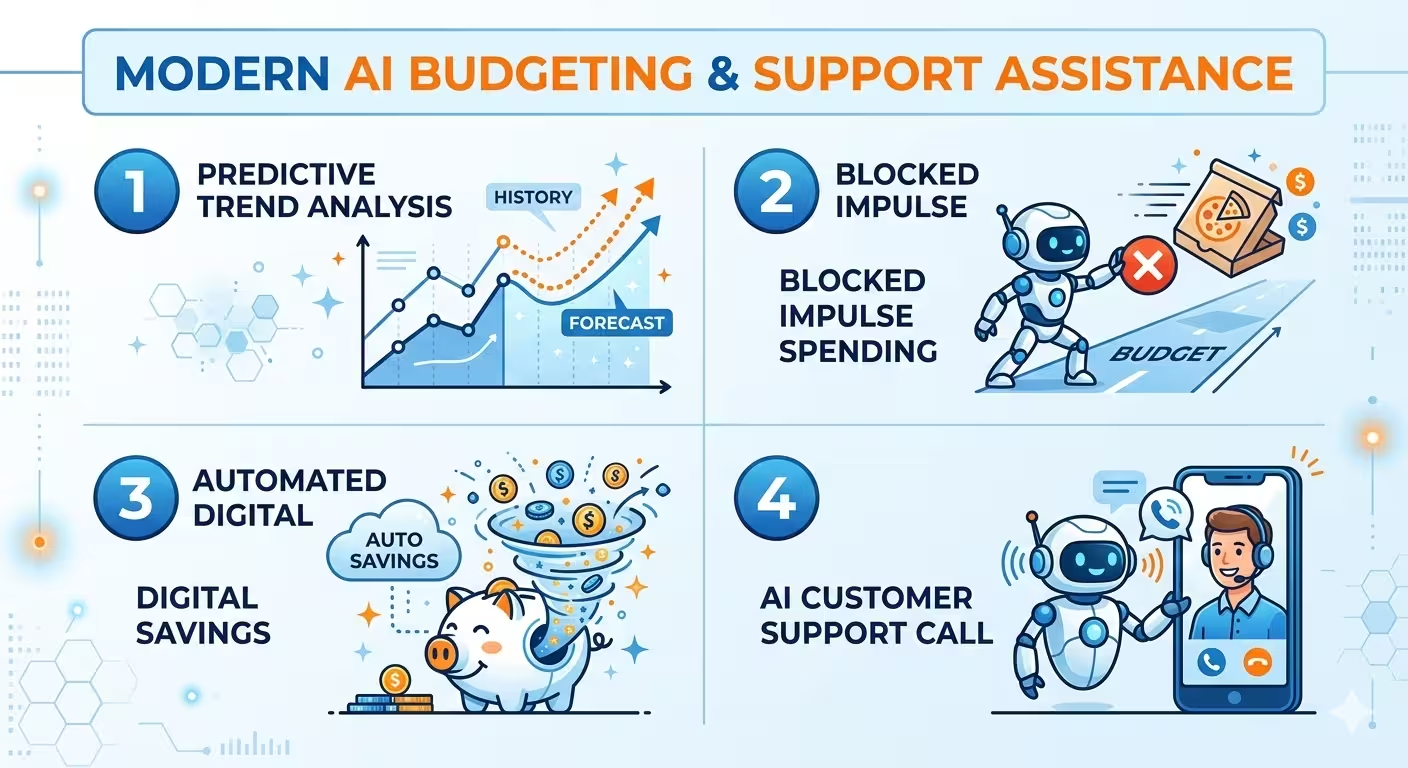
• They track spending velocity - meaning how fast you're burning through money relative to where you are in the month. Some models can predict your month-end balance with up to 50% better accuracy than older methods. You get warned on day 12, not day 30.
• They use behavioral psychology on purpose. Spending "fines," gamified savings streaks, even an AI that roasts your Chipotle habit - friction that stops impulse purchases before they happen.
• Automated micro-savings. The app quietly moves $7 into savings after you skip the gym or $5 when you hit a coffee shop twice in one week. Tiny amounts. You barely notice, but it adds up.
• Bill negotiation. A couple of these apps will literally contact your cable or phone company and argue for a lower rate. Not you. The app. While you do nothing.
The big mental shift is this: you stop relying on willpower. The AI does the watching. You just live your life.
The one app that genuinely covers everything
Okay so I want to be upfront - Origin isn't for everyone. If you just want to see where your grocery money went, this is overkill. But if you actually want to get your financial life together - spending, saving, investing, and retirement all in one place - there's nothing that comes close.
The thing that makes Origin different from every other app on this list is that it thinks like a financial advisor, not just a tracker. Multiple AI agents run in the background simultaneously. One watches your cash flow. One monitors your investment accounts. Another tracks whether you're on pace for retirement. They all feed into each other.
Here's the stat that got my attention: Origin benchmarked their AI Advisor against the actual CFP exam - the test you have to pass to become a certified financial planner. Their AI scored 98.3%. The human average hovers around 79.5%. That gap isn't small.
And they did something smart that most apps skip entirely. The AI conversations and the actual math are kept completely separate. A dedicated computation engine handles all the numbers, so you're not trusting a language model to calculate your retirement projections. You're getting a real, accurate answer. That's actually a big deal.
The downside is the same as the upside - It's a lot. If your goal is simple, this might feel like flying a 747 to get to the grocery store. But for anyone who wants the full picture? Origin is the answer.
Best for:People who want spending, investing, and retirement planning all handled in one place
Cost:$12.99/month
Available on:iOS, Android, and Web
• Pros: Full financial picture, AI plus real human CFP support, bulletproof math engine
• Cons: Might feel like overkill if you just want basic expense tracking

Finally, one dashboard where both people can see everything
My partner and I used to have this recurring argument - not a big one, but persistent - about "surprise" purchases showing up in the account. Not irresponsible ones, just... unexpected. A vet visit here. A birthday gift there. It created this low-level friction where neither of us felt fully in the loop.
Monarch Money basically solved that problem.
Both of you get a full shared dashboard - every account, every transaction, every balance - visible to both people in real time. You can see what they spent this week the same way they can see what you spent. No guessing. No end-of-month "wait, what's this charge" conversations.
For couples who are actually trying to hit a shared goal - a house, a trip, paying off debt - that shared visibility is genuinely transformative. You're no longer managing separate mental spreadsheets and hoping they add up.
On the security side, Monarch hit a real milestone in early 2026: SOC 2 Type II compliance. This isn't just a marketing badge. It means an independent auditing firm went through their entire security infrastructure and verified it meets rigorous standards. For an app that connects to every financial account you own, that matters more than most people realize.
Best for:Couples, families, anyone managing money with another person
Cost:$14.99/month
• Pros: Shared household view, independently verified security, clean transaction tracking
• Cons: Doesn't touch investments or retirement planning - purely a budgeting tool
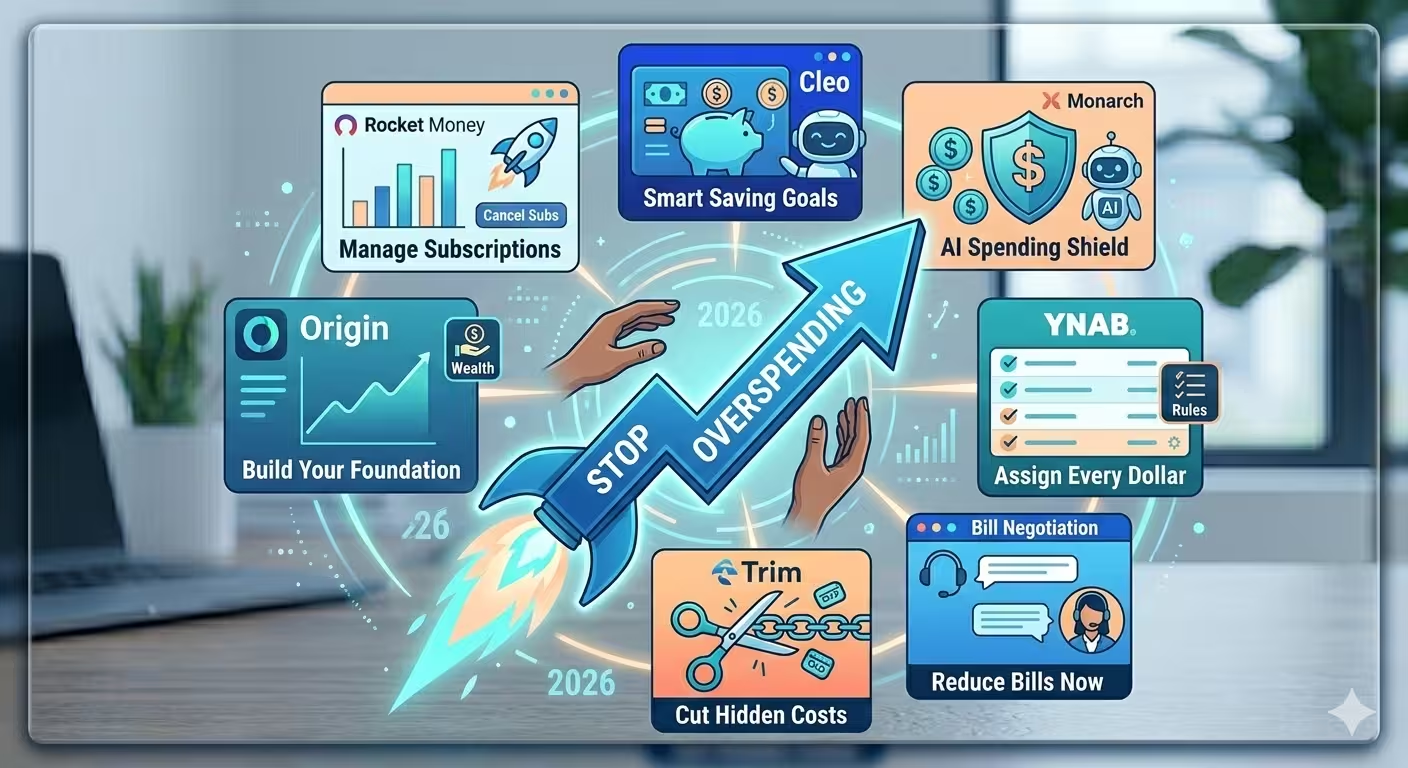
"Every dollar gets a job" - and they mean it
YNAB is not the app you download when you want budgeting to be easy. It's the one you download when you're finally tired of your money disappearing and you want to actually understand where it goes.
The whole philosophy is zero-based budgeting. Before the month starts, every single dollar gets assigned a purpose - rent, groceries, car insurance, fun money, savings. Nothing floats. Nothing is "for later." Every dollar has one job, and it does that job.
The 2026 version added real AI to this process. After a few months, YNAB learns your patterns and starts pre-filling budget categories for you based on what you typically spend. That was always the biggest complaint - setup takes forever. The AI cuts that friction significantly.
Here's the honest part though: YNAB still requires you to show up. You have to assign dollars regularly, check in, and stay engaged. It's more work than the other apps on this list. But the people who stick with it consistently report the most dramatic behavior change. Because the process itself - the act of deciding where your money goes before you spend it - rewires how you think about purchases.
It's the difference between reactive budgeting and intentional budgeting. YNAB is firmly in the second camp.
Best for:People who want complete control and are willing to be hands-on about it
Cost:$14.99/month
• Pros: Genuinely changes spending behavior, builds real financial habits, strong support community
• Cons: Steeper learning curve than every other app here, requires consistent engagement to work

The budgeting app that will actually call you out
I want to tell you about the first time Cleo roasted my spending.
I asked it to give me a breakdown of my month. And instead of a bland pie chart, it came back with something like: "You spent $190 on takeout this month. Your grocery budget is $200. So essentially you have two separate food budgets and neither of them is winning." And then it added a sarcastic little comment that I absolutely cannot repeat here.
It was funny. It was accurate. And honestly? It stuck with me way more than any bar chart ever did.
That's Cleo in a nutshell. It's a conversational AI chatbot that talks to you like a person - specifically, like a brutally honest friend who happens to have access to all your financial data. There's a "Roast" mode where it eviscerates your spending habits, and a "Hype" mode where it genuinely celebrates when you hit a goal.
Past the personality, there are real tools underneath. The automatic "spending fines" are clever - If you hit a coffee shop more than your set limit, Cleo moves a few dollars into your savings automatically. The amount is tiny. The friction is the whole point.
It's also one of the only free AI budgeting tools that links to bank accounts and actually keeps people using it. Most finance apps lose users after two weeks. Cleo keeps younger users engaged because it feels less like a chore and more like a game you're trying to win.
Best for:Millennials, Gen Z, and anyone who has downloaded and abandoned three other budgeting apps
Cost:Free tier available, premium up to $14.99/month
• Pros: Actually entertaining to use, solid free plan, behavioral nudges that genuinely work
• Cons: Not the right tool for complex financial planning, the personality isn't for everyone

It found charges I forgot I was paying - every single time
Every time I show someone Rocket Money for the first time, they have the same reaction. First comes the scan. Then comes the quiet. Then: "Wait, I'm still paying for that?"
It happens every time. Without fail.
Rocket Money is built around one core problem: we sign up for things, forget about them, and keep getting charged. It pulls your full transaction history, identifies every recurring charge, and surfaces them in a clean list. You scroll through, tap cancel on the ones you don't want, and the app handles the cancellation. No hold music. No cancellation runaround.
The bill negotiation feature is where it gets genuinely impressive. Rocket Money will contact your cable, internet, or cell phone provider directly. They use market pricing data to make the argument for a lower rate, handle the whole negotiation, and only take a cut if they actually save you money. If they come back empty-handed, you owe nothing.
Is it a full-featured budgeting platform? No. The spending analysis side is basic. But for finding and cutting financial waste specifically, it's the best tool available. Most people who use it find $30 to $80 per month in stuff they didn't realize they were paying for.
Best for:Anyone drowning in forgotten subscriptions or overpaying on recurring bills
Cost:Free to $14/month (bill negotiation is a separate percentage-based fee)
• Pros: Subscription hunting is genuinely excellent, bill negotiation delivers real savings, easy to navigate
• Cons: Not a full budgeting tool, negotiation fee varies based on how much they save you
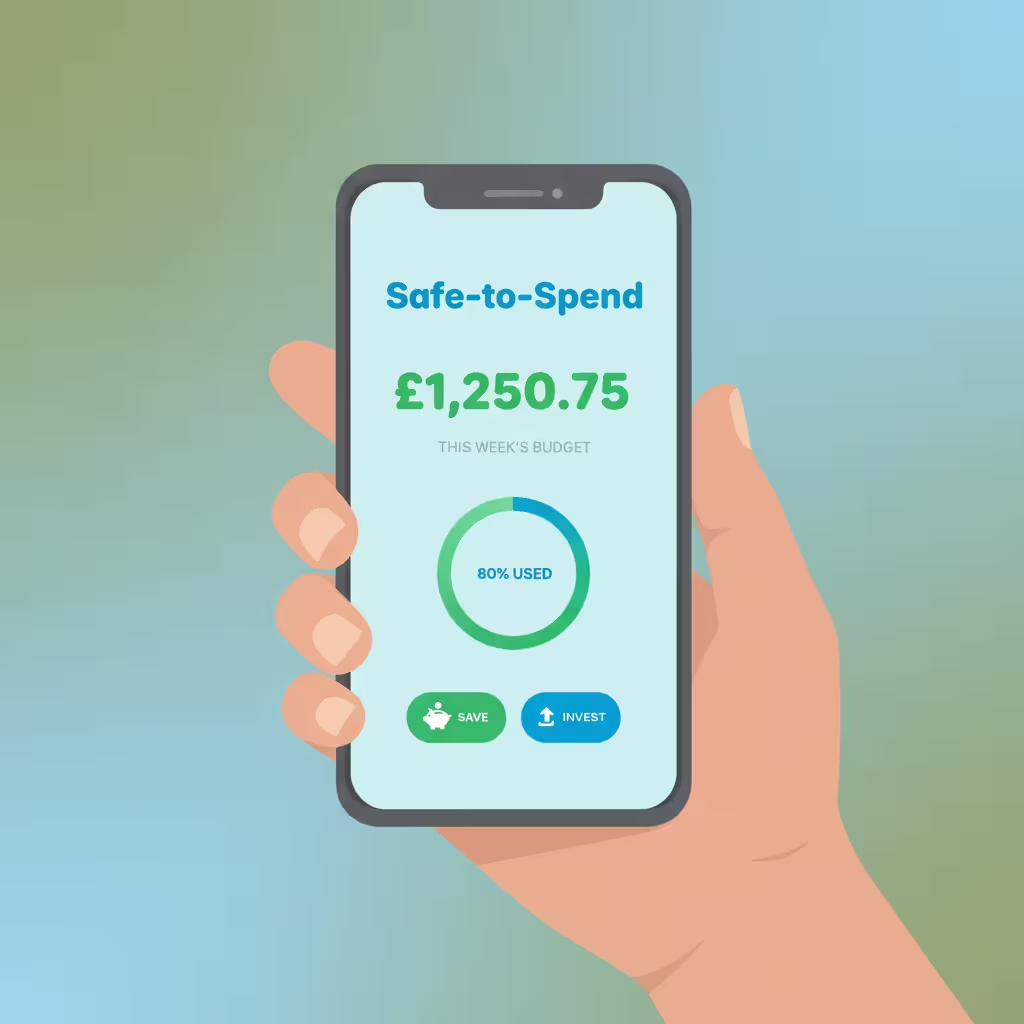
One number. That's literally all you need to check.
I have a friend who is terrible with budgets - not because she's bad with money, but because she hates complexity. She tried YNAB for a week and hated it. She tried a spreadsheet and gave up by Tuesday. She tried Mint and found it overwhelming.
She's been using PocketGuard for two years now. Because it gives her one number.
That number is the Safe-to-Spend balance - what PocketGuard calls "In My Pocket." It takes your income, subtracts your upcoming bills, pulls out what you've set aside for savings goals, and whatever's left is what you can actually spend without wrecking your month. The number updates automatically as transactions come through.
That's it. Before you buy something, you check the number. If the number is fine, you're fine. No categories to manage, no dollars to assign, no complex dashboards to read.
It also integrates with Billshark, which is a bill negotiation service similar to what Rocket Money offers. PocketGuard users report average savings of $300 per month - one of the higher figures in the industry, though that obviously depends on your individual situation.
Best for:People who want clarity on daily spending without any of the complexity
Cost:Free plan available, premium up to $12.99/month
• Pros: Incredibly simple, updates in real time, the free plan is actually useful
• Cons: Not the right tool for long-term planning, investment tracking is limited
The one that actually looks as good as it works
Most finance apps look like they were designed by accountants. Functional. Beige. Technically correct but zero joy in using them.
Copilot looks like someone actually cared.
It's by far the most visually polished personal finance app on the market right now. Clean design, smooth interactions, beautiful data visualizations. Opening it doesn't feel like doing homework. That matters more than people admit - because if an app is annoying to use, you stop using it.
Under the surface, the AI autocategorization is genuinely impressive. After a few weeks of use, Copilot has a solid read on your habits and sorts transactions accurately with minimal corrections needed. It also handles rollovers intelligently - If you come in $40 under your dining budget one month, it doesn't just reset to zero. It adjusts the next month's allocation to reflect that.
The catch - and it's a real one - Is that Copilot is iOS only. Android users are out. But if you're on iPhone and you've ever been quietly annoyed by how ugly most financial apps are, Copilot is the answer.
Best for:iPhone users who want a premium, beautifully designed AI expense tracker
Cost:$13.00/month
• Pros: Best design in the entire category, smart transaction sorting, great visual breakdowns
• Cons: iOS only - If you're on Android, look elsewhere
Side-by-Side Comparison
| App | Best For | Standout Feature | Price |
| Origin | Full financial planning | AI Advisor + human CFPs | $12.99/mo |
| Monarch Money | Couples & families | SOC 2 security + shared view | $14.99/mo |
| YNAB | Zero-based budgeting | Predictive monthly planning | $14.99/mo |
| Cleo | Millennials & Gen Z | Roast & Hype AI chat | Free–$14.99/mo |
| Rocket Money | Subscription overload | Bill negotiation service | Free–$14/mo |
| PocketGuard | Simple daily control | Safe-to-Spend balance | Free–$12.99/mo |
| Copilot | iPhone users | AI autocategorization | $13.00/mo |
Is It Actually Safe to Connect Your Bank Account?
Short answer:
yes, with the right apps. But I get why people are nervous about this - connecting a budgeting app to your bank feels
like handing over the keys.
Here's what's
actually happening: the top apps don't get your login credentials. They connect
through a data aggregator - usually Plaid,
MX, or Mastercard's network - which
generates a secure access token. The budgeting app receives a read-only feed of
your transaction data. It cannot initiate transfers, move money, or change
anything about your account. It just sees what happened.
Everything on
this list uses 256-bit AES encryption - same as your actual bank. And Monarch Money's
SOC 2 Type II certification, verified by an outside firm in early 2026, is the
closest thing to a gold standard in this space.
Could a company
ever get breached? Any company can. But your actual bank login is never exposed
to these apps. The token system is specifically designed to prevent that.
 Non-negotiable habit:Use a unique password for every financial app. Turn on two-factor authentication. Do it today, not later.
Which One Should You Actually Download?
Honestly, the best AI budgeting app is the one you'll open more than twice. A free app you actually use every day will do more for your finances than a $15/month app you forget about.
Here's the fast version:
• You want your whole financial life organized in one place → Origin
• You share finances with a partner or spouse → Monarch Money
• You want to be completely intentional with every dollar → YNAB
• You want something that won't make you fall asleep → Cleo
• You're paying for things you've completely forgotten about → Rocket Money
• You just want to know if you can afford something right now → PocketGuard
You're on iPhone and design actually matters to you → Copilot
The Bottom Line
Here's what I've learned after going through years of budgeting apps, including ones that didn't make this list: the tool matters less than the timing. The best time to start using one of these is before things get tight, not after.
AI has genuinely changed what's possible here. These apps don't just track - they predict, intervene, negotiate, and nudge. They handle the part that most of us are bad at, which isn't really math. It's attention. Consistency. Catching things before they spiral.
My picks if you're only choosing one:
• Best overall: Origin - full picture, exceptional AI, and access to real CFPs when you need them
• Best free option: Cleo - engaging enough to actually stick with, and the free plan is legitimately good
• Best for couples: Monarch Money – shared visibility changes the whole dynamic of managing money together
Pick whichever one fits and give it a real 30 days. The difference is noticeable fast.
Frequently Asked Questions
What's the best free AI budgeting tool that links to bank accounts?
Cleo is the strongest free option on the market right now. It connects to your bank, tracks spending in real time, and the free tier is genuinely useful - not just a stripped-down teaser. PocketGuard's free plan is also solid if you just want the Safe-to-Spend number without the bells and whistles.
Are AI budgeting apps actually safe for US bank accounts?
Yes - the reputable ones. They use read-only connections through secure aggregators like Plaid, which means they can see your transactions but cannot touch your money. Before trusting any app, look for SOC 2 compliance and 256-bit encryption as baseline requirements.
What's the best AI budgeting app for millennials?
Cleo, and it's not particularly close. The chatbot personality, the gamified savings features, the free tier - It's built for people who've historically bounced off every other budgeting app after two weeks. It's the one that actually keeps you coming back.
How much can I realistically save using one of these apps?
Based on 2025-2026 data, typical users save between $340 and $500 per year through reduced overspending and better awareness. That's before you factor in bill negotiation - If Rocket Money or PocketGuard can get your internet bill or cell plan reduced, that adds up on top of the behavioral savings.
Can one of these apps replace a human financial advisor?
For the day-to-day stuff - tracking cash flow, catching waste, basic investment monitoring – AI apps have genuinely gotten very good. For high-stakes decisions like estate planning, tax strategy, or major life transitions, a human advisor is still worth having. Origin is the one app that tries to cover both sides by pairing AI tools with access to real certified financial planners.
Financial Disclaimer
The information published on Tech Capital Hub is intended for educational and informational purposes only. Nothing on this website — including articles, guides, analysis, or commentary on AI, fintech, blockchain, cryptocurrency, or stocks — should be interpreted as financial advice, investment advice, trading recommendations, or any other form of professional financial guidance.
All investments carry risk, including the potential loss of principal. Past performance of any financial instrument, strategy, or technology is not a reliable indicator of future results. Cryptocurrency and blockchain-based assets are particularly volatile and speculative in nature, and their value can fluctuate significantly in short periods of time.
Tech Capital Hub, Marcus Delray, and any associated contributors do not hold responsibility for any financial decisions you make based on content published on this site. Before making any investment or financial decision, we strongly encourage you to conduct your own independent research and consult with a licensed financial advisor, accountant, or legal professional who understands your personal financial situation.
Any links to third-party websites, tools, or platforms are provided for convenience and informational purposes only. Tech Capital Hub does not endorse or take responsibility for the content, accuracy, or practices of any third-party sites.